Repository navigation
v0.14.0 — Talk with Carl and Vienna

Talk with Carl and Vienna.
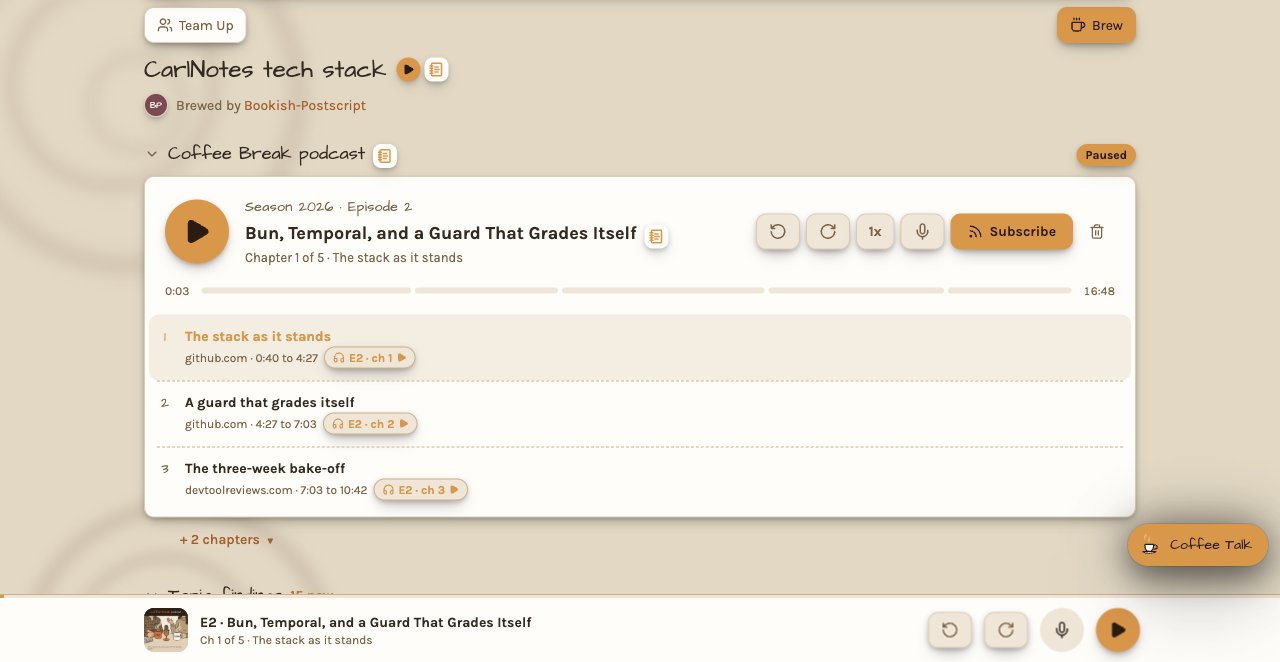
The Coffee Break player has a microphone now. In the small player at the bottom of the screen, it sits beside play. In
a topic's podcast player, it sits beside the speed button. Tap it while an episode plays, and ask out loud about what
you heard. Try "what did he mean by that?" or "Vienna, would you buy one?" The episode pauses, and the hosts listen.
Your question goes in on its own once you stop talking, so your hands can stay busy.
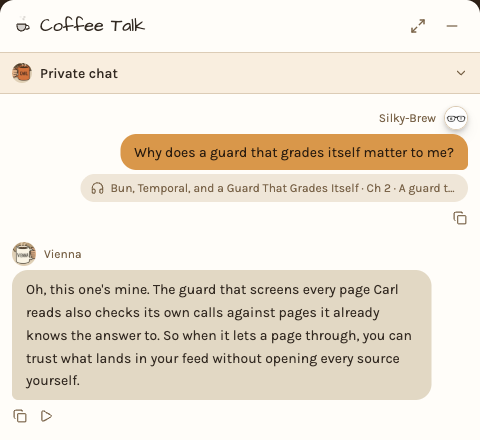
The question decides who answers. Ask what a source said, a number, or what a line meant, and Carl takes it, since he
read everything. Ask why it matters, what Vienna thinks, or what she would do, and Vienna takes it, since she sits in
your place. Name a host, and that host answers. They take your question the way radio hosts take a call on air. They
answer out loud, in their own voices, about the chapter that was playing. Then the episode picks up where it paused.

Every question you ask the hosts is saved in the topic's Coffee Talk, tagged with the episode and the chapter. Tap the
tag to hear that chapter again. Vienna's answers show her picture and her name, and their play button reads them in
her voice.
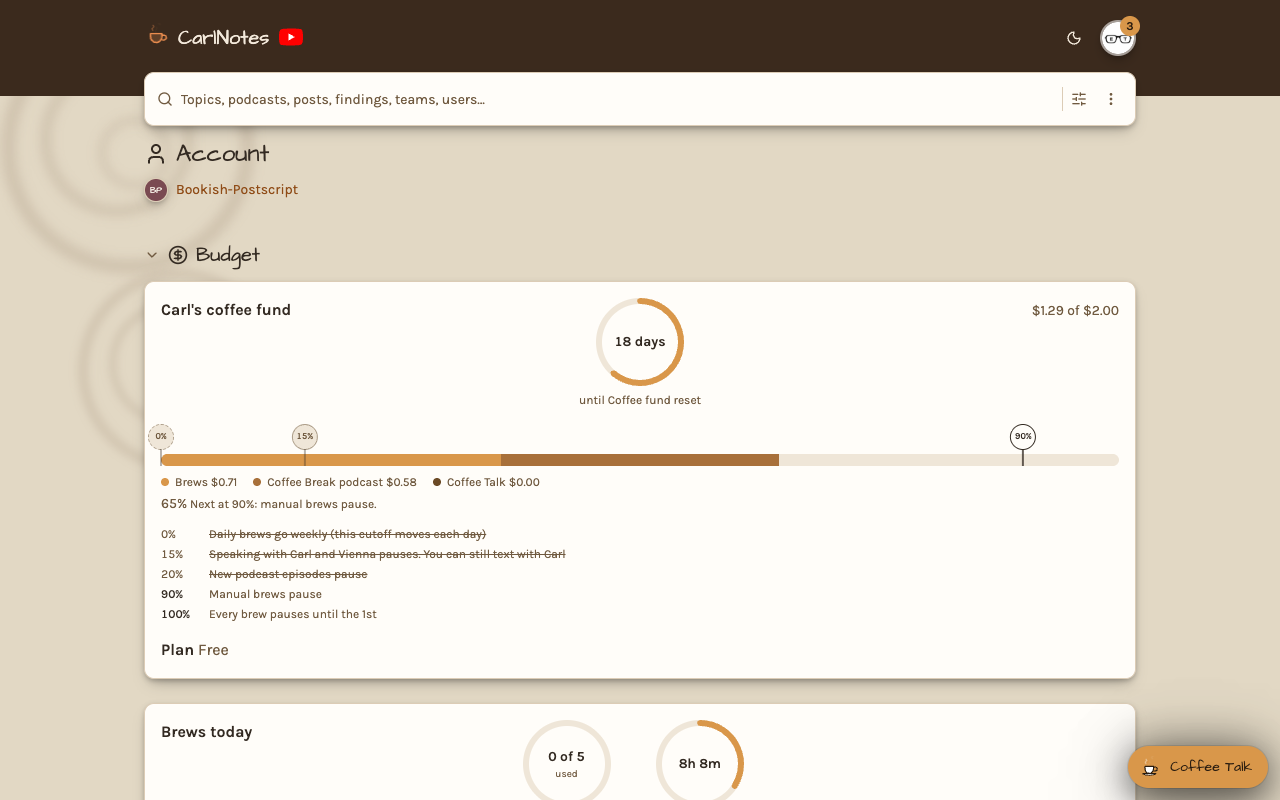
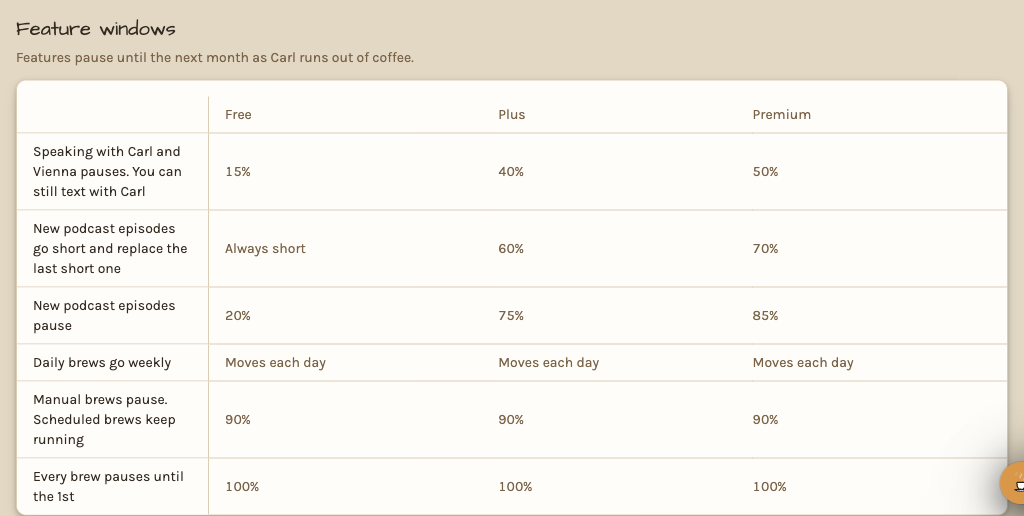
Carl's coffee fund now runs low in a planned order. As the month's spend climbs, the extras pause first: speaking
with the hosts, then full podcast episodes, which go short, then new podcast episodes, then daily brews, which go
weekly. Manual brews pause at 90%, and scheduled brews keep running until the fund runs out. You can still text with
Carl the whole time. The account page marks each cutoff on the coffee fund's bar, and the plans page lists every
plan's cutoffs.
Two smaller changes. In a team's chat room, only the member Carl proposed a topic change to can save it. Nobody
else's yes can save it for them. When you need an account for something, the sign-up page now says what for. Once you
are in, it brings you back to the page you were on.