Repository navigation
v0.17.0 — One search for everything

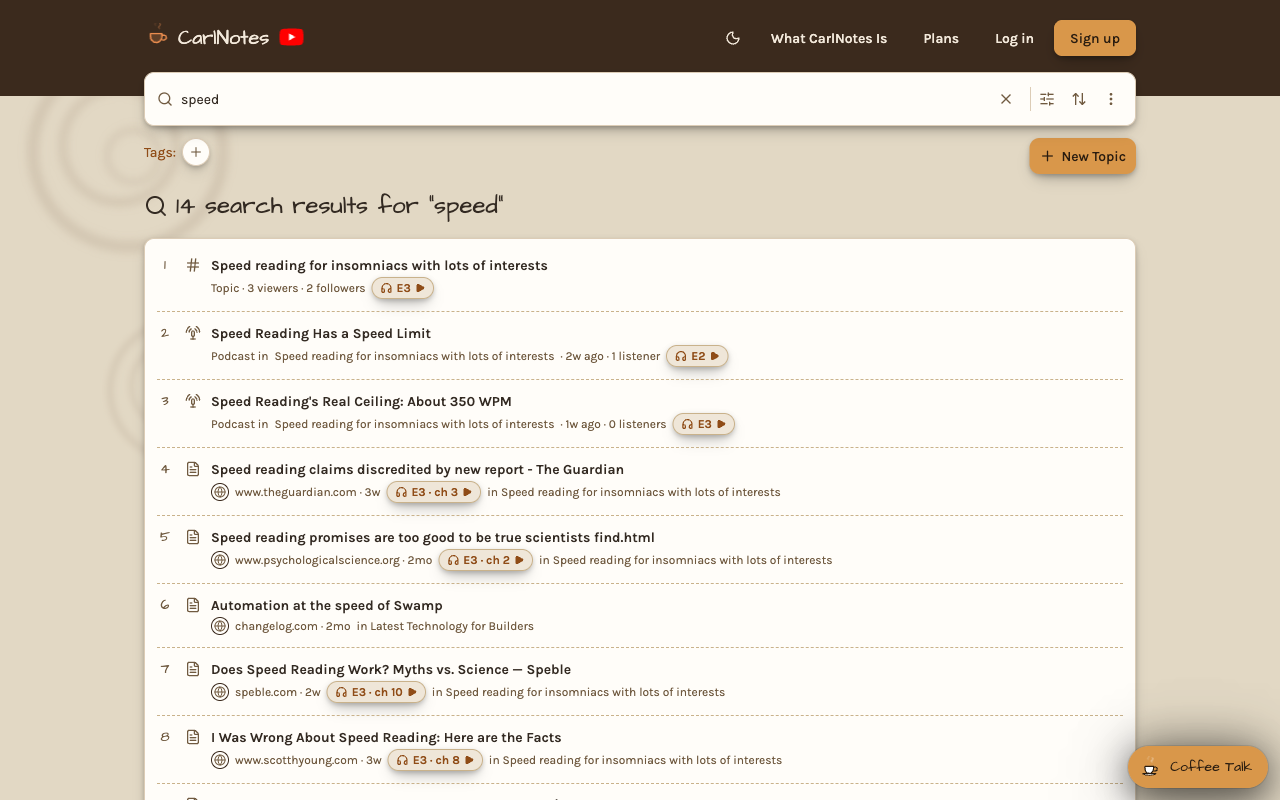
One search bar now finds everything: topics, podcast episodes, findings, teams, and profiles. Press Enter and the
search page lists every result, numbered and paged, with the same filters, tags, and sort as your feed.
The search page names how many results it found and numbers them across pages. A topic shows its viewers and followers,
a podcast episode its listeners, and a team its topics and members. A finding shows the play pill of the podcast chapter
that narrates it. Copy the page's link, and anyone who opens it sees the same search.
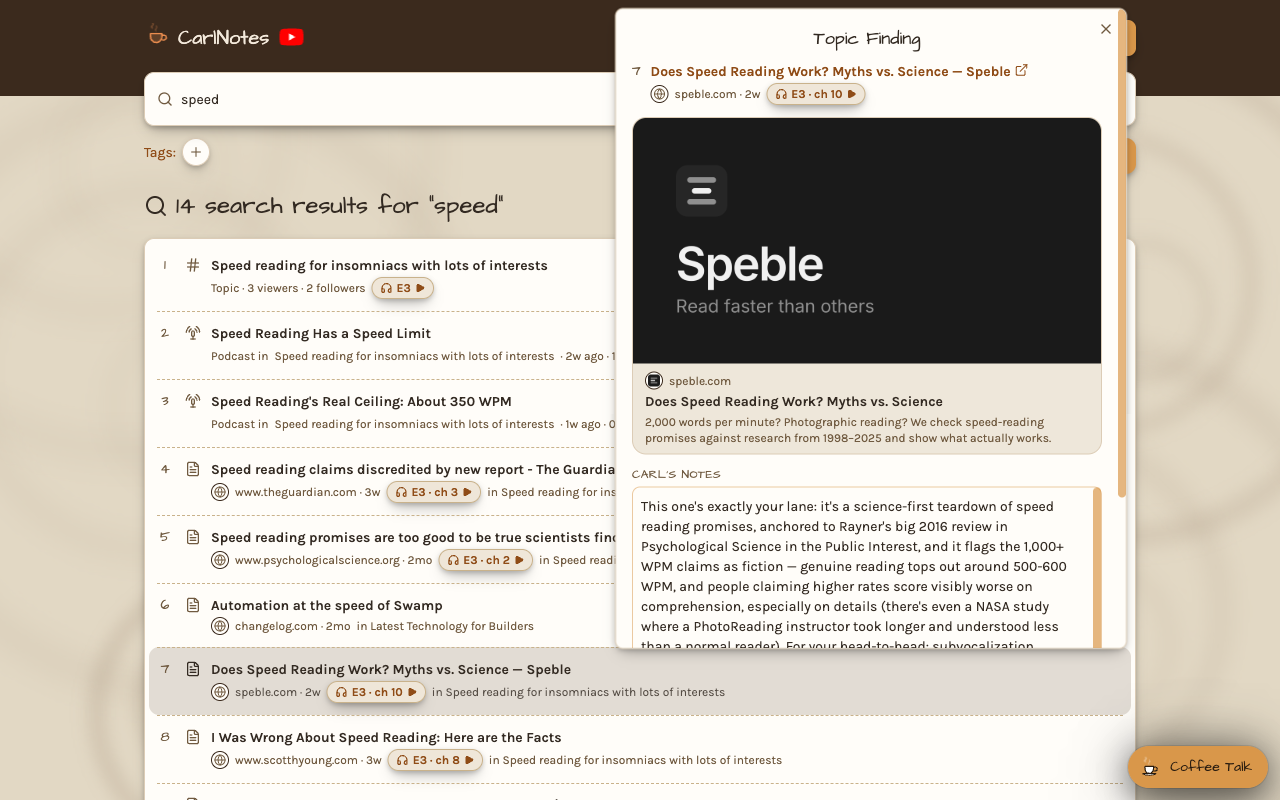
Click a finding in the results to open the same note the feed shows: Carl's notes, the page's preview, and your rating,
bookmark, and Mark read. A bookmarked finding keeps its place and shows its bookmark beside its age.
Filters narrow the search the way they narrow your feed. Turn kinds of results on or off, or pick tags above the
results. Unread and Bookmarked show findings alone, since nothing else can be read or bookmarked. The CarlNotes
logo clears your search from the search page, and from any other page it takes you back to your search.
Your CarlNotes podcasts now play right inside your AI. Connect Claude, ChatGPT, VS Code, or Goose to CarlNotes, and
search results and topic feeds show up as cards in the chat. Press a podcast episode's play pill, and the episode plays
in the chat, from where you left off on CarlNotes. A finding's chapter pill plays the chapter that covers it.
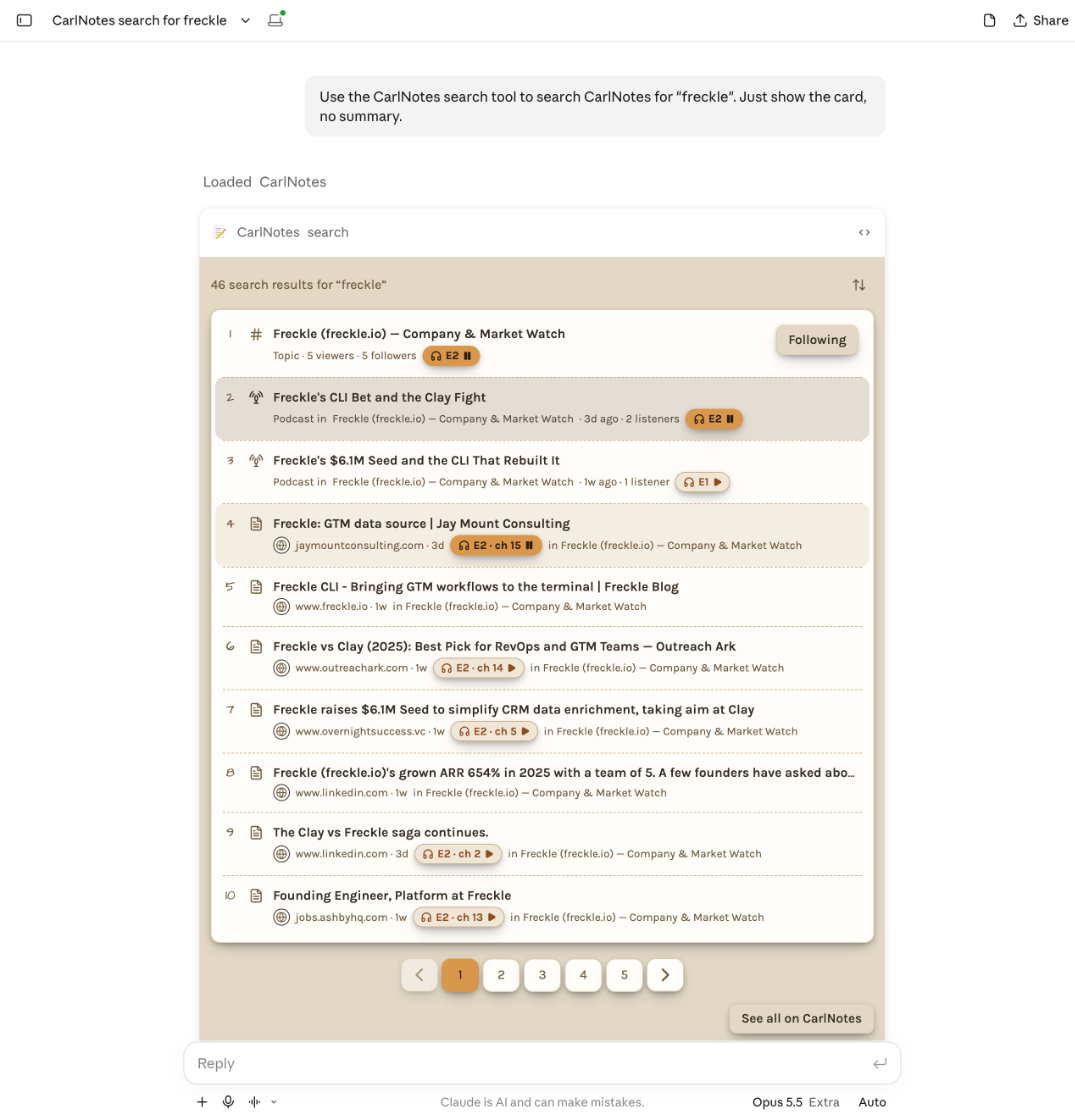
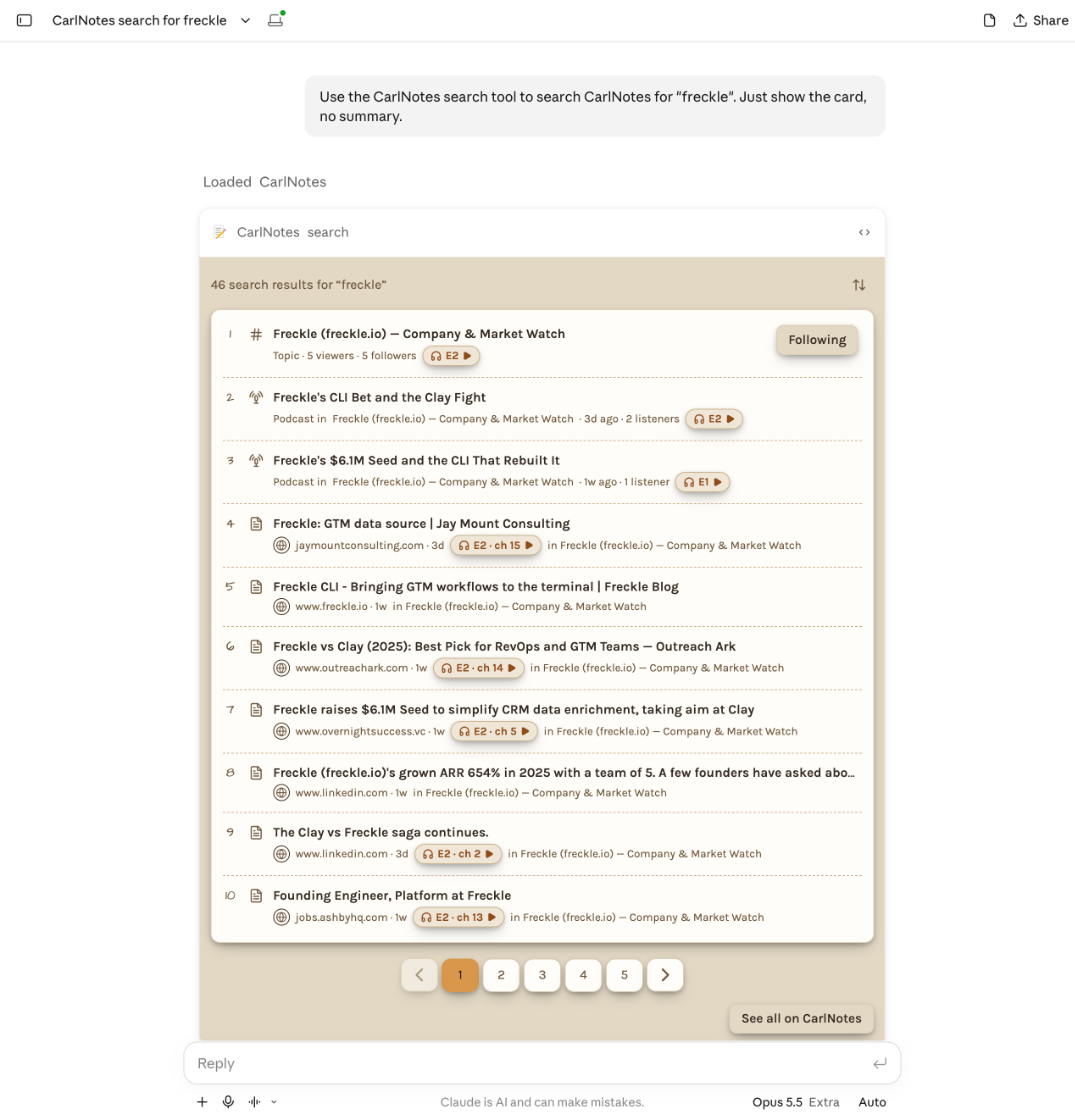
Your AI also searches the way the site does. The search card is the same numbered list, with play pills, the sort menu,
and See all on CarlNotes.
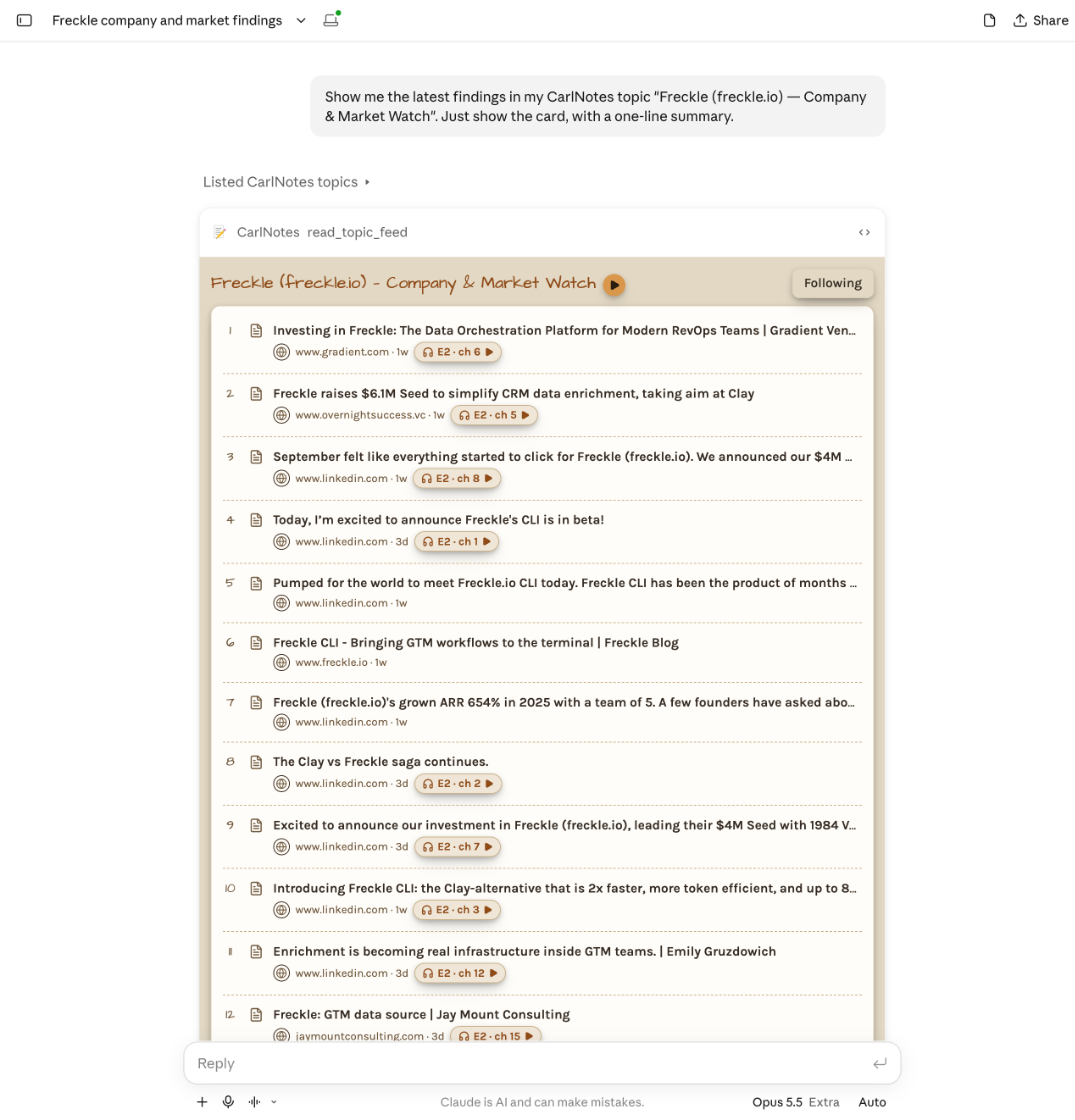
Ask your AI for a topic's feed, and it shows the findings card: the topic's name with its podcast's play button, and
each finding with its chapter. Click a finding for its note, with thumbs, bookmark, and Mark read.
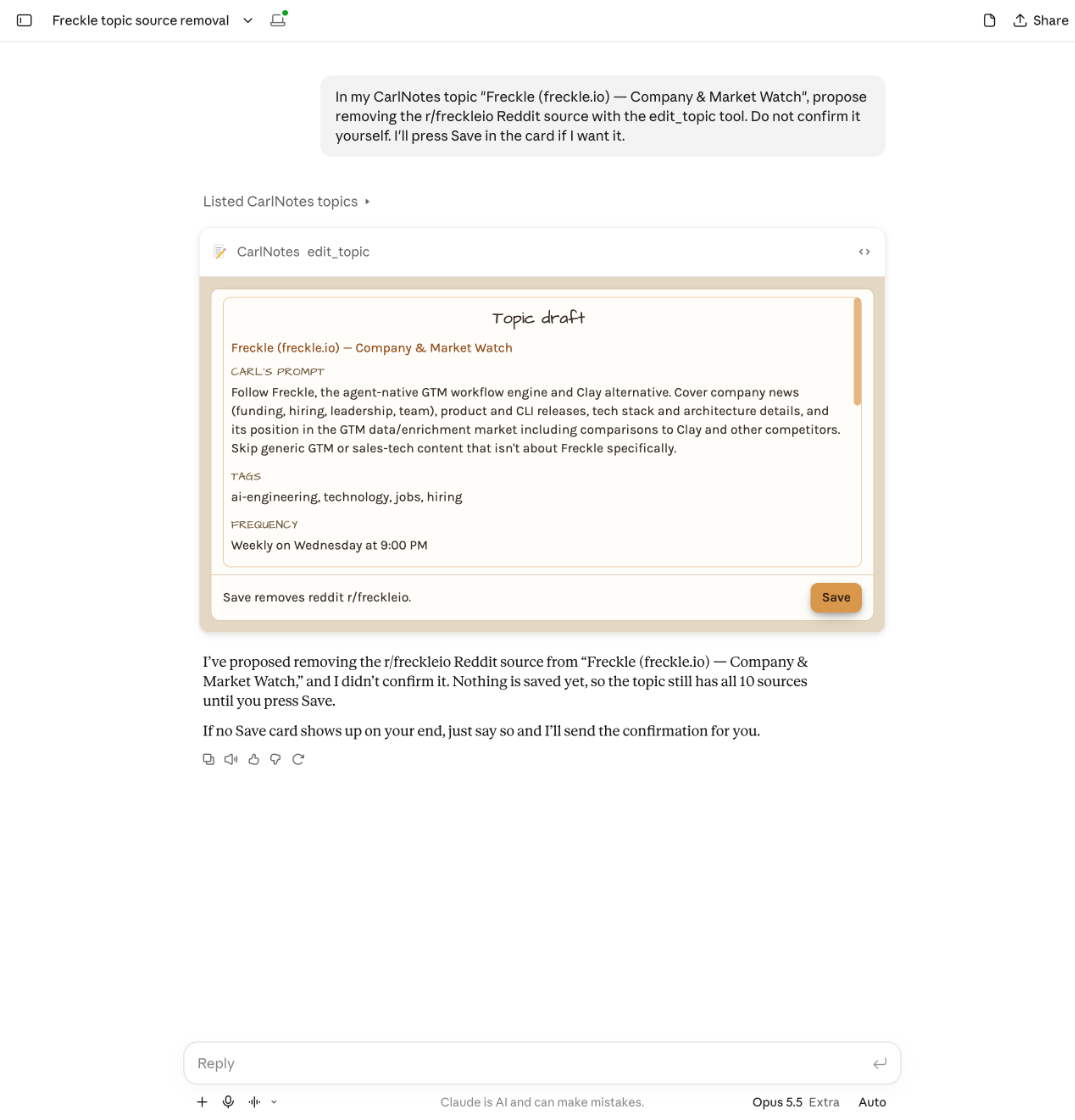
One tool now makes every topic edit: the name, tags, visibility, schedule, prompt, and sources at once. Making a topic
public or removing a source waits until you agree. Your AI shows the change as a topic card that names what Save
changes, and nothing saves until you press it.
Findings count views again. A finding's note shows Views: every time anyone opened it from CarlNotes, signed in or
not. Trending orders findings by views. Topics and podcast episodes still count people.
The Rated down filter is gone. A thumbs down hides a finding from every view, and Carl still scores pages like it
lower.
Two smaller changes. The trash button left the podcast player at the top of a topic page, so one tap from Play can't
remove an episode. Remove one from the episodes list or the episode page's ⋮ menu. And when a viewer, follower, or
listener count changes, its flash is now a round badge.