Repository navigation

The Daily Specials Board shows who reads your topics and who plays your podcasts, by day and by place. Every person
gets Topic Specials and Podcast Specials, and every team gets Team Specials. Open them from the user menu, from the
Account screen in the app, or from the Visitors line at the bottom of any Café or team page.
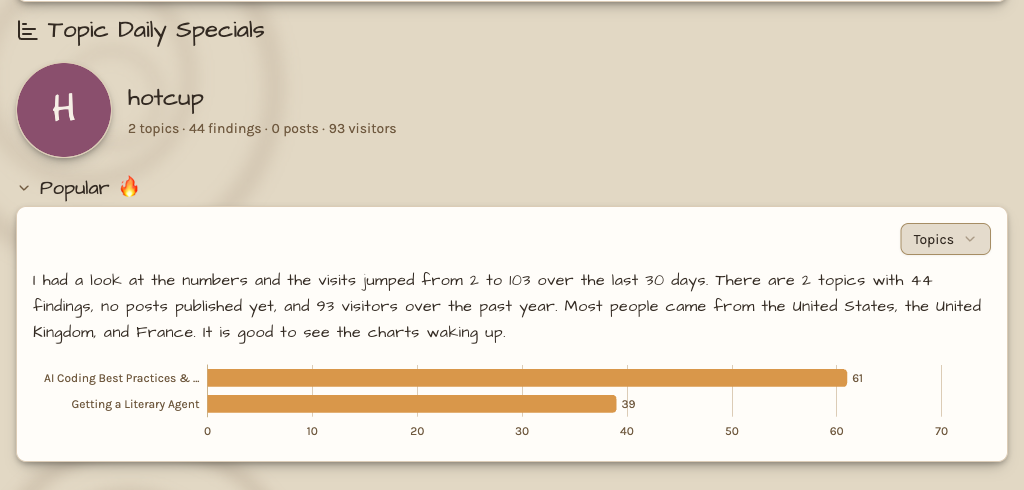
Each night Carl writes a paragraph about the numbers in his own hand: the last 30 days against the 30 before,
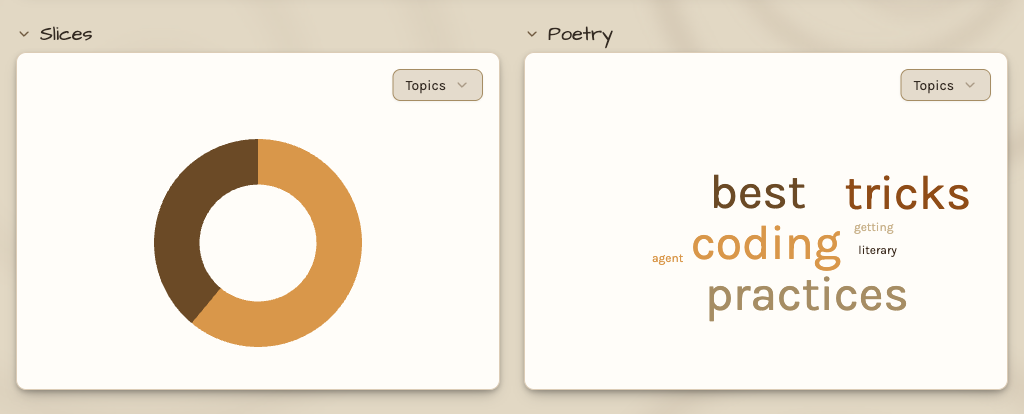
and where people came from. Five charts follow. Popular ranks the ten most visited items, Slices shows each one's share,
Poetry makes a word cloud from their titles, Performance draws each item by day over up to a year, and Visitors maps
the cities and countries they came from.
A visit counts once per person, item, and day, and a play counts once however often a podcast app retries. Specials
keeps no address and no single visit, only each day's counts per item and place. A city shows only once ten people came
from it.
Your own Specials show everything you own, private topics included. A team's members see the team's charts, and
everyone else sees public topics and podcasts only. Ask your AI "how are my topics doing" and it reads your totals and
Carl's paragraph through CarlNotes in your AI app.
Teams, Activity, and Account now open with your picture and name, like your Café. Viewer counts say Visitors, and Open
Mic posts count theirs too.
See Daily Specials Board for more.