Repository navigation
BatchSlicer 0.20.0

The web page: upload, follow, download and send from a browser on this
computer.
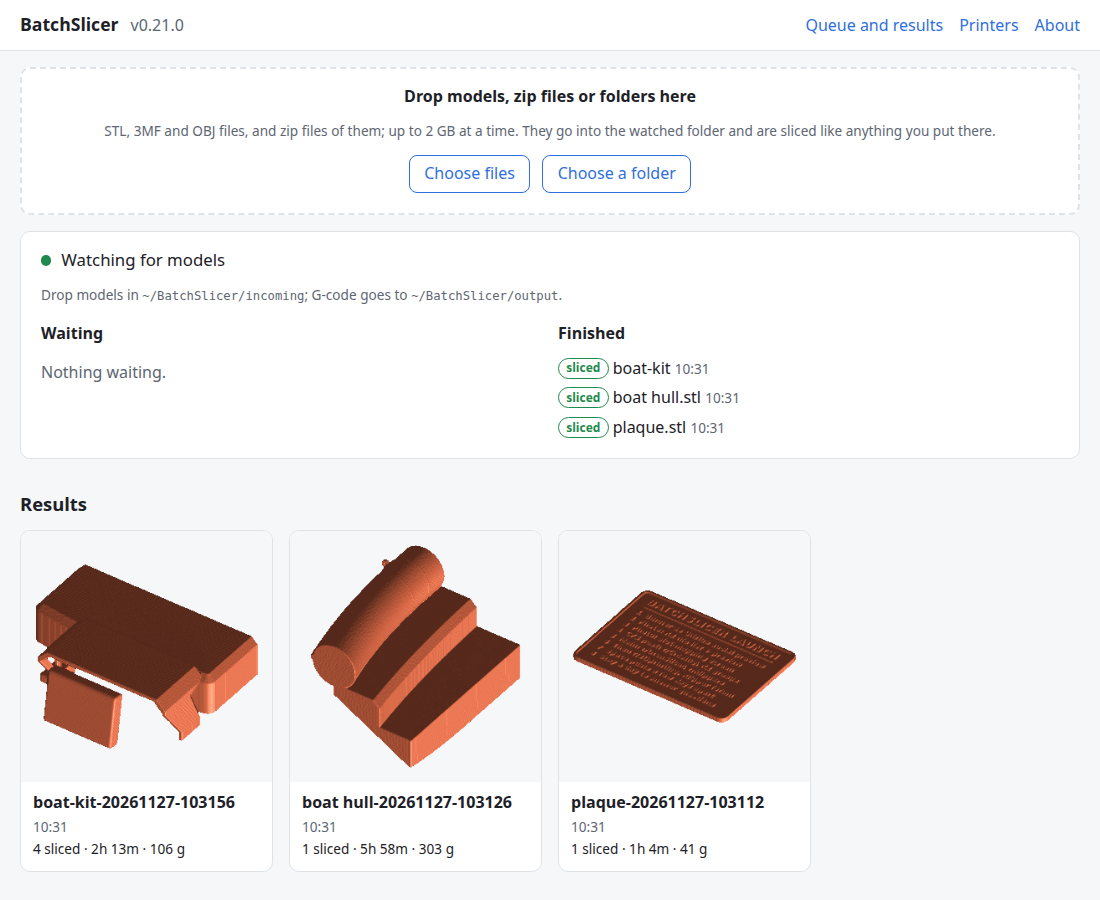
Install or upgrade with the web page: pipx install --force "batchslicer[web]",
then batchslicer web --profile NAME and open http://127.0.0.1:8765. See
Following it in a web page.
Added
batchslicer web(first step of the web page, needs the newwebextra:
pipx install --force "batchslicer[web]"): runs a watch together with a
page on http://127.0.0.1:8765 that shows what is waiting, what is being
sliced (model n of m), the drops finished, and the results in the
output folder with their preview pictures, print time, filament per slot
and the slicer's reason for failures. Drag models, zip files or folders
onto the page (or choose them) to slice them, up to 2 GB at a time; they
reach the watched folder only once complete. Download each G-code file and
the reports, or a whole run as a ZIP. Send a run's G-code to a configured
printer, into the same folders as--send(it is never started), and see
on the Printers page whether each printer answers and what is loaded in
its CFS. An About page shows the settings and runsbatchslicer doctor.
Folders watched by installed services are offered as upload targets, with
what each service is doing. It works only on this computer, and takes
uploads, sends and checks only from the page itself.--portchooses another port.batchslicer service install --webkeeps the web page and its watch
running in the background, as a service namedweb(--portfor another
port).- A watch run keeps
.batchslicer-status.jsonin the watched folder up to
date with what it is doing, for the web page and your own scripts.