Repository navigation
Downer v2.0.1 (unsigned)

Downer 2.0.1
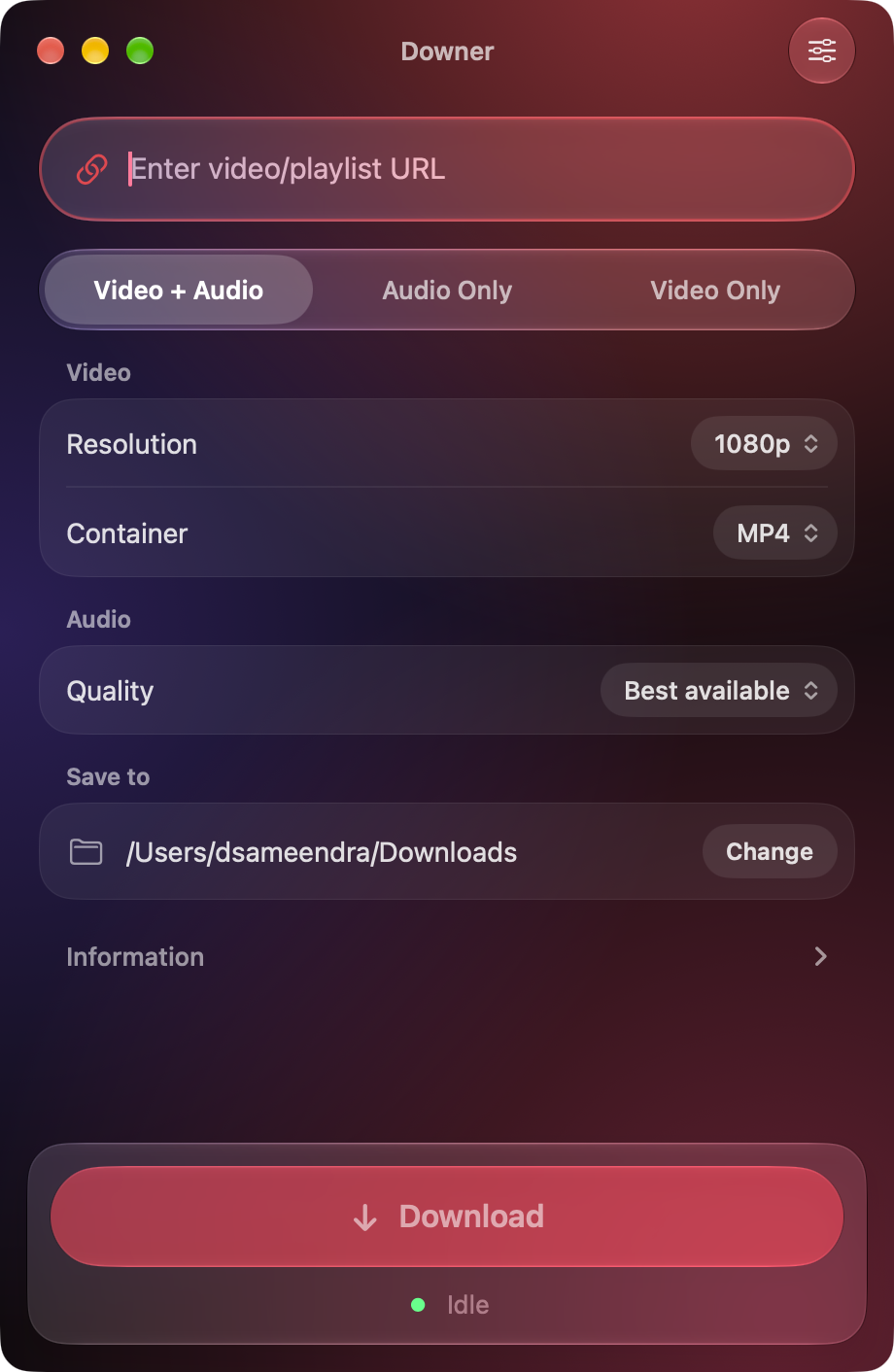
The first public build of Downer 2.0: a Liquid Glass redesign, and a download queue so you can keep adding videos and playlists while something is already downloading. (2.0.0 was withdrawn because its installer image was not good enough; this release replaces it.)
A proper installer
Open the disk image and a window shows Downer next to your Applications folder with an arrow between them. Drag Downer across and you are done. The disk image carries Downer's icon.
What's new in 2.0
- Liquid Glass design throughout: real glass on macOS 26 and later, a material look on macOS 14 and 15, solid surfaces with Reduce Transparency. Dock and tray corners follow the window's own corners.
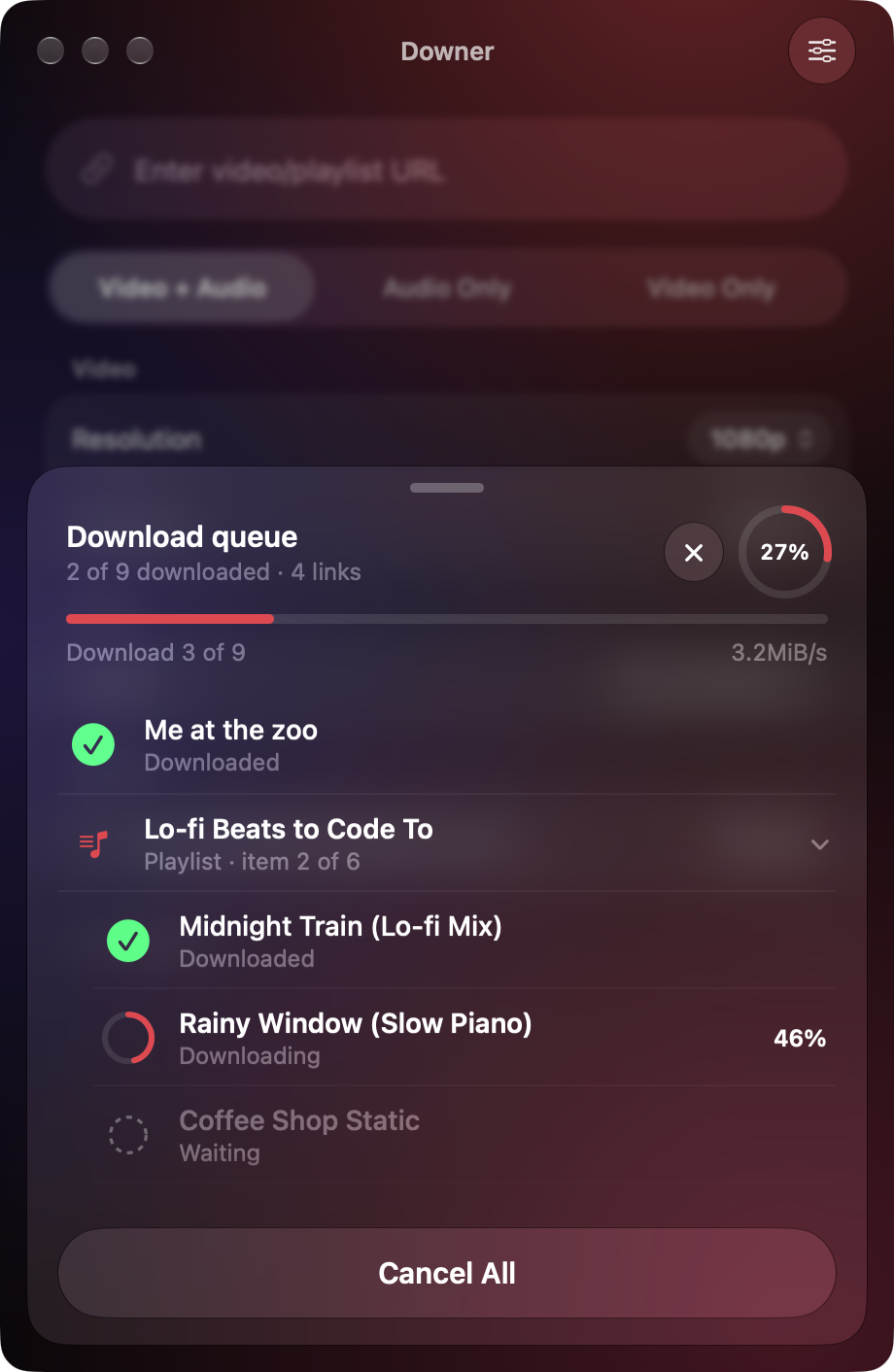
- Download queue. Paste a link and press Return, then paste the next one while the first is still downloading. Single videos, playlists or a mix: they are looked up, then downloaded one after another in order, each with the settings it was added with.
- Queue tray. Drag the handle up to see every link and every video in a playlist with its own progress. Cancel, remove, retry what failed, or clear what finished.
- Real progress (percentage, speed, time left) in the window, the tray and the menu bar.
- Menu bar icon that fills with progress and shows the queue count (
3/12), a check when done, and an orange dot when something needs attention. - Global shortcut that opens the popover with your copied link already filled in.
- Set up from Settings. Downer finds
yt-dlp,ffmpegandffprobeand installs them for you (with Homebrew, or a directyt-dlpdownload without it). - New layered app icon with dark, clear and tinted looks; Device / Light / Dark appearance and an optional background glow.
- Network errors are retried once automatically. Show in Finder reveals everything a queue produced.
- Updated the shortcut library (KeyboardShortcuts 3.1.0) for better macOS 27 compatibility.
Requirements
macOS 14 or later (Liquid Glass needs macOS 26). Universal: Apple Silicon and Intel.
If macOS will not open it
The app is not signed with a paid Apple Developer account. After dragging it to Applications, run this once in Terminal:
codesign --force --deep --sign - /Applications/Downer.app
xattr -dr com.apple.quarantine /Applications/Downer.app
Then open Settings → Requirements and press Install next to anything missing.
Known limitations
- The queue is not remembered between launches, and downloads run one at a time.
- The macOS 14 and 15 look has had less testing than macOS 26.
- Recording a global shortcut that uses modifier keys was not exercised by hand before release; please report problems (#5).
Checksum
SHA-256 of Downer-2.0.1.dmg:
ab637953688aa3fb3d43e3f6da6f0e079c394a74b624cdd7ef9a57b9d232ee33
Full changelog: v1.1.0...v2.0.1