Repository navigation
Downer 2.0.2

Downer 2.0.2: made for the trackpad
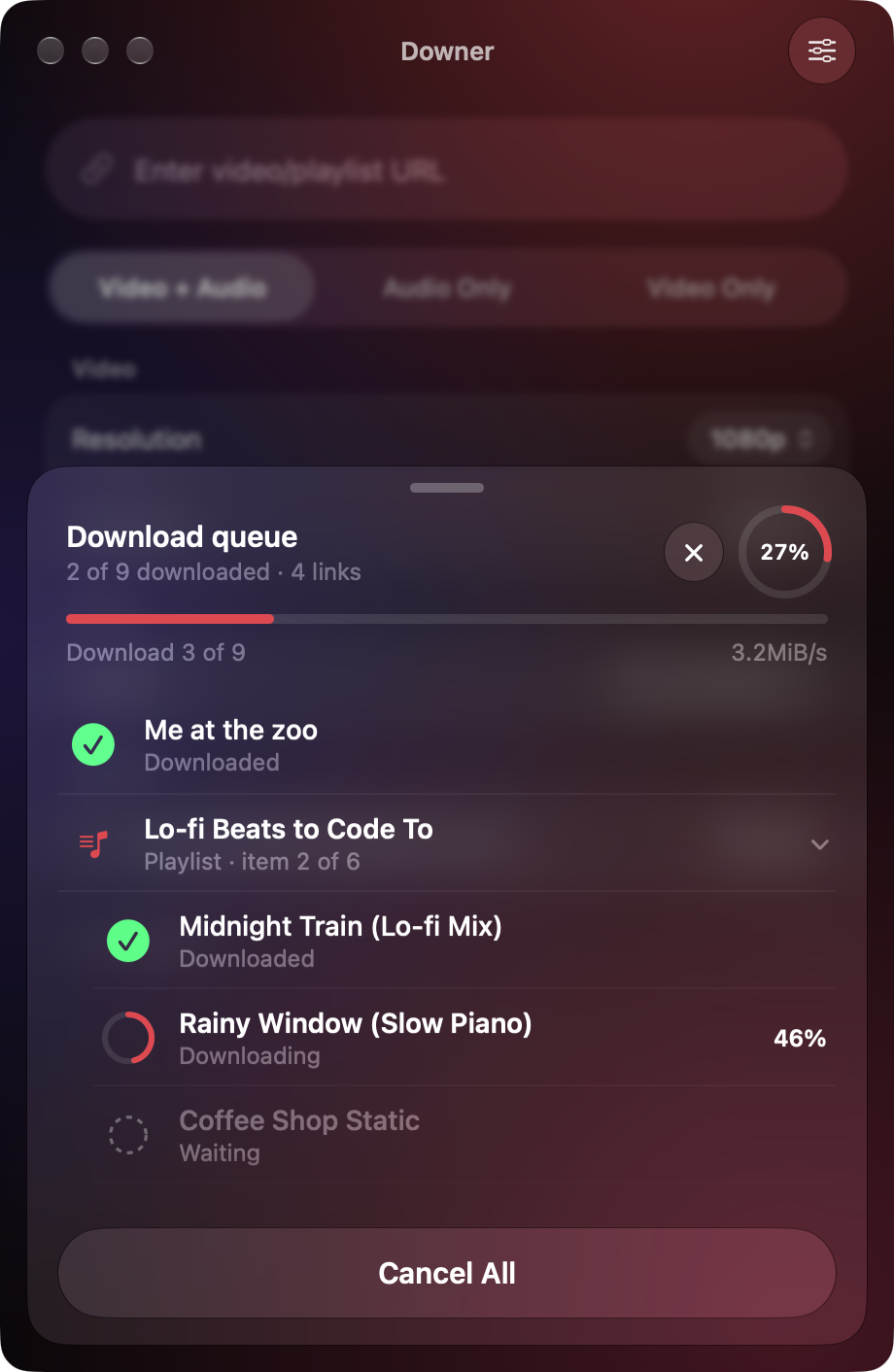
Gestures
- Two-finger swipe on the tray. Swipe up to open the queue, down to tuck it away. It follows your fingers, glides to rest with the speed of your swipe, and hands over to the list when you reach the top.
- Swipe a row sideways to remove, cancel, retry or reveal it. A long swipe does the main action.
- Drag to reorder. Press and hold a waiting link, then drag it.
- Drop links in from your browser onto the window or the menu bar icon.
- Menu bar popover: swipe up to open the full window, down to dismiss.
Look and feel
- The download type is a glass switcher you can swipe; the resolution, container and audio pickers open as glass lists. Theme in Settings uses the same switcher.
- The download dock and the tray are one panel of glass that grows and shrinks.
- Progress bars glide between updates; rows slide in and out.
- Subtle haptics on a trackpad (Settings → Haptic feedback). Reduce Motion is respected, and every gesture has a click, keyboard or VoiceOver equivalent.
Installing
Open the disk image and drag Downer onto Applications. See the README if macOS says the app can't be opened.
SHA-256 is in Downer-2.0.2.dmg.sha256.