Repository navigation
MenuFold 0.3.0

MenuFold 0.3.0 — macOS 26+, Apple silicon.
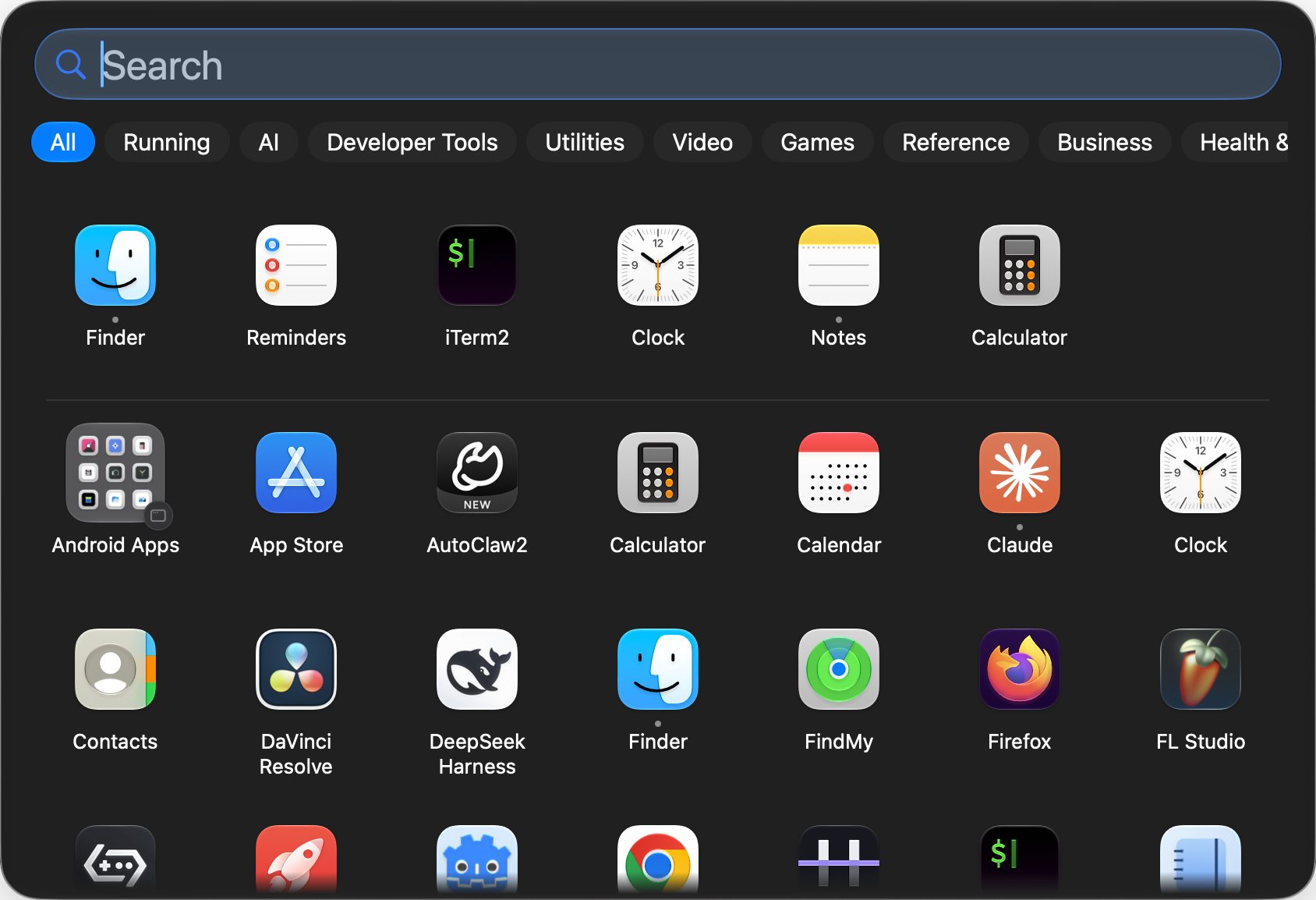
What's new
- Running tab: the apps that are open right now, right after "All". You can turn it off in Settings → Categories.
- Keyboard navigation: arrow keys to move, Return to launch, ⌘R to show in Finder, ⌘⌫ to move to the Trash.
- Frequent apps: the apps you open most sit in a row above the grid. You can turn it off or clear the history in Settings → General.
- Running indicator: a Dock-style dot under each running app, plus Quit / Force Quit in its menu.
- Move to Trash from the app menu, with a confirmation that offers to quit the app first.
- Custom app icons: any picture, or the icon of another file or app (right-click an app → Change Icon…).
- More Dock icons: the macOS launcher icon, the Applications folder icon or your own picture.
- English interface next to Ukrainian. App names follow your system language, and search matches both the localized and the English name.
- The panel no longer has the drawn rim or the window shadow.
Install
- Download
MenuFold-0.3.0-macos26-arm64.zipand unzip it. - Move
MenuFold.appto/Applications. - Open it. The app is ad-hoc signed, not notarised, so macOS blocks the first launch:
go to System Settings → Privacy & Security and click Open Anyway. - Pin it to the Dock like any other app.
Verify the download
shasum -a 256 -c SHA256SUMS