Repository navigation
Releases
1.3.0 — Flexible layouts and smarter recent notes

ReNotes 1.3.0 adds more ways to browse recent notes while keeping existing settings and pinned notes.
- Four layouts: Classic cards, Compact list, Slim cards and Two-column wall. Choose desktop and mobile layouts separately. Desktop keeps Classic cards; mobile defaults to Slim cards. Choose Mobile layout → Classic cards to restore the previous mobile appearance.
- Smarter effective edits: Markdown body changes affect the order by default. Automatic frontmatter rewrites keep notes in place. An advanced setting includes property changes when needed.
- More file types: Optionally include PDFs, images, Bases, audio, video and custom extensions. These entries use metadata only, without decoding file contents as text.
- Optional sorting sync: Share per-device edit history through your existing Vault sync service. This is off by default. Recent-open history requires a separate opt-in. Records contain paths, timestamps and fingerprints, not note contents.
- Simpler settings and filters: Multiple file-type filters, remembered selections and settings grouped into sections.
Install or update by downloading main.js, manifest.json and styles.css into YOUR_VAULT/.obsidian/plugins/recent-notes-feed/, then reload Obsidian or the plugin. Plugin ID and minimum Obsidian version remain unchanged (recent-notes-feed, Obsidian 1.4.0+).
Compact layouts omit linked-note chips and detailed Canvas statistics; these remain available in Classic cards. Wall disables its drag handle. Earlier effective times already overwritten by older versions cannot be restored automatically; files above the configured hash-size limit still use mtime.
Validation: all 16 local test entry points passed, including the 126-case main regression suite, 23 layout cases and 17 frontmatter cases. Chromium layout checks passed for 128 combinations of layout, width, language and light/dark theme using the installed Obsidian styles. Physical mobile touch behavior was not tested in this release check.
ReNotes 1.3.0 正式推出四種清單版面:經典卡片、緊湊清單、瘦身卡片、雙欄牆。桌機與手機可分別設定;桌機維持經典卡片,手機預設瘦身卡片。要恢復舊手機外觀,將「手機版面」選回「經典卡片」。升級會保留既有設定與釘選。
有效編輯排序預設只計內文,避免其他外掛自動重寫屬性時讓筆記往前跳。可選擇更多檔案類型、多選並記住篩選,也可自行啟用跨裝置排序紀錄;同步預設關閉,開啟紀錄需另外啟用。
手動安裝:下載下方三個檔案至 YOUR_VAULT/.obsidian/plugins/recent-notes-feed/,再重新載入 Obsidian 或外掛。
已通過 16 個本機測試入口與 128 組瀏覽器排版檢查;本次尚未驗證實體手機的觸控操作。新版面省略連結晶片與 Canvas 詳細統計,經典卡片仍保留;雙欄牆停用拖曳把手。舊版已覆寫的有效編輯時間無法自動復原,超過雜湊大小上限的檔案仍依 mtime 排序。
1.2.3 — Obsidian compatibility and verified releases
ReNotes 1.2.3 — Obsidian review compatibility
This maintenance release improves compatibility with the Obsidian community plugin checks while keeping the existing ReNotes UI, note navigation, sorting, and English/Traditional Chinese interface.
Improvements
- Replace the two uses of partially supported CSS
display: contentswith responsive Grid/Flex layouts. - Hide date navigation popovers using a more specific selector, without
!important. - Update the manifest description to begin with functionality rather than the plugin name.
- Publish only the three assets Obsidian installs:
main.js,manifest.json, andstyles.css. - Add GitHub Actions artifact provenance checks and cryptographic attestations for the release assets.
安裝 / Installation
- Download
main.js,manifest.json, andstyles.cssindividually from this Release. - Save them in
.obsidian/plugins/recent-notes-feed/in your Obsidian vault. - Reload or restart Obsidian, then enable ReNotes under Community plugins.
繁體中文:改善 CSS 相容性與版本發布方式,保留原本近期筆記、Canvas 連結、日期跳轉及雙語功能。請從 Assets 下載上述三個檔案,放到 Vault 外掛資料夾後重新載入。
Plugin ID: recent-notes-feed · Minimum Obsidian: 1.4.0
ReNotes v1.2.2|Obsidian 近期筆記與 Canvas · Recent Notes Plugin
ReNotes v1.2.2|Obsidian 近期筆記與 Canvas 白板外掛
讓最近編輯的 Markdown 筆記與 Canvas 白板,集中在一個好找、好看的 Obsidian 側欄。
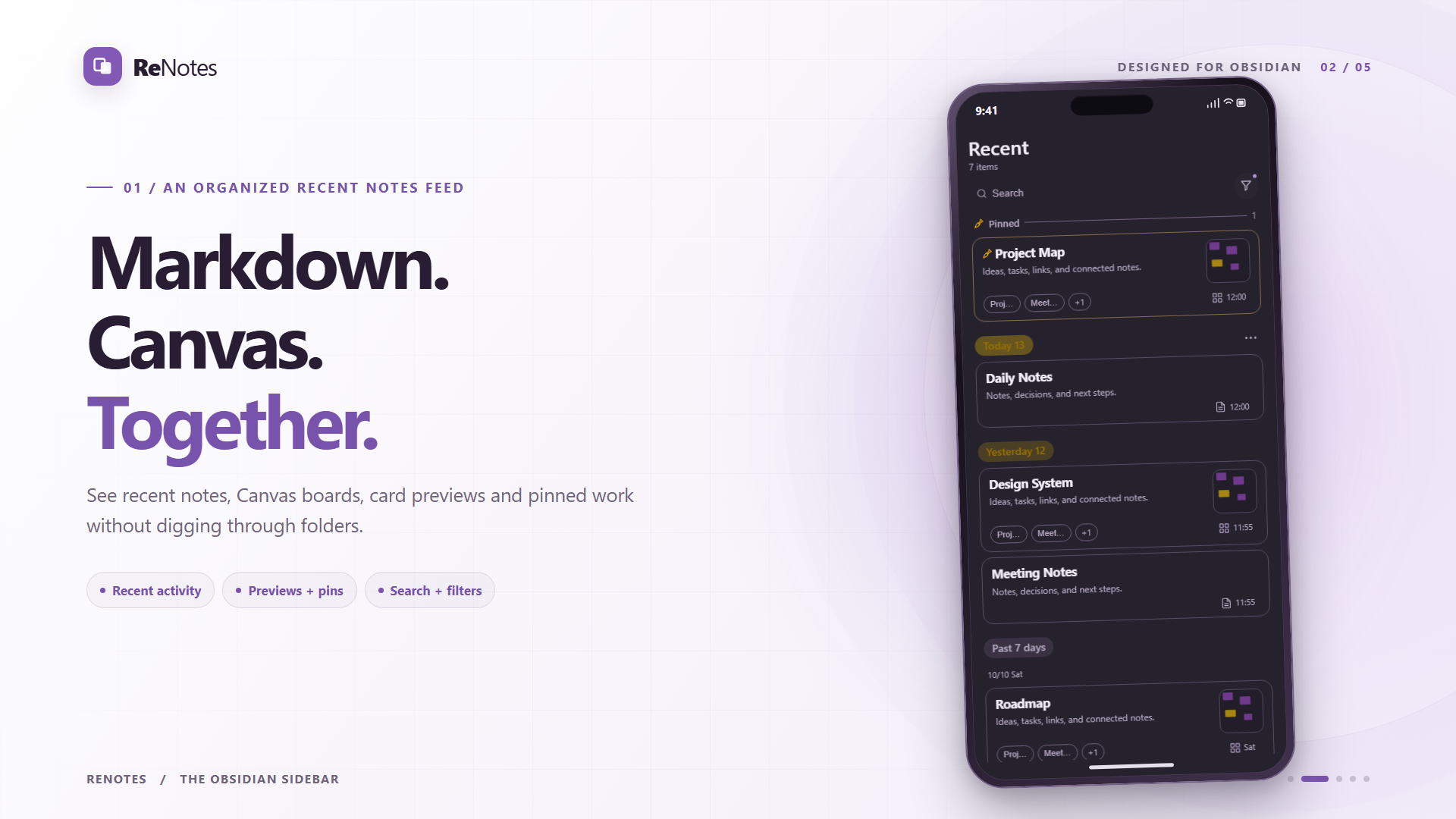
ReNotes is an Obsidian recent notes plugin featuring visual Markdown and Canvas cards, pinned notes, search, date navigation, and Traditional Chinese / English support.
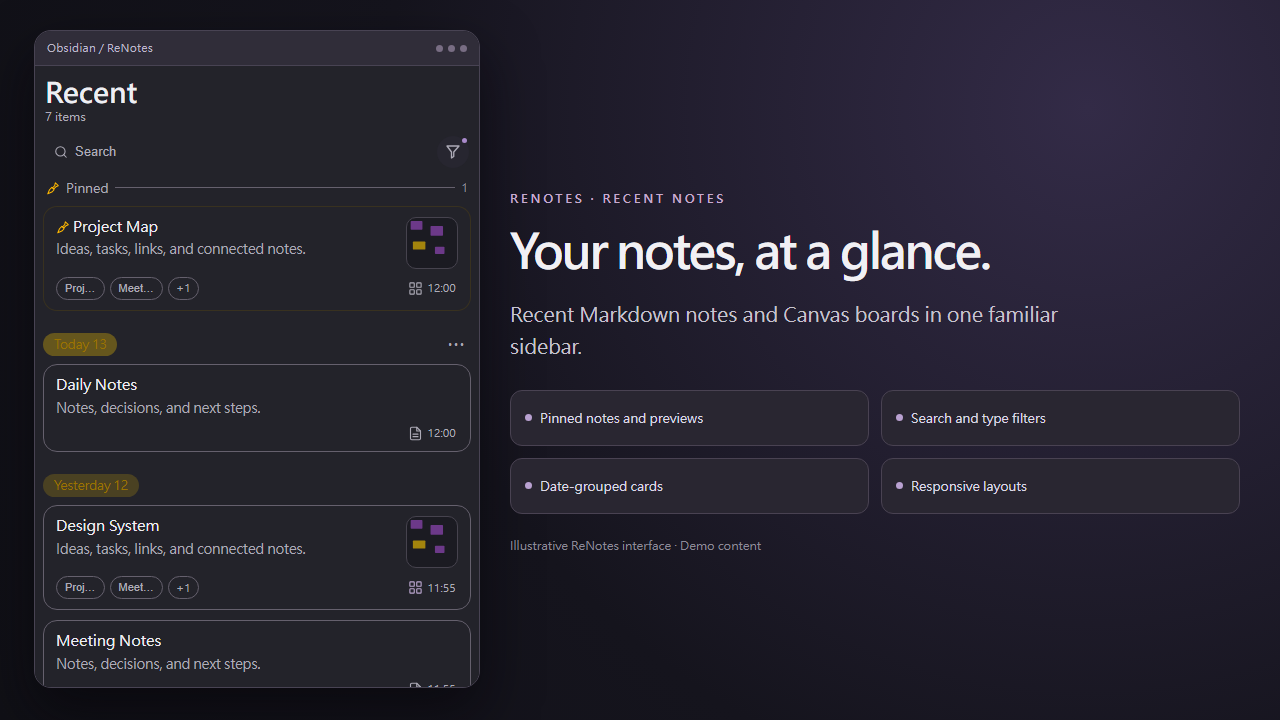
v1.2.2 更新重點 / What's new
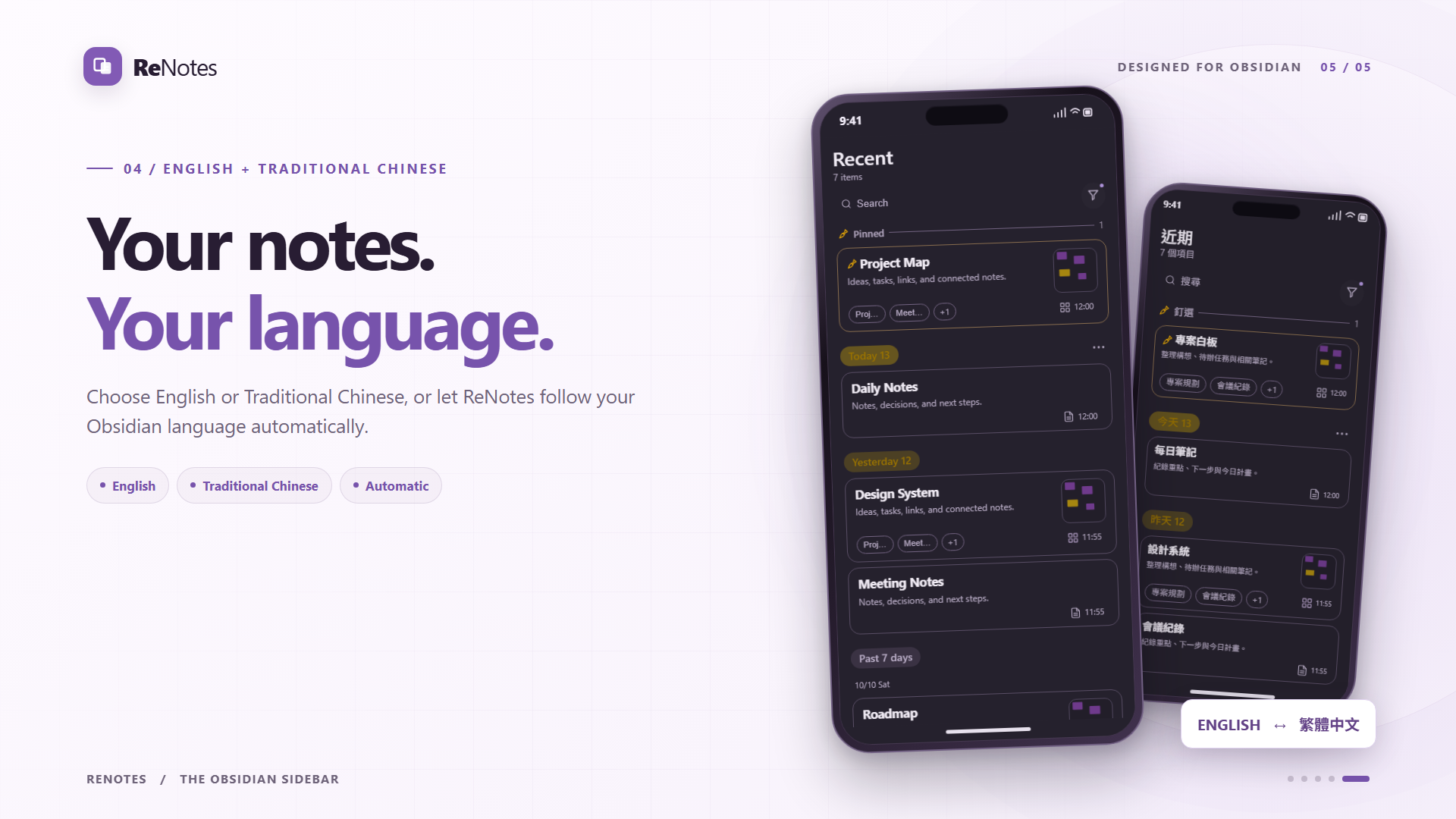
- 繁體中文 + English:側欄、設定、日期、搜尋、右鍵選單與操作訊息提供完整雙語介面。
- 自動切換語言 / Automatic localization:可跟隨 Obsidian 語言,也可在 ReNotes 設定中固定繁體中文或英文。
- 在地化日期與筆數 / Localized dates and counts:英文支援星期、月份與單複數表達。
- 功能圖文 / Feature previews:新增中英文近期筆記、日期跳轉和 Canvas 連結筆記的功能示範圖。
功能特色 / Features
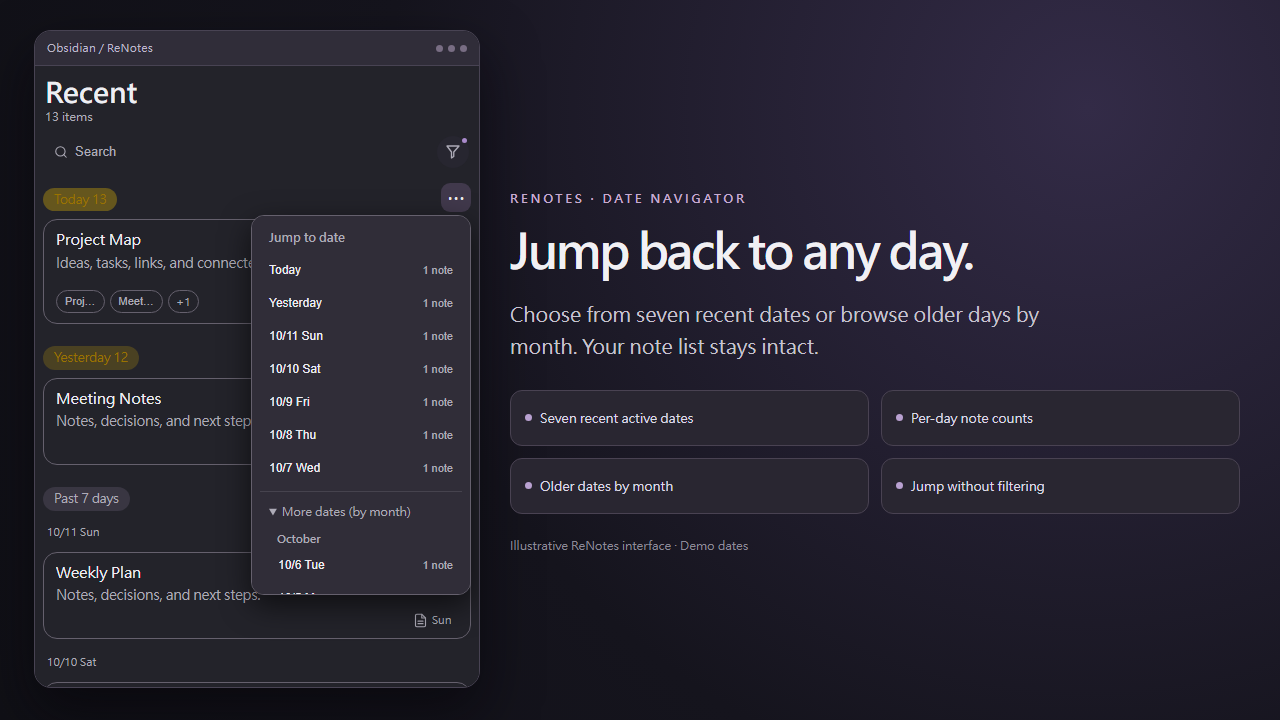
日期導覽 · Jump to date
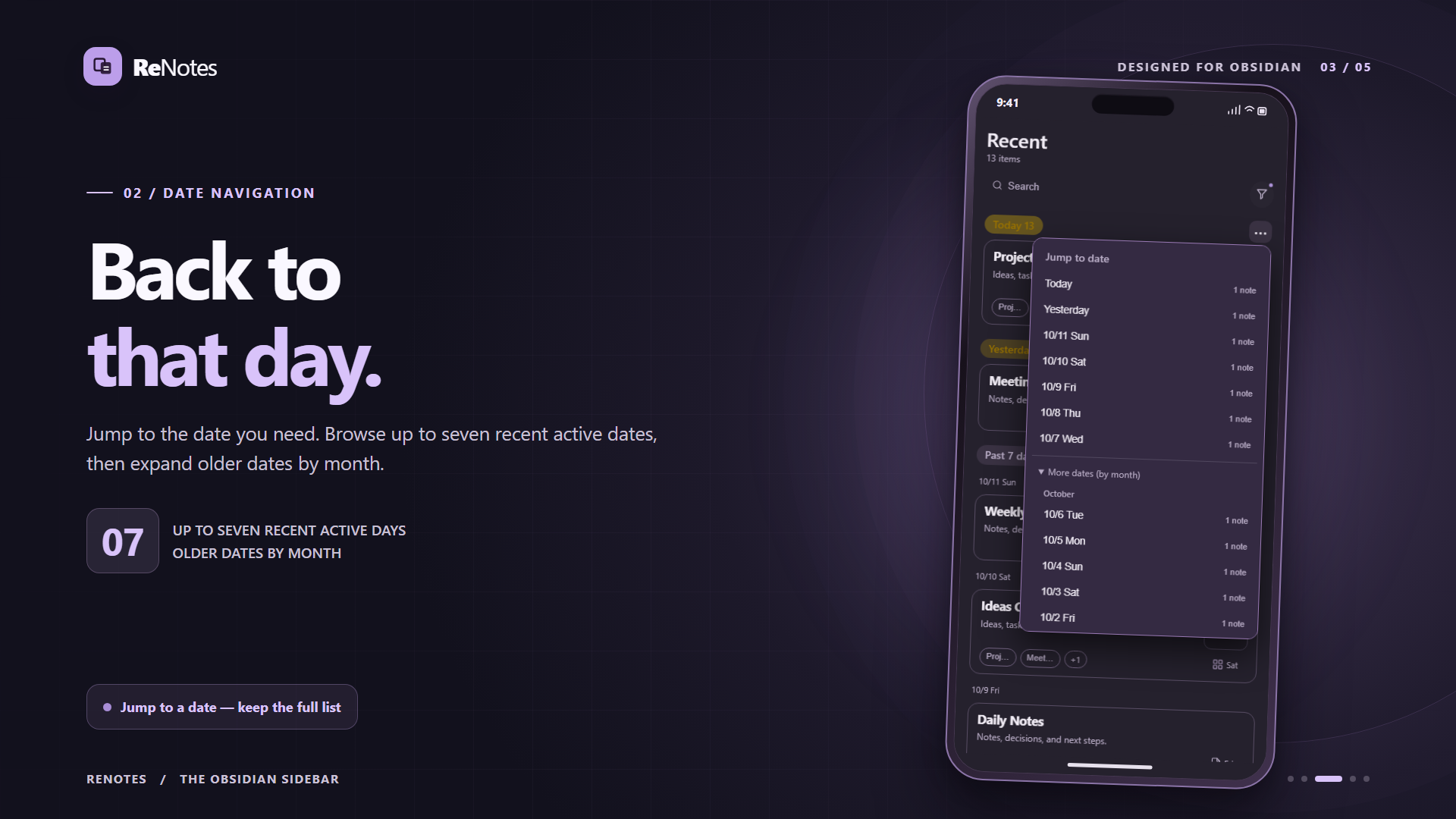
最近 7 個有筆記的日期顯示筆數,舊日期依月份展開。點選後直接捲動到那一天,其他筆記仍保留在清單中。
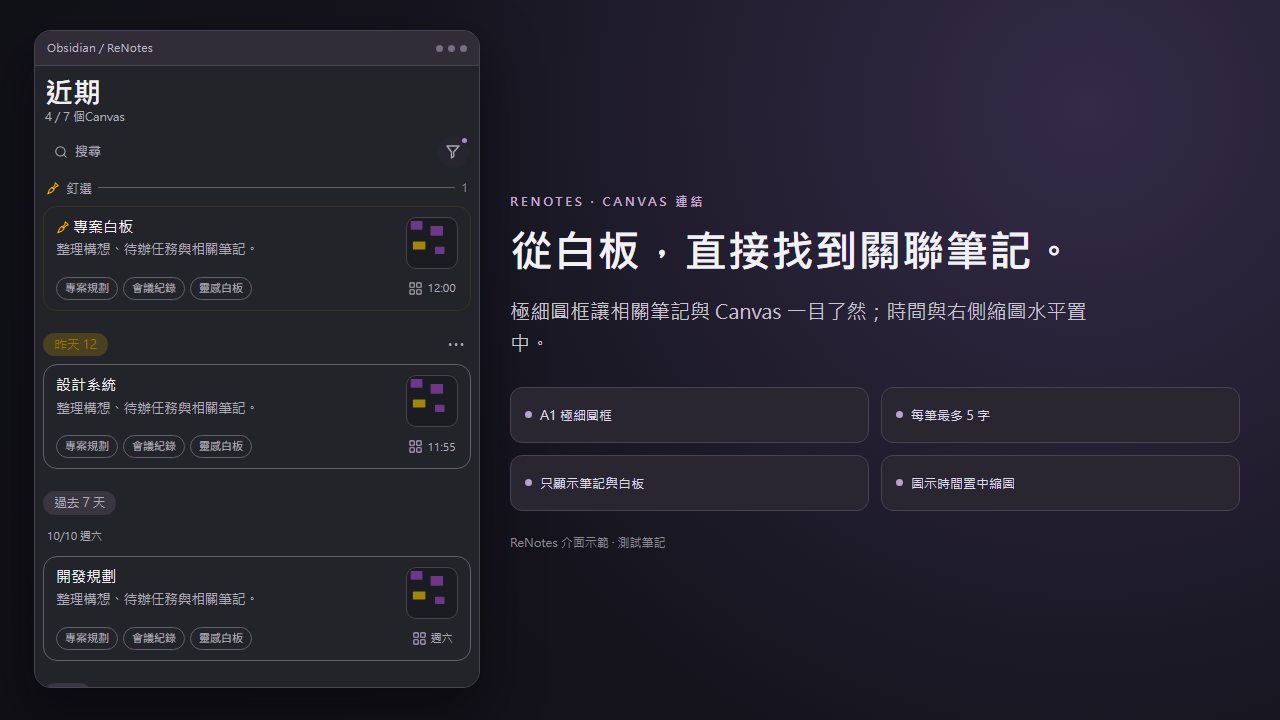
Canvas 關聯筆記 · Linked Markdown and Canvas files
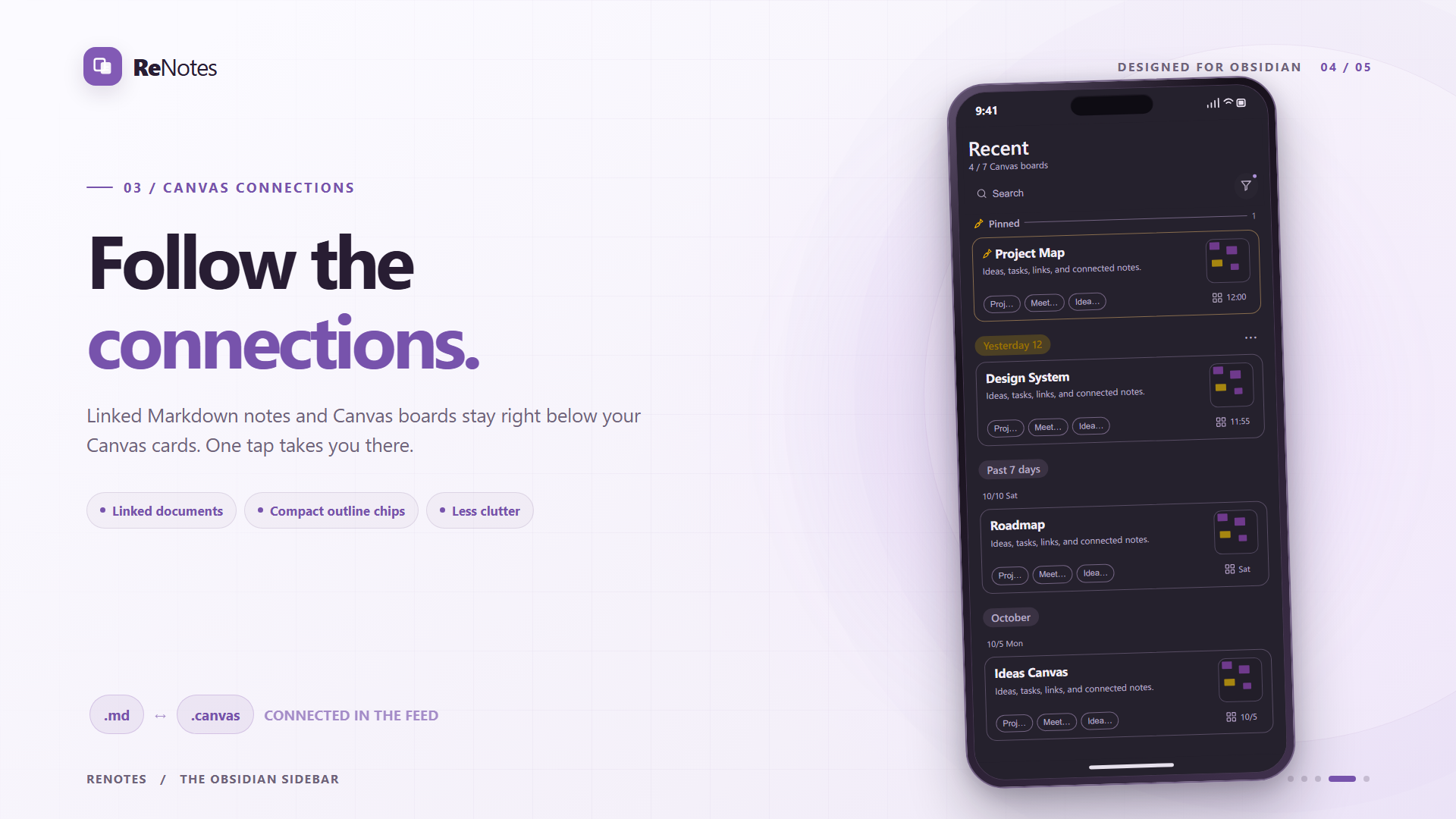
Canvas 卡片下方的 A1 極細圓框只顯示 .md 與 .canvas 連結。支援圖片與白板縮圖、釘選、搜尋及不同卡片密度;圖示與時間置中對齊縮圖。
其他功能包括依修改時間或有效編輯時間排序、手機自適應版面,以及桌面 Markdown 卡片拖入 Canvas 建立引用。
安裝 / Installation
- 在下方 Assets 下載
ReNotes-v1.2.2.zip。 - 將
main.js、styles.css、manifest.json放到 Vault 的.obsidian/plugins/recent-notes-feed/。 - 重新啟動 Obsidian,至 設定 → 社群外掛 啟用 ReNotes。
- 可至 ReNotes → 介面語言 / Interface language 選擇繁體中文、英文或自動跟隨 Obsidian。
Install (English): Download the ZIP, extract the three plugin files to .obsidian/plugins/recent-notes-feed/, restart Obsidian, and enable ReNotes in Community plugins.
外掛 ID / Plugin ID: recent-notes-feed · 最低版本 / Minimum Obsidian: 1.4.0
ReNotes 1.2.2 — Recent Notes & Canvas Sidebar for Obsidian
ReNotes v1.2.2|Obsidian 近期筆記與 Canvas 白板外掛
Find the note. Keep the flow.
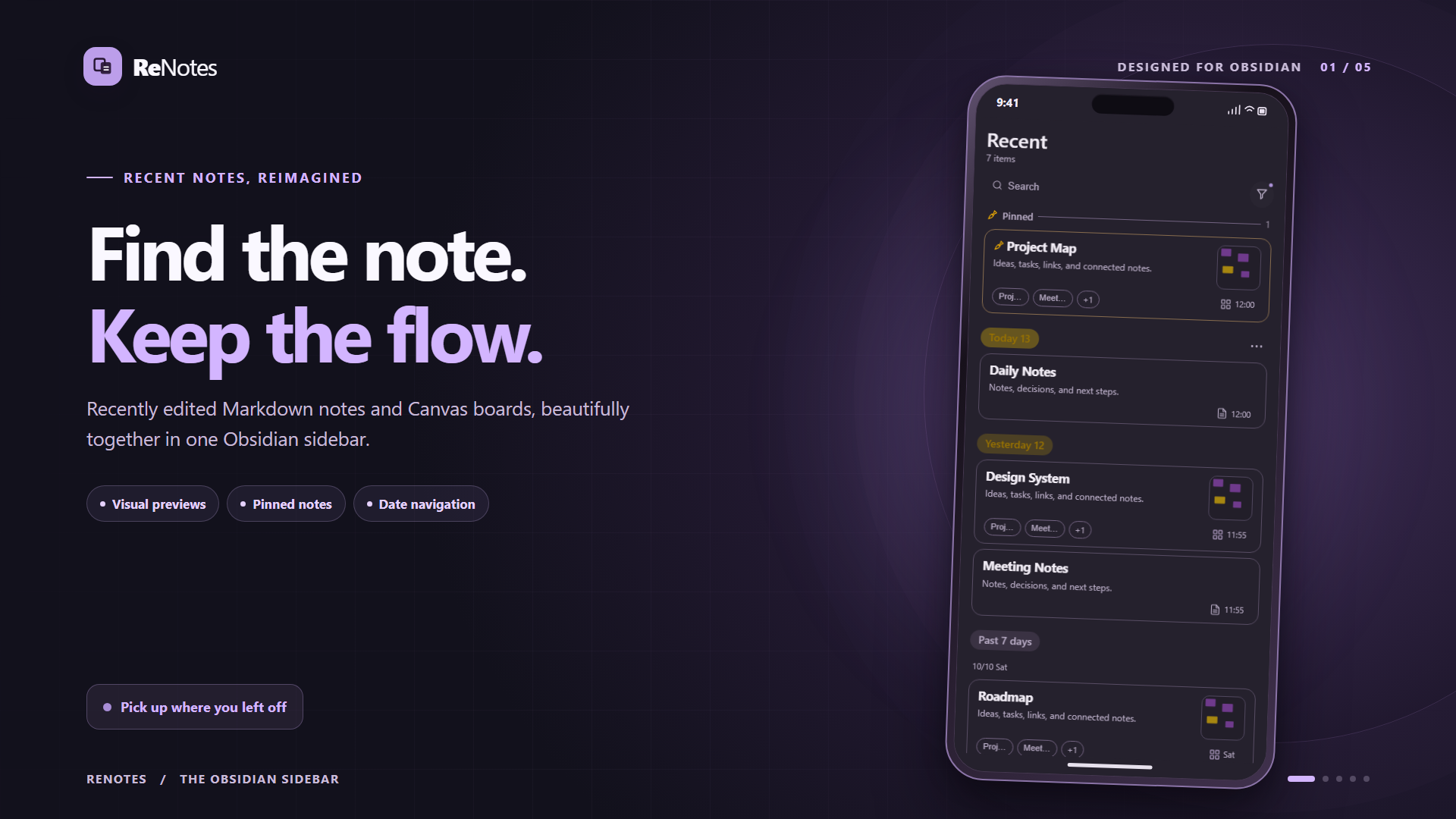
English-first feature showcase, created from ReNotes UI with HTML, CSS and SVG.
讓最近編輯的 Markdown 筆記與 Canvas 白板,集中在一個好找、好看的 Obsidian 側欄。
ReNotes is an Obsidian recent notes plugin featuring visual Markdown and Canvas cards, pinned notes, search, date navigation, and Traditional Chinese / English support.
v1.2.2 更新重點 / What's new
- 繁體中文 + English:側欄、設定、日期、搜尋、右鍵選單與操作訊息提供完整雙語介面。
- 自動切換語言 / Automatic localization:可跟隨 Obsidian 語言,也可在 ReNotes 設定中固定繁體中文或英文。
- 在地化日期與筆數 / Localized dates and counts:英文支援星期、月份與單複數表達。
- 功能圖文 / Feature previews:新增中英文近期筆記、日期跳轉和 Canvas 連結筆記的功能示範圖。
功能特色 / Features
日期導覽 · Jump to date
最近 7 個有筆記的日期顯示筆數,舊日期依月份展開。點選後直接捲動到那一天,其他筆記仍保留在清單中。
Canvas 關聯筆記 · Linked Markdown and Canvas files
Canvas 卡片下方的 A1 極細圓框只顯示 .md 與 .canvas 連結。支援圖片與白板縮圖、釘選、搜尋及不同卡片密度;圖示與時間置中對齊縮圖。
其他功能包括依修改時間或有效編輯時間排序、手機自適應版面,以及桌面 Markdown 卡片拖入 Canvas 建立引用。
安裝 / Installation
- 在下方 Assets 下載
ReNotes-v1.2.2.zip。 - 將
main.js、styles.css、manifest.json放到 Vault 的.obsidian/plugins/recent-notes-feed/。 - 重新啟動 Obsidian,至 設定 → 社群外掛 啟用 ReNotes。
- 可至 ReNotes → 介面語言 / Interface language 選擇繁體中文、英文或自動跟隨 Obsidian。
Install (English): Download the ZIP, extract the three plugin files to .obsidian/plugins/recent-notes-feed/, restart Obsidian, and enable ReNotes in Community plugins.
外掛 ID / Plugin ID: recent-notes-feed · 最低版本 / Minimum Obsidian: 1.4.0
ReNotes v1.2.1
ReNotes v1.2.1
Canvas linked-note chips show only Markdown (.md) and Canvas (.canvas) documents.
- Image and media attachments are excluded from linked-note chips.
- Overflow counts only include Markdown and Canvas documents.
- Cached Canvas links follow the same file-type rules.
- A1 outline chips, date navigation, thumbnail alignment, and drag actions remain available.
Install / 安裝
- Download
ReNotes-v1.2.1.zipfrom the release assets. - Extract
main.js,styles.css, andmanifest.jsoninto.obsidian/plugins/recent-notes-feed/. - Restart Obsidian and enable ReNotes in Community plugins.
**繁體中文:**Canvas 下方只顯示 .md 筆記與 .canvas 白板;圖片與其他附件不再出現在連結圓框,+N 只計算文件連結。