Repository navigation
Penumbra 0.2.0

Penumbra 0.2.0 turns a chat app into a small workshop: models can answer with live apps, and you can build agents with their own persona, let an orchestrator split work between them, and schedule tasks to run on their own. Everything still runs on your computer with Ollama.
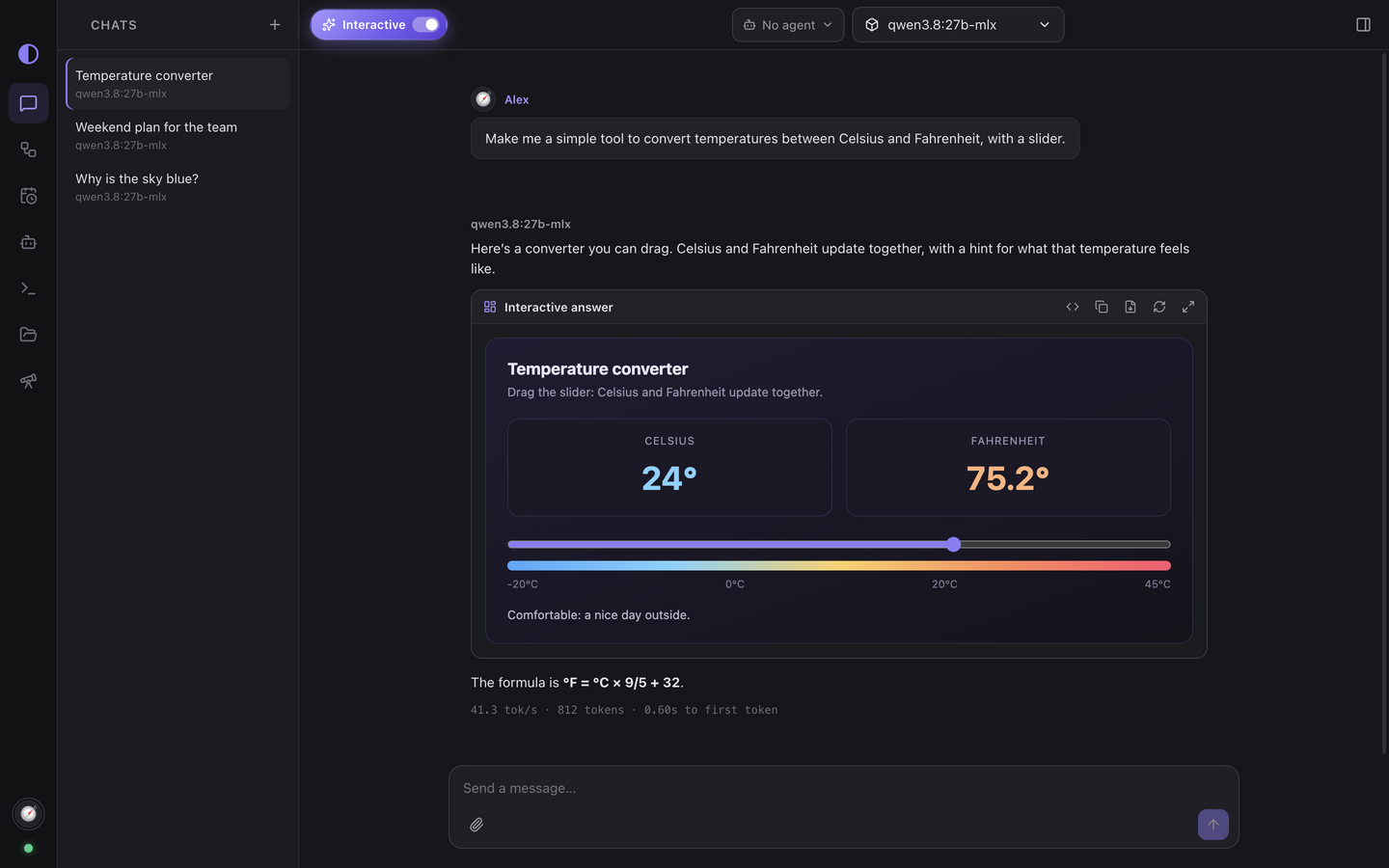
Highlights
- Interactive answers. The model can reply with small live apps right in the chat: calculators, charts, diagrams, 3D views, quizzes. Chart.js, D3, and Three.js are built in, so they work offline. If one breaks, Ask model to fix sends the error back for a corrected version.
- Widgets with internet. Maps and live public data (weather, earthquakes, exchange rates, Wikipedia). Approved sites work right away, any other site asks first, and every widget has a network log. Widgets can only download: no uploads, cookies, or local network.
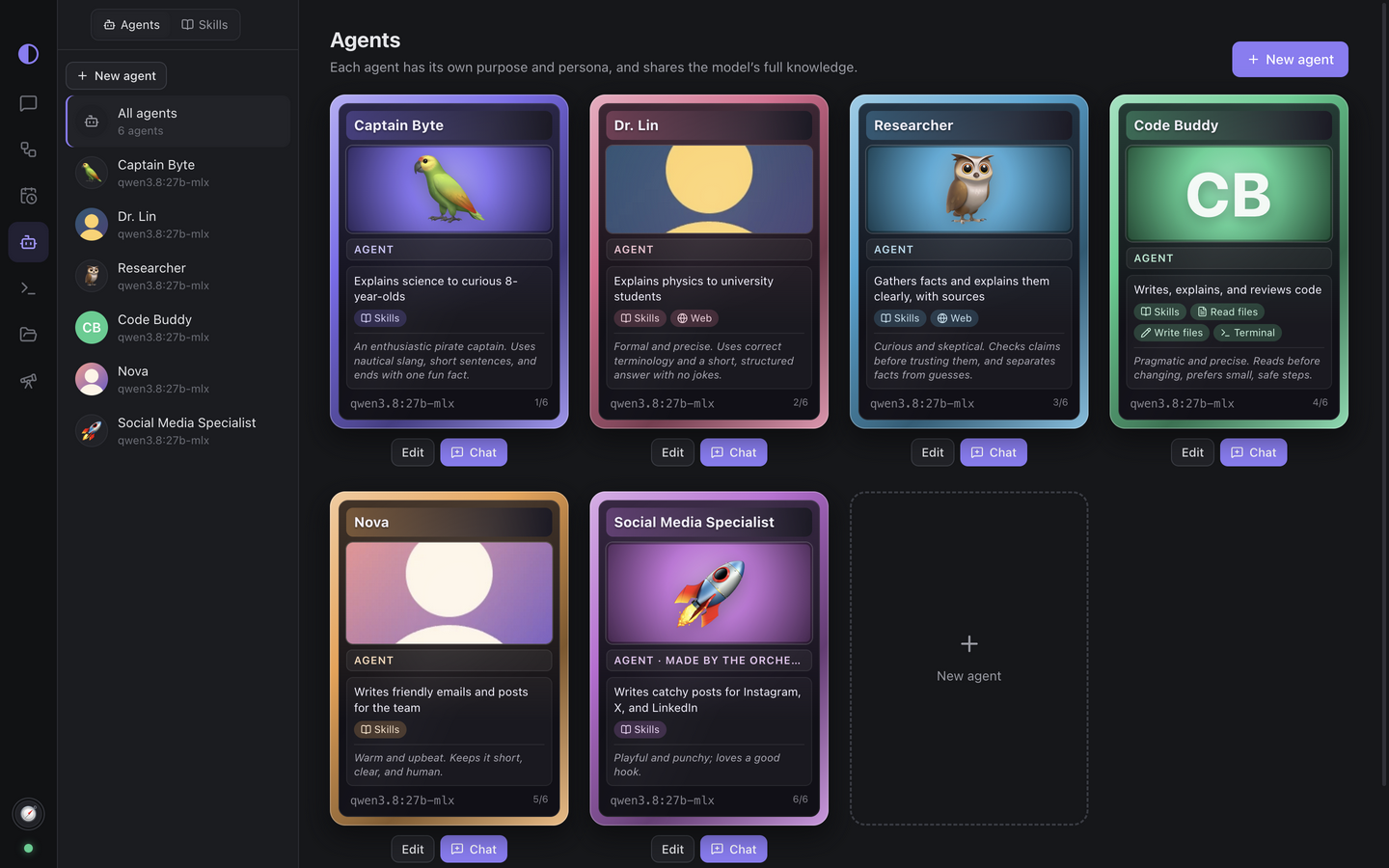
- Agents with personas. A short wizard gives each agent a purpose, a name, and a persona. They all share the model's knowledge; the persona shapes how each one talks and works. Give them an avatar, and see them as trading cards.
- Skills and tools. Skills in Claude's
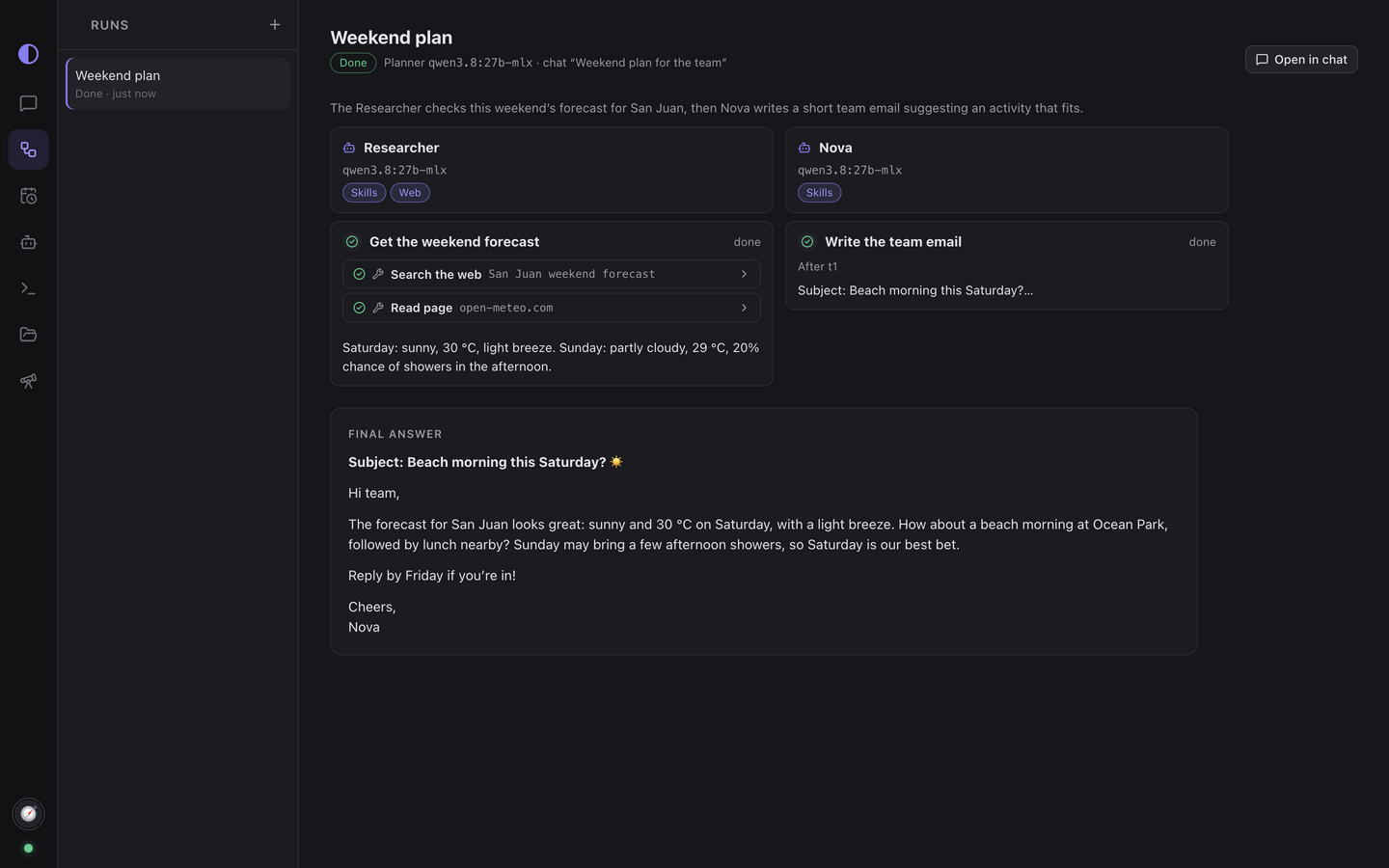
SKILL.mdformat, loaded only when a task needs them. Tools for the web, reading and writing files in a folder you choose, and terminal commands, which always ask you first. - Orchestrator. Give it a goal: it plans the tasks, creates the agents it needs, lets you review the plan, runs each task on its agent, and writes the final answer.
- Scheduler. Run prompts, agents, orchestrator goals, or commands at set times or on repeat, with a chat and a run log for each task. Penumbra can keep running in the menu bar so tasks run on time.
- And more: your own name and avatar on your messages, a quiet update check in the sidebar, a guided demo of every feature (Developer → Guided demo), and replies that keep streaming when you switch tabs.
 |
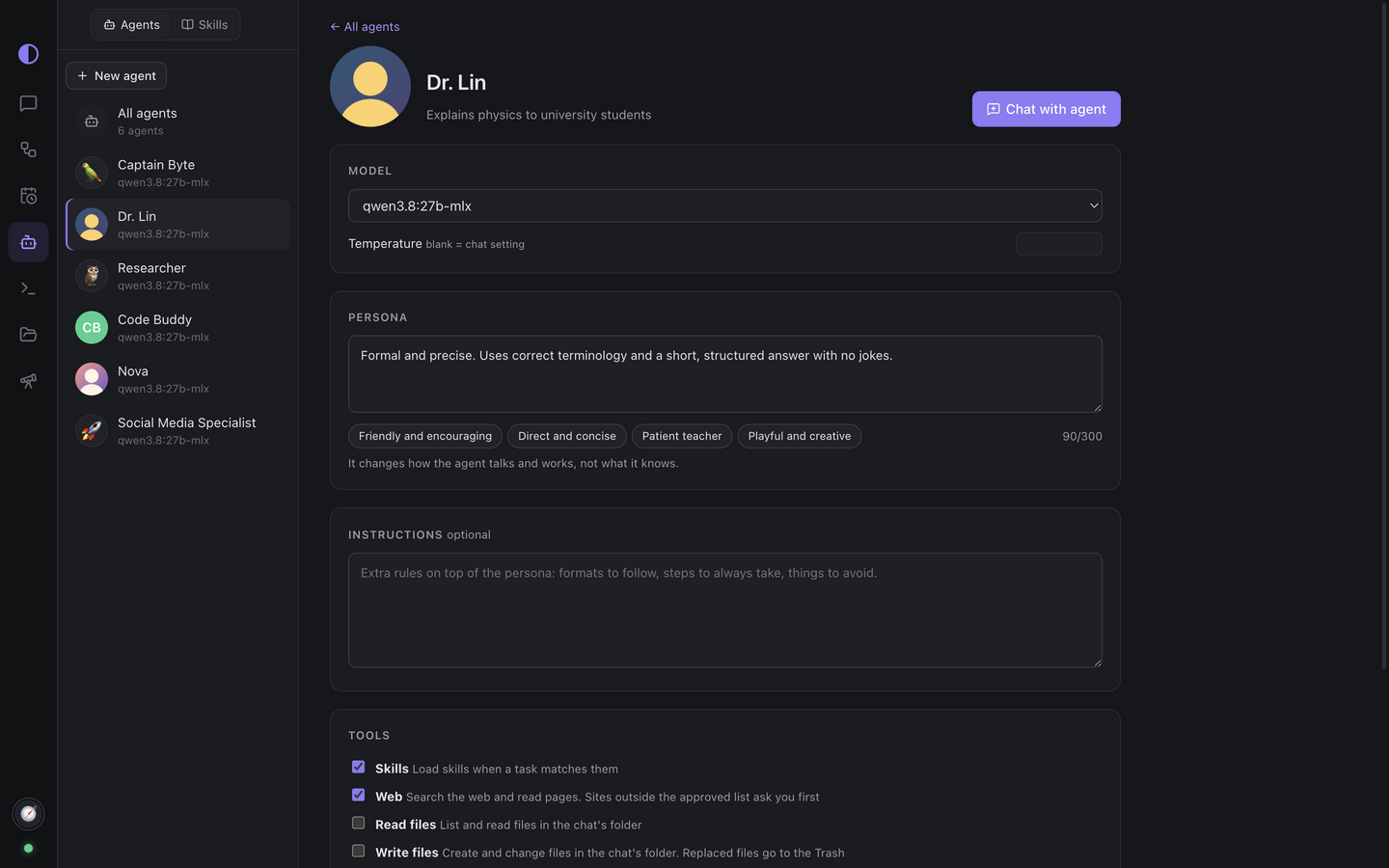 |
| Agents as trading cards | Purpose, persona, and avatar |
 |
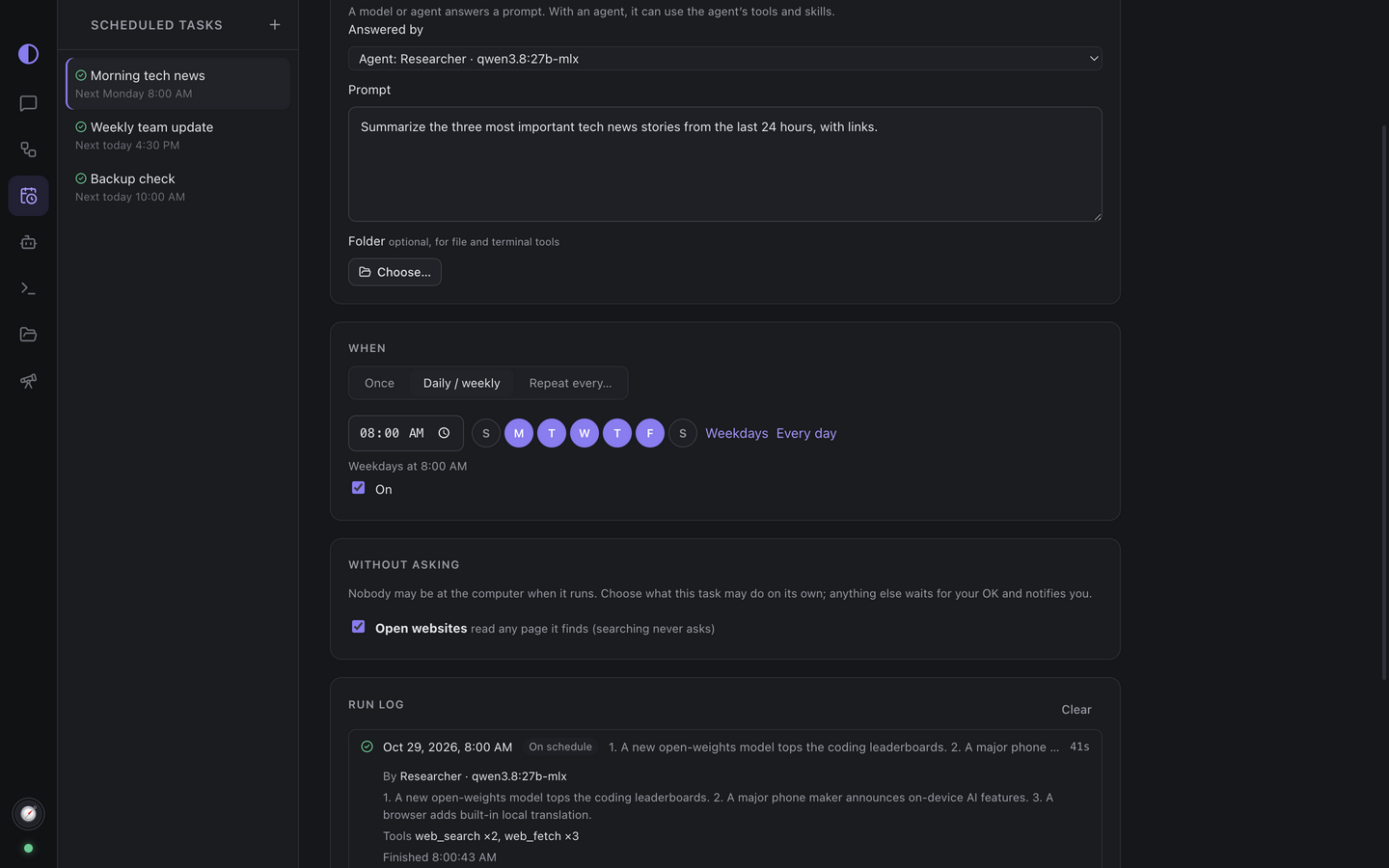 |
| An orchestrator run | A scheduled task and its run log |
The full list of changes, including the security details, is in the changelog.
Download
| Platform | File |
|---|---|
| macOS, Apple Silicon | Penumbra-0.2.0-mac-arm64.dmg |
| macOS, Intel | Penumbra-0.2.0-mac-x64.dmg |
| Windows | Penumbra-Setup-0.2.0.exe (picks x64 or ARM64 automatically) |
| Linux | Penumbra-0.2.0-linux-x86_64.AppImage, or the .deb for Debian/Ubuntu (ARM64 builds included) |
You need Ollama installed and running. Interactive answers and agents work best with models of 7B or more.
Updating from 0.1.0: install over it. Your chats and settings are kept. From 0.2.0 on, Penumbra tells you itself when a new version is out.
First launch
These builds aren't code-signed yet, so your OS will warn you once:
- macOS: open the app, then go to System Settings → Privacy & Security → Open Anyway
- Windows: on the SmartScreen prompt, click More info → Run anyway
- Linux (AppImage):
chmod +x Penumbra-*.AppImage, then run it
If Penumbra is useful to you, you can support it on Ko-fi ☕