Repository navigation
Penumbra 0.3.0

Penumbra 0.3.0 makes pictures on your computer, keeps separate profiles for different people or uses, and shows you around with a tutorial. Everything still runs locally with Ollama.
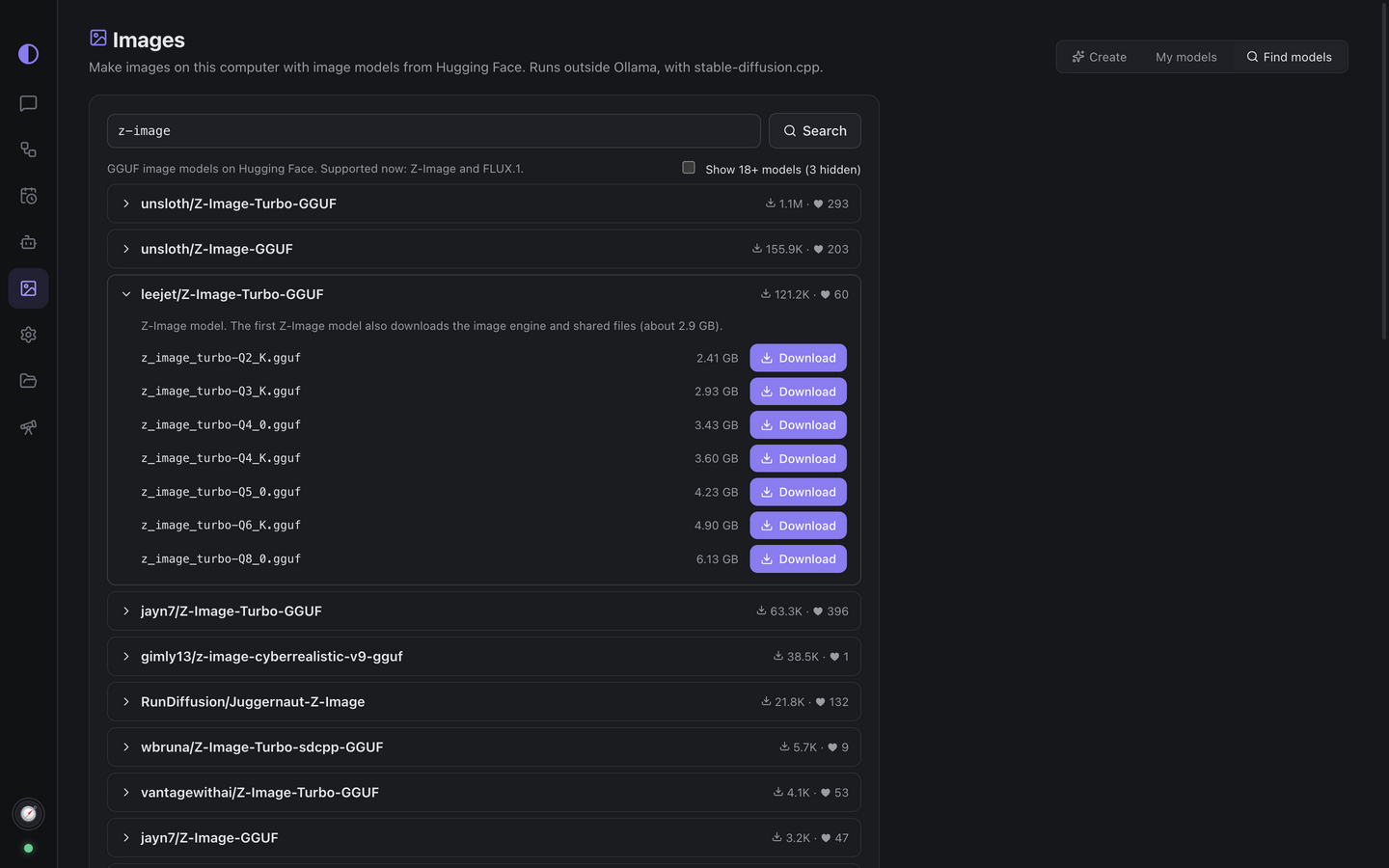
Highlights
- Images tab. Make pictures on your computer, outside Ollama. Search Hugging Face for image models (Z-Image and FLUX.1 today), download one, and generate with stable-diffusion.cpp, which Penumbra downloads the first time. Downloads resume if interrupted and are checked against the published hashes. Models marked 18+ are hidden unless you choose to show them.
- Images in chats and agents. Ask for a picture in any chat, or give an agent the new Images tool, and it appears in the reply. Images are saved in Pictures/Penumbra (you can change that), or in the chat's folder if it has one. Generate… in the avatar menu makes avatars too.
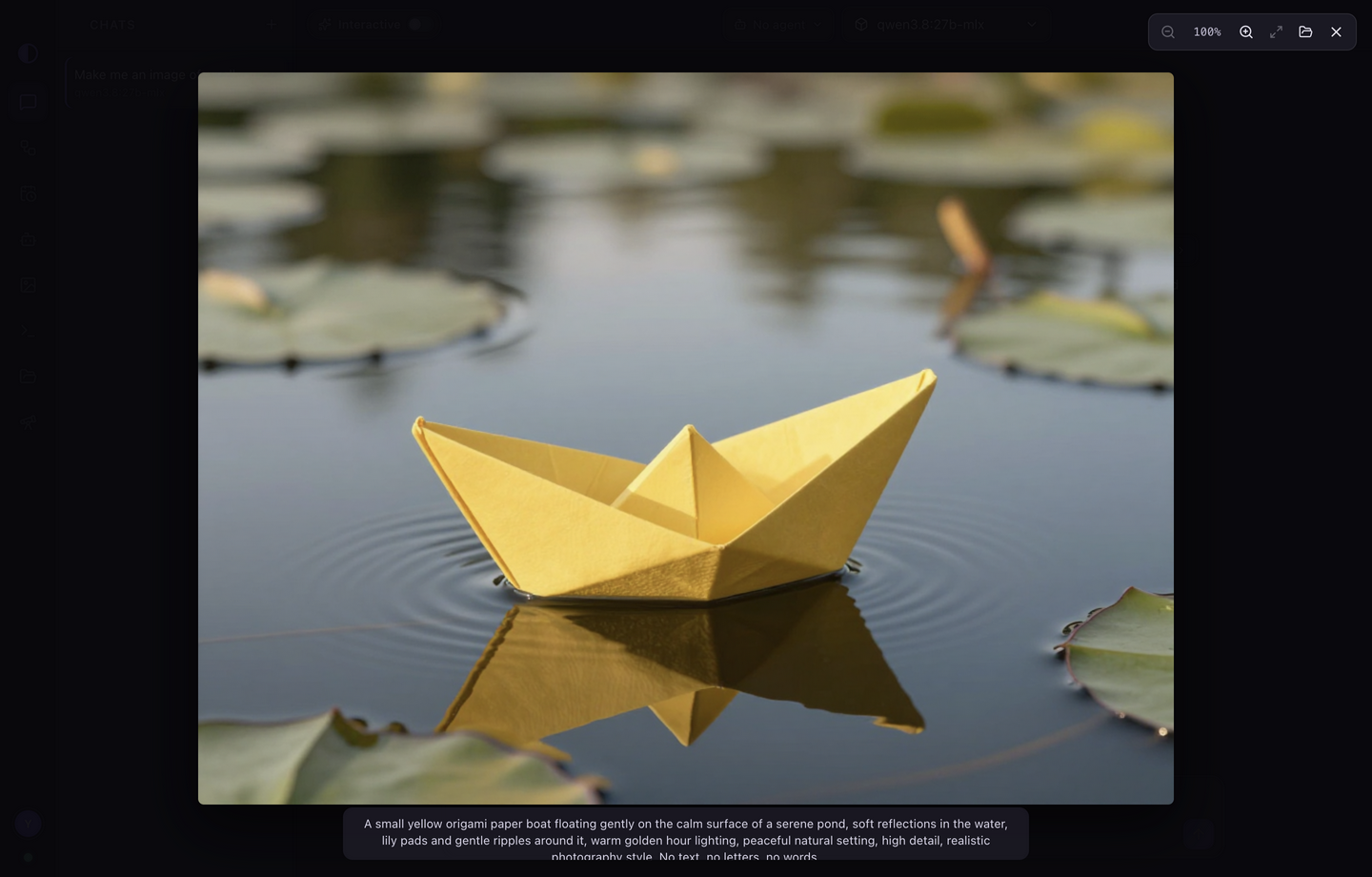
- Image viewer. Click any image to open it full-window: zoom with the wheel or a pinch, drag around, step through a set, and copy its prompt.
- Profiles. Keep separate chats, agents, skills, settings, scheduled tasks, and images, each optionally behind a password (an app lock). Move chats between profiles and pick the one that opens at startup. Your existing data becomes the first profile.
- Tutorial. A guided tour of every tab the first time you open Penumbra, and in each new profile, until you choose not to see it again.
- Your own approved sites for widgets and agents, in the new Options tab (formerly Developer).
 |
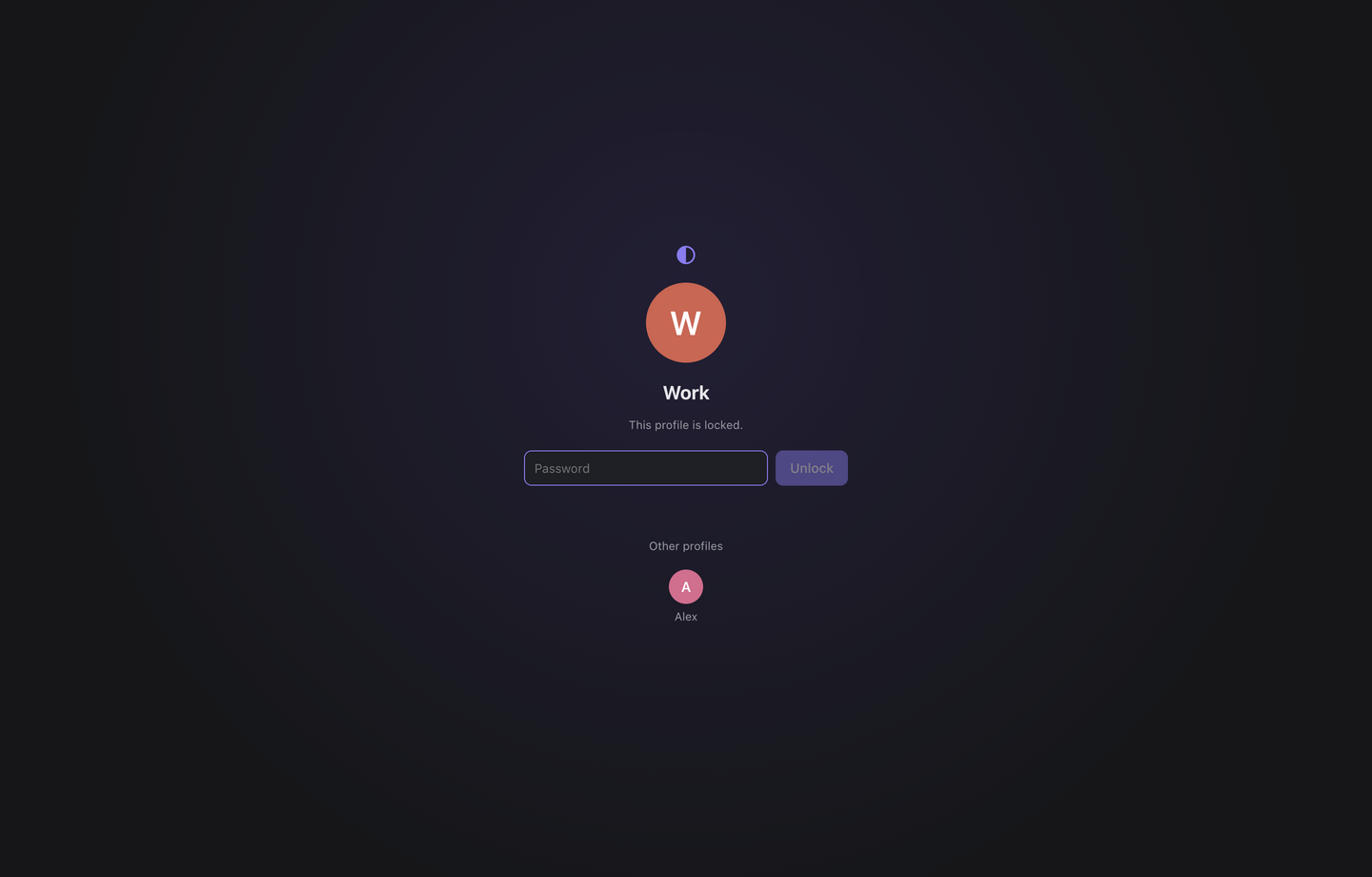 |
| The image viewer | A locked profile |
The full list of changes is in the changelog.
Download
| Platform | File |
|---|---|
| macOS, Apple Silicon | Penumbra-0.3.0-mac-arm64.dmg |
| macOS, Intel | Penumbra-0.3.0-mac-x64.dmg |
| Windows | Penumbra-Setup-0.3.0.exe (picks x64 or ARM64 automatically) |
| Linux | Penumbra-0.3.0-linux-x86_64.AppImage, or the .deb for Debian/Ubuntu (ARM64 builds included) |
You need Ollama installed and running. Image generation runs on Apple Silicon Macs, and x64 Windows and Linux; image models take about 3 to 13 GB, plus a few GB of shared files for the first model of each family.
Updating from 0.2.0: Penumbra shows an arrow at the bottom of the sidebar; it downloads the installer for you. Install over the old version: your chats and settings are kept.
First launch
These builds aren't code-signed yet, so your OS will warn you once:
- macOS: open the app, then go to System Settings → Privacy & Security → Open Anyway
- Windows: on the SmartScreen prompt, click More info → Run anyway
- Linux (AppImage):
chmod +x Penumbra-*.AppImage, then run it
If Penumbra is useful to you, you can support it on Ko-fi ☕