Repository navigation
v1.28.0 — Performance card, your model profile and clearer alerts



If this project helps you, a ⭐ star means a lot — it helps others discover it.
🌟 What's new in v1.28.0?
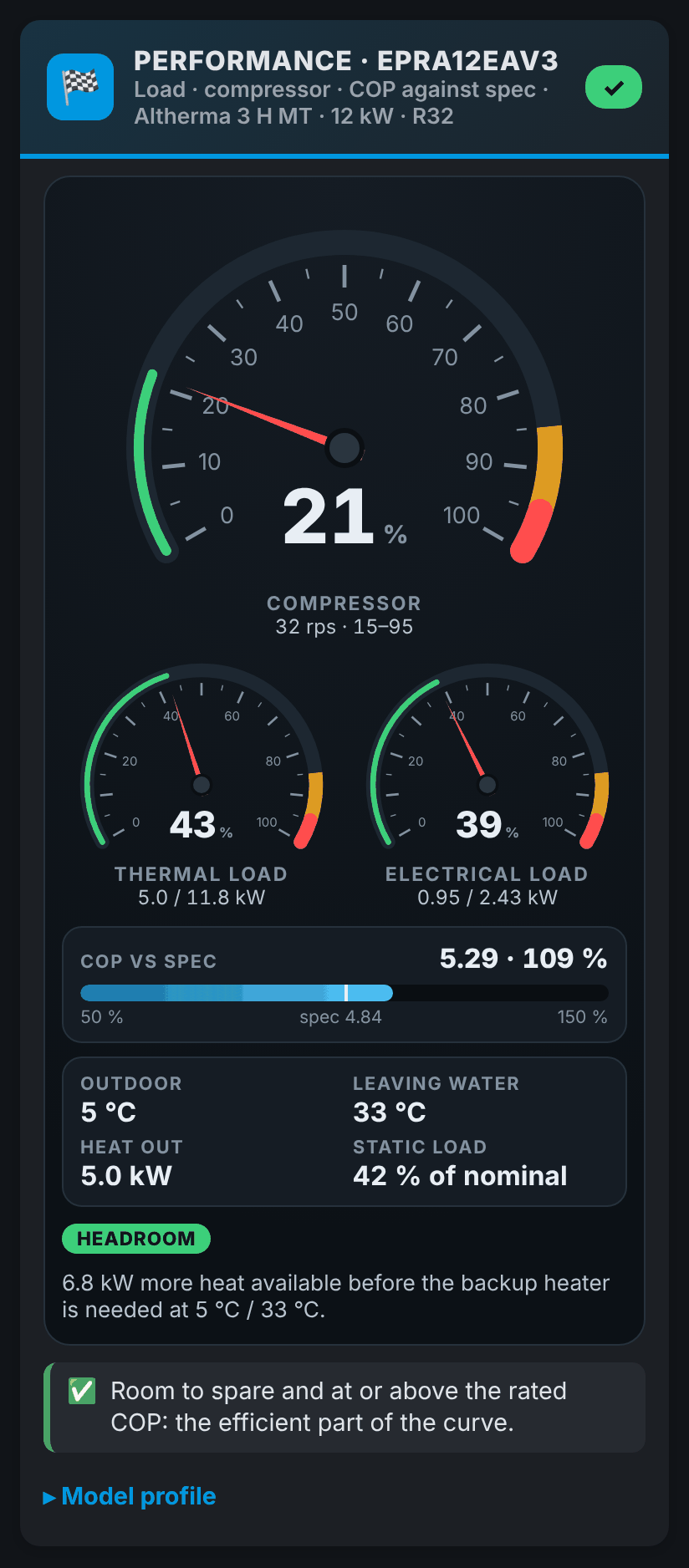
A third native card, Performance, shows how hard your heat pump works against what your own model can do today. Your heat pump now has a model profile that you can complete and adjust, and the whole integration uses it. Alerts are rewritten in plain words in English, Dutch and French, checked by an HVAC engineer.
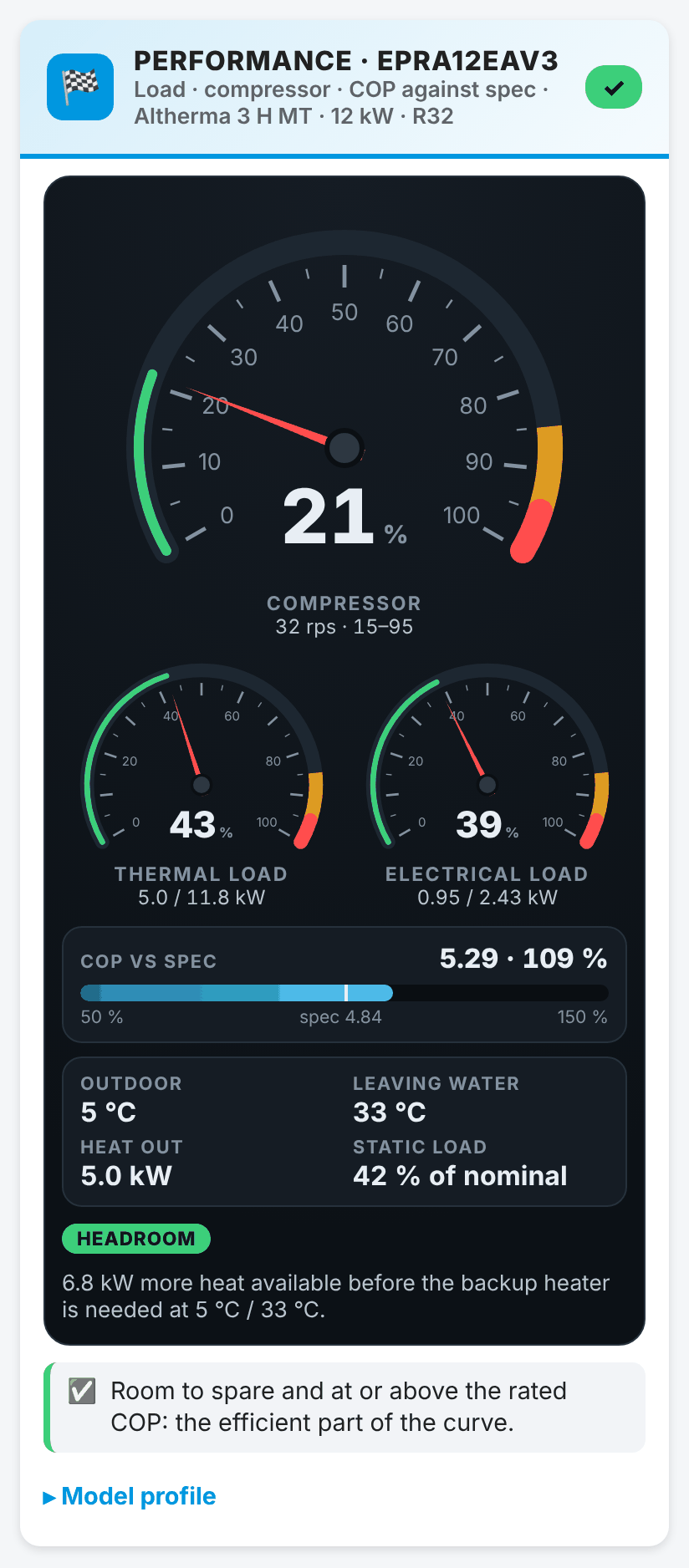
🏁 New native card: Performance
| You now get | Why it matters for your heat pump |
|---|---|
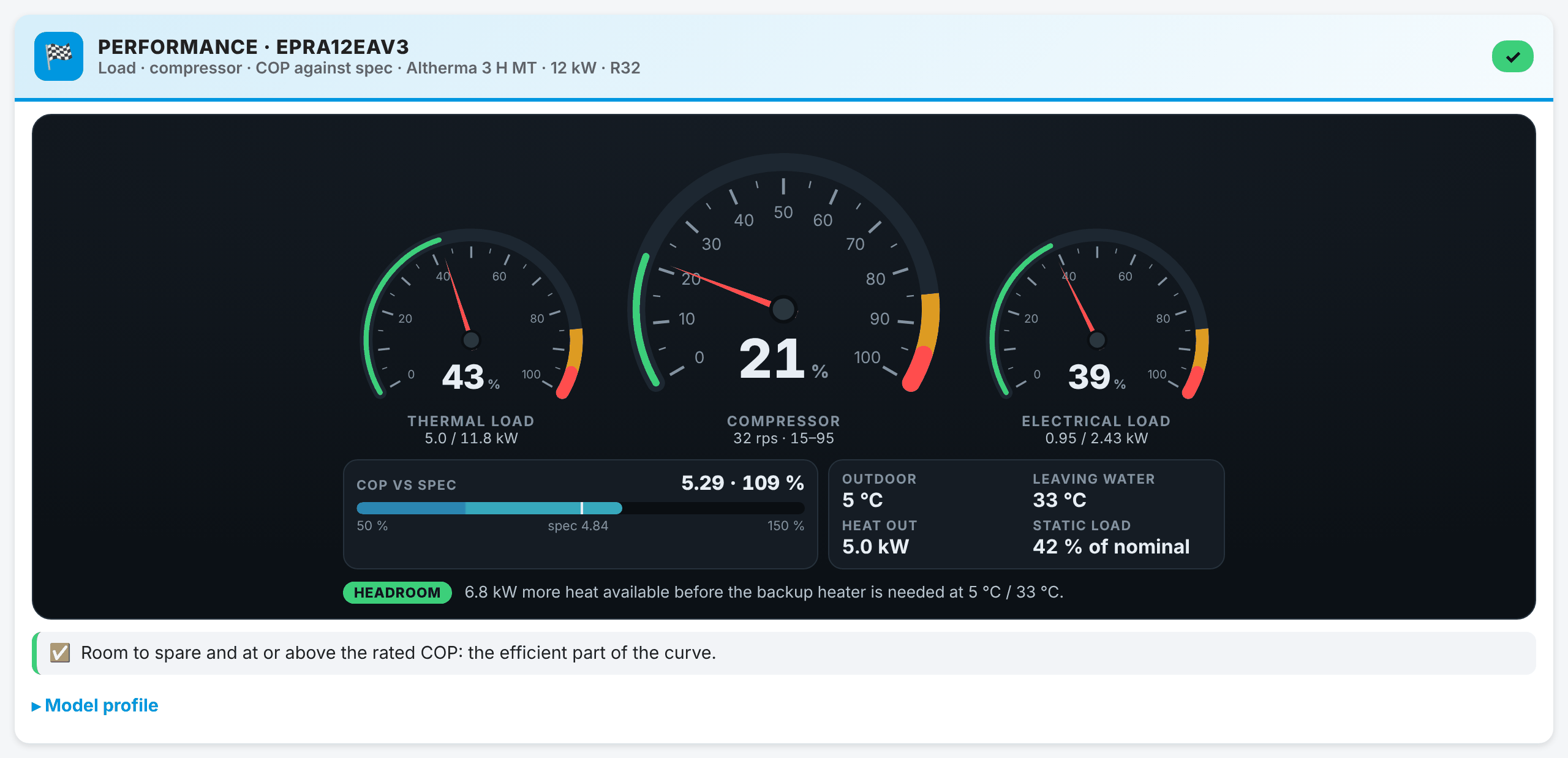
| 🏁 Three dials, like a car dashboard | Thermal load, compressor speed and electrical load, each against what your model can do at today's outdoor and water temperature. A "load" of heat ÷ nominal kW hides the cold-weather limit: at -7 °C with 55 °C water a unit can run flat out while that number still says 65 %. |
| ⛽ Headroom before the backup heater | How many kW the heat pump can still deliver before the backup heater has to help, and a clear verdict when it is at its limit. A lower water temperature (heating curve) gives back capacity and COP. |
| 📈 COP against the datasheet | Live COP against the spec COP of your model at this exact condition. |
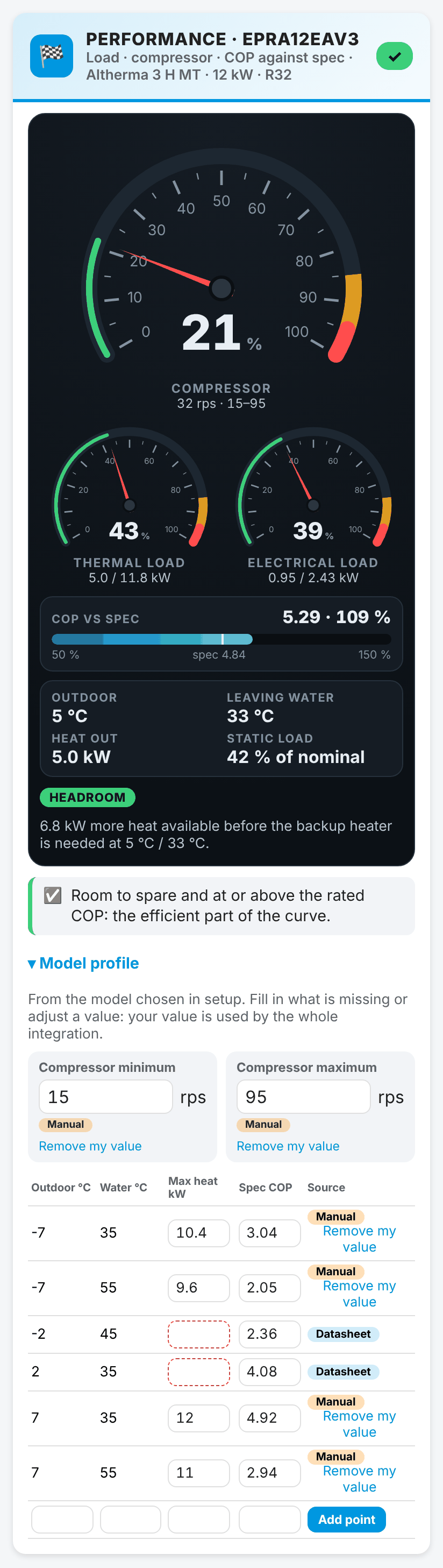
| 🧩 Model profile on the card | Fill in what the datasheet lacks or adjust a value, right on the card. Every value shows where it comes from: Datasheet, Learned or Manual. Nothing is made up: a missing limit says what to add. |
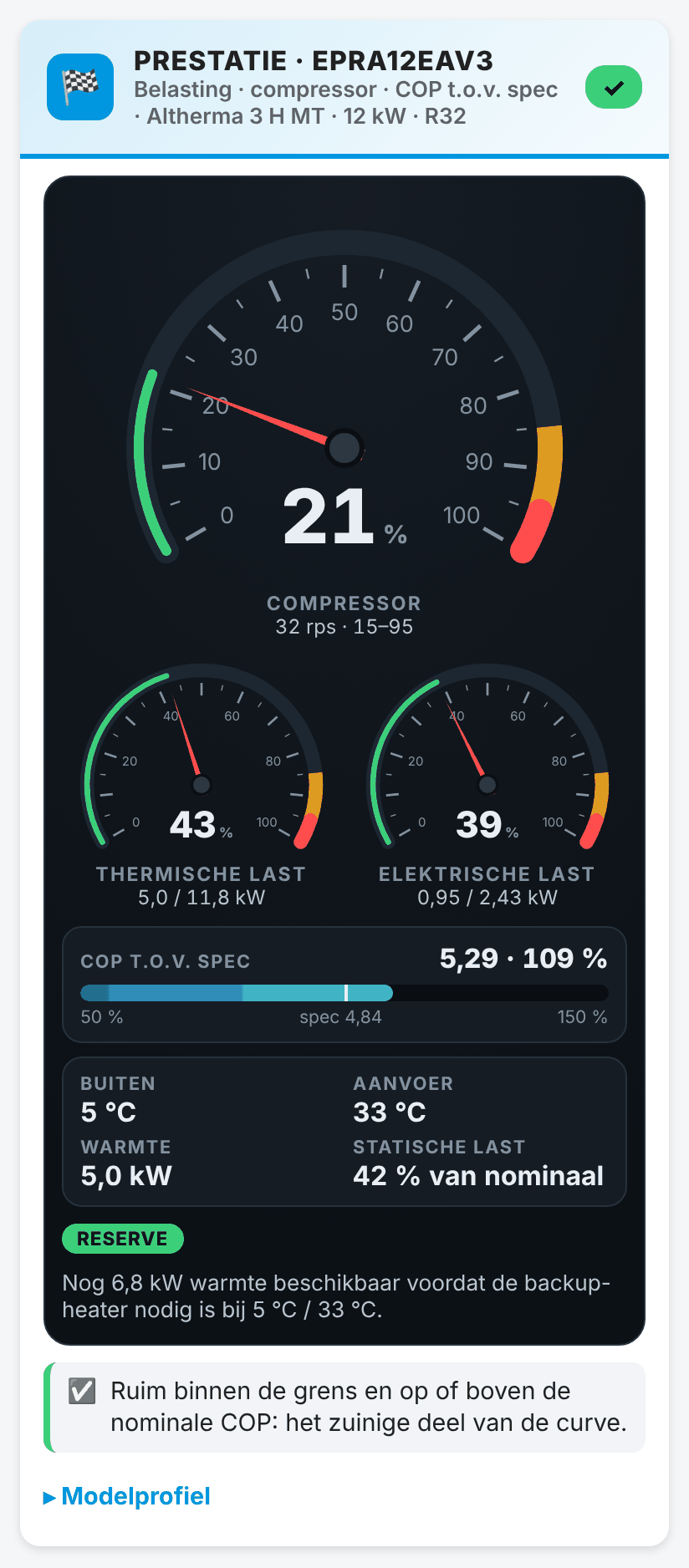
| 📱 Phone, tablet and desktop | Tested at 360 to 1920 px, in English, Dutch and French, light and dark. |
Add it: Edit dashboard → + Add card, search Daikin Cycle ML · Performance (documentation).
| Phone | Model profile | Desktop | Nederlands | Dark |
|---|---|---|---|---|
|
 |
 |
 |
 |
🧩 Your model profile, used everywhere
| You now get | Why it matters |
|---|---|
| 🧾 Complete or adjust your model's specs | Start from the datasheet of the model you chose in setup. Add the maximum heat per outdoor / water temperature (from Daikin's capacity tables) or correct a value. On the Performance card, in Configure → Model profile, or with the new service daikin_cycle_ml.set_model_profile. |
| 🔁 One profile for the whole integration | Your values are used by COP against the datasheet, the normalised COP, the "COP below datasheet" alert and every card, from the next update on. |
| 🧠 Compressor speed learned from your own runs | The minimum and maximum speed of your compressor, learned after 20 steady runs. You can override them. |
🔔 Alerts you can act on, in your language
| You now get | Why it matters |
|---|---|
| 🚦 No action needed / Keep an eye on it / Action needed | Every alert starts by saying whether you need to do something. |
| 👉 One concrete step, then where to look | What happened with the numbers, one clear step, and the card, tab and graph to check. No thresholds, z-scores or setting names. |
| 🛠️ Checked by an HVAC engineer | Short runs after hot water, a defrost or in mild weather are called normal; repeated short runs first ask to open radiator valves and floor circuits; never scrape ice off the outdoor unit; the backup heater lists its normal uses and points to an error or emergency mode first. |
| ❄️ Defrost alert that knows the weather | The weekly limit now follows the outdoor temperature and running hours (a humid winter week no longer trips it) and counts real defrosts. Defrosts on warm days are flagged. |
| 🇳🇱 🇫🇷 Same quality in English, Dutch and French | Dutch and French use a decimal comma. |
🛠️ Fixes from your feedback
| Fixed | What it means for you |
|---|---|
| 📊 "Today" showed 531 h, 110 starts, 33 defrosts | ESPAltherma resets its own "today" counters at midnight only when the ESP knows the time. Without a clock they count since the ESP started. The integration now notices this and shows its own counts (#466). |
| 🖥️ Huge charts and thick lines on a laptop | Both native cards draw their charts at the card's real width (#466). |
| 🎯 Target ΔT is yours | New Efficiency card option Target ΔT (default 5 K): set what your installer chose, for example 3 K. The flow chart and its verdict follow it. Axis units and a full legend on the flow chart; trends on the Daily summary card show their numbers. |
✅ After updating
- Update via HACS → Daikin Cycle ML → Update, then restart Home Assistant.
- Refresh your browser once (
Ctrl+Shift+R; in the app, pull down) to load the new and updated native cards. - Choose your alert language: alerts stay in English unless you pick one. Go to Settings → Devices & services → Daikin Cycle ML → Configure → Notifications → Content → Notification language and choose Nederlands, Français or Home Assistant (follows your Home Assistant language).
- Add the Performance card and open ▸ Model profile to fill in the maximum heat of your unit (dashed boxes). Until then the thermal and electrical dials show "—"; the compressor dial works once 20 runs are learned.
- ESPAltherma users with stats: give the ESP a clock (time server / NTP and your time zone in the ESPAltherma settings) so its own "today" counters roll over at midnight.
- Efficiency card: if your installer set a different ΔT than 5 K, set Target ΔT in the card editor.
- No YAML cards to re-paste in this release.
🙏 Thank you
- Hedzie (Tweakers): the screenshots of both native cards on a laptop and an ERGA08 with a 3 K ΔT showed the "today" counters of an ESP without clock, the oversized charts, the fixed 5 K target and the trends without numbers (#466).
Found something? Open an issue and attach your diagnostics.
📚 Manuals: Dashboard cards · Performance card · Efficiency card · Model profile · Alerts · Troubleshooting
🛠️ Technical Details
Model profile & Performance card (PR #468, #467):
engine/model_profile.py: per-installation storedaikin_cycle_ml.model_profile.<entry>, merged per value incoordinator._refresh_datasheet_state(the single datasheet path). Sources per value (value_sources,points[].src): datasheet / learned / manual.hmax= maximum heat per point; the datasheethcis the EN 14511 rating-point capacity and is not used as a maximum.- Learned compressor range: p5 of run averages / p95 of run peaks, steady heating + DHW runs ≥ 20 min, 60 days, ≥ 20 runs (
db.async_rps_since).hp_specs:rps_min,rps_max,rps_learned,profile. - Service
set_model_profile(fields, points, reset;nullclears a value) — 14 services. Options step Model profile. custom:daikin-performance-card1.0.0 (3 files): interpolated limits at (outdoor, LWT), Carnot-scaled spec COP outside the points.
engine/alert_texts{,_en,_nl,_fr}.py: level, what, todo, card pointer; at most 4 facts; jargon hidden; critical never "no action needed". Levels reviewed (short_run, ml_anomaly, setpoint_osc → info; cop_physically_impossible, db_retention_warning → watch).engine/defrost_limit.py: running hours × max defrost rate per outdoor band (1.0 / 1.5 / 2.0 / 1.5 / 0.5 / 0.1 per running hour) × 1.5, floor 10; > 2 defrosts on ≥ 2 days at ≥ 10 °C fires too.defrost_7d_count_thresholdstill overrides.- Notification language: English default;
autofollows Home Assistant.
runtime_source.daily_attrs: nativeStats: … todayignored when run / backup-heater minutes exceed the minutes since local midnight;native_dailyattribute; diagnosticsruntime_check.native_daily.- Efficiency card 1.1.0 (
target_dt, axis units, legend, axis start, drawn at card width); Daily summary card 1.1.0 (card width, trend values).
Tests: 7,432 tests, 100 % coverage. New: test_463_alert_messages, test_463_defrost_limit, test_466_native_today_not_daily (reporter's values, fails on the old code), test_466_native_cards, test_467_model_profile, test_467_performance_card, test_native_cards_responsive (all three native cards at 360–1920 px).
Changelog: CHANGELOG.md | Compare v1.27.1...v1.28.0
💚 Help the project grow
- ⭐ Star the repo: the easiest way to help other heat-pump owners find it.
- 🧪 Try the Performance card and fill in your model profile: a screenshot of a dial that feels wrong for your heat pump helps most.
- 💬 Mention it on your forum (Tweakers, Home Assistant community, OpenEnergyMonitor) when someone asks about their Daikin Altherma.
☕ Support
Daikin Cycle ML is free, local-only, and open-source. If it has helped you optimize your heat pump or save on energy costs: