A smooth, lightweight, and flexible interactive Dynamic Island for Hyprland.


Preview · Features · Installation · Configuration · Common Commands
Tide Island is a small desktop widget for Hyprland, styled like the Dynamic Island.
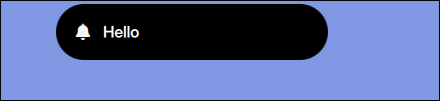
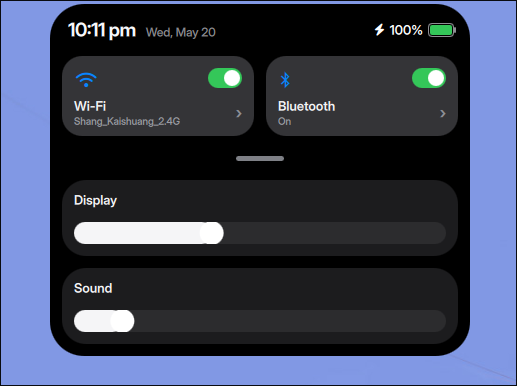
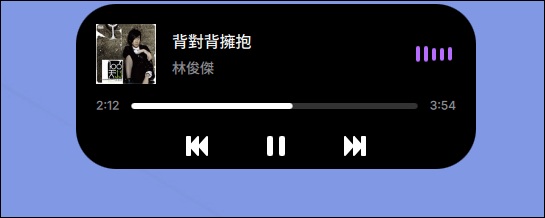
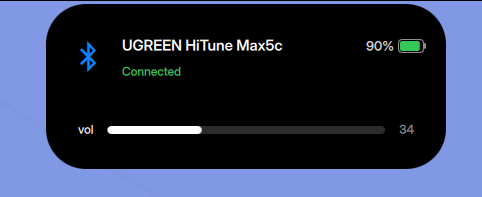
When nothing much is going on, it just sits in the corner, staying out of the way. When you need to check some information, it expands into a panel where you can view lyrics, switch workspaces, adjust system settings, check notifications, or put in some custom content.
It's built with Quickshell, QML, and C++/Qt 6. Most of the effort went into making the animations as smooth as possible, interactions responsive, and resource usage kept in check. I can't claim it's anything special, but I hope it's comfortable to use.

|
|
|
|
|
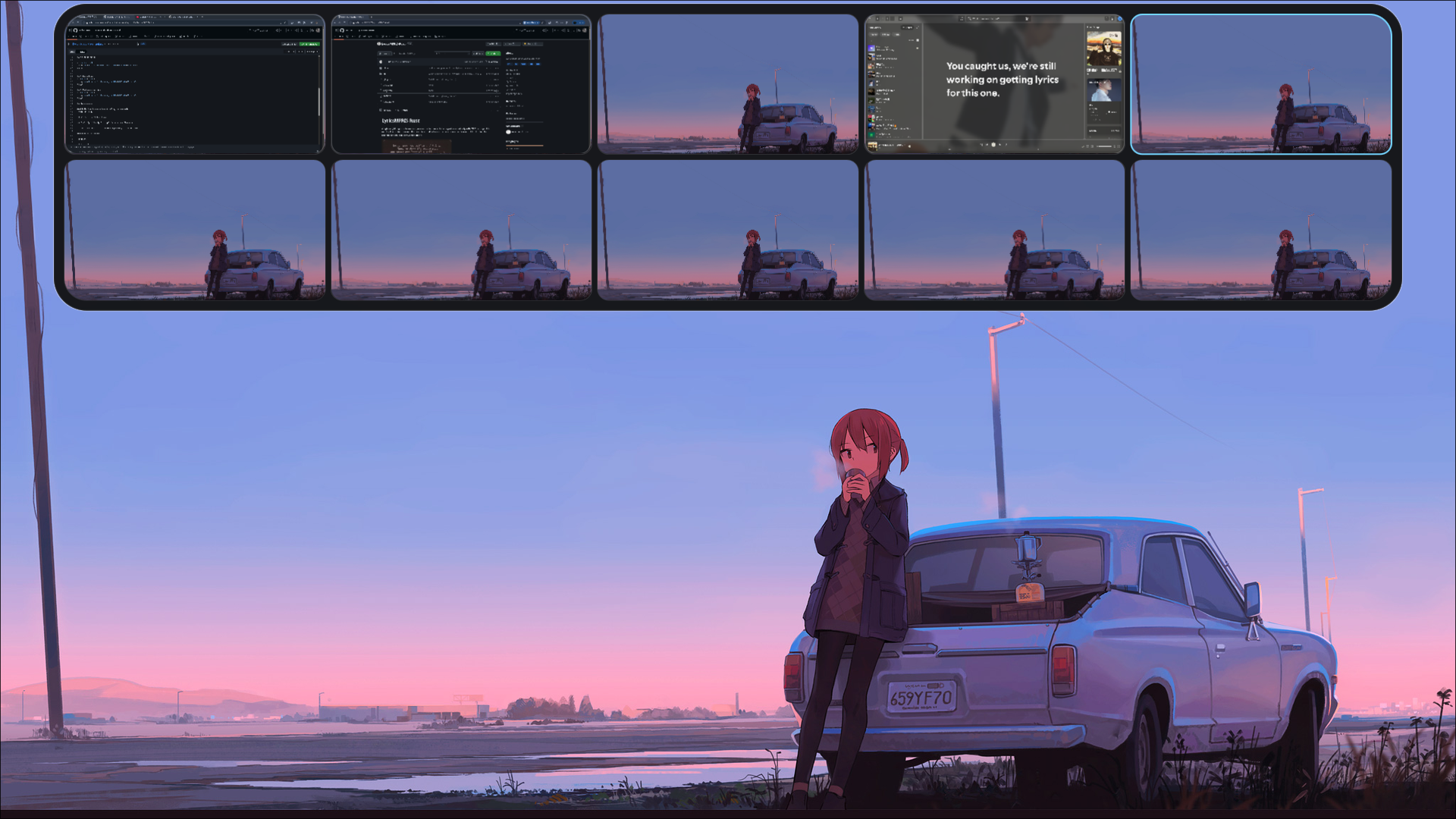
|

|

|
| Input | Behavior |
|---|---|
| Left click | Open music player |
| Right click | Open control center |
| Swipe left | Show custom page |
| Swipe right | Show lyrics |
| Two-finger horizontal / vertical swipe | Switch between time, lyrics, and custom views |
Super + Tab |
Open workspace overview |
Tide Island can display temporary feedback for:
- Volume changes
- Brightness changes
- Battery charging / discharging
- Workspace changes
- Media playback
- System notifications
The custom page can display:
- Time
- Date
- Battery
- Volume
- Brightness
- Workspace
- CPU
- RAM
- CAVA audio visualizer
Memory: <300 Mb
CPU usage: < 1 during normal use
Performance may vary depending on enabled modules, lyrics providers, animations, and system configuration.
Install from the AUR:
yay -S tide-islandOr build manually:
git clone https://github.com/enhaoswen/Tide-island.git
cd Tide-island
makepkg -siClone the repository and run the installer:
git clone https://github.com/enhaoswen/Tide-island.git
cd Tide-island
./scripts/install-debian-ubuntu.shTide Island provides a systemd user service.
Enable and start it immediately:
systemctl --user enable --now tide-islandIf you want to manage startup manually, add this to your hyprland.conf:
exec-once = tide-islandOr add this to hyprland.lua:
hl.exec_once("tide-island")If the systemd service is already enabled, you do not need to add exec-once.
systemctl --user restart tide-islandsystemctl --user stop tide-islandjournalctl --user -u tide-island -ftide-island-setup --checktide-island-setup --launchtide-island-setup --wizardyou can adjust configuration to your liking in ~/.config/tide-island/userconfig.json.
| Option | Meaning | Type | Default |
|---|---|---|---|
wallpaperPath |
Wallpaper image path for workspace overview background | string | "" |
iconFontFamily |
Font family for icons/glyphs throughout the island | string | "JetBrainsMono Nerd Font" |
textFontFamily |
Font family for general body/UI text | string | "Inter Display" |
heroFontFamily |
Font family for large headings (track title, control center titles) | string | "Inter Display" |
timeFontFamily |
Font family for clock/time display text | string | "Inter Display" |
tlpPermissionMode |
How to obtain sudo permissions for TLP battery mode switching | string | "ask" |
tlpSudoPassword |
Sudo password used when tlpPermissionMode is "password" |
string | "" |
overviewGlobalShortcutAppid |
App ID for registering the overview global shortcut | string | "quickshell" |
overviewGlobalShortcutName |
Shortcut name for overview toggle | string | "dynamic-island-overview" |
workspaceOverviewWindowDragButton |
Mouse button used to drag window tiles in workspace overview | int | 1 (Left) |
dynamicIslandPrimaryButton |
Primary mouse button for clicking the island capsule | int | 1 (Left) |
dynamicIslandPrimaryAction |
Action triggered by primary button click on the island | string | "toggleExpandedPlayer" |
dynamicIslandSecondaryButton |
Secondary mouse button for clicking the island capsule | int | 3 (Right) |
dynamicIslandSecondaryAction |
Action triggered by secondary button click on the island | string | "toggleControlCenter" |
dynamicIslandLeftSwipeItems |
Cards shown when swiping left on the island pill | array | ["cava", "battery"] |
disableAutoExpandOnTrackChange |
Prevent auto-expanding the player when track changes | bool | false |
You can also change the key binding.
| Action | Behavior |
|---|---|
"" / "none" |
Do nothing |
"toggleExpandedPlayer" |
Show/hide the expanded music player |
"openExpandedPlayer" |
Open the expanded music player |
"closeExpandedPlayer" |
Close the expanded music player |
"toggleControlCenter" |
Show/hide the control center panel |
"openControlCenter" |
Open the control center panel |
"closeControlCenter" |
Close the control center panel |
"toggleOverview" |
Show/hide the workspace overview |
"openOverview" |
Open the workspace overview |
"closeOverview" |
Close the workspace overview |
"toggleLyrics" |
Show/hide the lyrics capsule |
"showLyrics" |
Show the lyrics capsule |
"showTime" |
Show the time capsule |
"restoreRestingCapsule" |
Restore default resting capsule state |
Example:
"dynamicIslandPrimaryButton": 1,
"dynamicIslandPrimaryAction": "toggleExpandedPlayer",
"dynamicIslandSecondaryButton": 3,
"dynamicIslandSecondaryAction": "toggleControlCenter"
1 = Left click, 2 = Middle click, 3 = Right click
Not required, you can adjust based on your preferences.
Shortcuts for ~/.config/hypr/hyprland.conf.
bind = $mainMod, right, exec, qs ipc -p /usr/share/tide-island call tide showLyrics
bind = $mainMod, left,  exec, qs ipc -p /usr/share/tide-island call tide showCustom
bind = $mainMod, down,  exec, qs ipc -p /usr/share/tide-island call tide showClock
bind = $mainMod, M, exec, qs ipc -p /usr/share/tide-island call tide togglePlayer
bind = $mainMod, C, exec, qs ipc -p /usr/share/tide-island call tide toggleControlCenter
Shortcuts for ~/.config/hypr/hyprland.lua.
hyprland.bind("SUPER", "right", "exec", "qs ipc -p /usr/share/tide-island call tide showLyrics")
hyprland.bind("SUPER", "left",  "exec", "qs ipc -p /usr/share/tide-island call tide showCustom")
hyprland.bind("SUPER", "down",  "exec", "qs ipc -p /usr/share/tide-island call tide showClock")
hyprland.bind("SUPER", "M", "exec", "qs ipc -p /usr/share/tide-island call tide togglePlayer")
hyprland.bind("SUPER", "C", "exec", "qs ipc -p /usr/share/tide-island call tide toggleControlCenter")
The default user configuration file is located at:
~/.config/tide-island/userconfig.json
After editing the configuration, restart the service:
systemctl --user restart tide-island- Hyprland
- Quickshell
- Qt 6
hyprctlwpctlbrightnessctlpactldbus-monitor- UPower
- BlueZ
libudev
- NetworkManager or iwd for Wi-Fi integration
- A Nerd Font for icons
- CAVA for audio visualization
- MPRIS-compatible music player for media integration
Check logs:
journalctl --user -u tide-island -fMake sure Hyprland, Quickshell, and required command-line tools are installed.
Check whether your player exposes MPRIS:
busctl --user list | grep -i mprisMake sure the relevant services are running:
systemctl status NetworkManager
systemctl status bluetoothIssues, bug reports, design suggestions, and pull requests are all welcome.
Thanks to:
- @end-4 for the workspace overview design inspiration
- @gozhuimeng for improving the lyrics backend
- Discord: https://discord.gg/gEmqgz76
- Email: enhaoswen@gmail.com
Made for Hyprland users who like quiet and practical desktops.