Repository navigation
ClawTweaks 1.0 - Gamebar UI Overhaul, New Tiles, Suspend Games, Mouse Mode for Every Button

🟢 Existing users: Update the Gamebar Widget from the library main menu. The library rollout is pushed out to everyone.
🟠 New users: download and runClawTweaks_1.0.1.0_Setup.exe.
ClawTweaks 1.0
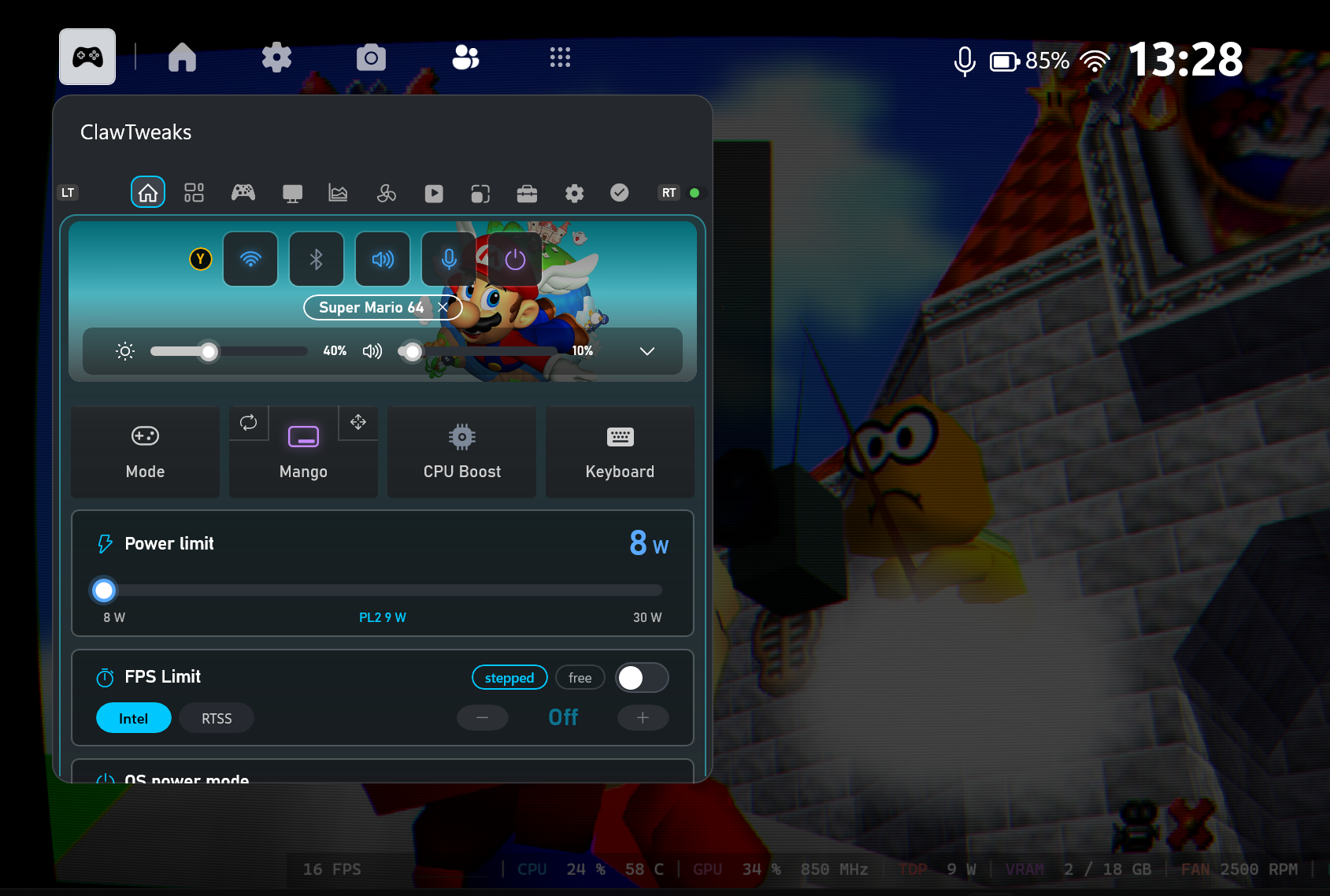
The completely redesigned UI brings back a tab-based layout similar to the old ClawTweaks UI, without losing any settings. There are dedicated tabs for Intel graphics and color settings, fan controls, and overlay settings. You can still switch back to the classic all-in-one tab with Right Stick flick navigation.
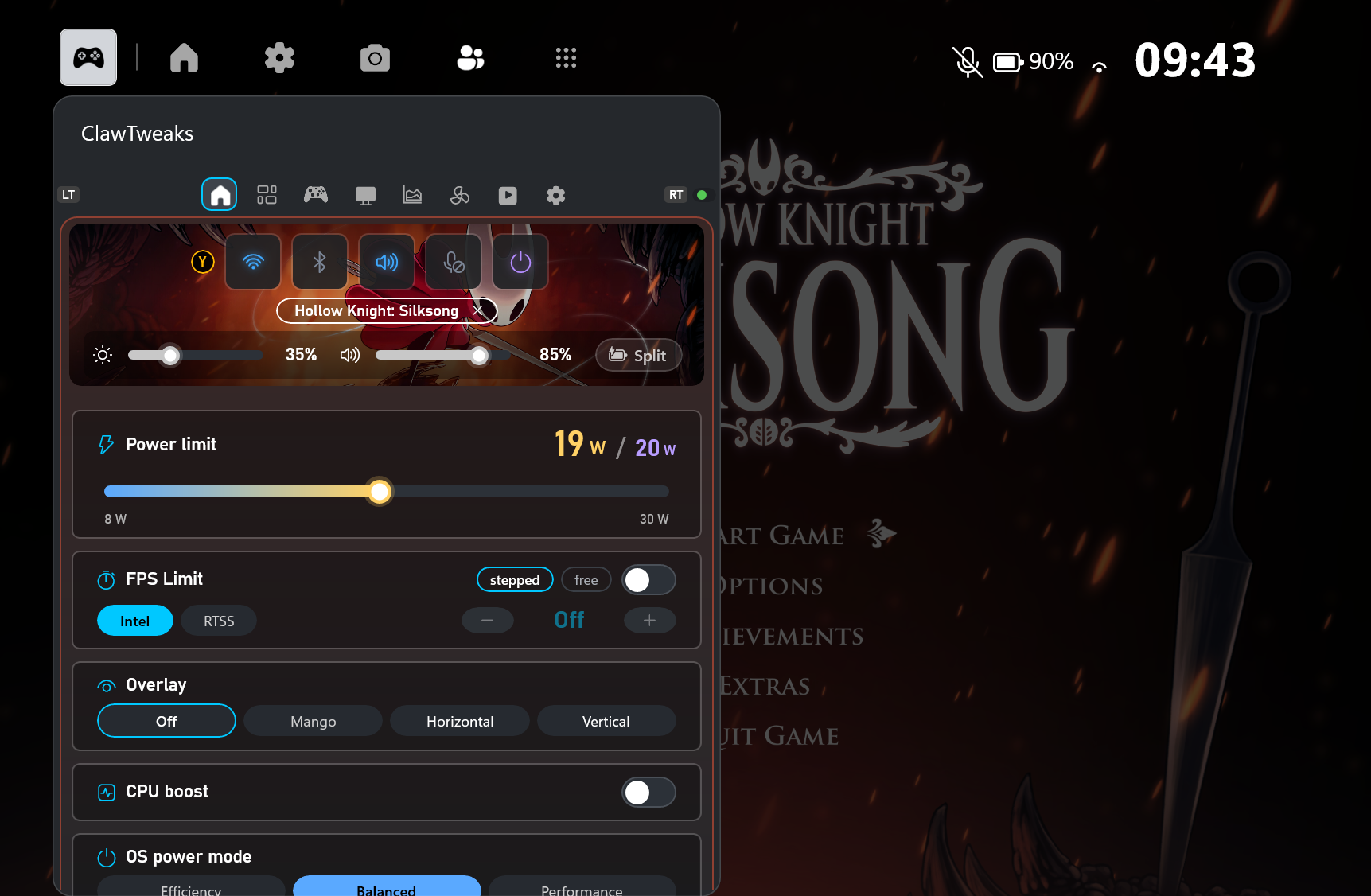
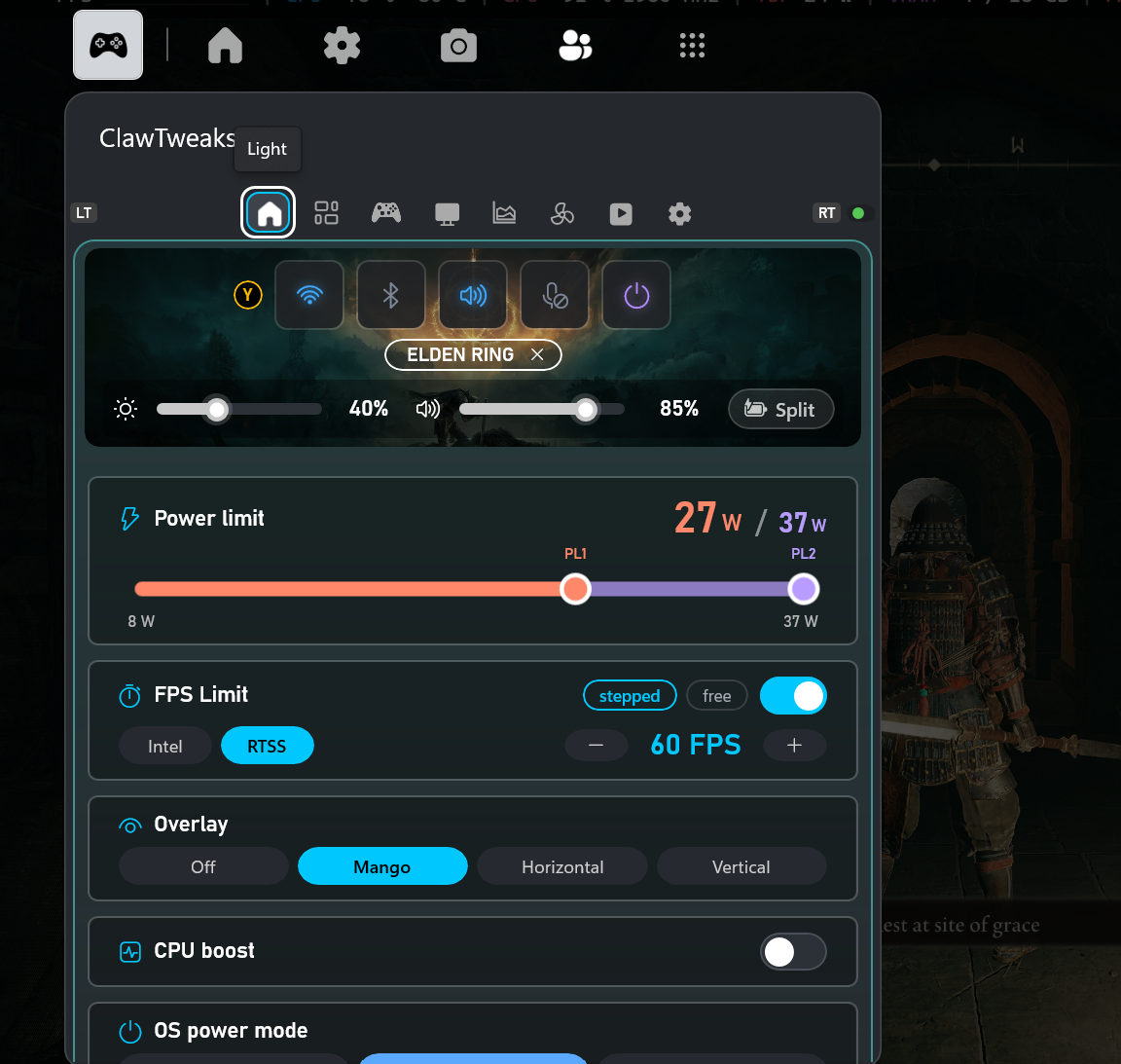
Gamebar Widget overhaul
- PL1 and PL2 on one slider. FPS limit, overlay type, CPU boost and power mode right below
- Game banner with the game's art, its name and the profile in use
New tiles and Shortcut Actions
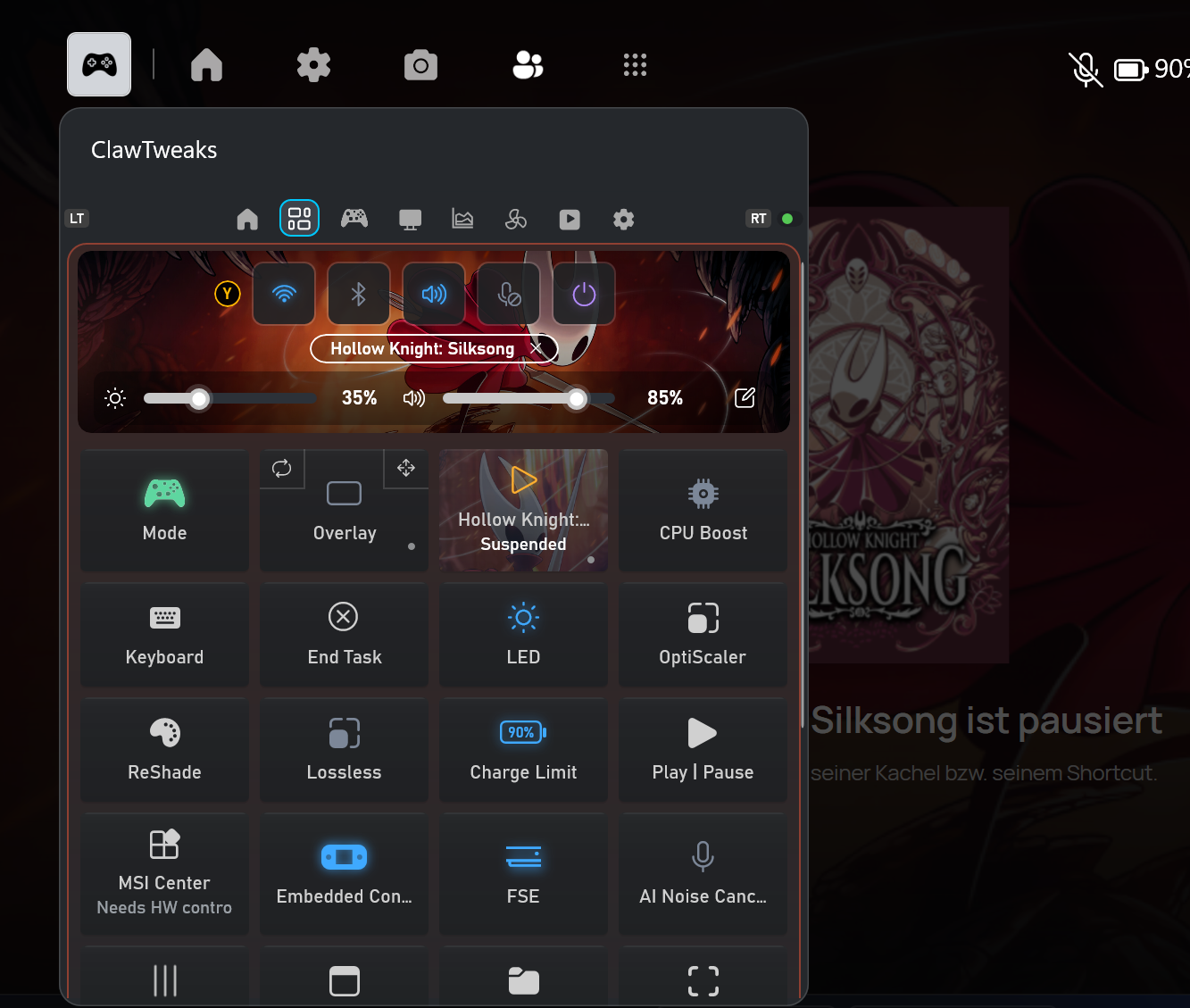
- Game tile: suspend and resume the running game
- New tiles: End Task (asks in the widget first), Embedded Controller, FSE
- Suspend / Resume as an action for tiles, controller shortcuts and front buttons
Game profiles hand picker
- Create a profile from the banner chip, or pick the running app from a list
- All settings are saved per game automatically, with a split for battery and plugged in
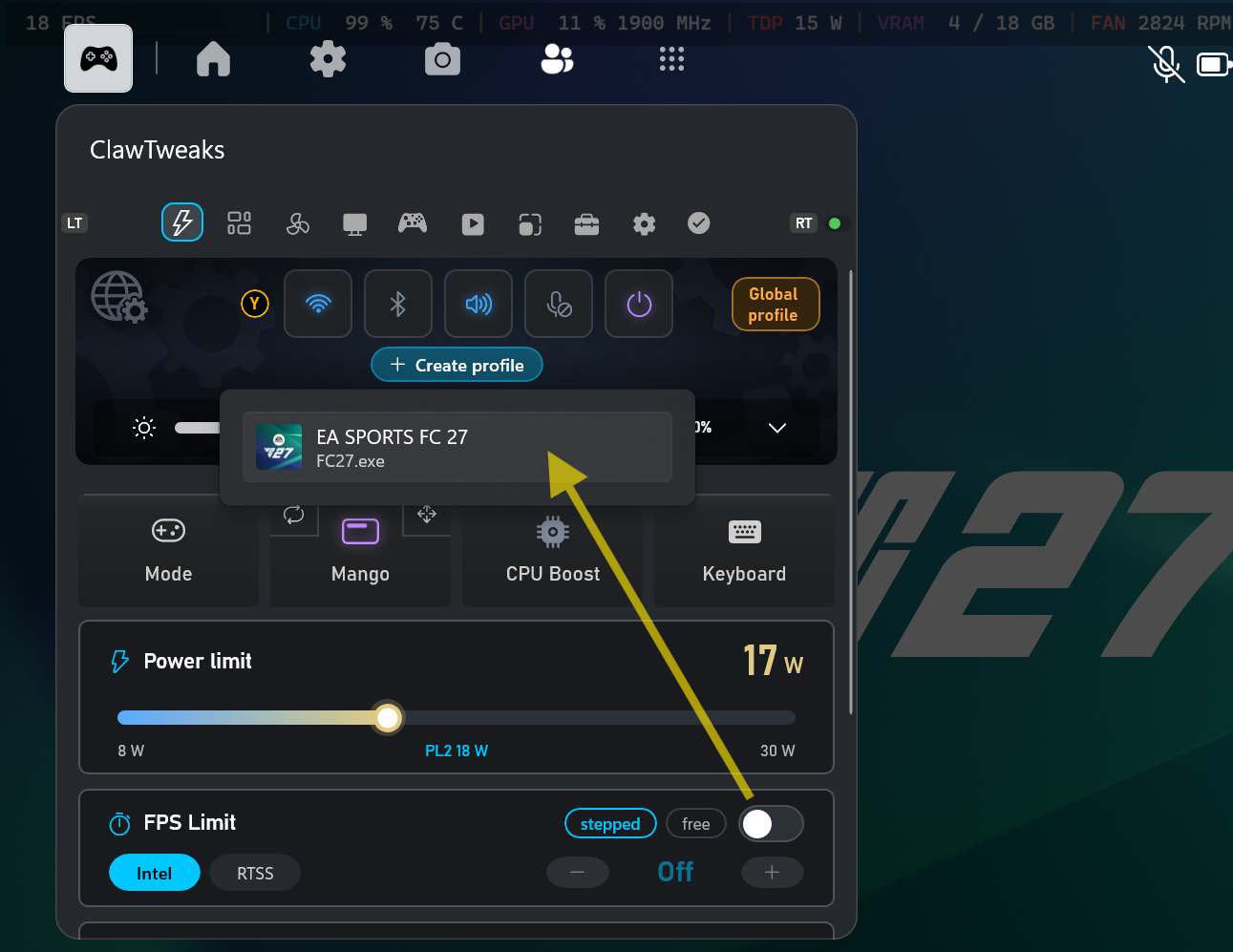
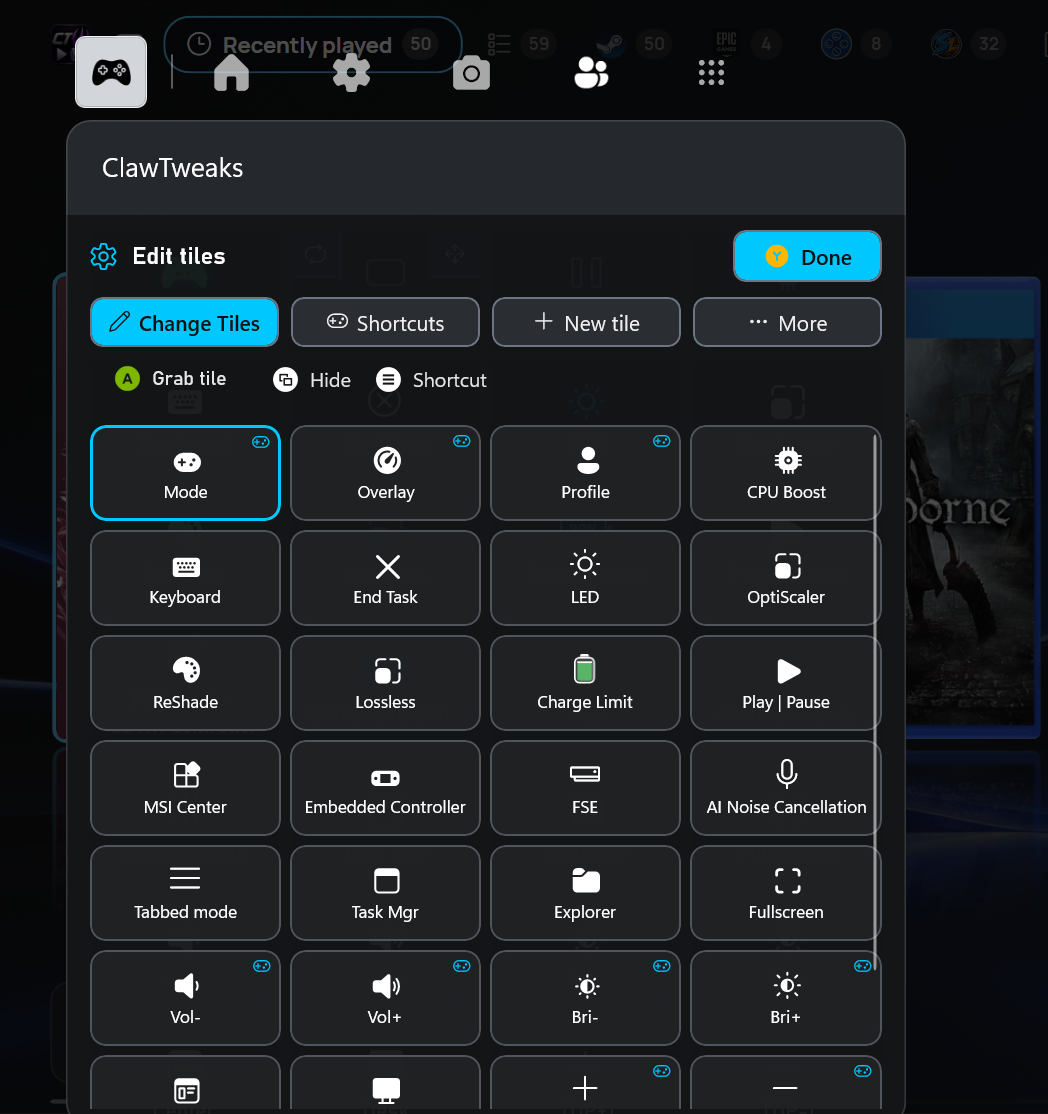
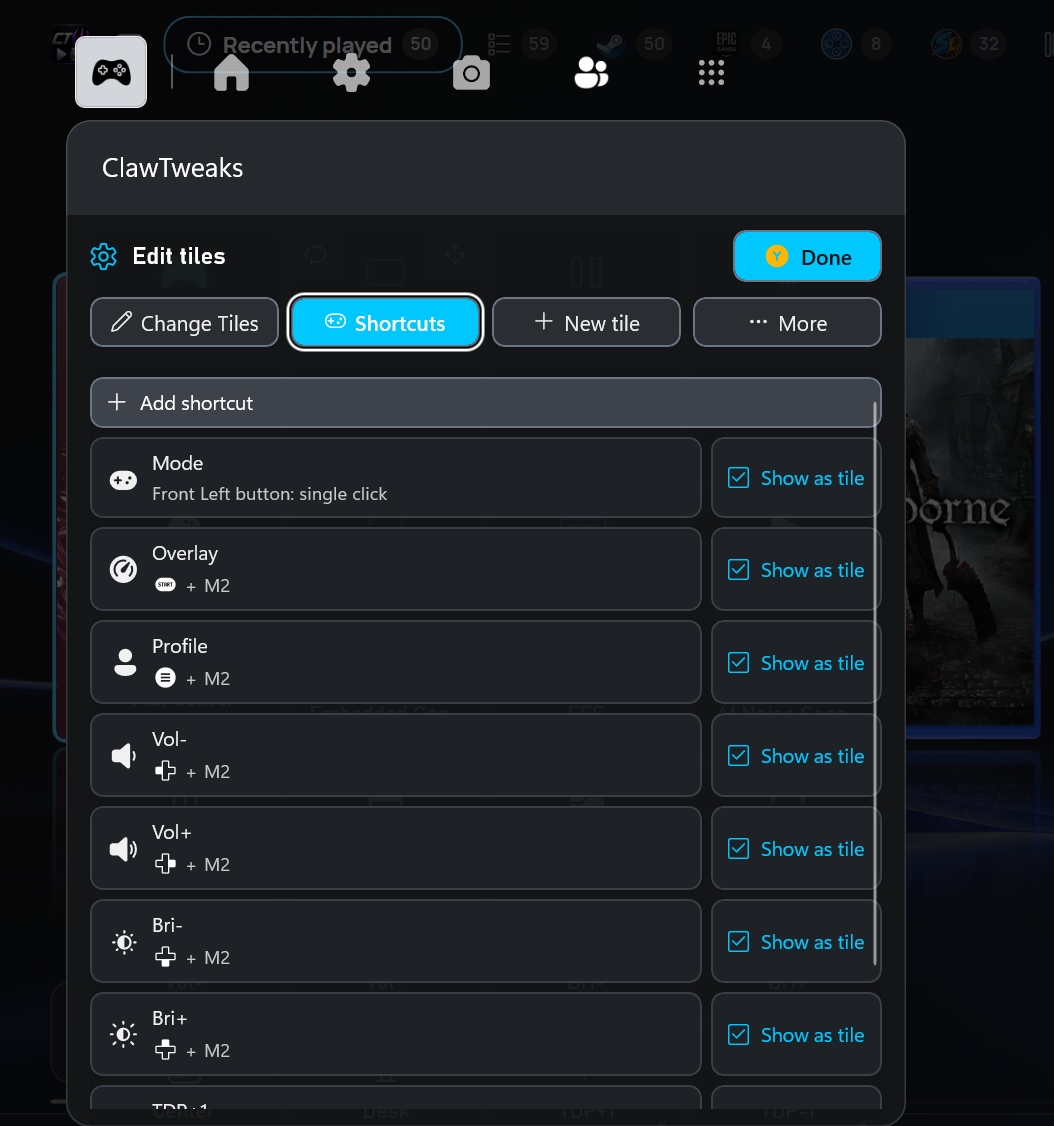
Tiles and shortcuts rebuilt from the ground up
- Editing tiles and controller shortcuts was rebuilt from scratch and is much clearer
- Move, hide and add tiles right in the grid you use
- All controller shortcuts in one list, with the buttons they use and whether each one shows as a tile
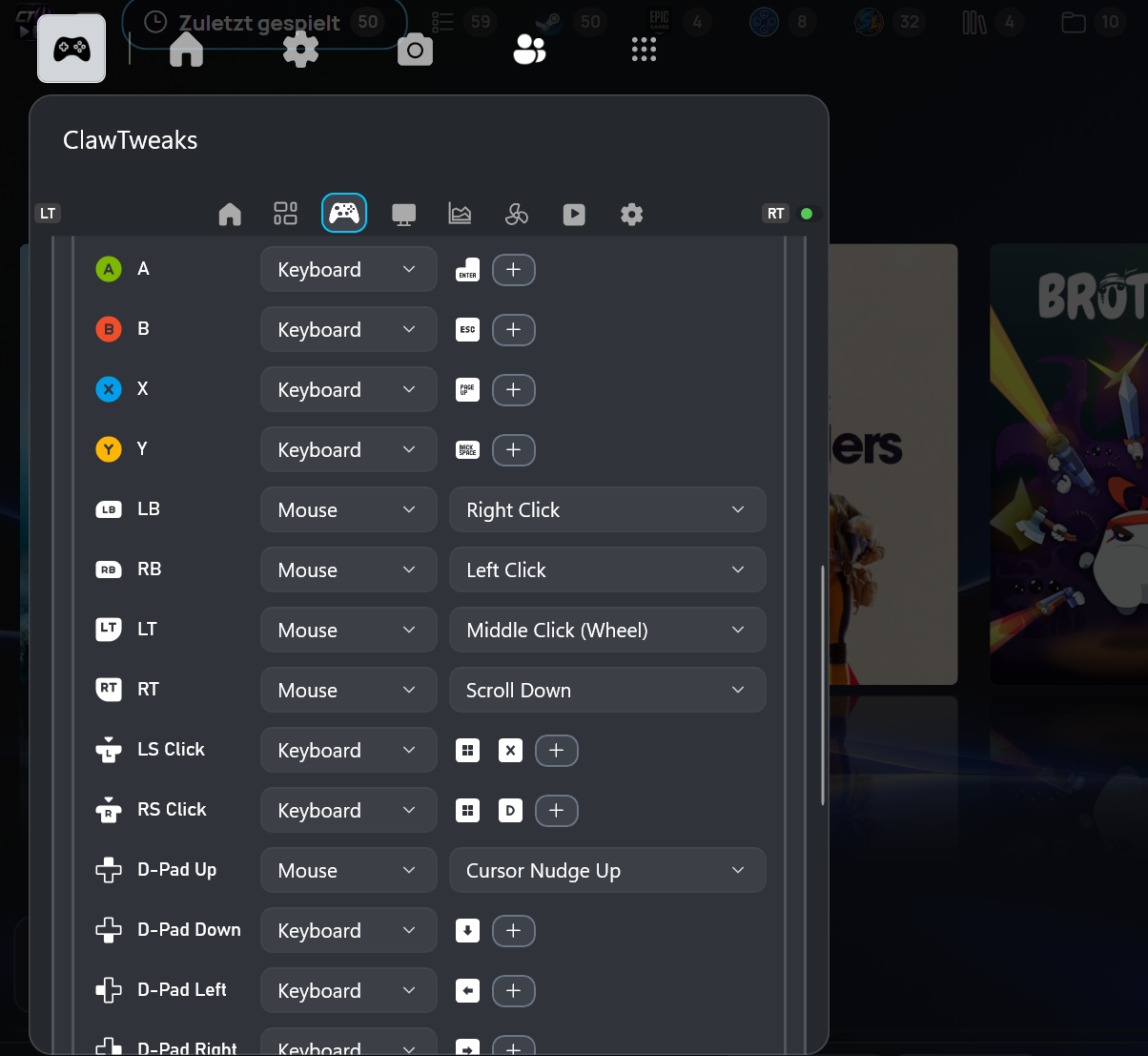
Mouse mode: every button can be remapped
- Assign any key combination or mouse action to every button, stick clicks and D-pad included
- New defaults: A = Enter, B = Esc, D-pad = arrow keys
- Mouse actions in the button remap work now, including the wheel click
And also
- Desktop resolution restored after a game
- GPU scaling defaults to Preserve Aspect Ratio
- Log levels None / Normal / Debug, old logs cleaned up weekly
Bugfixes
- The virtual controller (VIIPER) could keep the device from going to sleep or turning the screen off
- No more errors when the widget connects while the helper is still starting
ClawTweaks Library 1.0.40
- GOG account: sign-in, achievements, friends and purchased games
- RetroAchievements for disc games (PlayStation, PS2, GameCube, Dreamcast, Saturn, Sega CD, PSP)
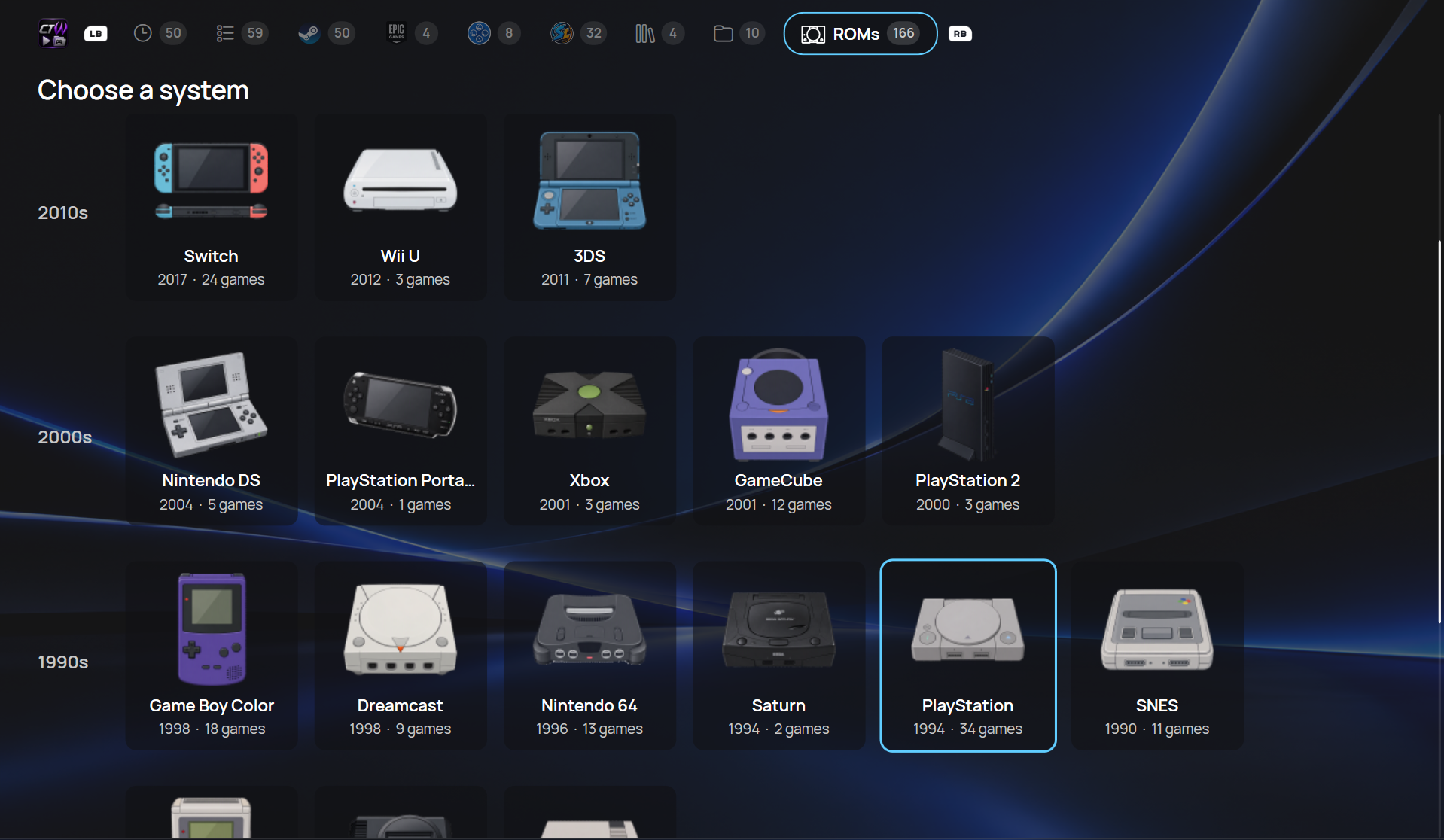
- New console picker in the ROM tab, achievement lists with filters
- Suspended games are recognized and can be resumed in the library
- Clearer game start with a progress bar
Premium
The library has premium features. Ko-fi supporters get a lifetime premium key sent:
- Friends grouped across stores and different names
- A profile for every ROM started from the library
ROM systems grouped by decade: every console with its picture, release year and number of games