Repository navigation
QSO mode
- Open QSO mode in the main navigation. Leave I am in a roundtable unchecked for an ordinary listening session, then choose Start.
- For a roundtable, check the option, enter its name and optional numeric edition. QSObook remembers the last name/edition locally; the next session still starts with the checkbox off.
- Enter a callsign. Known operators fill from SQLite; new ones can be entered quickly. Country has no default. Permanent notes and listening/conversation notes are independent.
- QSO completed starts unchecked. Save to list adds the station without a historical contact. Check that box when appropriate or confirm later with the row's Register QSO button. The confirmation time is automatic.
- Mark QRT when somebody leaves. Their row dims and moves below active stations. Returned brings them back. Presence never confirms a contact.
- End the session when finished. Confirmed contacts stay in Notebook; the participant list and listening notes remain in previous sessions.
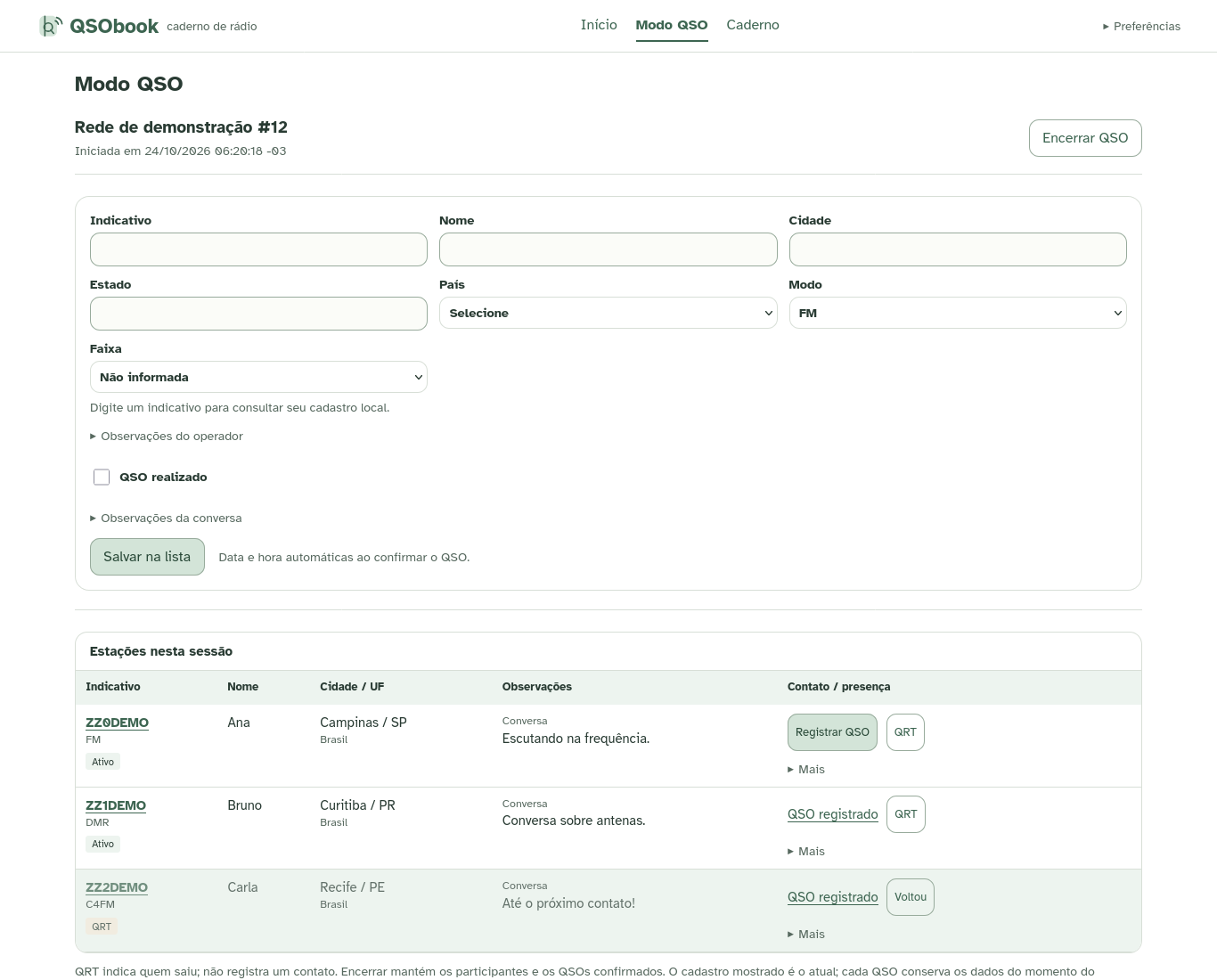
Adding the same participant again preserves their existing mode, notes and presence. Use More → Edit to revise the listening draft. To intentionally record another conversation with that station during the same session, remove and add it again; the earlier QSO stays in history. Repeated confirmations produce one QSO per participation.
New entries preserve manual operator values and fill missing fields. With RadioID enabled, explicitly typed corrections take priority over still-automatic values, even when saved before the lookup response arrives. Use the registration editor to replace saved values or permanent notes. Historical QSO snapshots stay unchanged when registrations change. Before RadioID changes a registration, existing closed/removed participations retain their previous displayed details. Historical QSOs always keep their own snapshot.
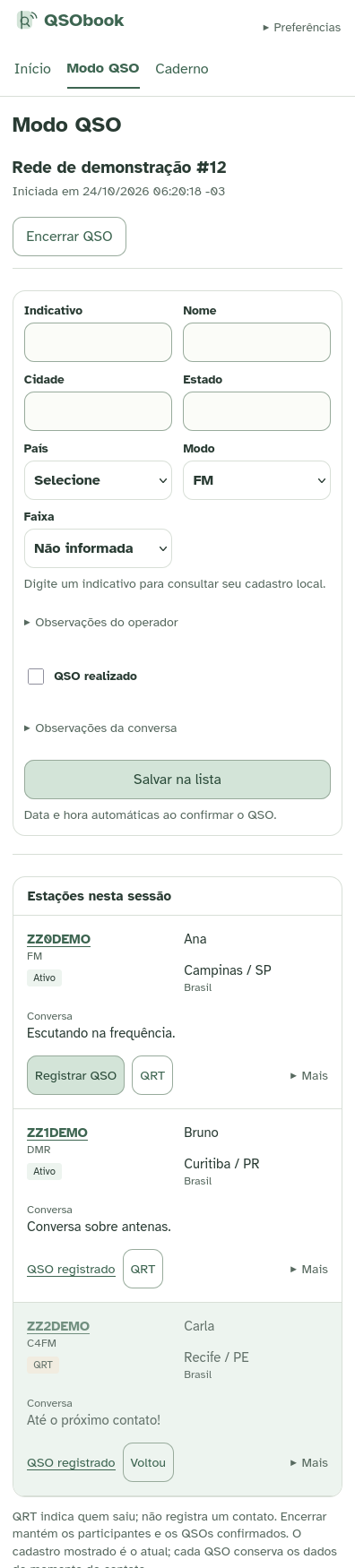
Available since v0.2.0 (schema 8); earlier v0.1.0 does not include it. Enable RadioID autofill under Preferences, then press Enter in the QSO callsign field. SQLite is consulted first; external results fill only untouched empty inputs. Typing alone never contacts RadioID. The form stays editable and messages report progress, missing results or an unavailable provider. Save/confirmation remain usable offline.
Consent permits the backend to send necessary callsigns and normal client/IP metadata, never QSOs or notes. Pending registered incomplete stations can be retried in a bounded daily batch. Disable the option for local-only lookup. See the full behavior and privacy rules.