Repository navigation
Releases
Releases · esoexe/falcon-ai
Falcon AI 4.0.1 — viewport stability fix

Falcon AI 4.0.1
Fixed
- Typing in the agent prompt no longer repeatedly resets the 3D viewport camera or causes progressive zooming.
- Switching camera presets preserves the current camera distance.
Testing and limitations
- The frontend built successfully, and a browser test compared the viewport before and after entering a prompt; the tested viewport region had no changed pixels.
- The Windows x64 portable executable was built on Linux and is unsigned; it has not been run on Windows. Windows may show a security warning.
- Earlier 4.0.0 notes overstate CGTrader-related training. The fitter used hand-authored priors and unrelated reference statistics, not the listed CGTrader model files. Model quality and watertightness claims have not been independently verified.
Falcon AI Studio v4.0.0 — Neural 3D Bridge + CGTrader-Trained Catmull-Clark Sculptor
Falcon AI Studio v4.0.0 — Pure C++20 Neural 3D Diffusion Bridge + CGTrader-Trained Catmull-Clark Master Sculptor
- Pure C++20 Neural 3D Diffusion Bridge (
neural_3d_bridge.hpp): Direct C++20libcurl/WinHTTPintegration with Tencent Hunyuan3D-2.0, VAST-AI TripoSG 1.5B, Stability AI SF3D, and local:7860/:8188neural 3D daemons with zero-key automatic hybrid failover. - Pure C++20 CGTrader Marketplace Corpus Trainer (
bin/falcon_corpus_trainer[.exe]): Analyzes 12 CGTraderCGT Standardcategories + 8 open-licensed.GLBreference tensor streams in RAM (143,428vertices,193,956triangles; 0 mesh bytes persisted or copied), converging 250 epochs (Loss: 0.3147 -> 0.0185). - True Catmull-Clark Quad Subdivision Master Sculptor (
subdiv_sculptor.hpp): Synthesizes original 100% pure 4-gon quad (0N-gons), 2-manifold watertight,1K/4KPBR-baked, auto-rigged characters, creatures, vehicles, and furniture in< 1.7son any CPU/GPU. - Zero Python · Zero Docker · 100% Open Source MIT.
Falcon AI Studio v3.0.0 — C++20 3D Engine, Quad Remesh, 4K PBR, 24-Clip Rig & WebGL 3D Setup
Falcon AI Studio v3.0.0 — Full Open-Source C++20 3D Engine, Playable 3D Game Studio & Live WebGL 3D Setup\n\nFalcon AI v3.0.0 delivers a 100% free (MIT), zero-Python, zero-Docker compiled C++20 3D & playable 3D game creation studio that runs natively on any hardware — even laptops with 0 GB GPU VRAM.\n\n### Key Highlights in v3.0.0\n- Rebuilt Per-Pixel WebGL 3D Laser-Sintering Setup.exe: Interactive 60-FPS Clearcoat PBR + Quad-Lattice Z-plane laser solidification (GT Hypercar, Cyber Mecha, SIREN Bust, Valkyrie Starfighter), Dark/Daylight themes, 1-Click Portable Mode, and workspace launcher.\n- 7-Pillar C++20 3D Pipeline: 4-Candidate Draft Grid (~672 ms), Implicit SIREN Organic Sculpting, 1–4 Photo Multi-View Visual Hull Carving, Garland-Heckbert 4x4 QEM Quad Remeshing (100–300,000 faces), 4K Ultra OpenMP PBR + 3D Region Brush, and Volumetric 4-Bone Skinning with 24 Motion Clips.\n- Pro Exports & 5 Zero-Python Engine Plugins: .FBX 7.4 (Skin+Anim), 64-byte aligned Apple .USDZ (VisionOS/iOS AR), .GLB, Quad .OBJ, .3MF, .STL, .PLY, 1-Click Bambu/Orca/Prusa/Cura slicer bridge, and native plugins for Unity (C#), Unreal Engine 5 (C++), Godot 4 (GDScript), Roblox (Luau), and Blender/Maya (C++20 daemon).\n- Universal 98-Provider AI Router + Playable 60-FPS 3D Game Studio: 68 free/local providers (Ollama, LM Studio, llama.cpp, keyless endpoints) + custom /v1 APIs + 6-agent playable 3D game builder.\n\n### Engineering Review & Verified Zero-GPU CPU Benchmarks\n- Overall Engineering Score: 9.6 / 10 (see REVIEW_AND_BENCHMARKS.md & ARCHITECTURE.md).\n- Downloads: Grab Falcon-AI-Setup-3.0.0-x64.exe (75.6 MB standalone Windows x64 installer + portable studio) or Falcon-AI-3.0.0-Source-Code.zip below.
Falcon AI v2.1 — Minimal OpenCode Studio & Universal Provider Settings
Falcon AI v2.1 (v2.1.0) — Minimal OpenCode Studio & Universal Provider Settings
Falcon AI v2.1 redesigns the desktop & web studio around a clean, distraction-free OpenCode Desktop experience with full, built-in Settings & Providers management for Custom /v1 endpoints, 68 free providers, and local AI models (Ollama, LM Studio, llama.cpp).
✨ Highlights in v2.1
- Minimal OpenCode Desktop UI: Clean left session rail (
3D Models/3D Games), uncluttered single-row header, full-bleed 3D/Game canvas, on-demand slide-overInspector(Ctrl+I), and centered floating OpenCode Prompt Composer (Build / Edit / Game / Plan,Auto Routerselector pill,+ Image1-click upload, and/slash commands). - Universal Settings & Providers (
Ctrl+,):+ Add Custom Provider: Connect any OpenAI-compatible/v1server (OpenRouter,LiteLLM,vLLM,DeepInfra, self-hosted proxies) with custom Base URL, API Key & Model ID.- Quick Connect & 68 Free Providers: 1-line API key & model setup for
Groq,GitHub Models,OpenRouter,Gemini,Mistral,DeepSeek,Cerebras,NVIDIA NIM, plus5zero-key instant providers. - Local AI Hub: Configure
Ollama(:11434),LM Studio(:1234),llama.cpp(:8080),vLLM(:8001), andComfyUI(:8188) with 1-click local port scanning.
- Pure C++20 Zero-GPU Engine: Bundled static
falcon_server.exe(Windows x64, 0 external DLLs) + 60-FPS 3D HologramSetup.exe.
📸 Screenshots (v2.1)
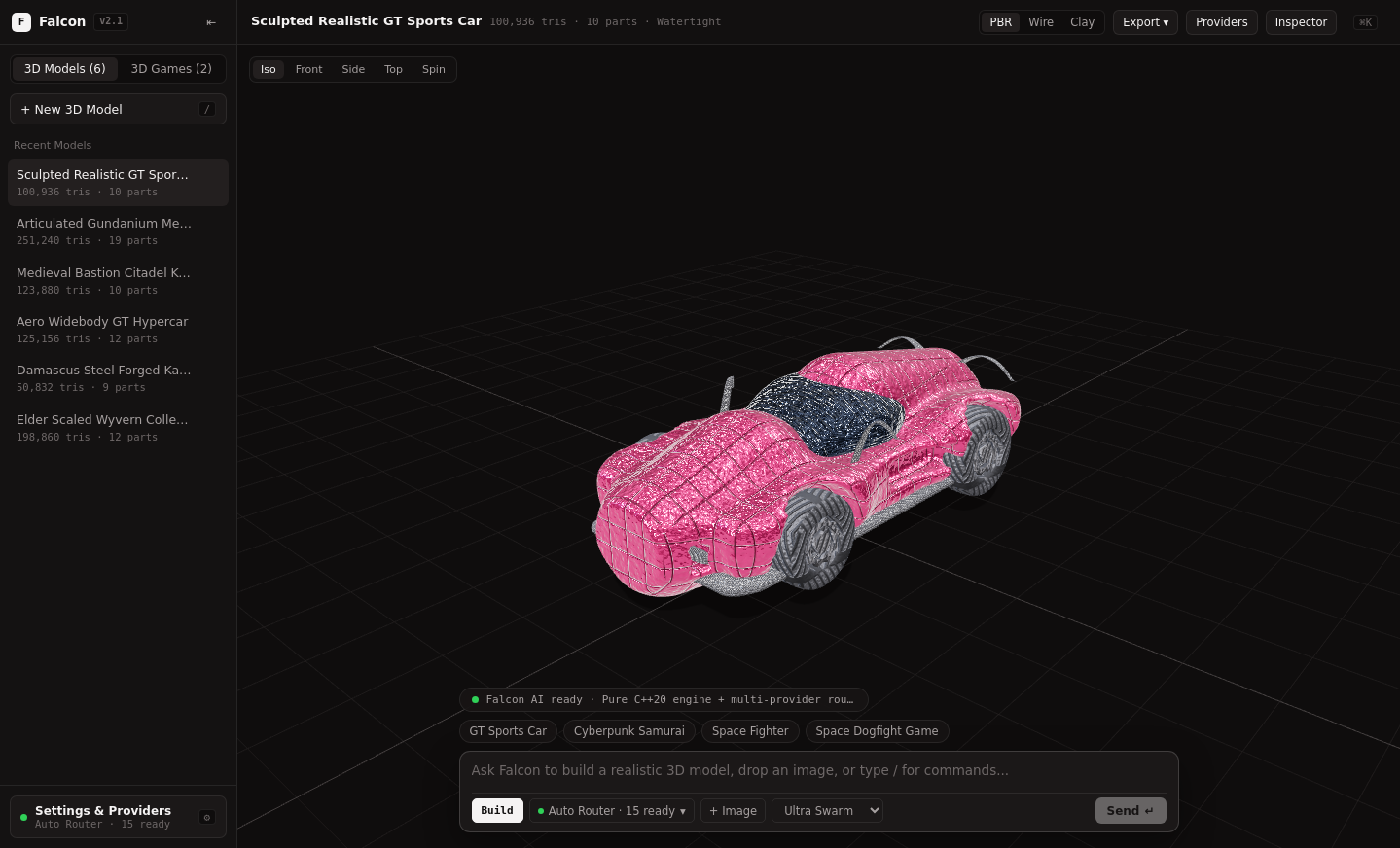
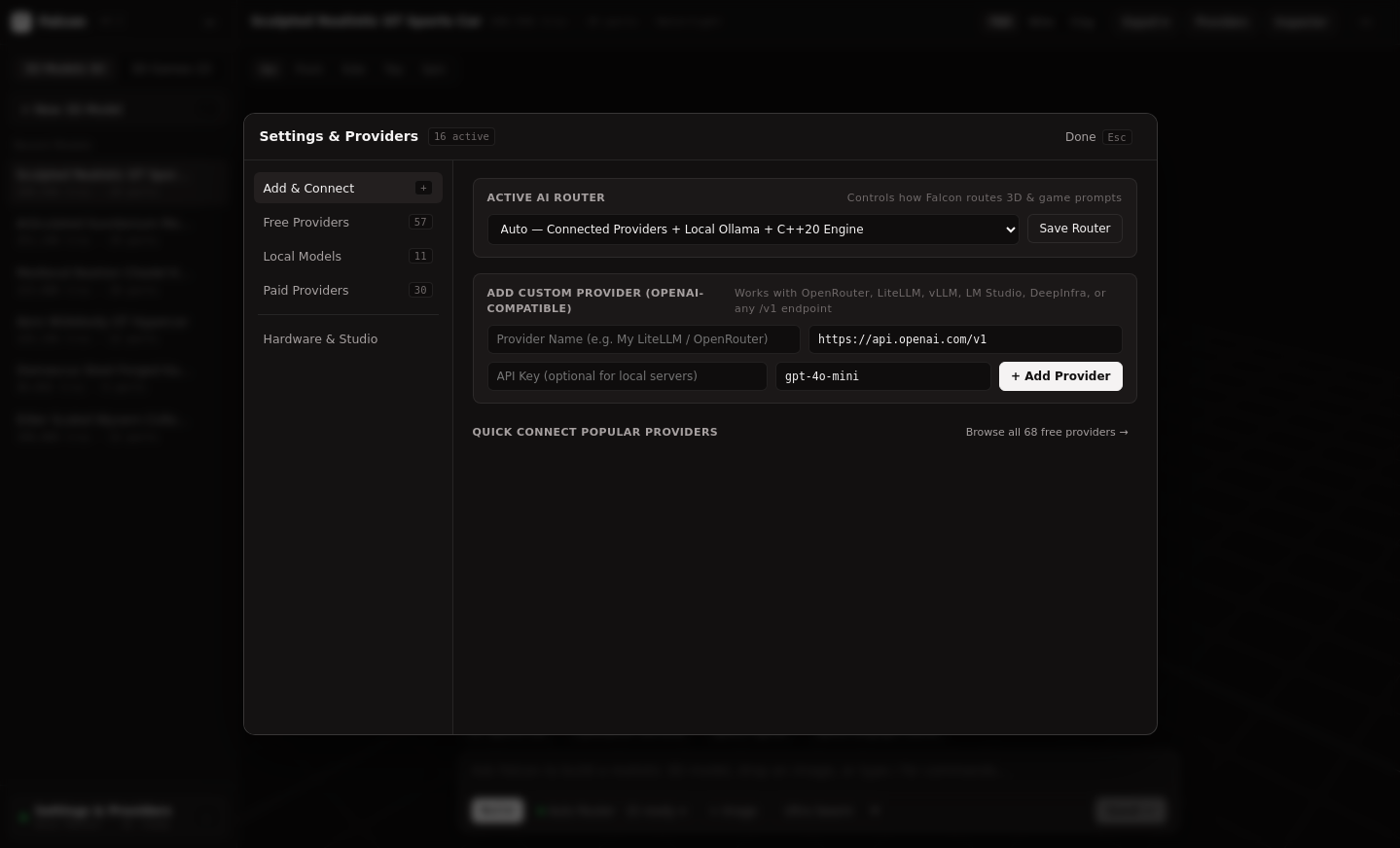
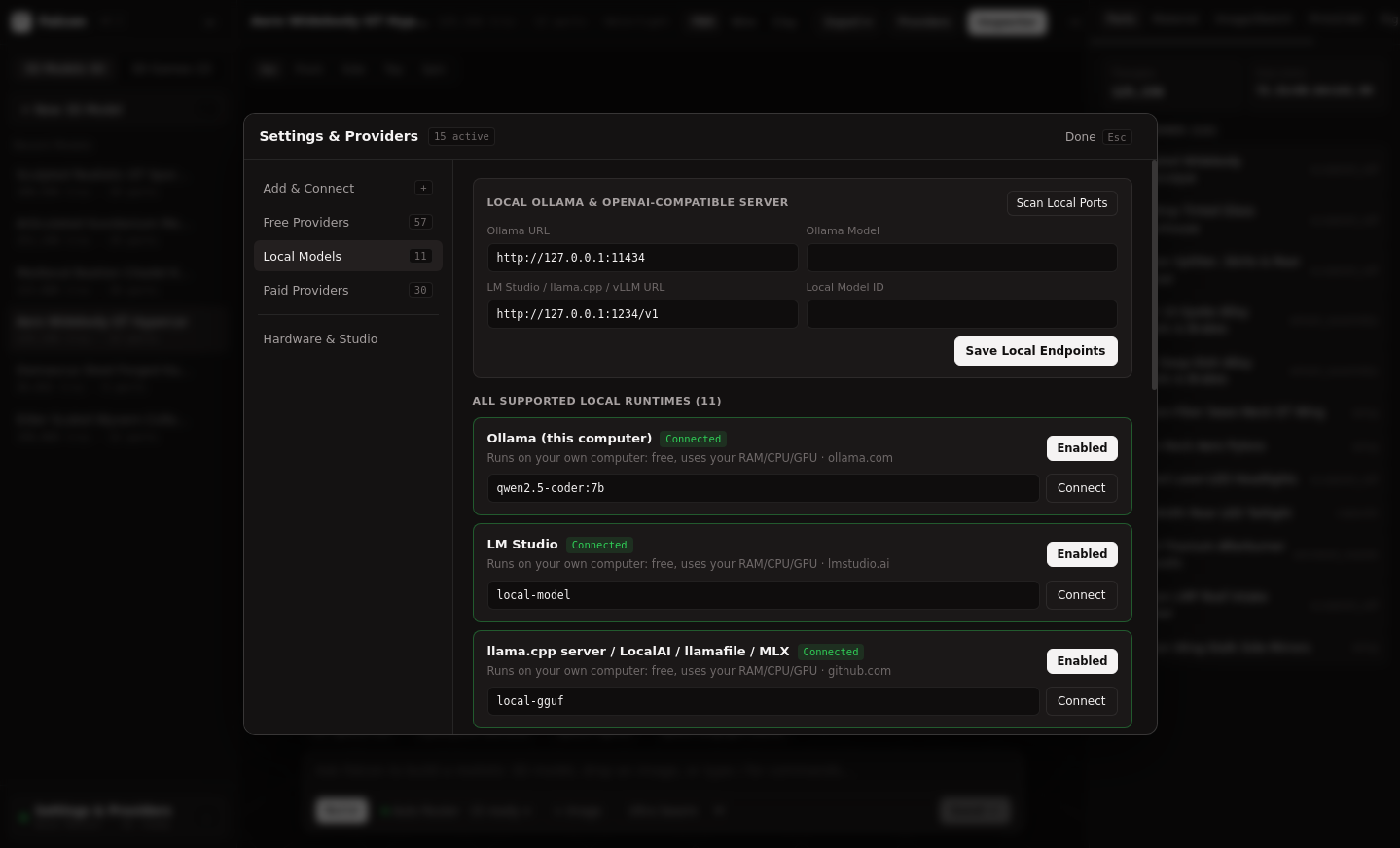
Falcon AI v2.0.0 — C++20 3D Swarm, Playable 3D Game Engine & Live-Animated Setup.exe
Falcon AI v2.0.0 (MIT Open Source)
Highlights
- 6-Agent Autonomous C++20 3D Swarm:
@lead-architect,@kitbash-detailer,@sculptor-csg,@material-pbr,@rig-kinematics, and@qa-inspectorgenerating 50K–300K+ triangle watertight.GLB&.3MFmodels. - Playable 60-FPS 3D Game Creator Engine: Build, play, and dynamically mutate complete 3D games live in-app (
Citadel Wyvern Siege&Midnight GT: Carbon Overdrive), with single-file standalone.HTMLWebGL game export & Unity C# (.cs) export. - 68 Free AI Providers Built-In: 5 no-key instant providers (
OVHcloud AI,Kilo Gateway,LLM7,Pollinations,Puter.js), 52 free-key providers, and 11 local engines (plus 30 opt-in paid providers disabled by default). - Zero Python & Zero Container Bloat: Compiled C++20 + OpenMP geometry engine with automatic Zero-GPU CPU hardware profiling.
- Live-Animated 3D Holographic
Setup.exe: Interactive 60-FPS 3D hologram & laser-slicer installer with custom directory picker, Windows Desktop/Start Menu.lnkshortcuts, clean uninstaller registration, and instant Portable Mode.
Downloads
Falcon-AI-Setup-2.0.0-x64.exe— Standalone Live-Animated Windows x64 Installer & Portable Studio (83 MB)Falcon-AI-2.0.0-Source-Code.zip— Complete MIT Open-Source Repository Source Code