Repository navigation
Comparison zh
选中 examples/calibration 的六张图,以 2×3 打开并排视图。放大到右侧线对或下方灰阶,观察同一位置的噪声、模糊和低光变化。切到「差分」,用第 1 格做基准、增益设为 2。模糊会让边缘发亮。去色样图保留中性灰强度,灰阶区域的差分应接近纯黑。
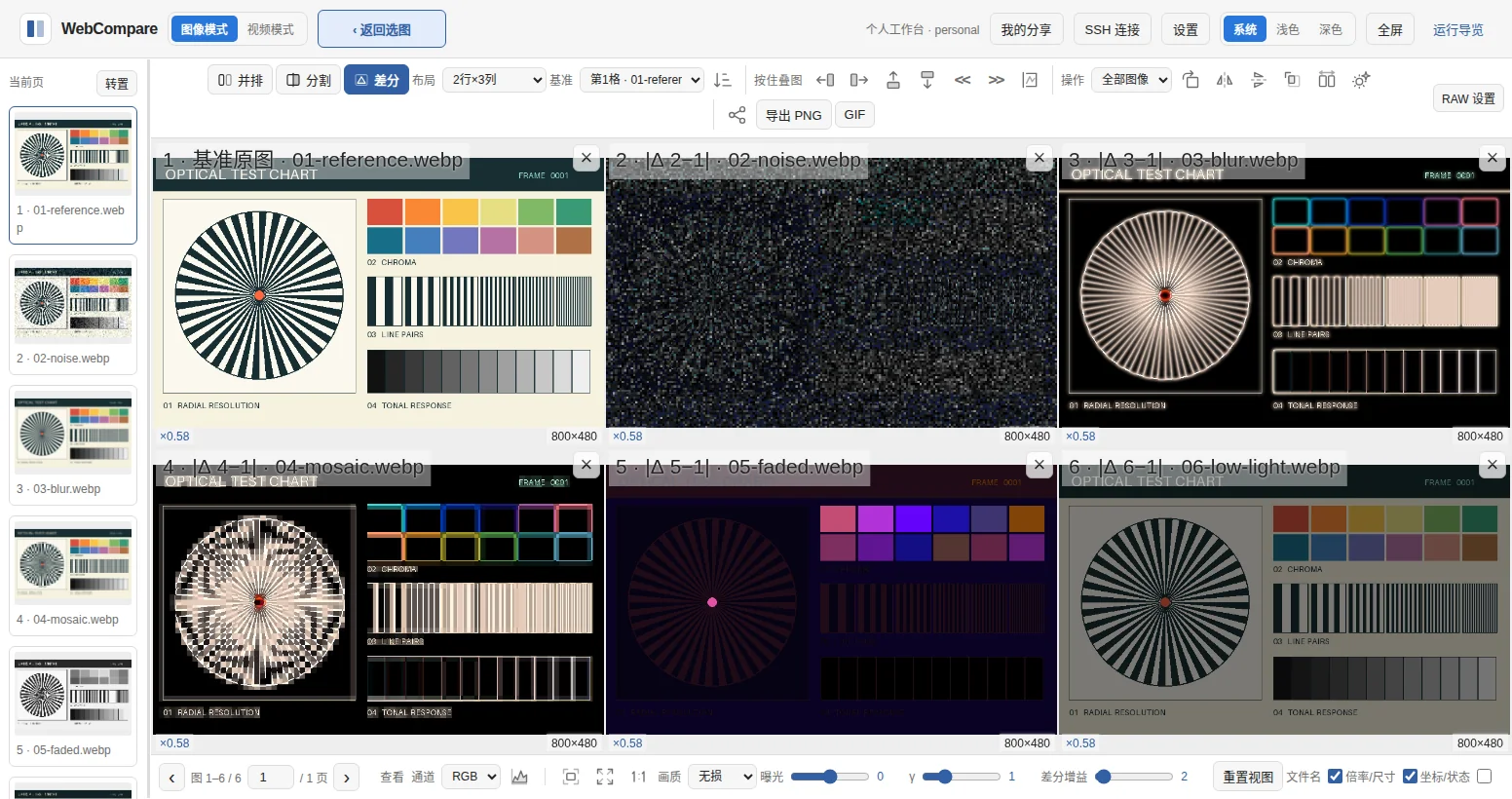
汇报时可导出当前视图为 PNG,或用 GIF 展示变化。视频逐帧比较仍是实验功能,作者尚未完成人工验收。
在安装了 Python 版的终端中,可用以下命令控制已安装的桌面工作台。Windows 便携包解压目录内用 .\webcompare-ctl.cmd,Linux 便携包内用 ./webcompare-ctl。
webcompare-ctl compare results/reference results/method_a
webcompare-ctl template-schema --output schema.json
webcompare-ctl template-example --output comparison.json
在 comparison.json 里填写真实路径、分组与布局,再执行 webcompare-ctl create-template comparison.json。脚本返回的 ID 可以交给 webcompare-ctl open ID 重新打开同一比较。
在无图形界面的服务器上,先运行 Personal 服务,在同一账号和状态目录下生成链接:
webcompare-ctl compare --target web --no-open results/reference results/method_a将返回的 URL 复制到已建立 SSH 隧道的本机浏览器。
想对照代码看一次比较如何运行?打开工作台的「运行导览」,从选图、解码到显示,逐步点开每个步骤和对应源码。