Repository navigation
FieldMesh 2.1.0

Note
Formerly v6.1. FieldMesh moved to semantic versioning in November 2026; only the version number changed.
The ThinkNode M1 file was rebuilt so its splash screen shows "v2.1.0" - the only change against tag v2.1.0 (source: branch rebuild/v2.1.0). All other files are unchanged.
Tip
Easiest install: FieldMesh Web Flasher — pick your device, click Flash (Chrome or Edge on a computer). Settings, contacts and identity stay on the device.
FieldMesh Repeater, GPS Duty Cycle & Smarter Tracking
v2.1.0 brings the biggest addition to FieldMesh so far: the FieldMesh Repeater. A Station G2 becomes the base station for your camp, festival or multi-day tour — a full MeshCore repeater with its own message board, a WiFi dashboard for phones, SOS on the board and a weather forecast that works in the field.
All trackers also get a new GPS engine (about 2–2½ days with GPS on in our T1000-E tests), smarter tracking and one firmware file for all regions. Still based on MeshCore v1.18.0.
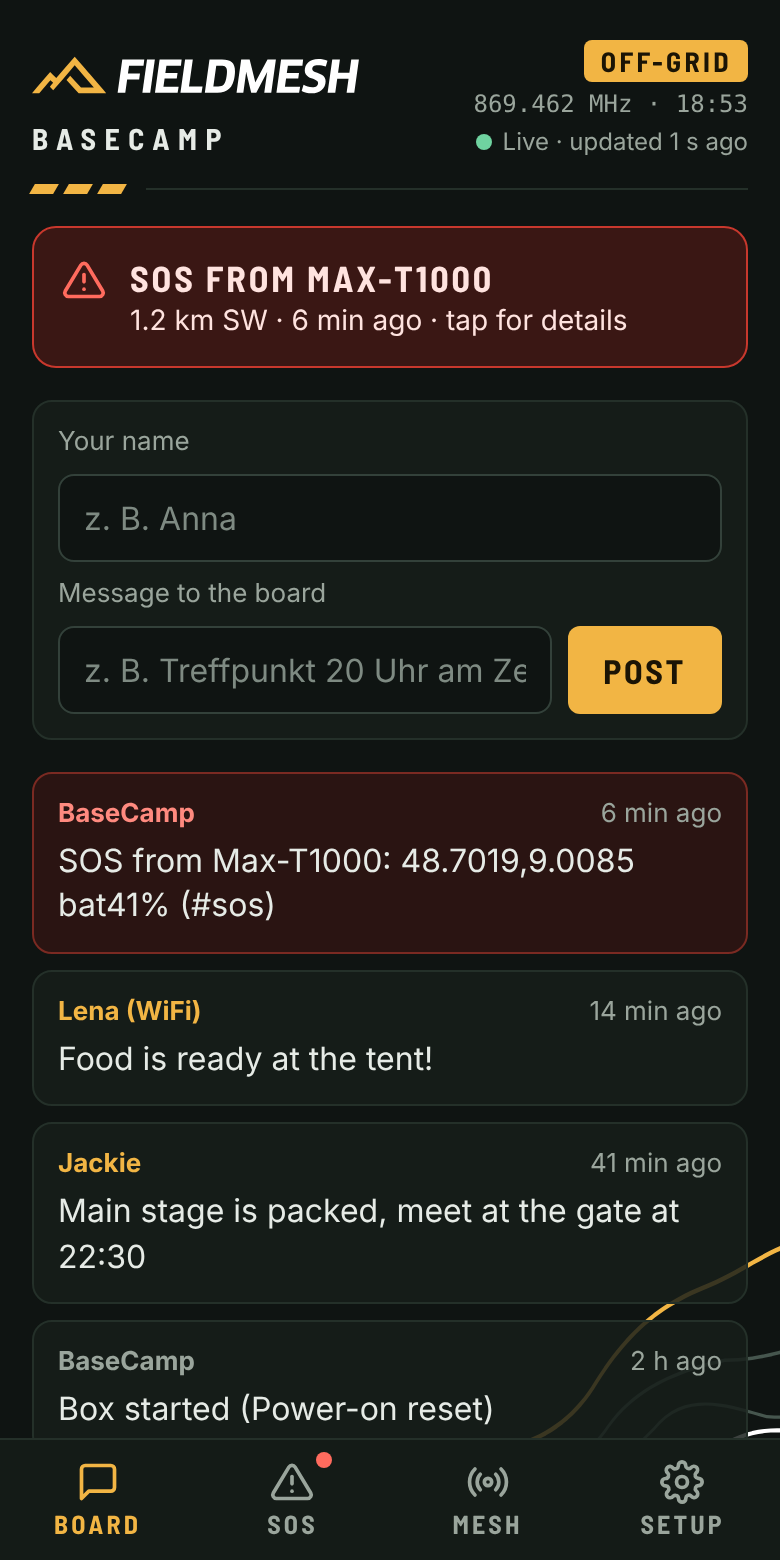
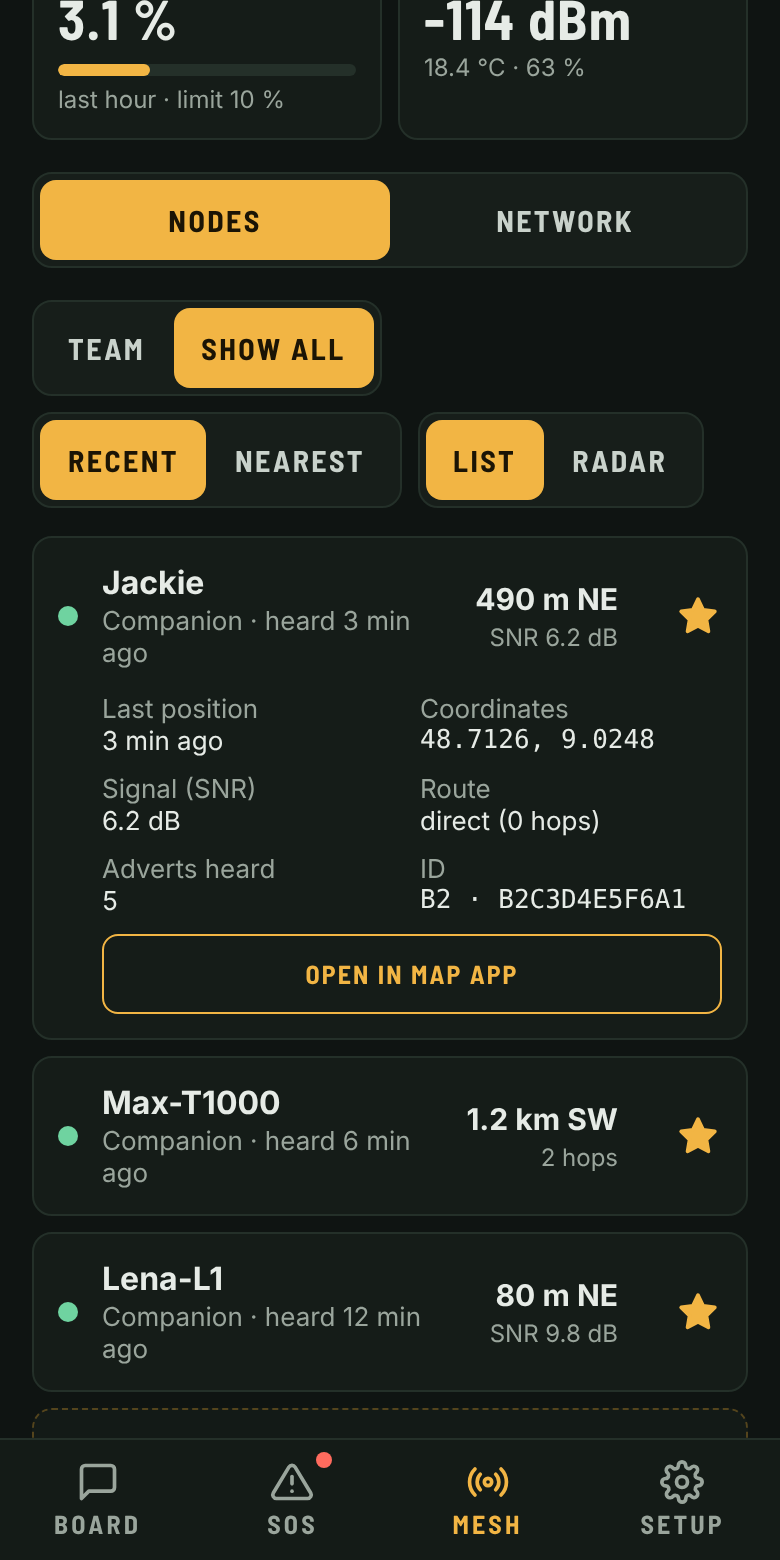
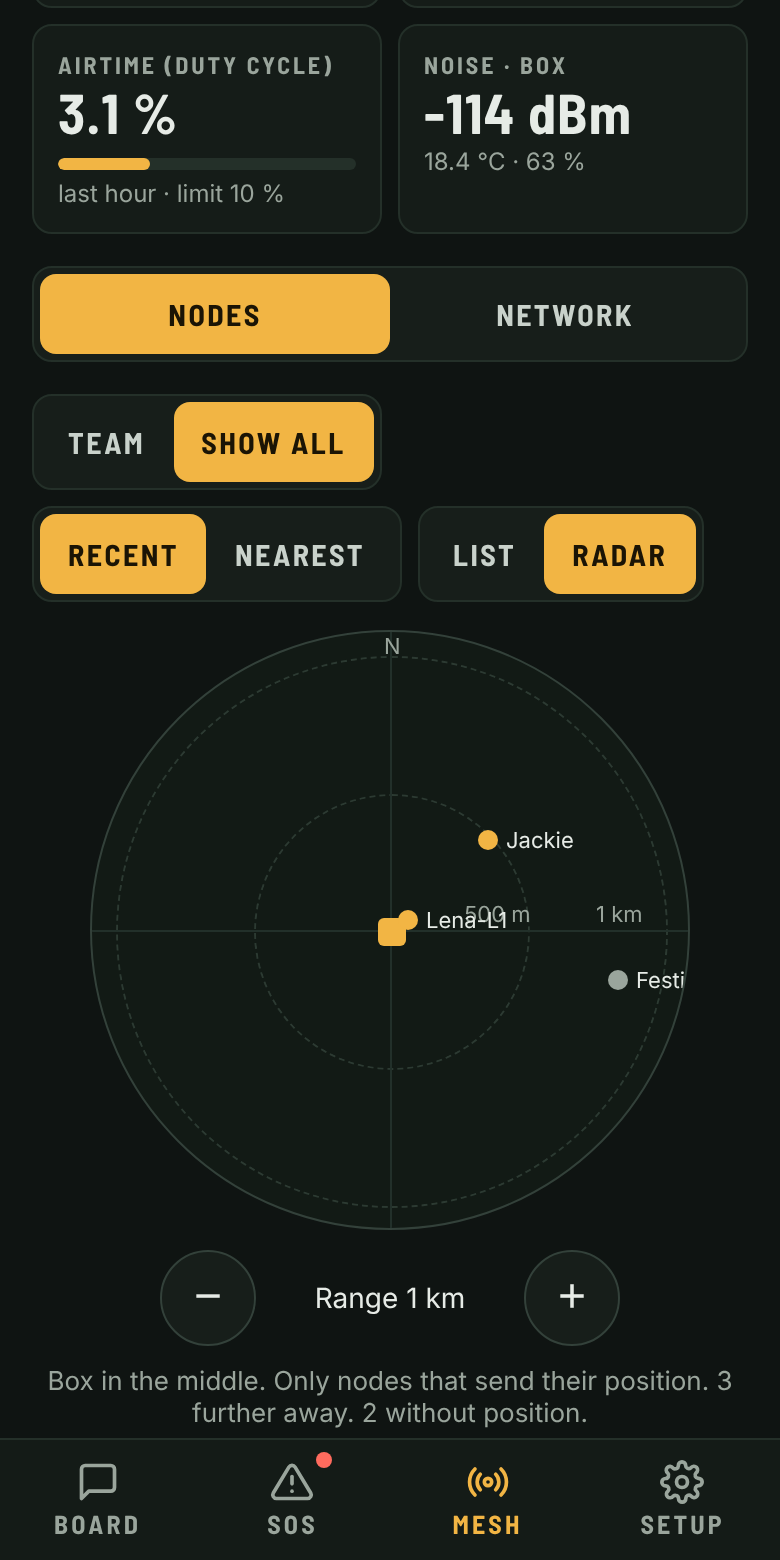
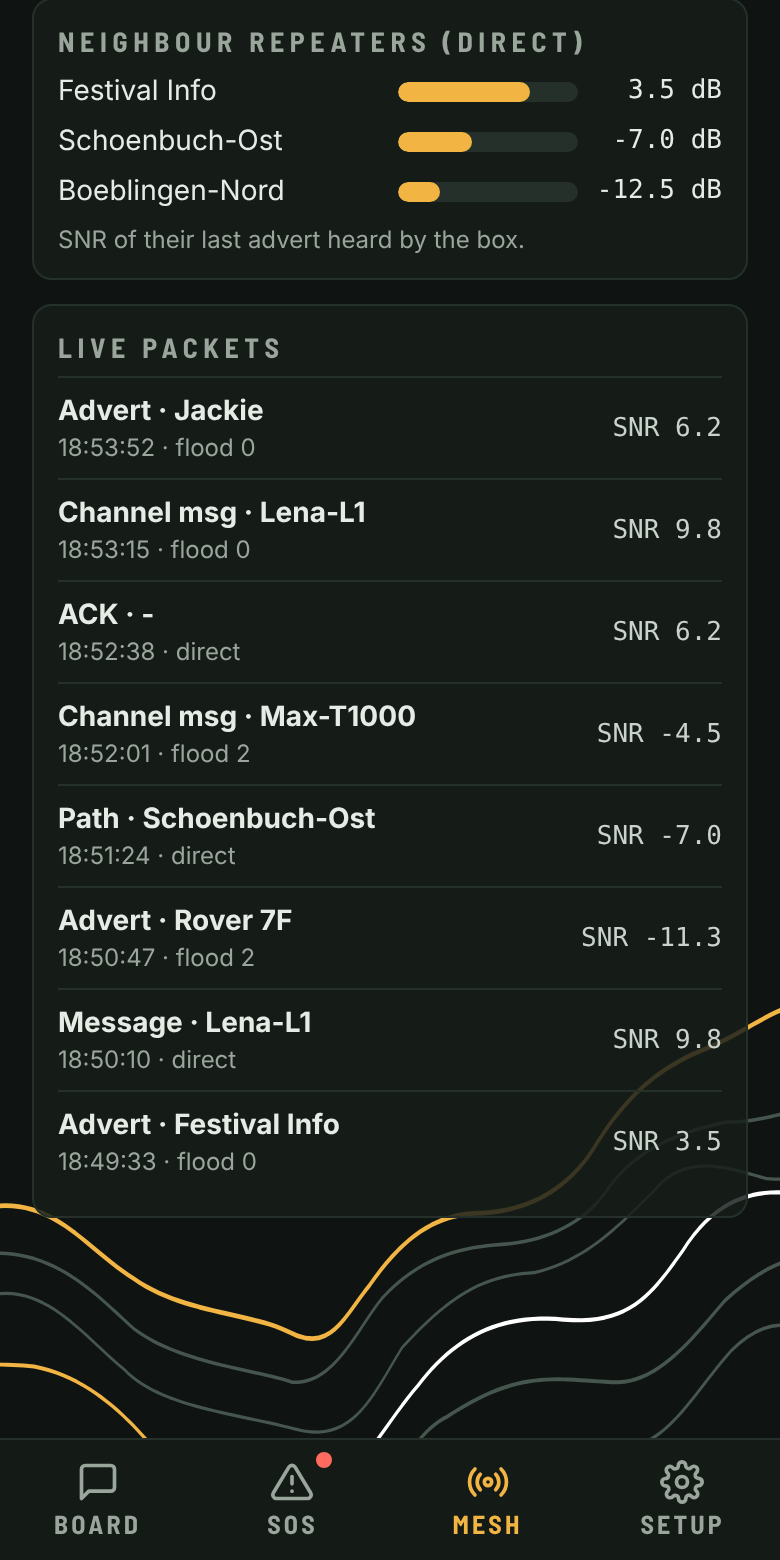
New: FieldMesh Repeater (Station G2)
Set up a Station G2 at your base — for example in a box with a power station — and your group has a meeting point in the mesh. It is still a normal MeshCore repeater (all repeater settings, CLI commands and app tools work as usual), with these additions:
- Message board — a room server runs as a second identity next to the repeater (e.g. "BaseCamp"). Read and post from the MeshCore app; posts and users survive a restart. The repeater keeps repeating and shows up correctly in the app's paths
- WiFi dashboard — the box opens its own WiFi. Any phone sees the board, SOS alerts, all nodes as a list or radar with distance and direction (team first) and network statistics — no app, no LoRa device, no internet needed
- SOS on the board — every
!SOSheard in the box's SOS channels appears on the board and in the dashboard, with position, battery and an "Open in map app" button - Weather in the field — when a phone with mobile data opens the dashboard, the box loads a 48 h forecast. Anyone can then ask
!weather(or!wetterin German) in the room: rain from when, wind gusts, frost, thunderstorms — metric or imperial - Off-Grid with one press — switch the whole repeater to the Off-Grid frequency of your FieldMesh nodes and back, live, from the G2 menu, the CLI (
set offgrid on|off) or the dashboard - Room commands —
!ping,!status,!weatherfor everyone;!commandsand/<CLI command>for the admin - Easy to run — G2 menu (Status, Off-Grid, Room, Room reset, WiFi, Power off), admin setup in the dashboard and firmware updates straight from the dashboard
Getting started, menu, commands and dashboard: see the [README].
GPS Duty Cycle & Tracking
- GPS duty cycle — while GPS is on, the receiver takes a fix every 2 minutes and sleeps in between (timing modelled on Meshtastic). T1000-E with GPS on: about 2–2½ days in our tests
- Adapts to the sky — short searches indoors, longer ones at a window, up to 4 minutes under open sky. In our field tests the first fix after leaving the house came within 1–2 minutes, even after a night indoors
- All satellite systems — GPS, GLONASS, Galileo, BeiDou (and QZSS) wherever the receiver supports them
- Smarter tracking (GPS-Share on) — position is sent when you moved ≥ 100 m (at most every 2 min) plus a heartbeat every 10 min. At ≥ 30 km/h (car, bike) the GPS measures and sends every 60 s
- Fresh positions only — adverts and SOS only carry a fix that is at most 2 minutes old
- ThinkNode M1 GPS switch — the GPS runs only when the hardware switch and the setting are on
One Firmware for All Regions
Off-Grid now picks the region automatically from your normal frequency: below 900 MHz → 869.4625 MHz (EU/UK), 900 MHz and above → 916.4625 MHz (US/AU). The alert shows which one ("Off-Grid: ON (EU)"). No more separate US files.
SOS
- The SOS message includes your battery level:
!SOS 48.7636,9.1621 bat78%/!SOS no GPS bat78% - The alarm only goes off for
!SOSin an SOS channel —!SOSin Public is shown as a normal message
Identity Backup
Node identity and settings are copied to a second file system and restored automatically if the main copy is lost — the fix for the identity reset some users saw when updating to 2.0.0. A factory reset clears the backup too.
Bug Fixes
- Flood-routed DMs are tagged
[DM]in the message history instead of[CH] !SOS no GPSinstead of the German text- Splash screen shows "v2.1.0" (ThinkNode M1)
Download
All files are attached below under Assets. One file per device — works in all regions.
Trackers
Flash the zip with the web flasher (DFU):
| Device | File |
|---|---|
| ThinkNode M1 | ThinkNode_M1_companion_radio_ble_FieldMeshv2.1.0.zip |
| Wio Tracker L1 | WioTrackerL1_companion_radio_ble_FieldMeshv2.1.0.zip |
| T1000-E | t1000e_companion_radio_ble_FieldMeshv2.1.0.zip |
Updating from 2.0.0: settings, contacts and channels are kept. Updating from 1.x (formerly V5.x): export your private key in the MeshCore app first.
FieldMesh Repeater (Station G2)
| Use | File |
|---|---|
| First installation or via USB: write at 0x0 with [esptool-js], without Erase Flash | Station_G2_fieldmesh_repeater_FieldMeshv2.1.0_full.bin |
| Update from the dashboard (Setup → Firmware update) | Station_G2_fieldmesh_repeater_FieldMeshv2.1.0_update.bin |
Coming from a stock MeshCore repeater? Back up your key first (get prv.key on the USB console) and change the default admin password after setup.
Full changelog: [RELEASE.md]