Repository navigation
Player Guide
Copy and adapt this page for your players. Server owners: see Configuration for what can be turned on or off.
When you connect, a window opens before the world loads:
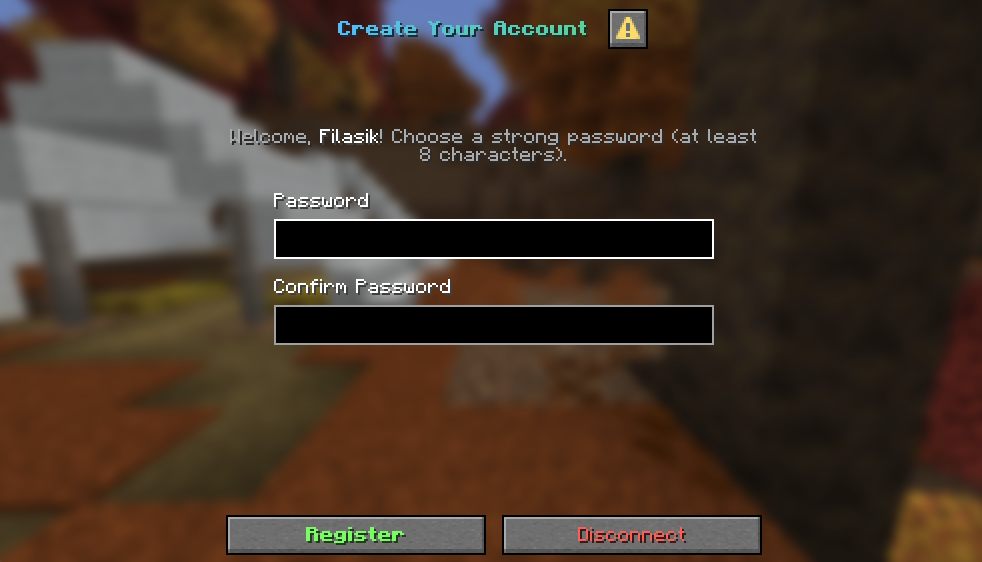
- First time – enter a password (and confirm it, if asked) and press Register.
- Next time – enter your password and press Login.
- If you enabled 2FA, you will be asked for a 6-digit code afterwards.
⚠️ Minecraft's dialog shows what you type on screen (it is not masked). Do not log in while streaming or sharing your screen, or ask your server to switch to command mode.
You are held in place until you type:
/register <password> <password>
/login <password>
Bedrock players (Floodgate) may get a native form instead. If you do nothing for login.timeout-seconds (60 by default), you are kicked.
By default: 8–128 characters, not your username, not a very common password.
/changepassword <old> <new>
This also signs out your other saved sessions. If an admin asks you to set a new password, you will be prompted right after login.
- 2FA – an authenticator app code on every login: Two-Factor Authentication.
- Recovery email – lets you reset a forgotten password (if the server enabled it):
/email set you@example.com <your password>
/email confirm <code from the email>
/email recover <your name>              # emails you a code
/email recover <your name> <code> <new password>
-
Mojang auto-login – if you own Minecraft,
/premiumlogs you in automatically without a password: Premium Login. -
Skin –
/skin <player>or/skin reset: Skins.
After repeated wrong passwords you may have to solve /captcha <code> before trying again. Too many failures lock you out for a few minutes.
- If you set an email:
/email recover <your name>(see above). - Otherwise ask a server admin; they can require a fresh password with
/jl forcepwafter resetting it.
/unregister <password>
This is permanent.
/jl help lists everything you can do; /jl help <command> shows an example.