Repository navigation
Proxy Setup
On a network, JustLogin runs on both the proxy and every Paper backend:
| Where | Jar |
|---|---|
| Velocity | JustLogin-Velocity-<version>.jar |
| BungeeCord / Waterfall | JustLogin-Bungee-<version>.jar |
| Every Paper backend | JustLogin-<version>.jar |
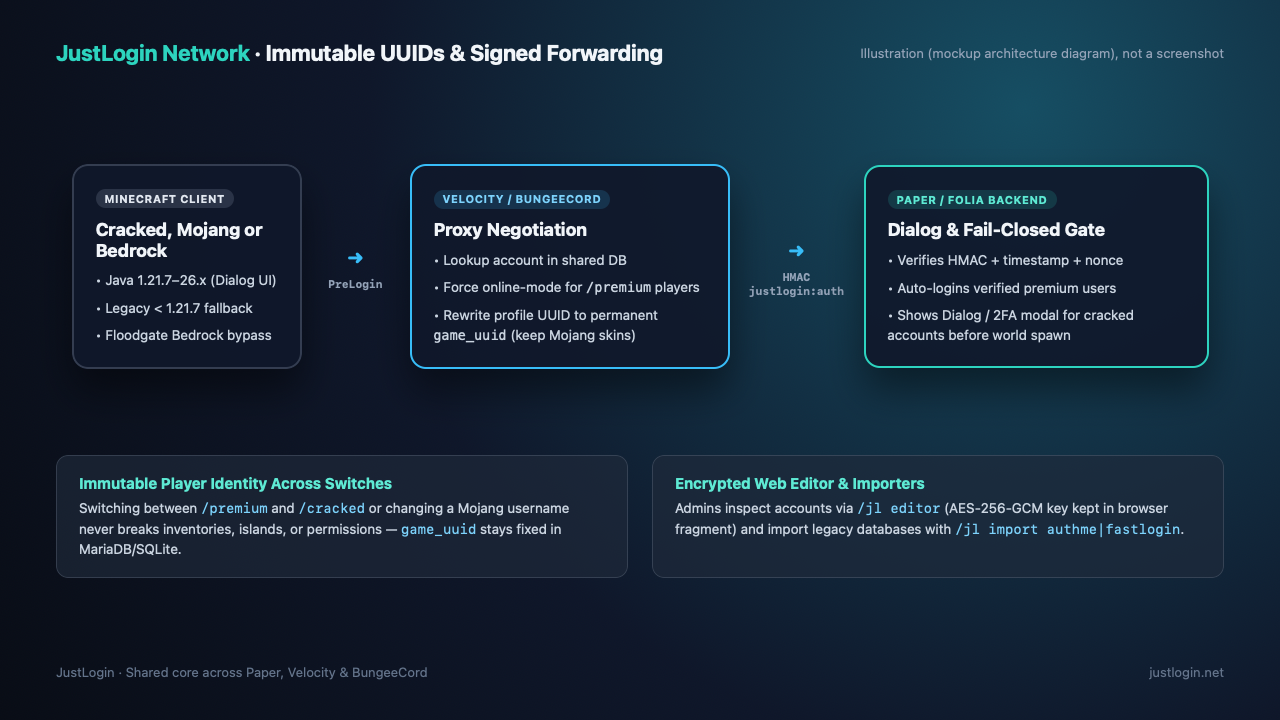
Illustration, not a screenshot.
The proxy handles Mojang negotiation and UUID rewriting at the network edge, then forwards an HMAC-SHA256 signed justlogin:auth message (timestamp + single-use nonce) to the Paper backend. The backend only trusts a connection when the signature, nonce and timestamp are valid.
- Generate a secret – at least 16 random characters (a long random string is better).
-
Proxy
config.yml– setproxy.shared-secretto that secret. The default placeholderCHANGE-ME-TO-A-LONG-RANDOM-SECRETis rejected. -
Every Paper
config.yml– set the sameproxy.shared-secret,proxy.enabled: trueandproxy.mode: velocity(orbungee). -
Same database everywhere – use
storage.type: mariadbwith identical settings on the proxy and all backends (see Storage and Database). SQLite is only suitable for one server. -
Paper forwarding must match (JustLogin verifies it at startup):
- Velocity:
config/paper-global.yml→proxies.velocity.enabled: trueand a non-emptyproxies.velocity.secret. - BungeeCord:
spigot.yml→settings.bungeecord: true. Legacy forwarding is spoofable, so firewall the backend ports and install BungeeGuard.
- Velocity:
- Firewall – backends must only be reachable from the proxy.
- Restart the proxy and the backends.
proxy:
  enabled: true
  mode: velocity            # velocity | bungee
  shared-secret: "<same secret as the proxy>"
  require-forwarding-config: true   # leave on; verifies paper-global.yml / spigot.yml
If anything is wrong, JustLogin fails closed: players are refused instead of being let in unauthenticated. Typical startup errors:
| Message | Fix |
|---|---|
proxy.enabled=true cannot use proxy.mode=standalone |
Set proxy.mode to velocity or bungee
|
proxy.shared-secret is empty / must be at least 16 characters
|
Set a long secret |
proxies.velocity.enabled is false in config/paper-global.yml |
Enable Velocity forwarding in Paper |
settings.bungeecord is false in spigot.yml |
Enable BungeeCord forwarding |
| Key | Default | Meaning |
|---|---|---|
locale |
en |
en, cs or sk for proxy messages |
metrics |
true |
bStats toggle |
username.regex |
^[a-zA-Z0-9_]{3,16}$ |
Allowed usernames (checked before any lookup) |
proxy.shared-secret |
placeholder | Must match Paper |
proxy.auto-detect-mojang |
false |
Look up unseen usernames at Mojang on first join (opt-in, see Security Model) |
proxy.mojang-cache-seconds |
300 |
Cache of Mojang lookups |
proxy.floodgate-fallback |
true |
Let Floodgate (Bedrock) players through the password flow |
proxy.auth-servers |
[] |
Backend server names that act as an auth / lobby server. When set, unauthenticated players cannot switch away from them |
skins.* (Velocity) |
enabled | Apply saved /skin textures and optional name-matched skins |
storage.* |
SQLite | Use MariaDB for multiple backends |
messages.* |
English | Proxy-side kick messages |
Set proxy.auth-servers: [lobby] (names from your proxy's server list). Until the backend confirms authentication, the player is held on those servers and server-switch attempts show "Please authenticate before switching servers."
- Start everything and check that the proxy and each backend print the JustLogin banner.
- Join through the proxy and register.
-
/jl status <name>on a backend should show the account. - Try connecting directly to a backend port from outside – it must be refused by your firewall.