input number ui component for react






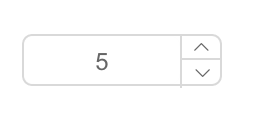
- support ie8,ie8+,chrome,firefox,safari

var InputNumber = require('rc-input-number');
var React = require('react');
var ReactDOM = require('react-dom');
ReactDOM.render(<InputNumber defaultValue={19}/>, container);npm install
npm start
http://127.0.0.1:8000/examples/
online example: http://react-component.github.io/input-number/examples/
| name | type | default | description |
|---|---|---|---|
| min | Number | Specifies the minimum value | |
| max | Number | Specifies the maximum value | |
| step | Number or String | 1 | Specifies the legal number intervals |
| disabled | Boolean | false | Specifies that an InputNumber should be disabled |
| autoFocus | Boolean | false | Specifies that an InputNumber should automatically get focus when the page loads |
| readOnly | Boolean | false | Specifies that an InputNumber is read only |
| name | String | Specifies the name of an InputNumber | |
| value | Number | Specifies the value of an InputNumber | |
| defaultValue | Number | Specifies the defaultValue of an InputNumber | |
| style | Object | root style. such as {width:100} | |
| onChange | Function | Called when value of an InputNumber changed |
http://127.0.0.1:8000/tests/runner.html?coverage
rc-input-number is released under the MIT license.