Repository navigation
Releases
Releases · function-store/TDXCardio
TDXCardio 0.2.0

TDXCardio 0.2.0. The watchdog engine is now a library, tdxcardio-core, so TDX Launcher Ultra can watch projects with the same engine and the same <Name>.cardio.json rules files.
Downloads
- TDXCardio.exe: the Windows app (64-bit). No installer: put it anywhere and run it. It lives in the tray.
- TDXCardio-macos.zip: the macOS app (universal: Apple Silicon and Intel, macOS 11+). Unzip and move it to Applications. It lives in the menu bar.
- Cardio.tox: the TouchDesigner component, unchanged from 0.1.0.
Changes
- No double launch on startup. A project set to launch now waits up to 5 s after TDXCardio starts for a hello from a copy that is already running, and adopts it instead of opening the show a second time.
- TDXLauncherUtility projects get the full feature set. A TDXLauncherUtility that lists the commands it answers (newer TDX Launcher Ultra companions do) now gets graceful quit, perform mode and the watch state shown in TD, like the Cardio component. Older ones still get liveness, fps,
pingandsave. - Increment and Save is followed. When a session saves itself as
Show.12.toe, relaunches open that file. Both shareShow.cardio.json. - Rules files are written whole through a temporary file, so a watcher never reads one half-written.
- Legacy plain-text heartbeats (
hb id=...) are accepted in any case.
For developers
- The engine lives in
core/(cratetdxcardio-core); the app inapp/builds on it. An app with its own listener, launcher or mail transport can drive the watcher (Bus::ingest_line, custom launcher and notifier). core/tests/tdxlu_path.rsruns the fake TouchDesigner end to end over both the Cardio port and the TDX Launcher Ultra path (needspython;cargo test --test tdxlu_path -- --ignored).
Notes
- The exe is not code-signed yet, so Windows SmartScreen may warn on first run ("More info" > "Run anyway").
- The macOS app is not notarized yet: right-click it and choose Open the first time. If macOS says it is damaged, run
xattr -dr com.apple.quarantine /Applications/TDXCardio.app.
See the README for setup and settings.
TDXCardio 0.1.0
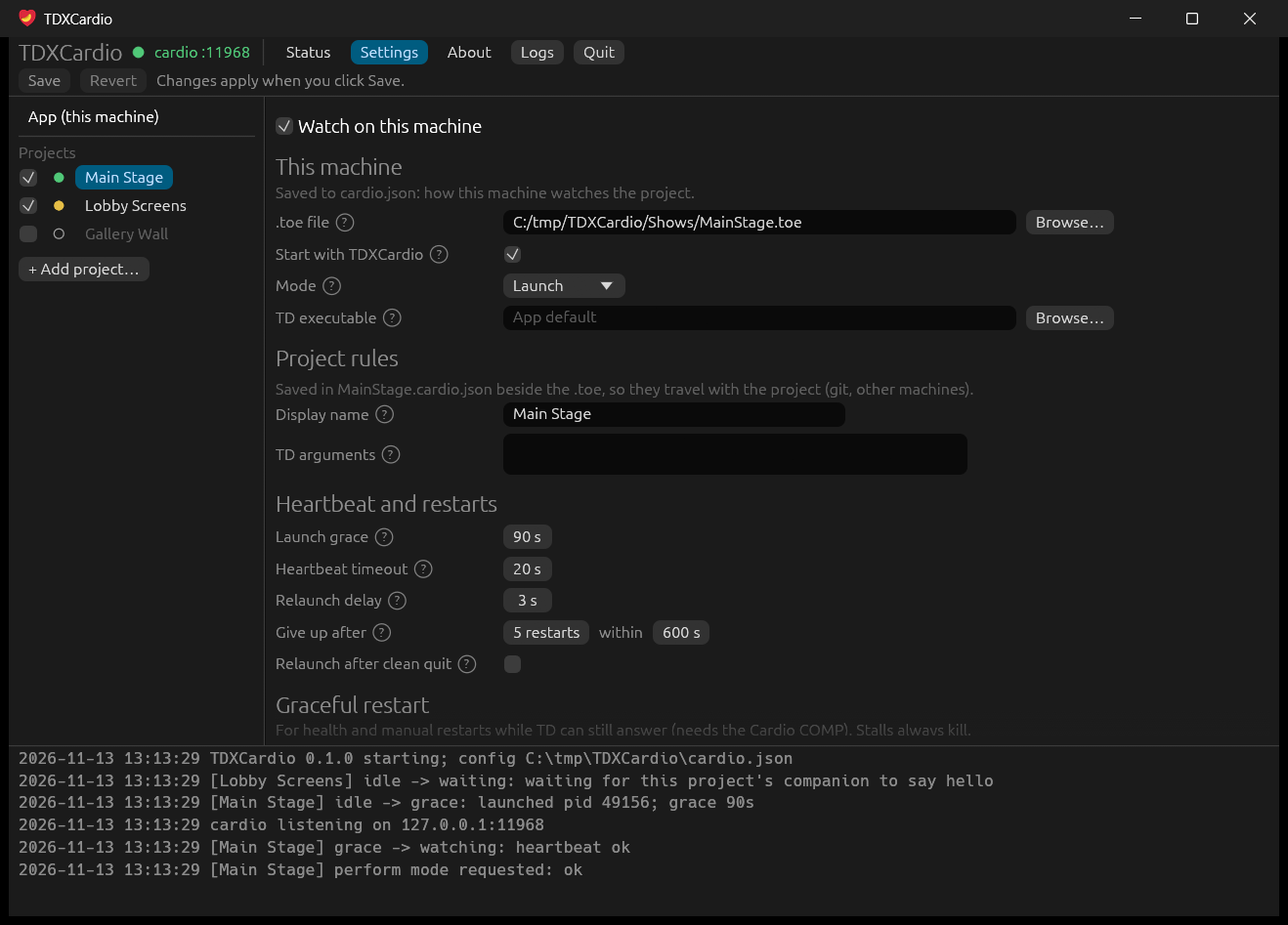
First release of TDXCardio, a heartbeat watchdog for TouchDesigner shows.
Downloads
- TDXCardio.exe: the Windows app (64-bit). No installer: put it anywhere and run it. It lives in the tray.
- TDXCardio-macos.zip: the macOS app (universal: Apple Silicon and Intel, macOS 11+). Unzip and move it to Applications. It lives in the menu bar.
- Cardio.tox: the TouchDesigner component. Drop it into your project so it sends heartbeats to TDXCardio.
What it does
- Launches a
.toeor attaches to one that is already open, and restarts it when it crashes, freezes or runs unhealthy. - Catches a crash in about a second by watching TouchDesigner's process.
- On a freeze, takes a screenshot first, then kills and relaunches.
- Optional health rule (low fps or slow frames), graceful quit before any kill, restart backoff, give-up and alerts on a crash loop.
- Optional window control: keep focus, perform window, always on top.
- TD can ask for a hold before a known long stall.
- Settings page with a tooltip on every option. Machine settings go in
cardio.json; each project's rules go in<Name>.cardio.jsonbeside its.toe, so they travel with the project. status.jsonfor other tools, and email alerts.- Works alongside TDX Launcher Ultra: projects with TDXLauncherUtility are watched too.
Notes
- The exe is not code-signed yet, so Windows SmartScreen may warn on first run ("More info" > "Run anyway").
- The macOS app is not notarized yet: right-click it and choose Open the first time. If macOS says it is damaged, run
xattr -dr com.apple.quarantine /Applications/TDXCardio.app. It asks for Screen Recording permission (screenshots) and control of System Events (Keep focus) the first time each is used.
See the README for setup and settings.