Repository navigation
Editing Parameters
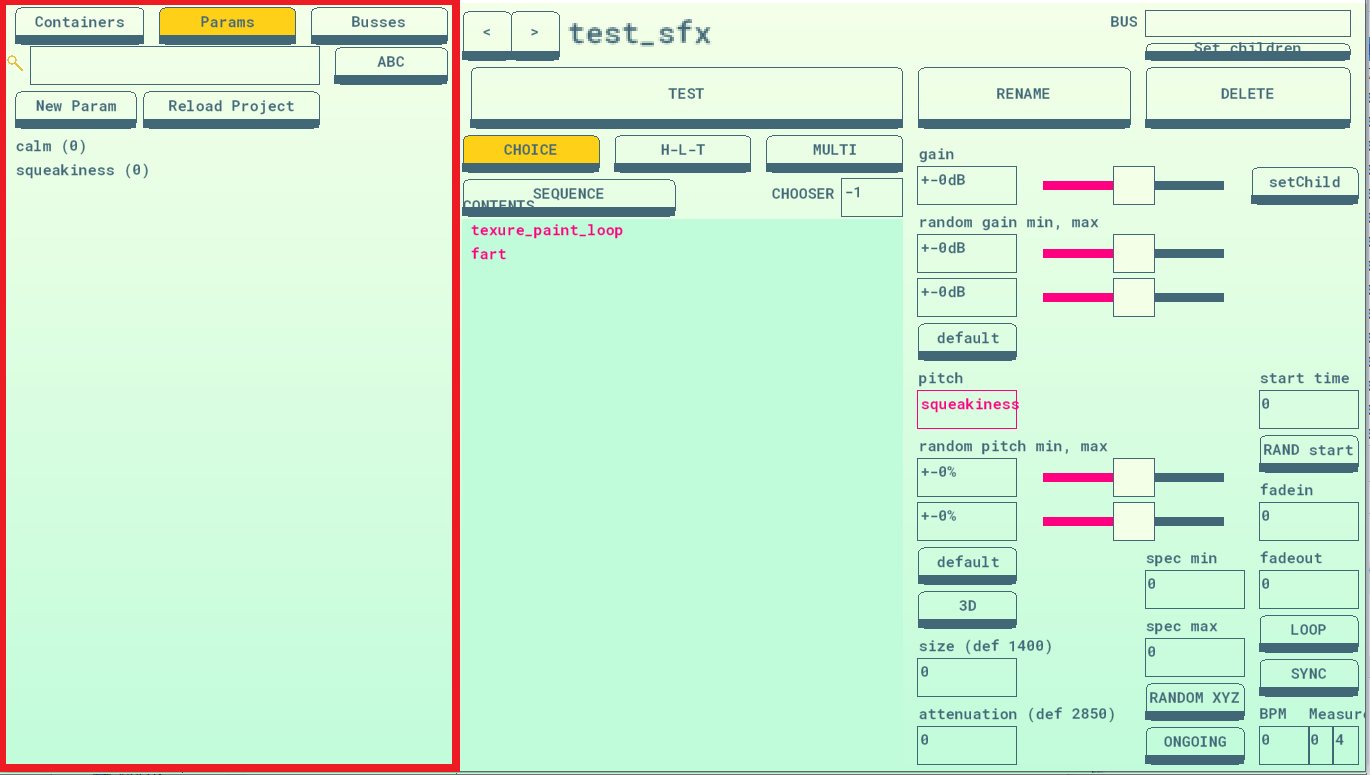
PARAMETERS are variables. You can attach them to different container attributes, and change their value with gameplay code to make sounds change in real time based on the game state. Parameters can have a value from 0 to 100. To keep your project from having too many parameters, it can be good practice to make parameters with more general names like “intensity” and “volume” and re-use them across multiple containers.
When a parameter updates, all currently playing containers and attributes attached to that parameter will update.
-
New Param lets you name and add a new parameter.
-
DELETE+CLICK will let you delete a parameter. ...I think. We didn’t use that feature much.
-
DOUBLE-CLICK a parameter to open up a small dialog box and edit its default value. All parameters are set to their default value when the game loads. Use this to make sure that the first time you hear a sound or song, it sounds the way you expect.
-
To attach a parameter to an attribute: click and drag the parameter from the list of parameters onto the text box for the attribute you want to attach it to. The textbox will change so that instead of showing a number, it shows the name of the parameter. You can then click on that box to bring up a graph editor and change how the parameter relates to the attribute.
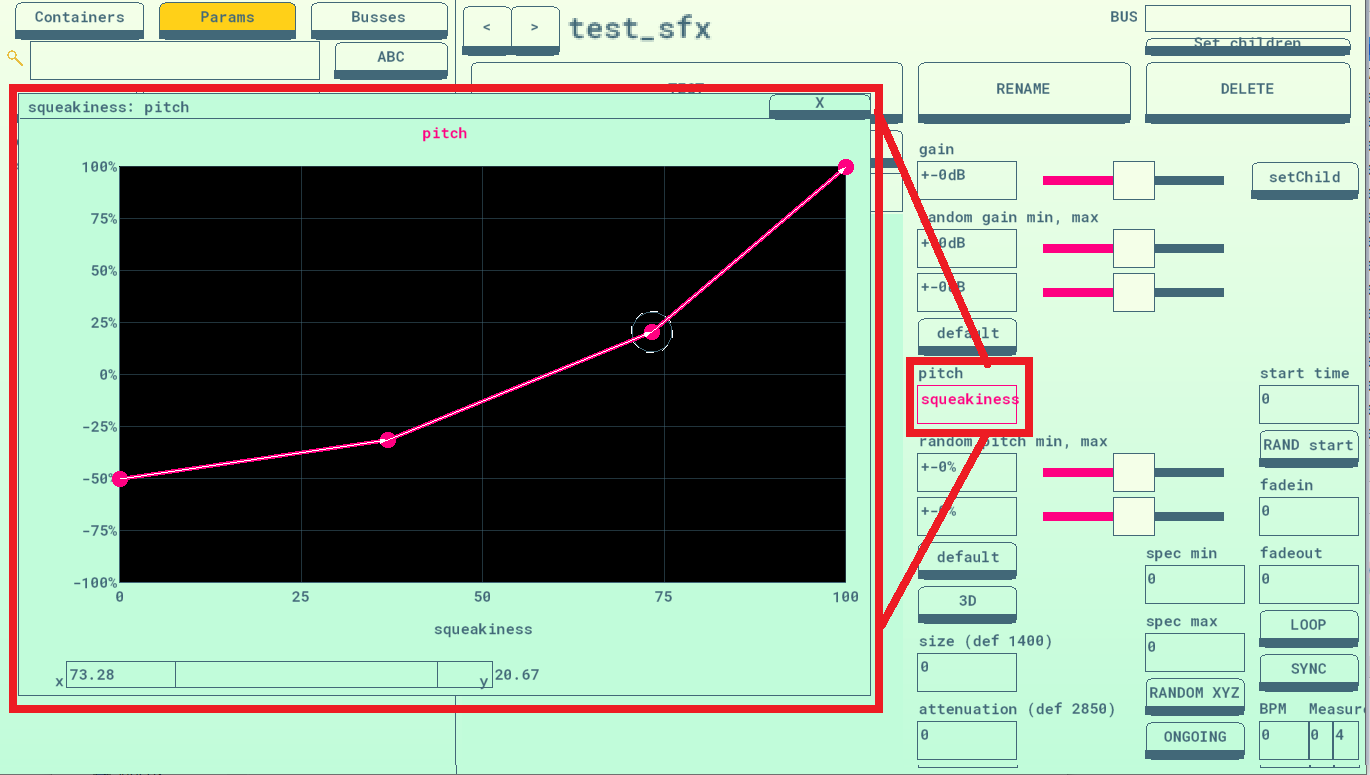
You can click and drag to make and move points on the graph. The X-Axis (left to right) represents the parameter; all the left is 0, right is 100, middle is 50, etc. The Y-Axis (top to bottom) represents the attribute output. In the above example, the squeakiness parameter is attached to the pitch attribute. As Squeakiness goes from 0 to 100, the pitch goes from -50% to +100%.
You can click and drag left and right on the parameter name at the bottom to change the parameter, even while the container is playing, to hear what it sounds like.
While a point is selected, you can type in values for X and Y in the bottom boxes and hit Enter to set it. This is useful for setting values that are outside the box for certain effects, if and when necessary.