Repository navigation
Main Browser
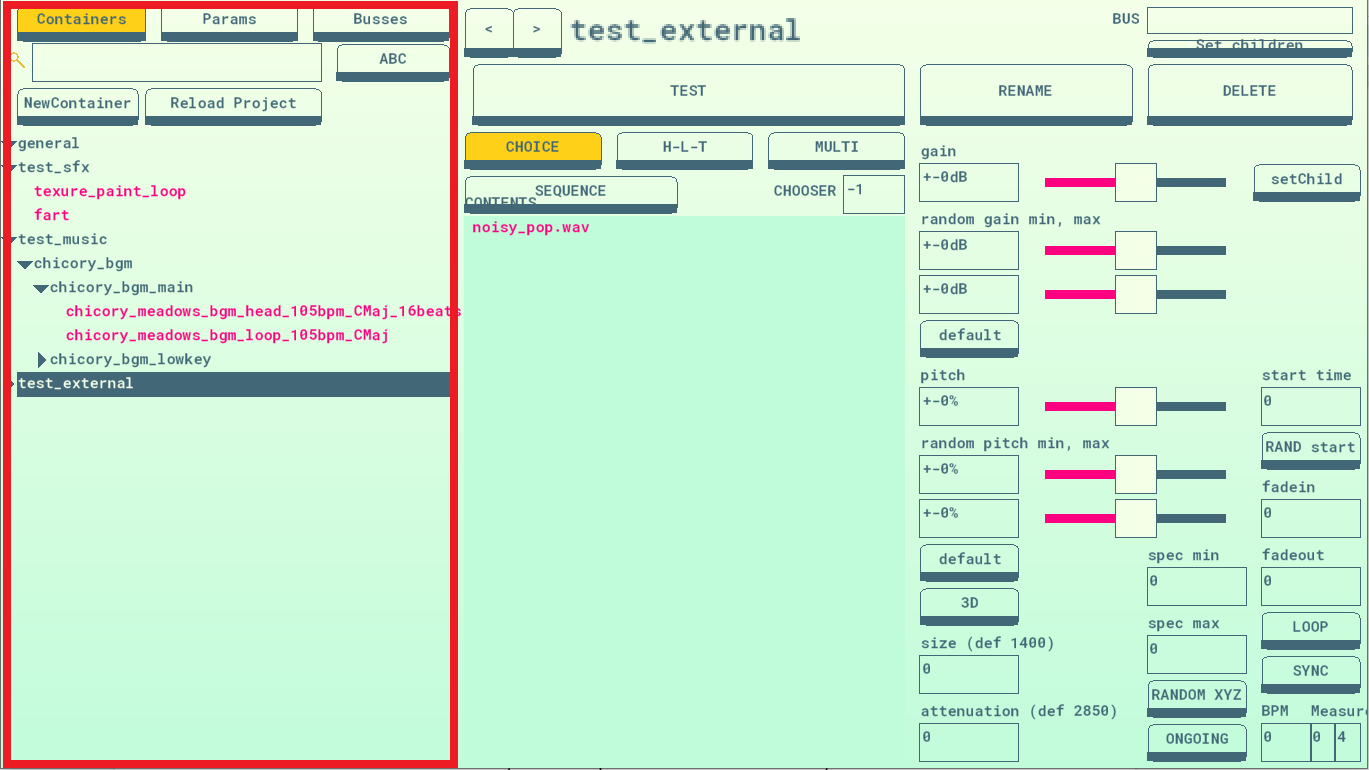
This is the main panel for locating assets in your project. There are 3 main tabs for CONTAINERS, PARAMS and BUSSES which let your browse each of those assets. There’s a search bar that will let you search for assets by name.
-
ABC is a toggle to sort the containers alphabetically, which is useful for searching, but by default they display in the same order they appear in your project.
-
NewContainer creates a new container and adds it to the list. There's an equivalent button for NewParam or NewBus as well depending on which tab you're browsing.
-
RELOAD Will refresh all your containers which are imported from your GameMaker project. Do this manually anytime you update the contents of your project.
Items displayed in the browser can be clicked + dragged to re-order, organize or create attachments.
- ALT+CLICK and drag to copy attributes from one item to another. Useful if you need to make a bunch of containers with identical logic.
- CONTROL+CLICK to cut and paste a container from one location to another. Usually when you click and drag a container to somewhere it “copies” the reference, so it appears in an additional place, but if you move it with control+click it’ll remove it from wherever you moved it from.