Repository navigation
Prepare Your Data
FusionX finds and runs your experiments automatically, but only when your images follow two rules: the correct file format and the correct file names. This page covers both.
Important: FusionX reads only .tif files. It ignores every other format, such as .tiff, .png, and .jpg.
If your images use a different extension, rename them to .tif before you run FusionX.
FusionX scans the current working directory and finds every experiment on its own. Each experiment needs exactly two files:
{ExperimentName}_membrane.tif
{ExperimentName}_nuclei.tif
{ExperimentName} is the shared prefix. You can name it anything, and it can include underscores, hyphens, dots, and numbers.
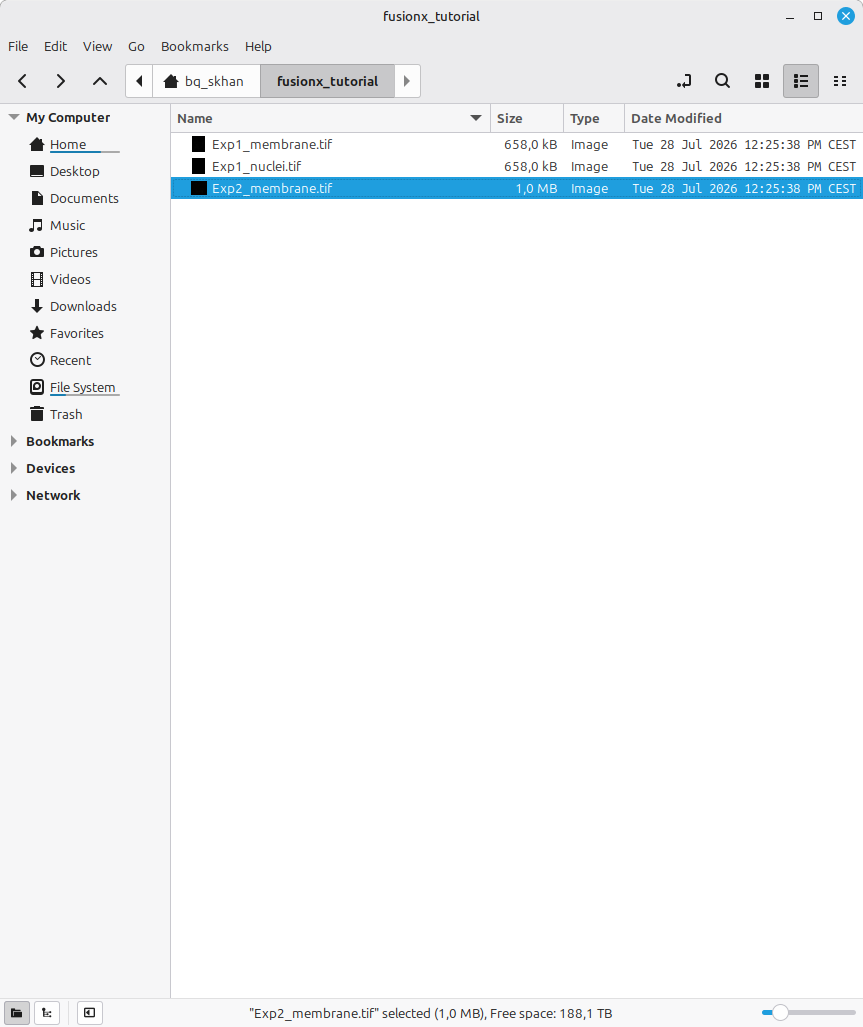
Important: Both files must be present and share the same prefix. If FusionX finds only one file, it skips that experiment.
Put all your file pairs in the same directory and run FusionX. It finds and processes every valid pair automatically:
working_directory/
├── WT_24h_membrane.tif
├── WT_24h_nuclei.tif
├── KO_24h_membrane.tif
├── KO_24h_nuclei.tif
├── WT_48h_membrane.tif
├── WT_48h_nuclei.tif
├── KO_48h_membrane.tif
└── KO_48h_nuclei.tif
FusionX finds all four experiments here, processes them one by one, and shows progress for each step, such as Segmenting nuclei: 2/4. You can add as many experiments as you like.
FusionX ignores any file that does not match this naming pattern and any file that is not a .tif.
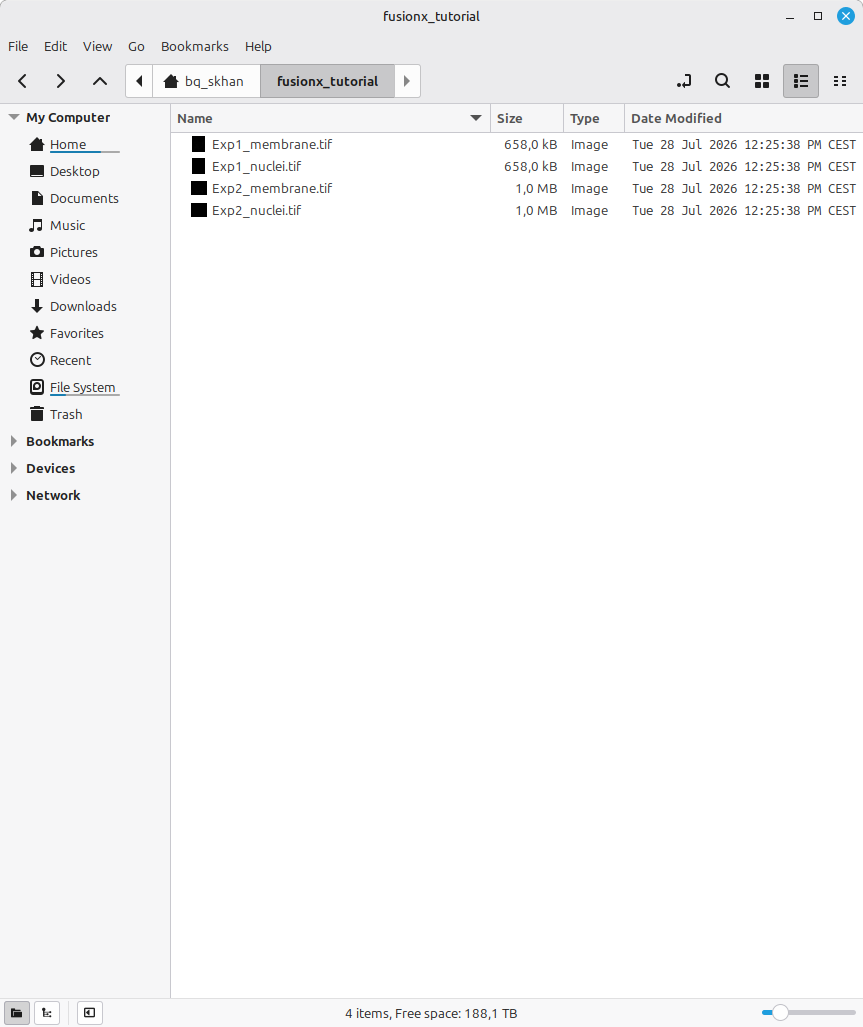
A valid folder has both files for every experiment, so FusionX runs all of them.
Here Exp2 has only a membrane file. Its nuclei file is missing, so FusionX runs Exp1 and skips Exp2.
Go back to Home