Repository navigation
CHQueue v1.0.2


CHQueue v1.0.2
TikTok LIVE Studio compatibility, a quieter TikFinity connection, and a bigger, sharper overlay.
📺 TikTok LIVE Studio, actually working
TikTok's own "Add Link" dialog does a live DNS check and flatly rejects any URL that resolves to a loopback address - which is exactly what 127.0.0.1 is. There was never a way to hand it a working link.
- The Overlay card now shows a second URL,
app.chqueue.lol, purpose-built to pass TikTok's check - it resolves publicly, then a local hosts-file entry quietly routes it back to your own overlay server - A one-click Fix TikTok Studio URL button adds that hosts entry for you - no manual editing, no admin prompt on most machines
- The original
127.0.0.1URL is still there for OBS/Streamlabs, unchanged
🔇 A quieter TikFinity connection
If your chat went quiet for as little as 30 seconds, CHQueue was silently tearing down and reopening its entire TikFinity connection - visible as an endless "connected to TikFinity" line spamming the activity log during any slow stretch of a stream. It's now a stable, long-lived connection, with a real ping-based keepalive so an actual dropped connection is still caught and reconnected.
🔍 A bigger, sharper overlay
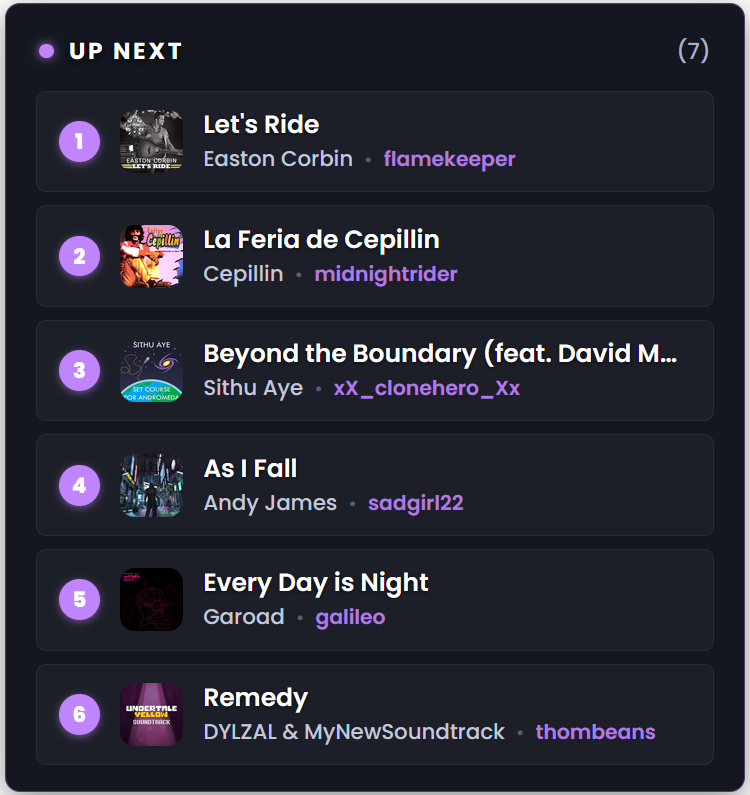
Resizing the overlay's source box in OBS or TikTok LIVE Studio blurs it - you're stretching a fixed-resolution render. Customize Overlay now has its own Size slider (75%-250%) that grows the overlay through real layout instead, staying crisp at any size you pick (as long as the browser source's own render resolution is large enough to match).
Download
| Installer | File | Best for |
|---|---|---|
| Setup (recommended) | chqueue-setup.exe |
Most users. A standard click-through Windows installer. |
| MSI | chqueue-setup.msi |
Managed or business deployments (Group Policy / Intune). |
Windows 10 or 11, 64-bit.
Full Changelog: v1.0.1...v1.0.2