Repository navigation
Quick Start Idelium JSON Import
This guide explains how to import either of the two native Idelium JSON examples that test https://idelium.org/demo/.
Both files use the idelium.test-import.v1 envelope and create a test plus its
reusable steps. They differ in how each reusable step is authored and executed.
| Example | Step representation | Recommended when |
|---|---|---|
idelium-demo-test-import.json |
Native Idelium action objects | You want wizard editing, Selenium/Appium actions, mixed runtimes, or the broadest current feature coverage. |
idelium-demo-dsl-test-import.json |
Versioned Idelium DSL source inside granular reusable steps | You want concise, reviewable browser flows with syntax validation, linting, a stable AST, and an explicit language compatibility contract. |
The files are alternatives for demonstrating browser coverage; importing both is useful when you want to compare native actions with DSL authoring. DSL v1 is browser-focused and does not replace native Idelium JSON for Appium-specific actions, mixed runtime steps, or Postman collection execution.
Start the demo stack with Start IAS:
cd idelium-docker
./quickstart-demo.sh
Open https://localhost and sign in with the local demo administrator:
Email: admin@idelium.org
Password: admin
Install Idelium CLI on the workstation that will execute the test:
python3 -m venv .venv
source .venv/bin/activate
python -m pip install --upgrade pip
python -m pip install ideliumNative Idelium actions:
https://raw.githubusercontent.com/idelium/idelium-docker/main/docs/examples/idelium-demo-test-import.json
Idelium DSL v1:
https://raw.githubusercontent.com/idelium/idelium-docker/main/docs/examples/idelium-demo-dsl-test-import.json
In a local checkout they are available under:
idelium-docker/docs/examples/
├── idelium-demo-test-import.json
└── idelium-demo-dsl-test-import.json
Both examples open https://idelium.org/demo/ and create granular reusable
steps for the major browser component families, including page readiness, hero
content, form controls, dynamic content, tables, keyboard interactions, HTML5
inputs, validation, pagination, storage, guided flows, responsive markers, and
the flaky-sequence simulator.
The native-action example additionally demonstrates surfaces that are not yet dedicated DSL v1 commands. Its final reusable step also contains the full Postman Echo collection action, so Newman is required when that action is executed.
The DSL example stores one versioned DSL source document in each reusable step. This preserves the same step-by-step result granularity as the native-action example while keeping every DSL unit small enough to review and edit.
- Open Projects and select the target project.
- Open Tests.
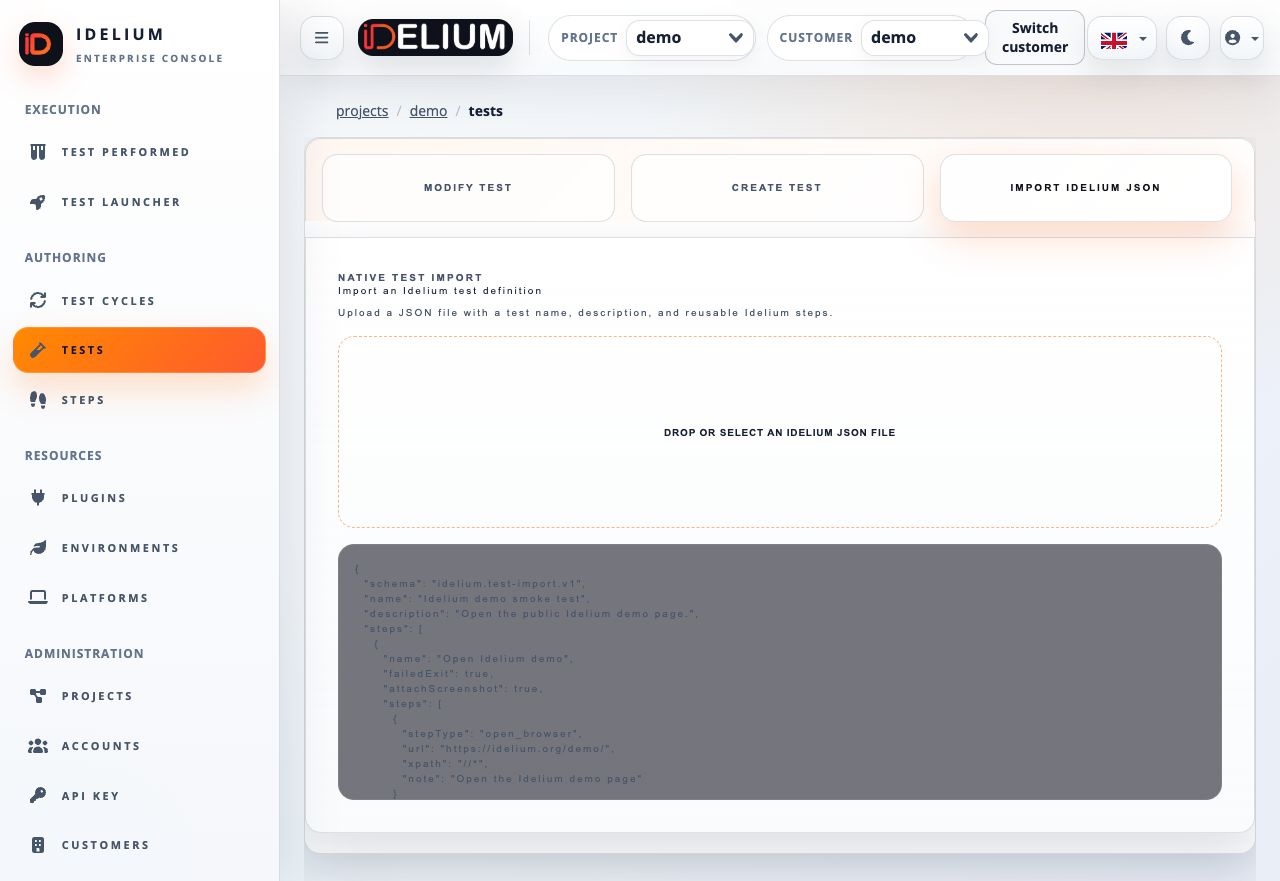
- Select Import Idelium JSON.
- Upload one of the two example files.
- Review the test metadata and generated reusable-step list.
- Select Import Test.
- Confirm that the test appears in Tests and its reusable steps appear in Steps.
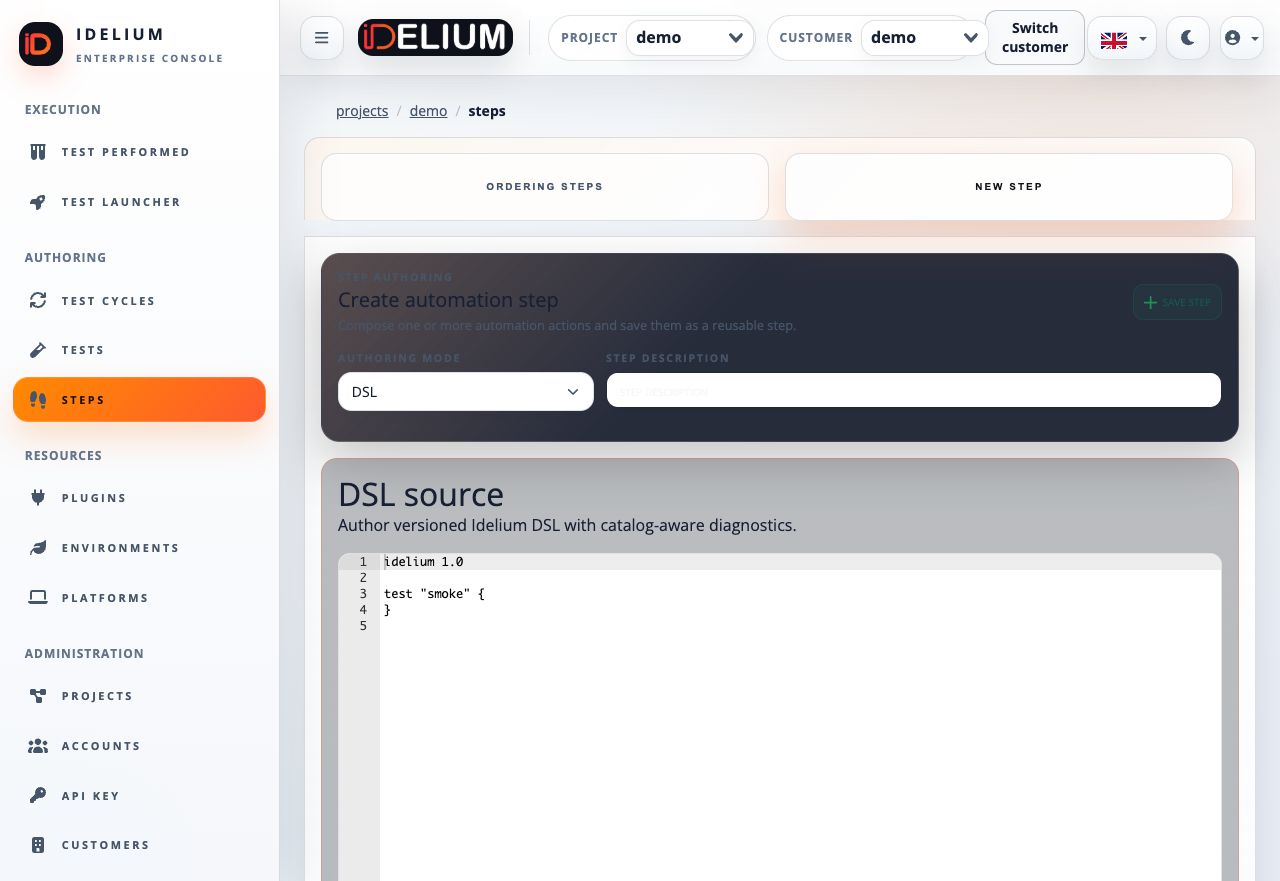
For the DSL example, open Steps, edit a DSL step, and select the DSL authoring mode. The editor validates source as you type and displays line, column, diagnostic code, severity, and remediation guidance.
The normative DSL contracts are:
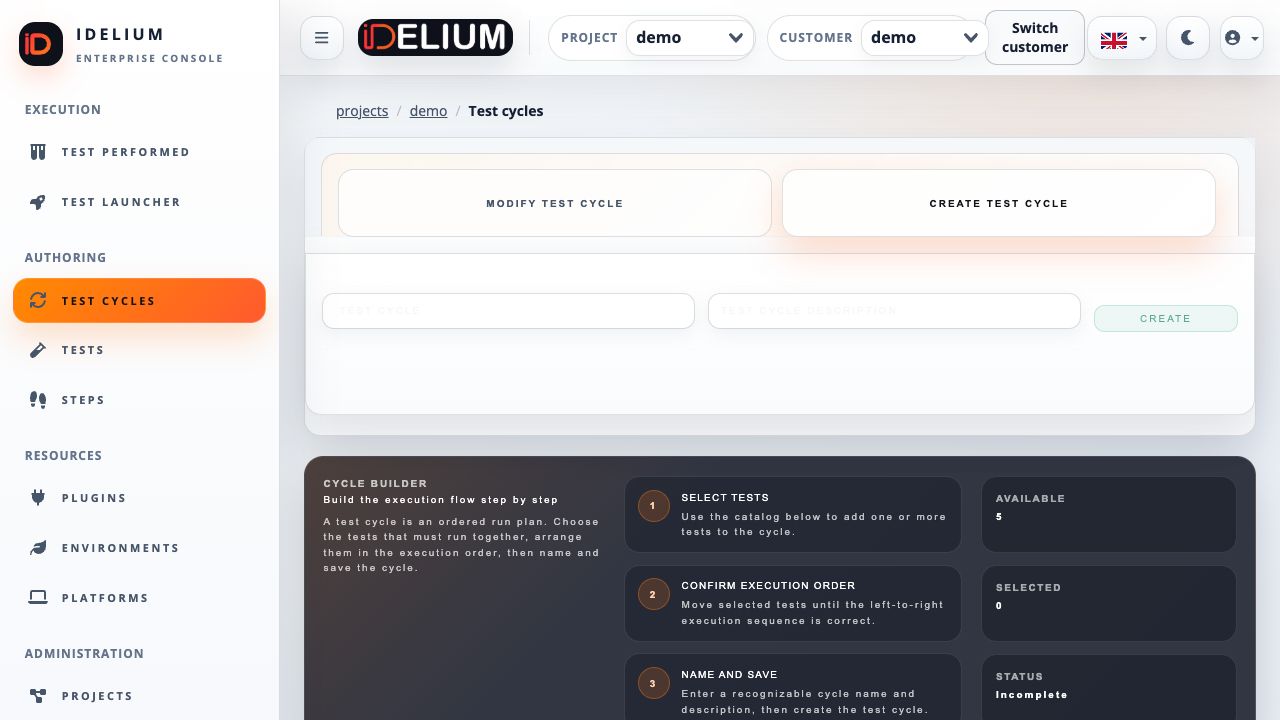
- Open Test Cycles and select Create Test Cycle.
- Enter a recognizable name and description.
- Drag the imported test from Available items to Selected sequence.
- Reorder selected tests by drag and drop.
- Resolve any validation warning, then create the cycle and note its identifier.
Download the project credential from API Key and store it in the protected CLI key file:
install -m 600 /dev/null ~/.ideliumCopy the key into ~/.idelium using a secure editor or secret-management tool.
Do not print credentials or pass them directly in shell history.
idelium \
  --idProject=<project-id> \
  --idCycle=<cycle-id> \
  --environment=demo \
  --ideliumwsBaseurl=https://localhost
For the local self-signed demo certificate, either trust the generated certificate or add the explicit development-only option:
idelium \
  --idProject=<project-id> \
  --idCycle=<cycle-id> \
  --environment=demo \
  --ideliumwsBaseurl=https://localhost \
  --insecure
--insecure disables TLS verification and must never be used against a shared or
production environment.
Open Test Performed, select Test Results, choose the performed cycle and test, and then open Show Step Results. The result view records each reusable step separately, including status, duration, diagnostics, screenshots, runtime context, and structured Postman request details when present.
A native-action reusable step contains action objects:
{
  "name": "Open Idelium demo page",
  "failedExit": true,
  "attachScreenshot": true,
  "steps": [
    {
      "stepType": "open_browser",
      "url": "https://idelium.org/demo/",
      "note": "Open the Idelium demo page"
    }
  ]
}
A DSL reusable step declares its editor and embeds versioned source:
{
  "name": "Open Idelium demo page",
  "editorType": "dsl",
  "failedExit": true,
  "steps": [
    {
      "stepType": "dsl",
      "runtime": "dsl",
      "schemaVersion": "dsl.source.v1",
      "languageVersion": "1.0",
      "source": "idelium 1.0\n\ntest \"Open Idelium demo page\" {\n    open \"https://idelium.org/demo/\"\n}\n"
    }
  ]
}
In both cases the API remains the authoritative validation and tenant-isolation boundary when the import is saved.