Home
#SimpleCropView
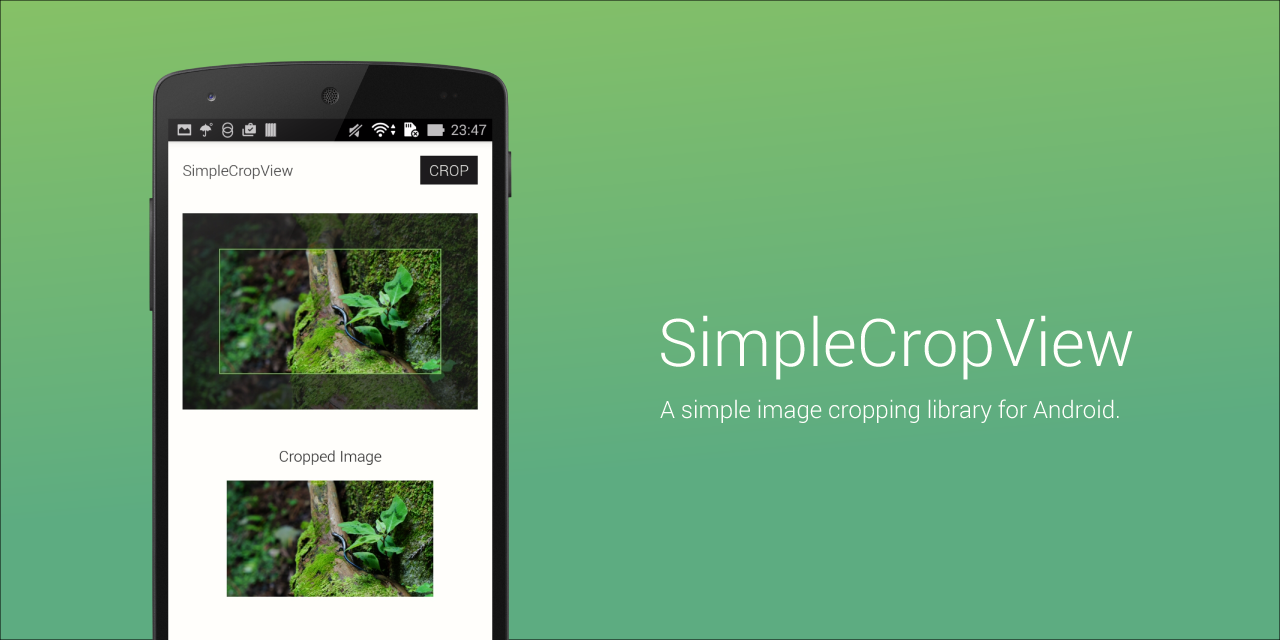
The SimpleCropView is an image cropping library for Android.
It simplify your code for cropping image and provides easily customizable UI.
##Description
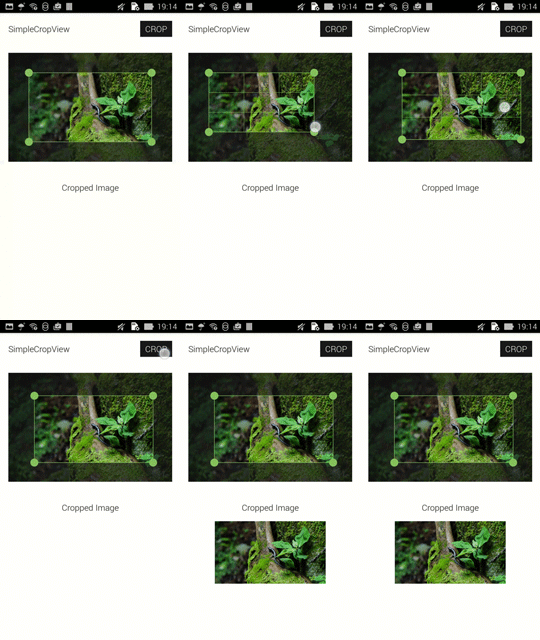
###Simple Implementation Implementation is very simple, it ends in three steps.
- Set the image (both via XML and programmatically).
- Adjust image cropping frame.
- Call
getCroppedBitmap();
Note:
The image is scaled to fit the size of the view by maintaining the aspect ratio. Any remaining area of the view's bounds is transparent. It is not possible to match the size of the view on the size of the image.
WRAP_CONTENT parameter will be ignored.
###Easily Customizable UI

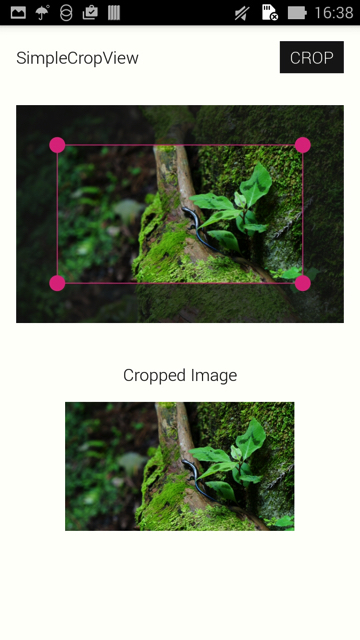
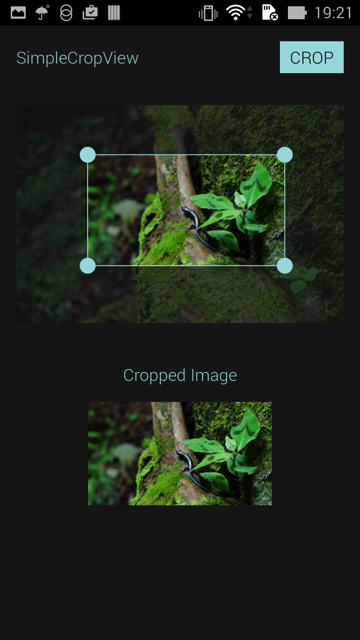
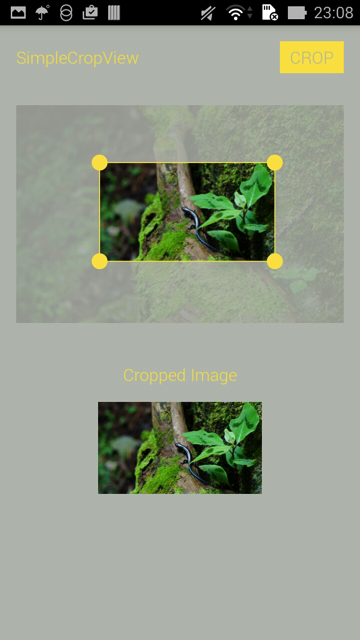
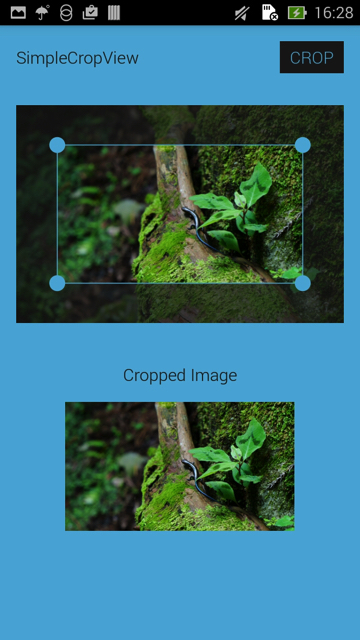
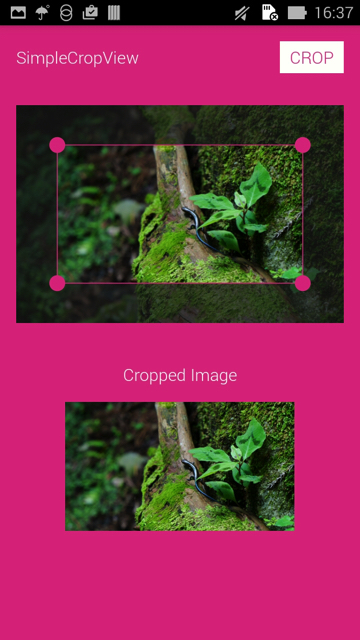
Whether appearance of the View can fit your application, it is a very important issue.
The SimpleCropView provides following attributes for customizing view appearance.
- frame color
- handle color
- guide color
- background color
- frame overlay color
- frame stroke weight(dp)
- frame guideline stroke weight(dp)
- frame handle size(dp)
- frame handle touch padding(dp)
- guidle line show mode ( show_always / not_show / show_on_touch )
- handle show mode ( show_always / not_show / show_on_touch )
Include the following dependency in your build.gradle file.
repositories {
    jcenter()
}
dependencies {
    compile 'com.isseiaoki:simplecropview:1.0.6'
}
###Demo
###Usage
For a working implementation of this project see the simplecropview-sample.
MainActivity.java
public class MainActivity extends Activity {

    @Override
    protected void onCreate(Bundle savedInstanceState) {
        super.onCreate(savedInstanceState);
        setContentView(R.layout.activity_main);

        final CropImageView cropImageView = (CropImageView)findViewById(R.id.cropImageView);
        final ImageView croppedImageView = (ImageView)findViewById(R.id.croppedImageView);
        final Button cropButton = (Button)findViewById(R.id.crop_button);
        cropButton.setOnClickListener(new View.OnClickListener() {
            @Override
            public void onClick(View v) {
                croppedImageView.setImageBitmap(cropImageView.getCroppedBitmap());
            }
        });
    }
}
activity_main.xml
<LinearLayout xmlns:android="http://schemas.android.com/apk/res/android"
              xmlns:tools="http://schemas.android.com/tools"
              android:layout_width="match_parent"
              android:layout_height="match_parent"
              android:background="@color/base"
              android:orientation="vertical">

    <android.support.v7.widget.Toolbar
        android:id="@+id/toolbar"
        android:layout_width="match_parent"
        android:layout_height="64dp"
        android:layout_alignParentTop="true"
        >

        <RelativeLayout
            android:layout_width="match_parent"
            android:layout_height="match_parent">

            <TextView
                android:id="@+id/textTitle"
                android:layout_width="wrap_content"
                android:layout_height="wrap_content"
                android:layout_alignParentLeft="true"
                android:layout_centerVertical="true"
                android:text="SimpleCropView"
                android:textColor="@color/text"
                android:textSize="@dimen/text_size_s"
                />

            <Button
                android:id="@+id/crop_button"
                android:layout_width="wrap_content"
                android:layout_height="wrap_content"
                android:layout_alignParentRight="true"
                android:layout_centerVertical="true"
                android:layout_margin="16dp"
                android:text="CROP"
                android:background="@color/text"
                android:textSize="@dimen/text_size_s"
                android:textColor="@color/base"
                />

        </RelativeLayout>
    </android.support.v7.widget.Toolbar>

    <com.isseiaoki.simplecropview.CropImageView
        android:id="@+id/cropImageView"
        xmlns:custom="http://schemas.android.com/apk/res-auto"
        android:layout_width="match_parent"
        android:layout_height="250dp"
        android:padding="16dp"
        custom:backgroundColor="@color/base"
        custom:handleColor="@color/handle"
        custom:guideColor="@color/guide"
        custom:overlayColor="@color/overlay"
        custom:frameColor="@color/frame"
        custom:cropMode="ratio_16_9"
        custom:frameStrokeWeight="1dp"
        custom:guideStrokeWeight="1dp"
        custom:guideShowMode="show_on_touch"
        custom:handleShowMode="show_always"
        custom:handleSize="8dp"
        custom:minFrameSize="100dp"
        custom:imgSrc="@mipmap/sample5"
        custom:touchPadding="8dp"
        />

    <TextView
        android:layout_width="match_parent"
        android:layout_height="wrap_content"
        android:gravity="center"
        android:text="Cropped Image"
        android:textColor="@color/text"
        android:textSize="@dimen/text_size_s"
        android:layout_marginTop="24dp"
        android:layout_marginBottom="0dp"
        />


    <ImageView
        android:id="@+id/croppedImageView"
        android:layout_margin="16dp"
        android:layout_gravity="center"
        android:layout_width="wrap_content"
        android:layout_height="wrap_content"
        android:padding="0dp"
        />

</LinearLayout>###CropMode
The option to adjust aspect ratio for cropping image.
CropImageView cropImageView = (CropImageView)findViewById(R.id.cropImageView);
cropImageView.setCropMode(CropImageView.CropMode.RATIO_16_9);

Values:
RATIO_4_3, RATIO_3_4, RATIO_1_1, RATIO_16_9, RATIO_9_16, RATIO_FIT_IMAGE, RATIO_FREE
>`RATIO_FREE`: *This mode does not fix frame aspect ratio.*<br>
`RATIO_X_Y`: *Fixed aspect ratio mode. ratioX:ratioY = X:Y.*<br>
`RATIO_FIT_IMAGE`: *Fixed aspect ratio mode. ratioX:ratioY = (image width):(image height).*

>If you need other aspect ratio, use `setCustomRatio(int ratioX, int ratioY);`

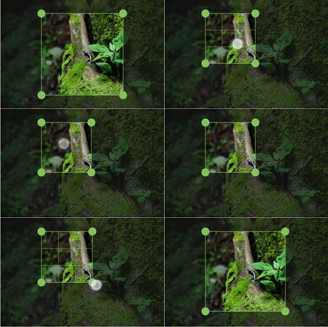
###MinimumFrameSize
The SimpleCropView supports the minimum size of the image cropping frame in dp.<br>
It avoid that the image cropping frame size become smaller than the minimum size.

```Java
CropImageView cropImageView = (CropImageView)findViewById(R.id.cropImageView);
cropImageView.setMinFrameSizeInDp(100);
###CustomFrame The SimpleCropView provides following attributes for customizing view appearance.
Color
CropImageView cropImageView = (CropImageView)findViewById(R.id.cropImageView);
cropImageView.setBackgroundColor(getResources().getColor(android.R.color.black));
cropImageView.setOverlayColor(0xBBFFFFFF);
cropImageView.setFrameColor(0xFFFFFFFF);
cropImageView.setHandleColor(getResources().getColor(R.color.handle));
cropImageView.setGuideColor(getResources().getColor(android.R.color.black));
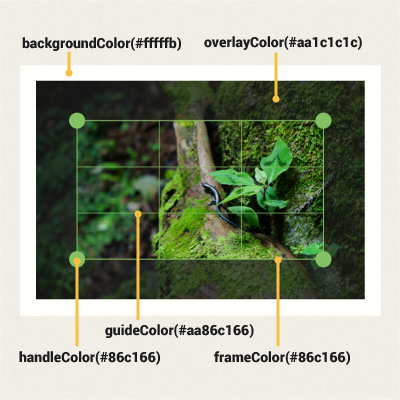
Stroke Weight & Handle Size
CropImageView cropImageView = (CropImageView)findViewById(R.id.cropImageView);
cropImageView.setFrameStrokeWeightInDp(3);
cropImageView.setGuideStrokeWeightInDp(1);
cropImageView.setHandleSizeInDp(getResources().getDimension(R.dimen.handle_size));
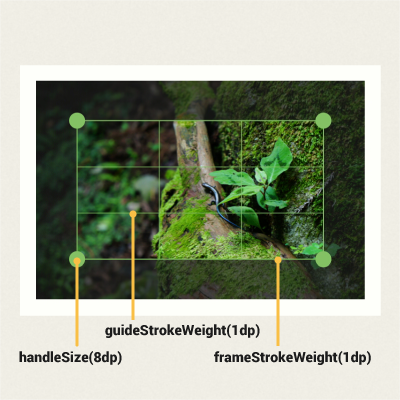
Handle Touch Padding
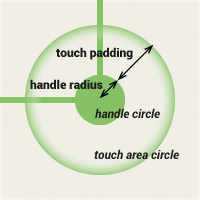
If you want some additinal touch area for the image cropping frame handle, setTouchPaddingInDp(int dp); may help you.
The handle's touch area is a circle radius R. (R = handle size + touch padding).
If the touch padding is 0, the touch area circle is the same as handle circle.
CropImageView cropImageView = (CropImageView)findViewById(R.id.cropImageView);
cropImageView.setTouchPadding(16);
Handle & Guide ShowMode
CropImageView cropImageView = (CropImageView)findViewById(R.id.cropImageView);
cropImageView.setHandleShowMode(CropImageView.ShowMode.SHOW_ALWAYS);
cropImageView.setGuideShowMode(CropImageView.ShowMode.SHOW_ON_TOUCH);
| Handle ShowMode | Guide ShowMode | Appearance |
| SHOW_ALWAYS | SHOW_ALWAYS | 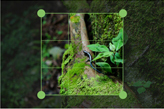 |
| NOT_SHOW | NOT_SHOW | 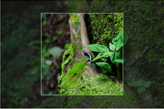 |
| SHOW_ALWAYS | NOT_SHOW | 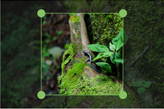 |
| SHOW_ALWAYS | SHOW_ON_TOUCH | 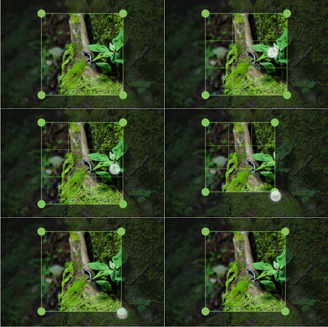 |
| SHOW_ON_TOUCH | NOT_SHOW | 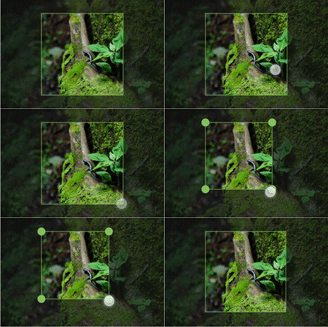 |
Values:
SHOW_ALWAYS, NOT_SHOW, SHOW_ON_TOUCH
##XML Attributes
XML code sample here.

```XML
    <com.isseiaoki.simplecropview.CropImageView
        android:id="@+id/cropImageView"
        android:layout_width="match_parent"
        android:layout_height="match_parent"
        android:padding="32dp"
        custom:imgSrc="@mipmap/ic_launcher"
        custom:cropMode="ratio_fit_image"
        custom:minFrameSize="50dp"
        custom:backgroundColor="@color/background_material_dark"
        custom:overlayColor="#66000000"
        custom:frameColor="@android:color/white"
        custom:handleColor="@android:color/white"
        custom:guideColor="#BBFFFFFF"
        custom:frameStrokeWeight="3dp"
        custom:guideStrokeWeight="1dp"
        custom:handleSize="32dp"
        custom:touchPadding="0dp"
        custom:guideShowMode="not_show"
        custom:handleShowMode="show_always"
        custom:cropEnabled="true"
        />
<tr>
	<td>custom:frameStrokeWeight</td>
	<td>setFrameStrokeWeightInDp(int weightDp)</td>
	<td>Set frame stroke weight in density-independent pixels.</td>
</tr>
<tr>
	<td>custom:guideStrokeWeight</td>
	<td>setGuideStrokeWeightInDp(int weightDp)</td>
	<td>Set guideline stroke weight in density-independent pixels.</td>
</tr>
	<tr>
	<td>custom:guideShowMode</td>
	<td>setGuideShowMode(CropImageView.ShowMode mode)</td>
	<td>Set guideline show mode.<br> <i>(show_always/not_show/show_on_touch)</i></td>
</tr>
<tr>
	<td>custom:handleShowMode</td>
	<td>setHandleShowMode(CropImageView.ShowMode mode)</td>
	<td>Set handle show mode.<br><i>(show_always/not_show/show_on_touch)</i></td>
</tr>
<tr>
	<td>custom:cropEnabled</td>
	<td>setCropEnabled(boolean enabled)</td>
	<td>Set whether to show the image cropping frame.</td>
</tr>
| XML Attribute | Related Method | Description |
| custom:imgSrc | setImageResource(int resId) setImageBitmap(Bitmap bitmap) |
Set source image. |
| custom:cropMode | setCropMode(CropImageView.CropMode mode) | Set crop mode. ・whether to fix the aspect ratio of the image cropping frame ・the aspect ratio of the image cropping frame for fixed-aspect-ratio |
| custom:minFrameSize | setMinFrameSizeInDp(int minDp) | Set the image cropping frame minimum size in density-independent pixels. |
| custom:backgroundColor | setBackgroundColor(int bgColor) | Set view background color. |
| custom:overlayColor | setOverlayColor(int overlayColor) | Set image overlay color. |
| custom:frameColor | setFrameColor(int frameColor) | Set the image cropping frame color. |
| custom:handleColor | setHandleColor(int frameColor) | Set the handle color. |
| custom:guideColor | setGuideColor(int frameColor) | Set the guide color. |
| custom:handleSize | setHandleSizeInDp(int handleDp) | Set handle radius in density-independent pixels. |
| custom:touchPadding | setTouchPaddingInDp(int paddingDp) | Set the image cropping frame handle touch padding(touch area) in density-independent pixels. handle touch area : a circle of radius R. (R = handle size + touch padding) |
All source code is licensed under the MIT License.