English | 简体中文 | 繁體中文 | Español | Русский | 日本語 | 한국어
The IM for agents. Shared memory, managed MCP tools, supervised execution, and cross-agent audit across AI providers.
Two heads are better than one.
But minds in concert don't answer fate, they author it.
— IM.codes
IM.codes gives coding agents one shared memory layer and one managed MCP tool surface across providers. It turns completed work into reusable context, then injects or recalls the right history in future sessions across Claude Code, Codex, Gemini CLI, GitHub Copilot, Cursor, OpenCode, OpenClaw, Qwen, and more — with terminal access, file browsing, git views, localhost preview, notifications, multi-agent workflows, and native streaming output for transport-backed agents. Built-in Auto supervision can judge completed turns, continue work autonomously, and optionally run an audit/rework loop before handing control back. Team discussion lets multiple models review and audit each other's plans and implementations — an effective way to reduce single-model misses, blind spots, and biases.
Disclaimer: This is an actively developed personal open-source project. There are no warranties, no SLA, and no guarantees of stability, security, or backward compatibility. Use at your own risk. Breaking changes may happen at any time without notice.
- PostgreSQL default image changed to
pgvector/pgvector:pg18(instead ofpostgres:16-alpine). New self-hosted deployments generated from the current templates use this image for multilingual vector search in shared agent memory:The pgvector extension is enabled automatically by the server migration on first startup.postgres: image: pgvector/pgvector:pg18 # was: postgres:16-alpine
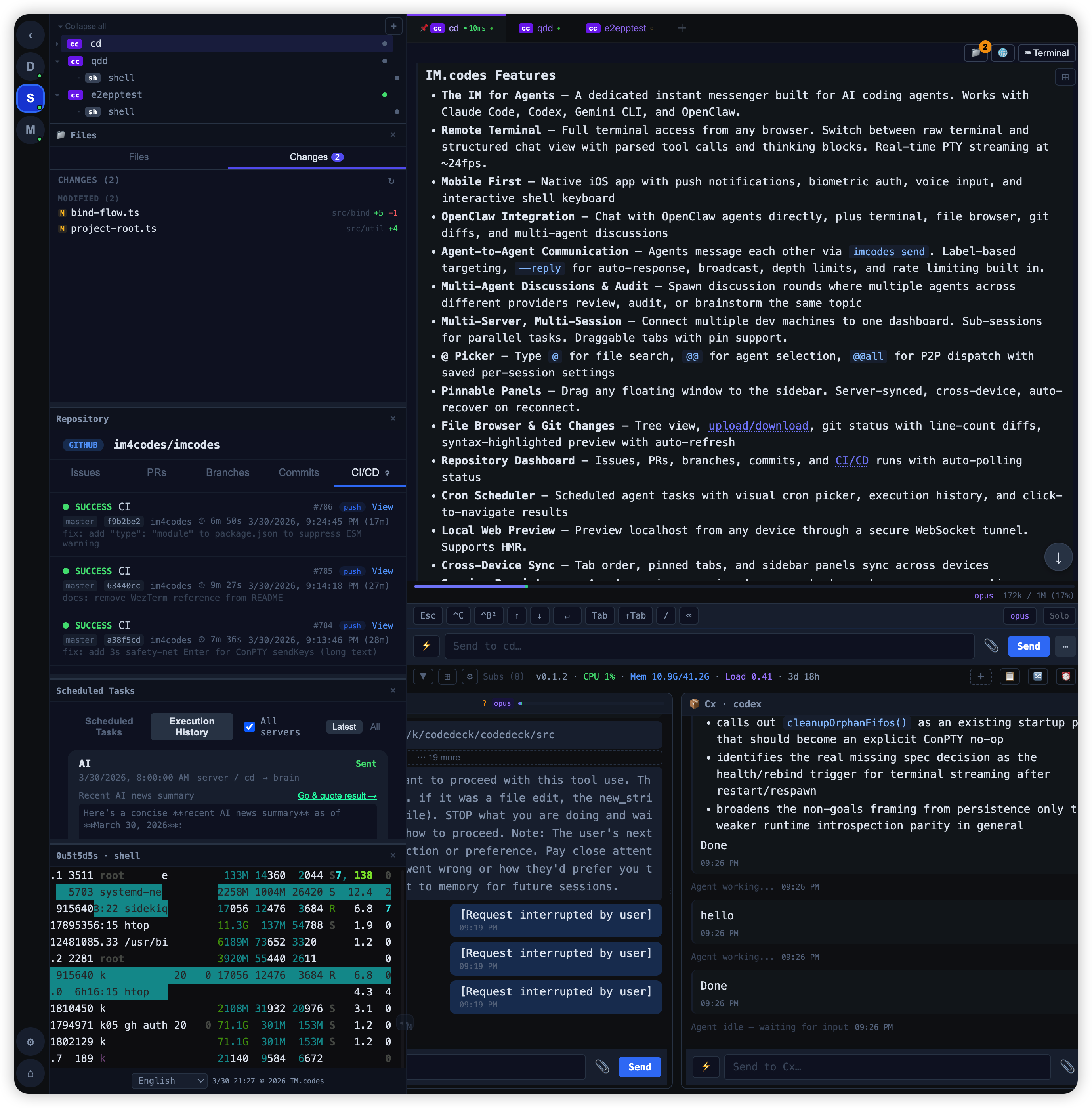
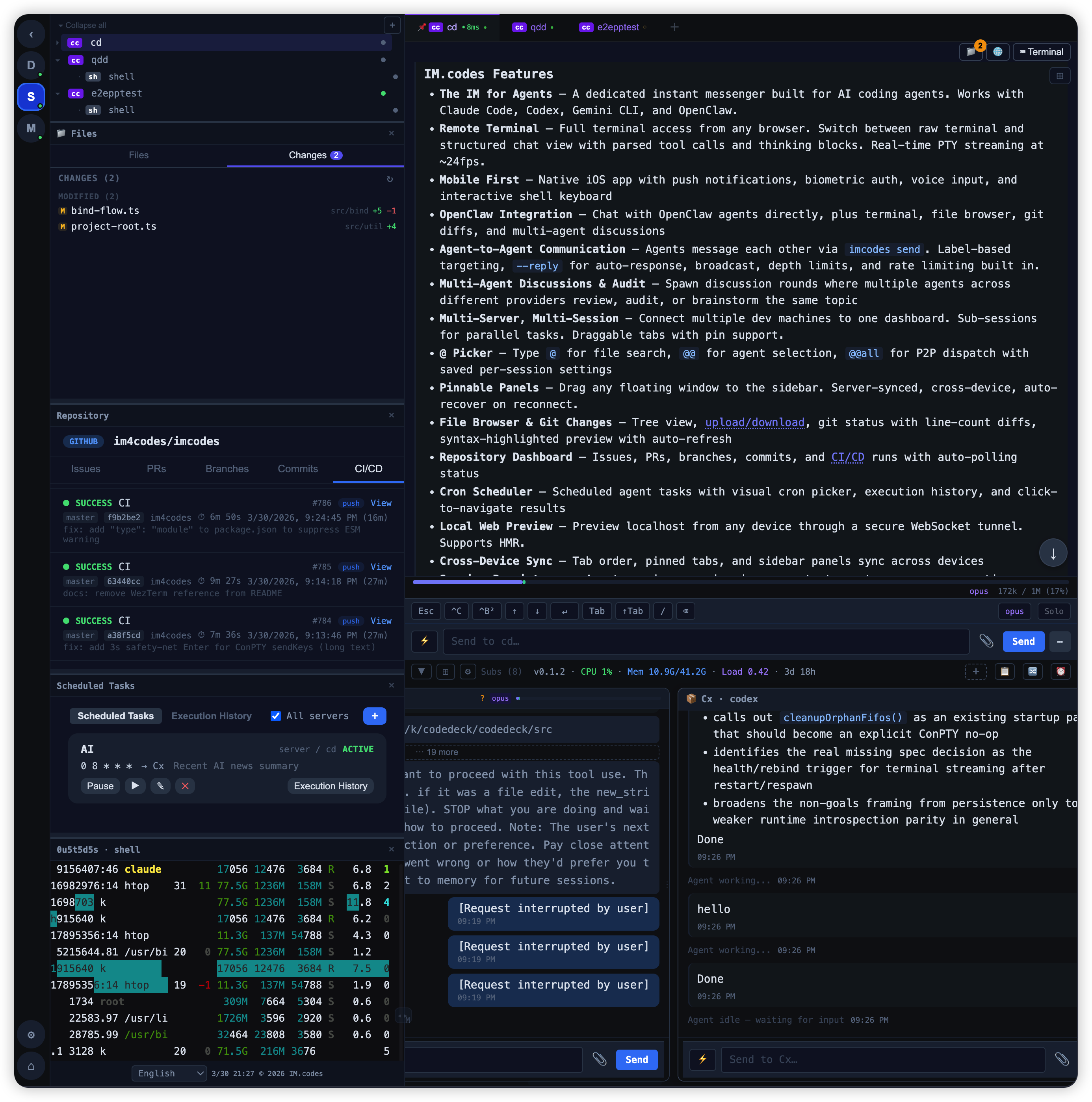
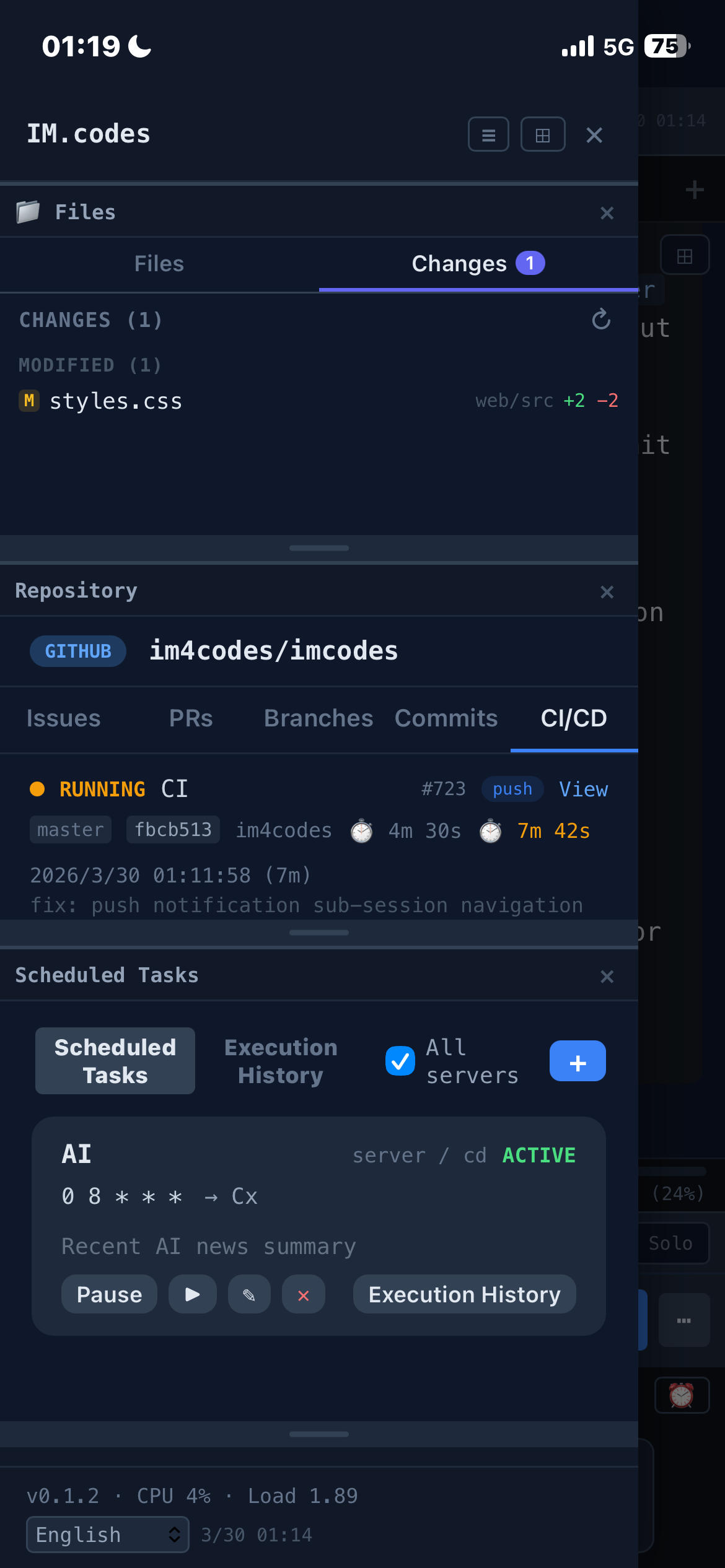
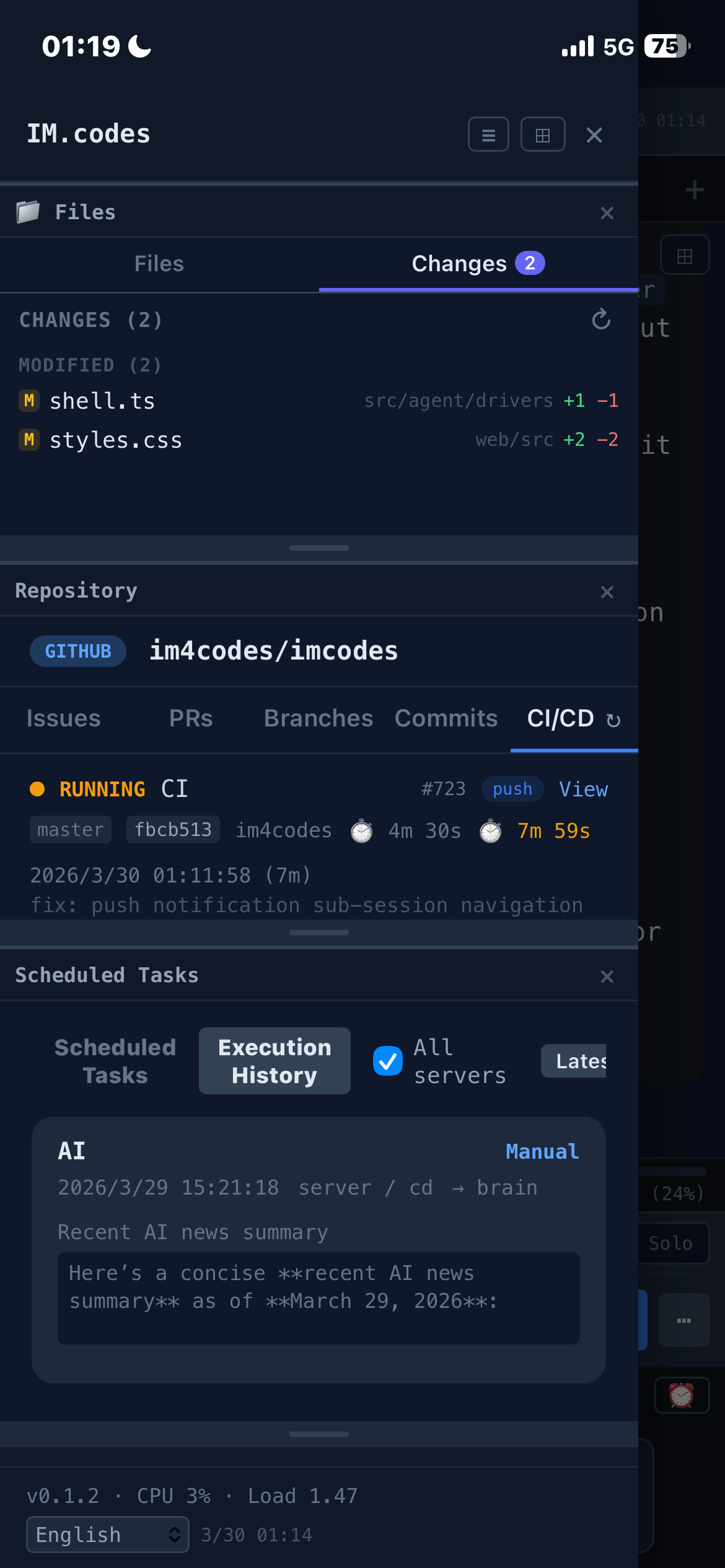
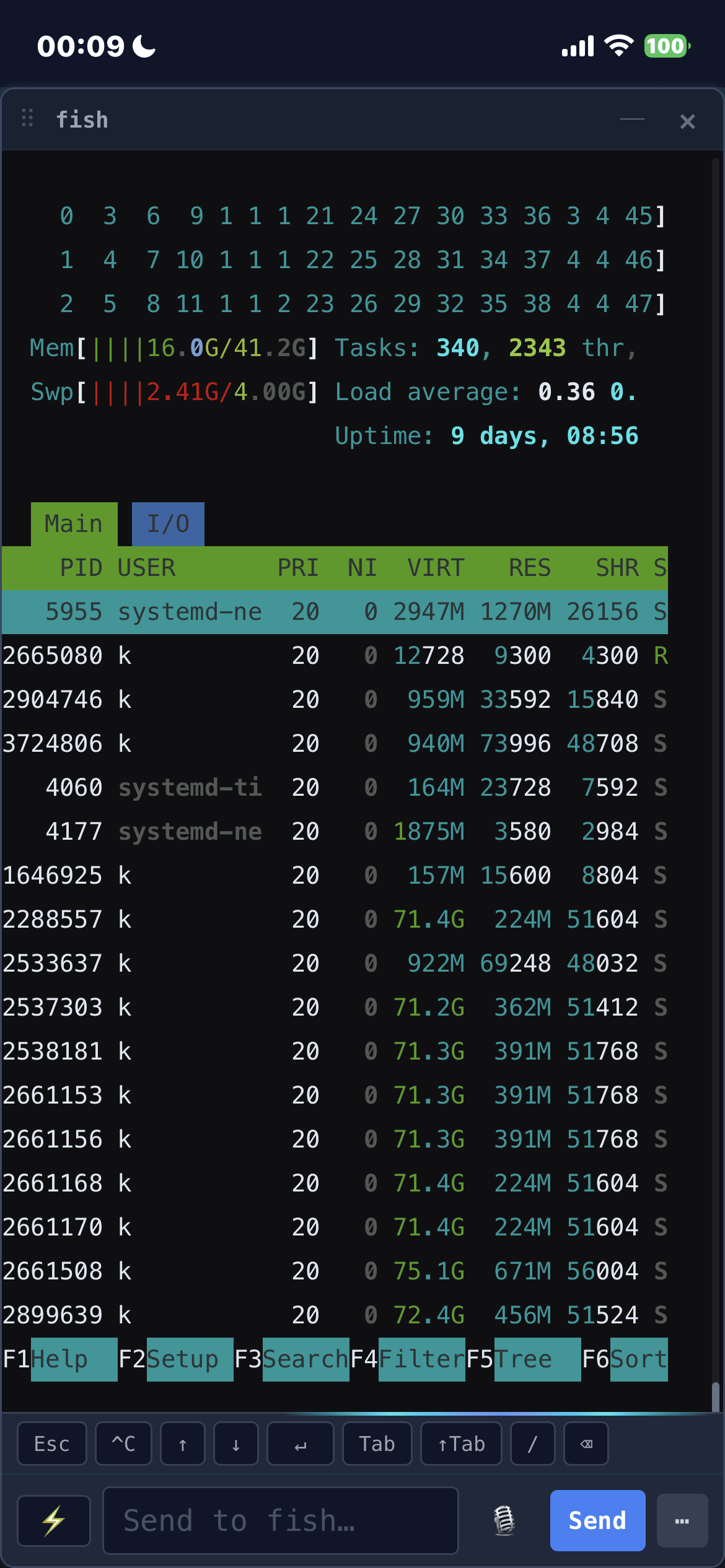
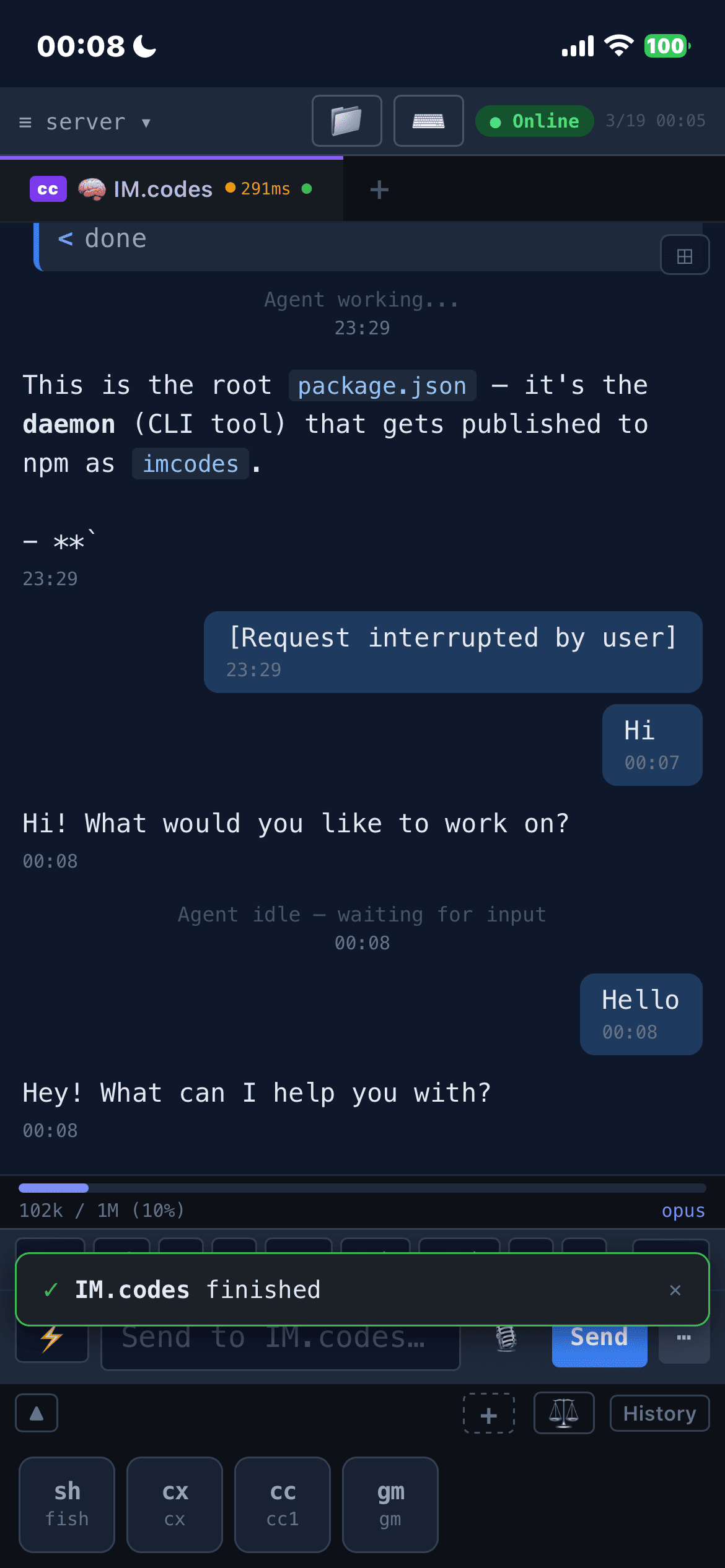
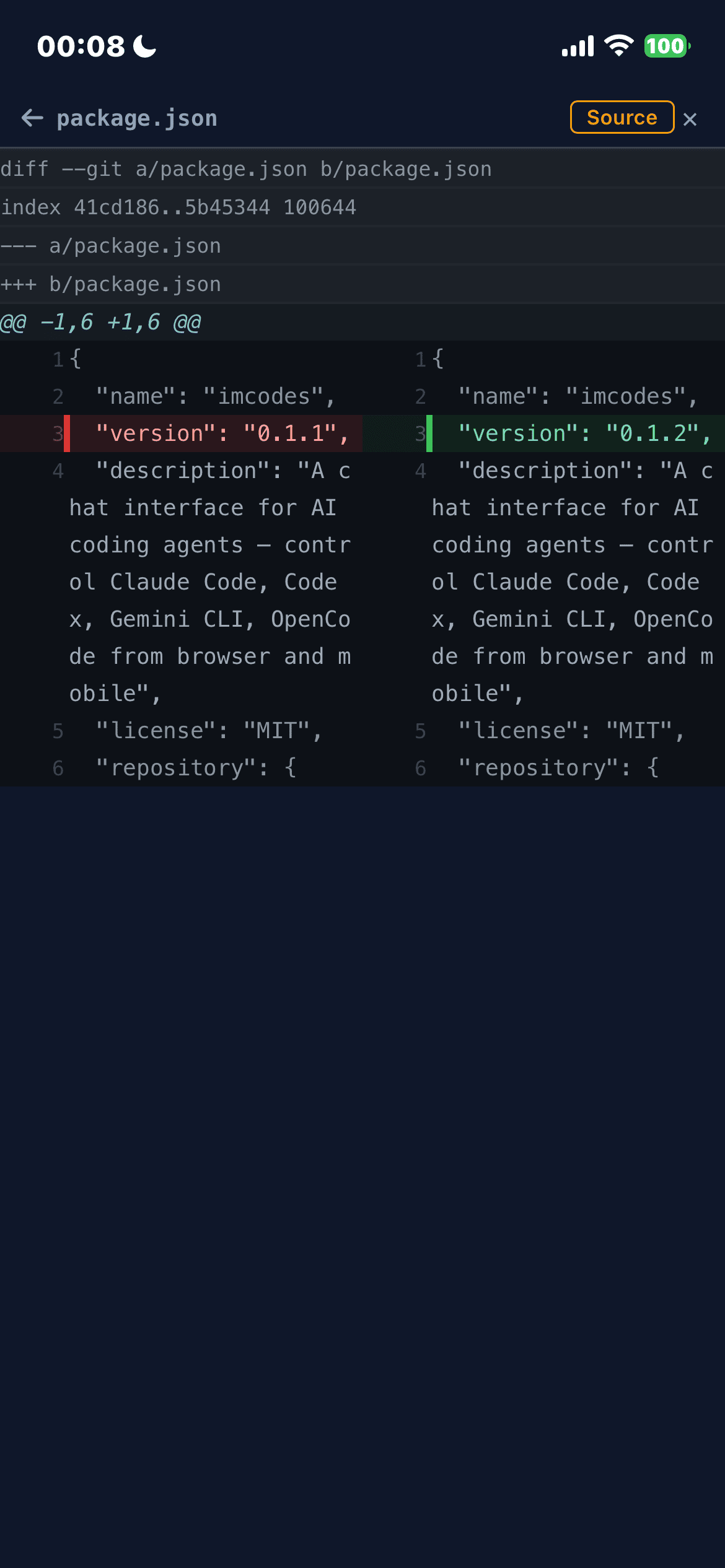
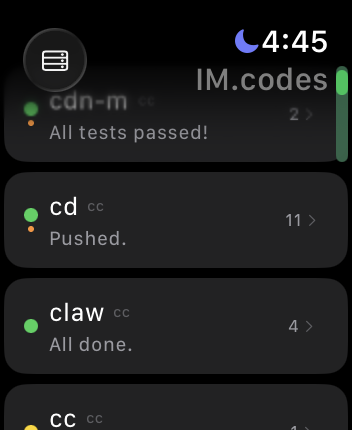
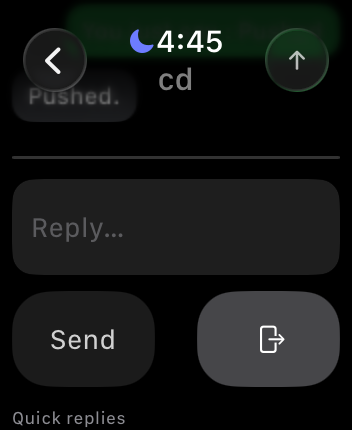
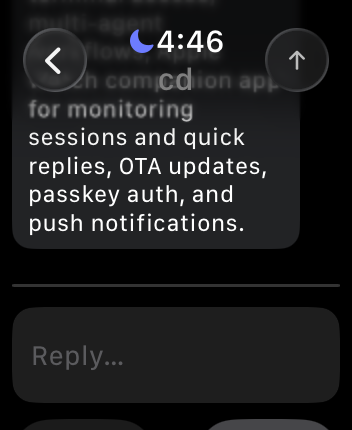
Watch support covers quick session monitoring, unread counts, push notifications, and quick replies directly from the wrist.

Supports iPhone, iPad, and Apple Watch. Also available as a web app.
When you leave your desk, most coding-agent workflows fall apart. The agent is still running in a terminal, but continuing the work usually means SSH, tmux attach, remote desktop hacks, or waiting until you're back at your laptop.
That reach problem is only one half of it. Complex coding-agent work also needs steadier judgment: a single model can fall into familiar patterns, miss issues, or produce unstable answers on hard tasks. Switching providers can help, but without shared context it can also lose the thread.
IM.codes is built around both needs. It keeps sessions within reach from mobile or web: open the terminal, inspect files and git changes, preview localhost from another device, get notified when work finishes, and keep multiple agents moving on your own infrastructure. It also pairs Shared Agent Context & Memory with Multi-Agent Discussions & Cross-Provider Audit: durable recall comes from summarized completed work, while Team discussion is structured cross-model review before code lands. It does not make output perfect, but it reduces single-model blind spots and helps complex work converge with more review.
It is not another AI IDE or a generic remote terminal. It is the messaging, memory, and review layer around terminal-based coding agents.
This is a personal project. I haven't written any code myself — it was built almost entirely by Claude Code, with significant contributions from Codex and Gemini CLI.
IM.codes continuously turns completed agent work into reusable memory and feeds that context back into future sessions.
- Problem → solution memory, not log spam. Only final
assistant.textoutputs are materialized. Streaming deltas, tool calls, and intermediate noise are excluded. - Personal memory with optional cloud sync. Raw and processed memory always stay local; processed summaries can optionally sync to a user-scoped cloud pool shared across your devices.
- Enterprise shared context. Teams can publish reusable memory into workspace/project scopes, inspect it in the UI, query it, and see stats instead of treating context as hidden prompt text. This part is still under active development and has not been fully production-tested yet.
- Multilingual recall. Local semantic search and server-side pgvector recall use multilingual embeddings, so related fixes can be found across English, Chinese, Japanese, Korean, Spanish, Russian, and mixed-language repos.
- Automatic injection where it matters. Relevant past work is injected both per-message and at session startup, with timeline cards that show what was recalled, why, the relevance score, recall count, and last-used time.
- User-visible inspection and control. Shared Context UI separates raw events, processed summaries, cloud memory, and enterprise memory, with query, preview, archive/restore, and processing configuration controls.
IM.codes exposes a daemon-managed stdio MCP server to supported SDK-backed providers. Agents get one runtime-scoped tool surface for memory, agent-to-agent messaging, and scheduled follow-ups, without raw auth tokens or ad hoc shell commands.
- Memory recall and provenance.
search_memorysearches the caller-bound memory namespace for prior work, project history, decisions, preferences, bugs, commits, deployments, and previously discussed context.list_memory_summariesretrieves recent compact summaries without a query. Results include compact refs plusprojectionIdvalues;get_memory_sourcesexpands a relevant hit into provenance snippets when the model needs exact prior instructions, bug details, commit/deployment context, or source evidence. - Memory writes.
save_observationstores useful facts, decisions, or implementation notes as user-private memory candidates;save_preferencestores stable user preferences through the explicit preference path. - Agent messaging.
send_list_targetslists sibling sessions in the current project, andsend_messagesends scoped messages, optional file path references, reply requests, or broadcasts through the same guardedimcodes sendpipeline. - Cron scheduling.
cron_create,cron_list,cron_update, andcron_deletemanage future structured sends for reminders, recurring checks, delegated reviews, or scheduled Team follow-ups, with target/session/project fields and optional expiration/timezone data. - Runtime-bound identity and safety. Tool calls are bound to the current IM.codes session, project, user, and server at runtime. Agents cannot forge namespace, user, server, token, or routing fields; memory, Send, and Cron all remain behind their underlying feature gates plus MCP kill switches.
- Operational visibility. The Shared Context UI reports MCP readiness per managed provider, tool-family gate state, degraded reasons, update time, and recent daemon-redacted tool calls so you can tell whether the model really has Memory, Send, and Cron available.
IM.codes can drive supported agent sessions turn by turn — a supervisor with your own instructions evaluates each completed turn at the idle boundary and decides to auto-continue, hand back, or trigger an audit loop, instead of you typing "continue" every round.
- Per-session Auto modes. Configure
off,supervised, orsupervised_auditper session instead of forcing one policy everywhere. - Completion checks at the idle boundary. When a turn finishes, IM.codes can classify it as
complete,continue, orask_human, then dispatch the next continue prompt inside the same session. - Fail-closed automation. Auto supervision stays visible in the timeline/footer, uses structured decisions, and returns control to you on timeout, invalid output, or bad config instead of silently guessing.
- Optional audit → rework loop. In
supervised_audit, a completed turn can automatically enter an audit pipeline and send a rework brief back into the same session before control returns. - Global defaults seed new sessions. Set your default supervisor backend, model, and timeout once. New
supervised/supervised_auditsessions snapshot them at enable time, and each session can still override backend/model/timeout and audit mode individually. - Two-layer custom supervision instructions. Keep a global supervision persona alongside a per-session addition. By default the two are concatenated (
global, blank line, thensession); tick the session's Override global checkbox to ignore the global value for that one session. Unlike backend/model/timeout, the global value is re-read on every dispatch, so editing it takes effect on already-enabled sessions without a re-enable. - Built for real IM.codes workflows. Auto supervision understands OpenSpec work, Team discussion/review flows, and
imcodes send-style cross-agent coordination as valid agent actions, not immediate reasons to stop for a human.
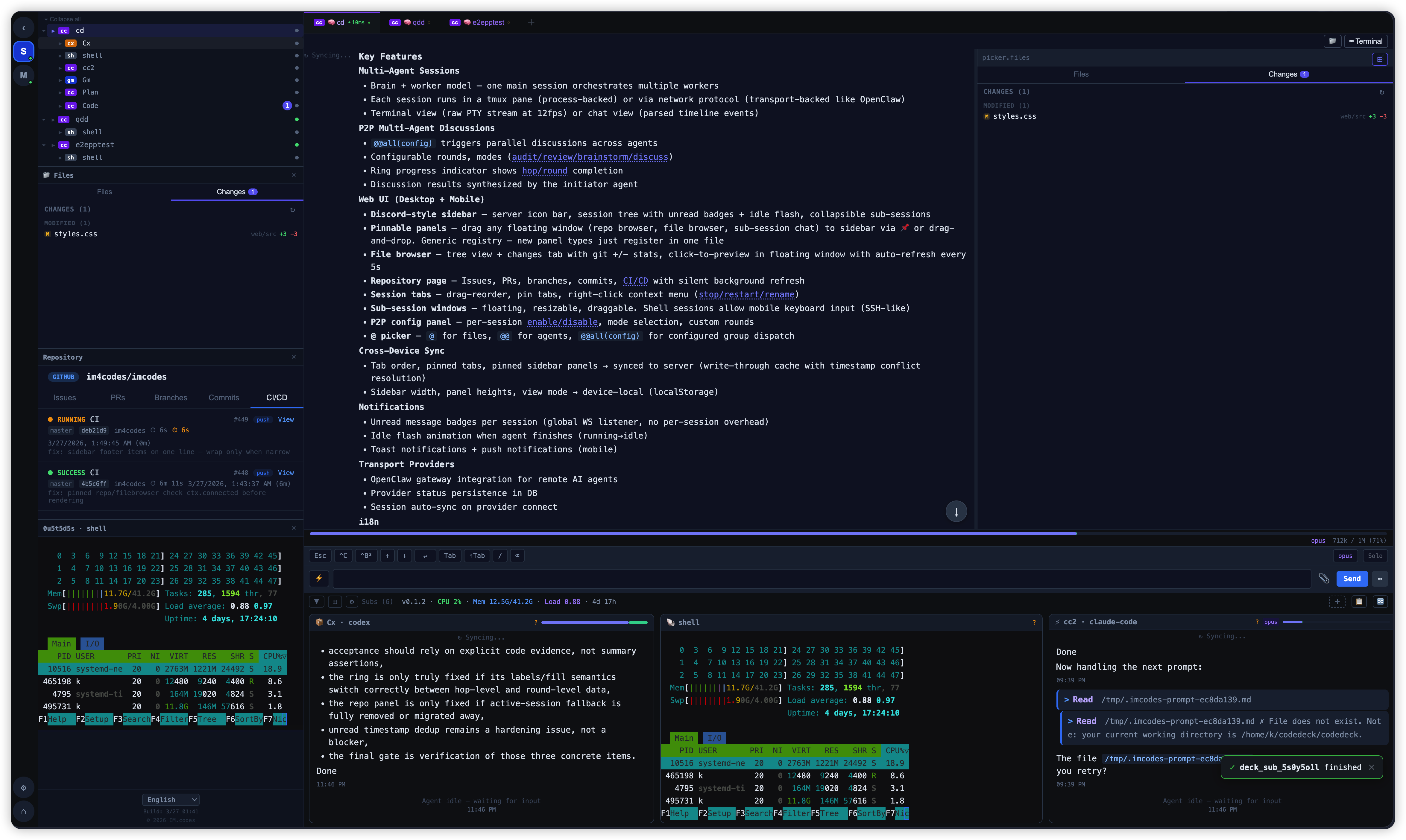
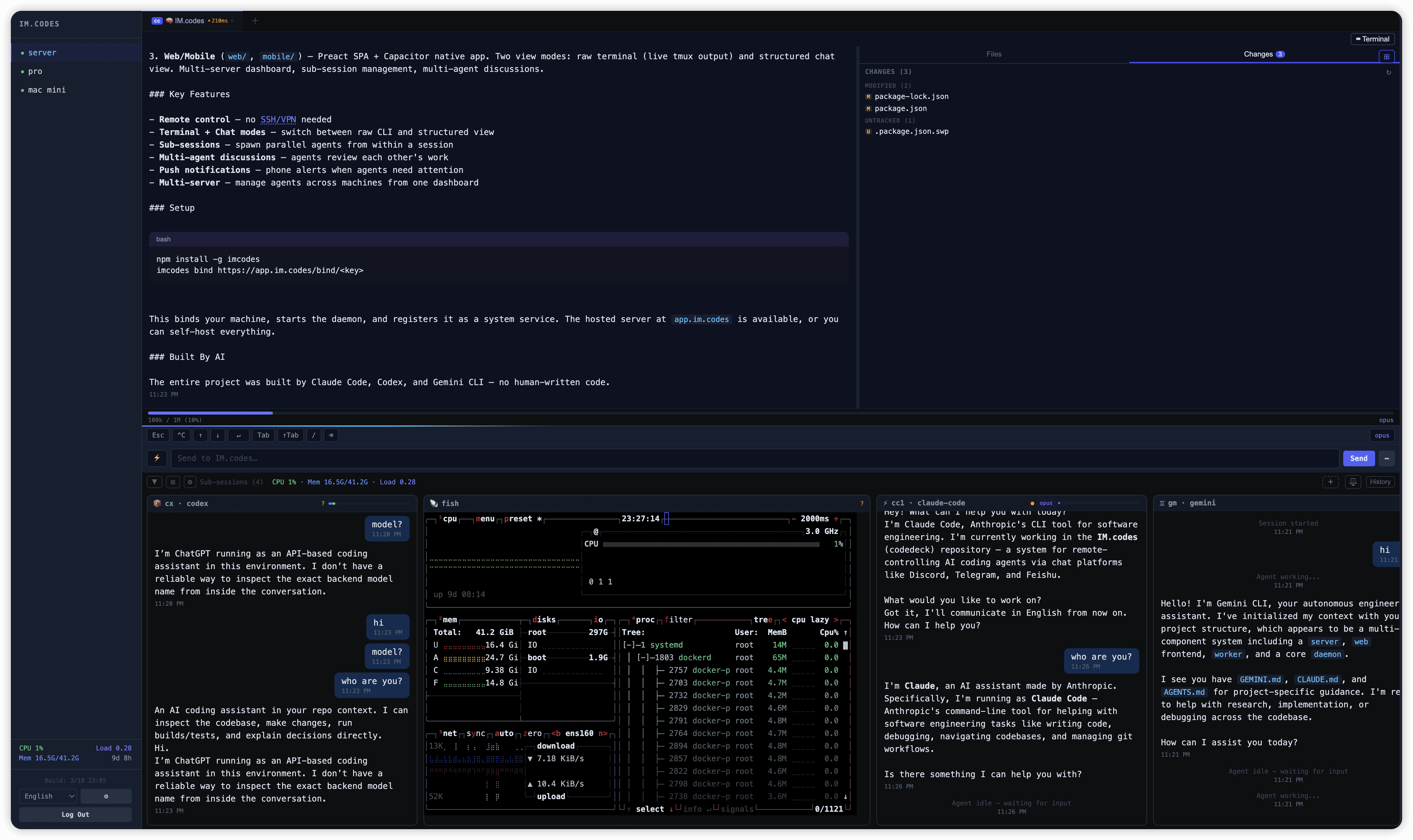
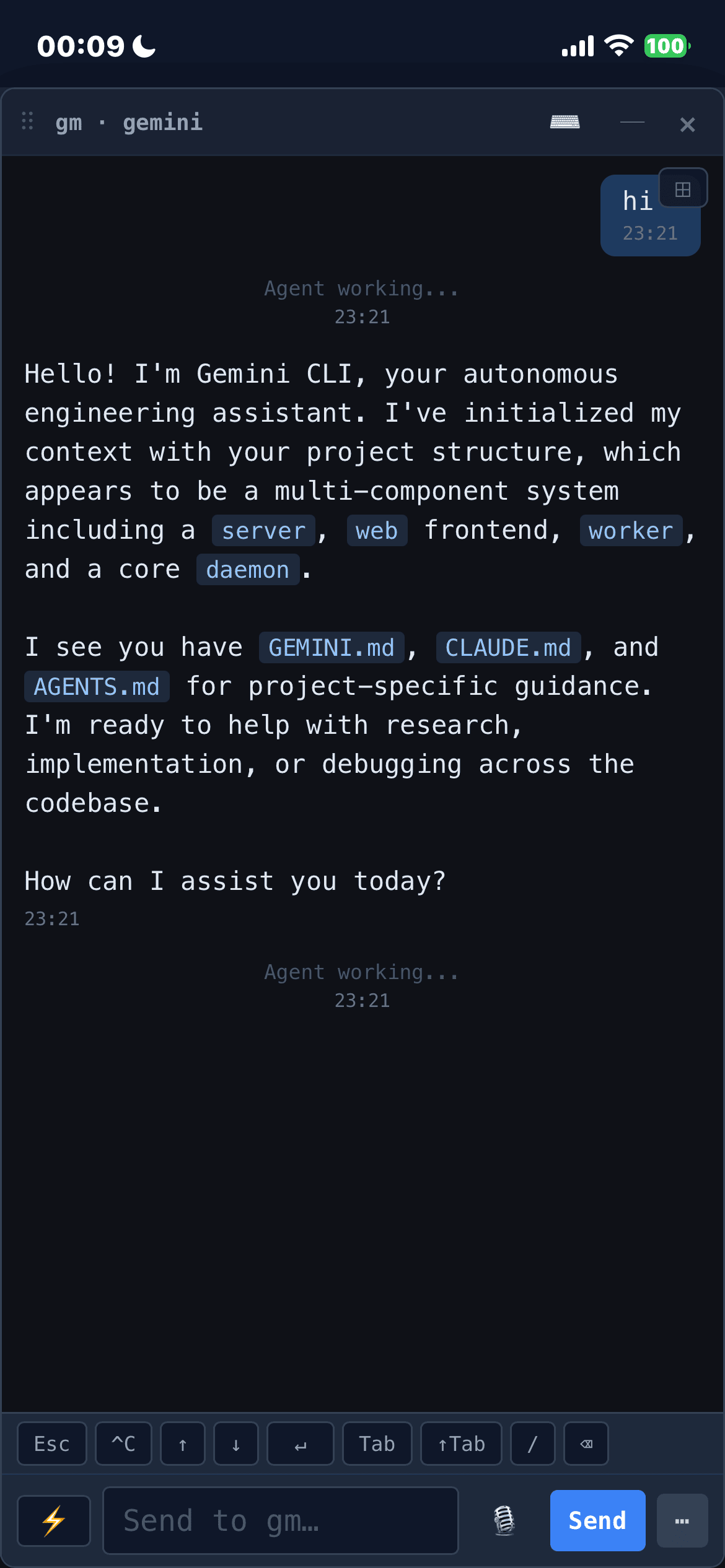
Full terminal access to your agent sessions from any browser — no SSH, no VPN, no port forwarding. Switch between raw terminal mode (the native CLI experience) and a structured chat view with parsed tool calls, thinking blocks, and streaming output. Real-time PTY streaming at 12fps with zero message limits.
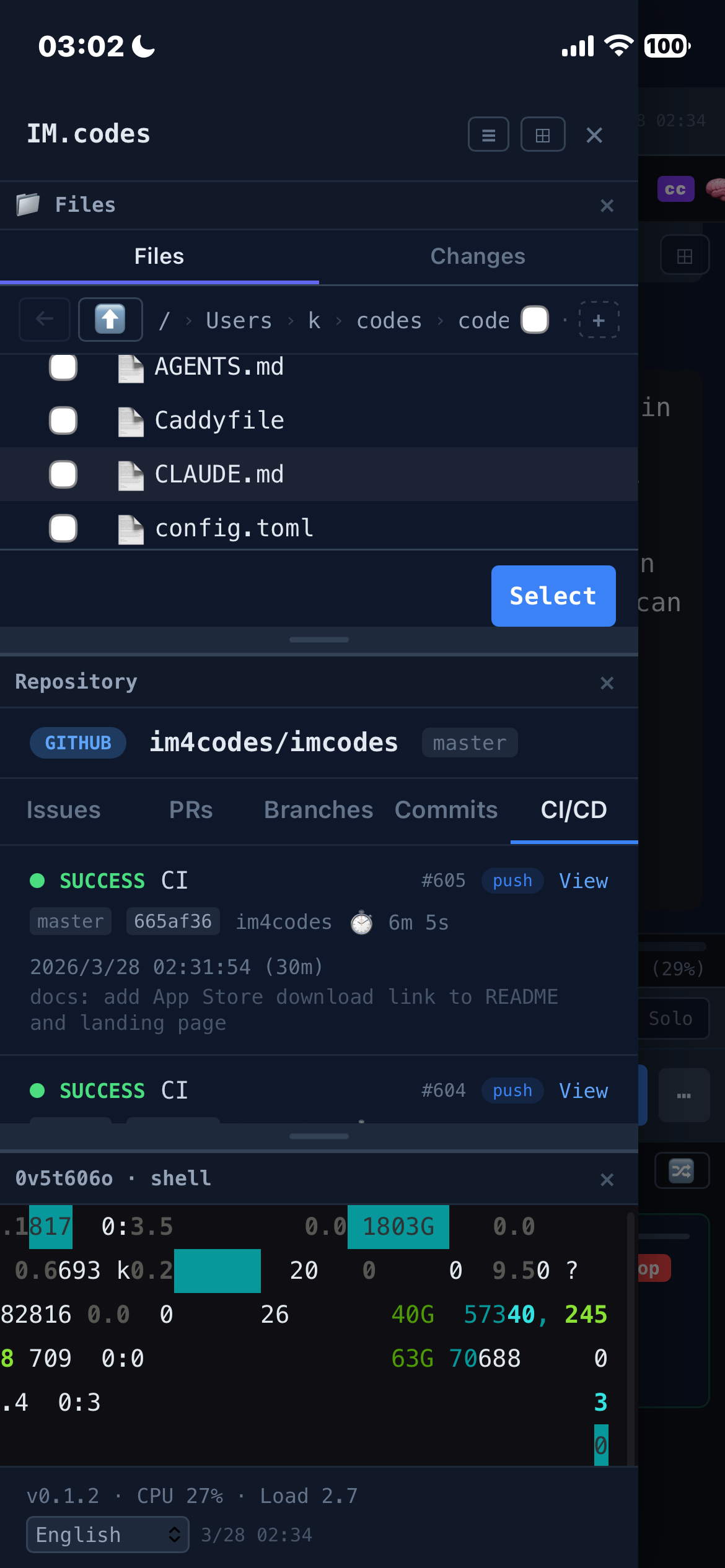
Browse project files with a tree view. Upload files, images, and photos from any device — download files directly from the server. Changes tab shows git status with per-file +additions/-deletions line counts in color. Click a file to open a floating preview window with syntax highlighting, diff view, rendered HTML quick preview, and auto-refresh every 5s. Chat-rendered local file links get quick actions too: HTML files can open a safe rendered preview, and local image paths render inline thumbnails that expand in a floating lightbox. Pin the file browser to the sidebar — it follows the active tab's project directory automatically.
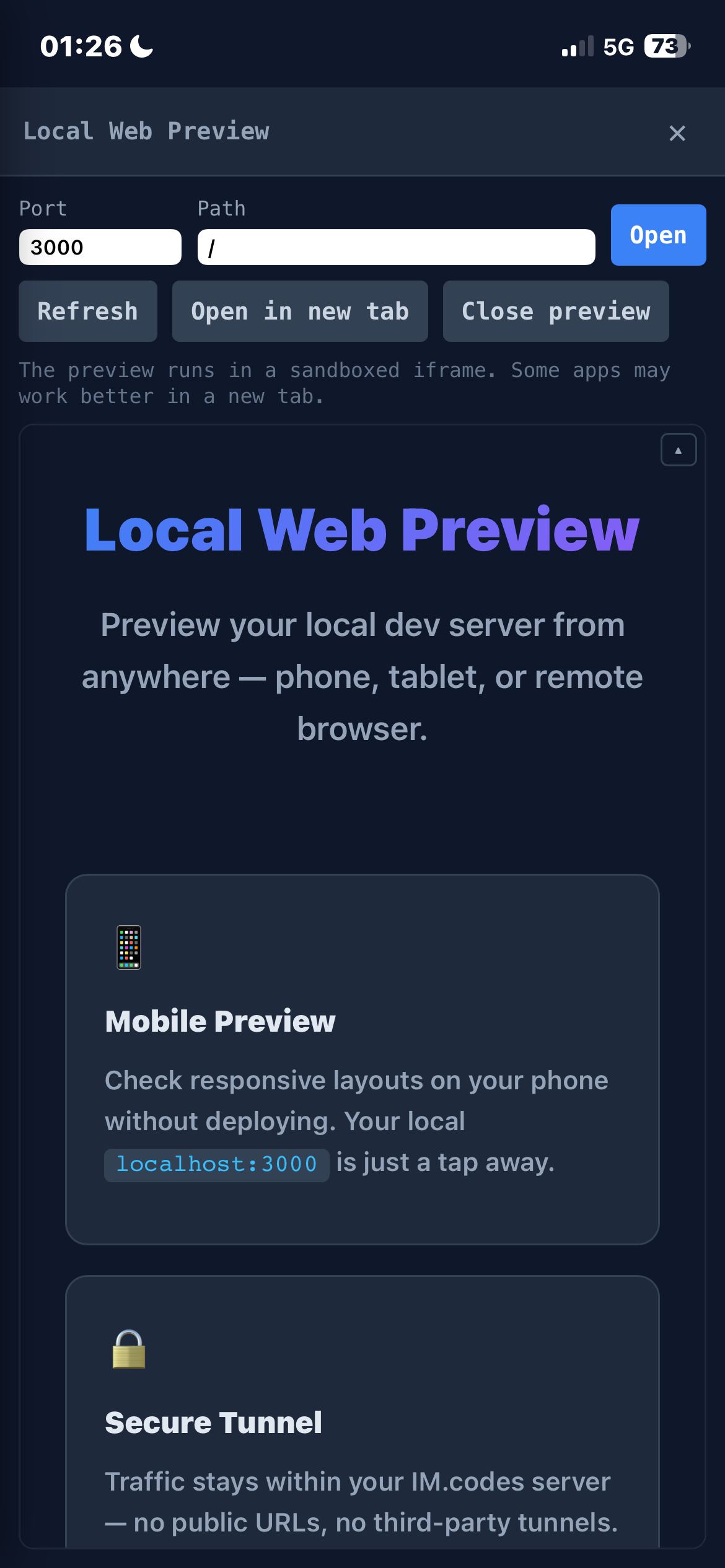
Preview your local dev server from any device — phone, tablet, or remote browser — without deploying. The daemon proxies localhost traffic through a secure WebSocket tunnel to the server. HTML rewriting and a runtime patch handle URL remapping so links, fetch, and WebSocket connections just work. Supports HMR/hot-reload via WebSocket tunneling. No public URLs, no third-party tunnels — traffic stays within your IM.codes server.
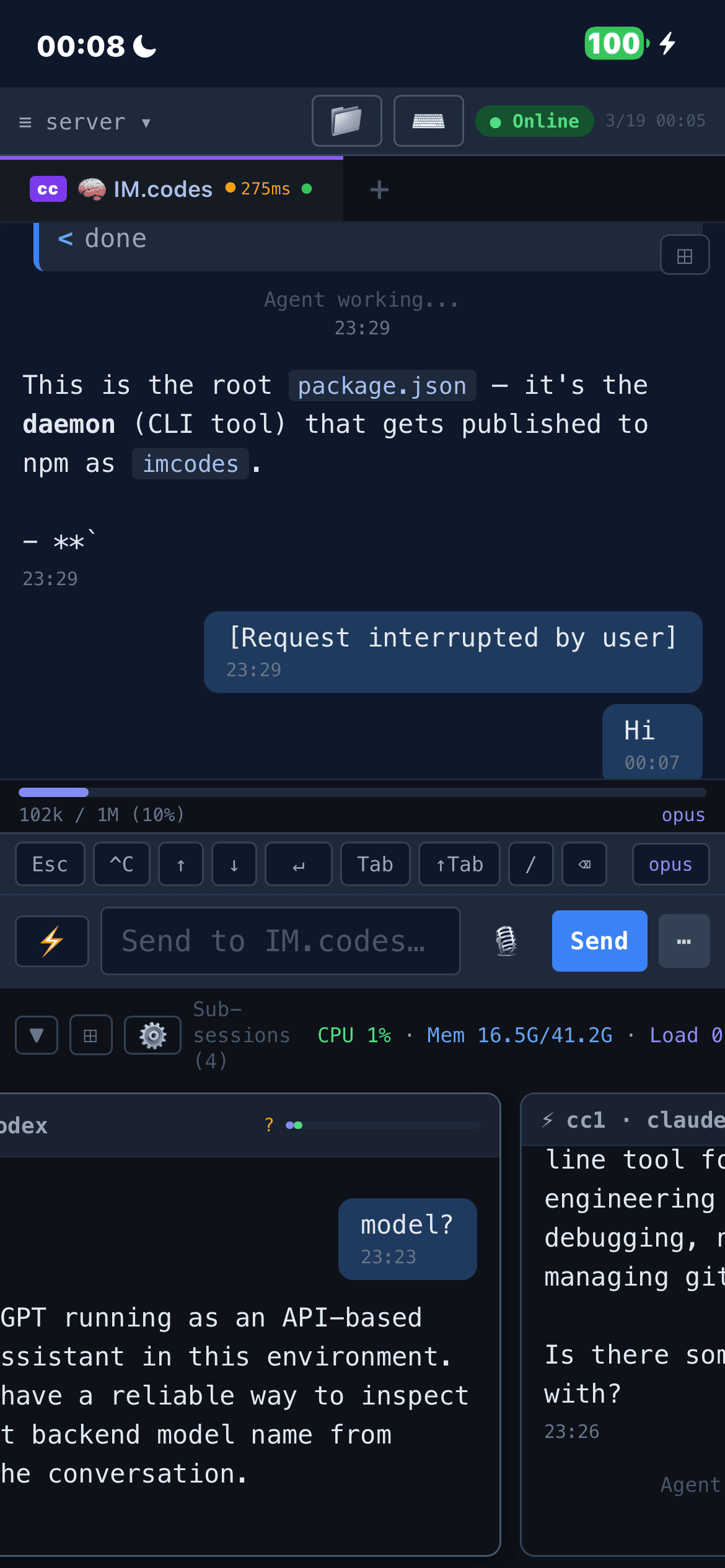
Full mobile support with biometric auth and push notifications. Shell sessions allow interactive keyboard input on mobile (SSH-like). Sub-session preview cards always show latest messages. Toast notifications navigate directly to the relevant session. Apple Watch support adds quick session monitoring, unread counts, and quick replies from the wrist.
Auto supervision adds turn-level control for supported transport-backed agents. Instead of blindly continuing forever, IM.codes evaluates the latest completed turn and decides whether the task looks done, should keep going, or should come back to you. For higher-assurance work, supervised_audit can automatically trigger an audit/rework loop before the session is considered finished.
Auto supervision splits configuration into two layers. Backend, model, and timeout are snapshot-frozen at the moment you enable Auto on a session, so editing the global defaults later never surprises an already-running session. Custom supervision instructions work differently: a global persona is paired with the session's own free text and — by default — both are concatenated into the prompt sent to the supervisor. Tick the session's Override global checkbox to have that session ignore the global persona entirely. The global persona is re-read on every turn, so when you update it every already-enabled session picks it up on the next dispatch without needing a re-enable. Auto is also aware of IM.codes-native workflows such as OpenSpec changes, Team discussions, and imcodes send, so those actions count as legitimate next steps instead of accidental "ask human" triggers.
Single-model output shouldn't be trusted blindly. Team discussions let multiple agents — across different providers and thinking styles — collaborate on the same codebase before a single line is written. Each round follows a customizable multi-phase pipeline where every agent reads all prior contributions and builds on them. Different models catch different classes of issues: one spots a race condition, another flags a missing migration, a third questions the API design. This cross-provider scrutiny catches problems a single model often misses before implementation, reducing rework cycles.
Built-in modes include audit (structured audit → review → plan pipeline), review, discuss, and brainstorm — or define your own phase sequence. Ring progress indicator shows round/hop completion in the sidebar. Works across Claude Code, Codex, Gemini CLI, and Qwen, including sandboxed agents. Configure participants, round counts, modes, and per-session Team settings via @@all(config) or the UI.
Native streaming output support for transport-backed agents like Claude Code SDK, Codex SDK, OpenClaw, and Qwen. These agents connect via network protocols or local SDKs instead of terminal scraping, delivering structured event streams with real-time delta updates, tool call tracking, and session restore.
Note on OpenClaw:
imcodes connect openclawhas only been tested on macOS so far.
Supported SDK providers can receive the ten-tool IM.codes-managed MCP surface automatically: memory search/source lookup, observation and preference capture, scoped Send, and Cron scheduling. MCP status is reported per provider in the UI, with ready/degraded states so you can tell whether Memory, Send, and Cron tools are actually available to that model.
Agents can message each other directly using imcodes send. An agent running in one session can ask a sibling to review code, run tests, or coordinate on a task — no user intervention needed. Target resolution by label, session name, or agent type. --reply flag instructs the target to send its response back automatically. Built-in circuit breakers prevent abuse (depth limit, rate limiting, broadcast cap).
The same flow is available to SDK-backed agents through MCP: send_list_targets discovers valid sibling targets, and send_message sends scoped text, file references, reply requests, or broadcasts without exposing raw routing credentials.
imcodes send "Plan" "review the changes in src/api.ts"
imcodes send "Cx" "run tests" --reply
imcodes send --all "migration complete, check your end"
Beyond agent-to-agent chat, you can use script sessions to build custom automation. A Python script running in a script session can call imcodes send to trigger agents based on any external event:
# monitor.py — watch a log file, trigger agent when errors appear
import subprocess, time

while True:
    with open("/var/log/app.log") as f:
        for line in f:
            if "ERROR" in line:
                subprocess.run([
                    "imcodes", "send", "Claude",
                    f"Fix this error and write the patch to /tmp/fix.patch:\n{line}"
                ])
    time.sleep(30)
# Webhook → agent: GitHub webhook handler triggers code review
curl -X POST https://your-server/webhook -d '{"pr": 42}' \
&& imcodes send "Gemini" "review PR #42, write summary to /tmp/review.md"
# CI → agent: post-build trigger
imcodes send "Claude" "tests failed on main, check CI log at /tmp/ci.log and fix" --replyUse cases: log monitoring → auto-fix, webhook-triggered code review, CI failure auto-diagnosis, scheduled data pipeline checks, custom approval workflows with output written to specific files for human review.
Type @ to search project files, @@ to select agents for Team dispatch. @@all(config) sends to all configured agents with saved per-session Team settings (mode, rounds, participants). Custom round counts via @@all+. The picker integrates with the structured WS routing — daemon handles all expansion, frontend stays clean.
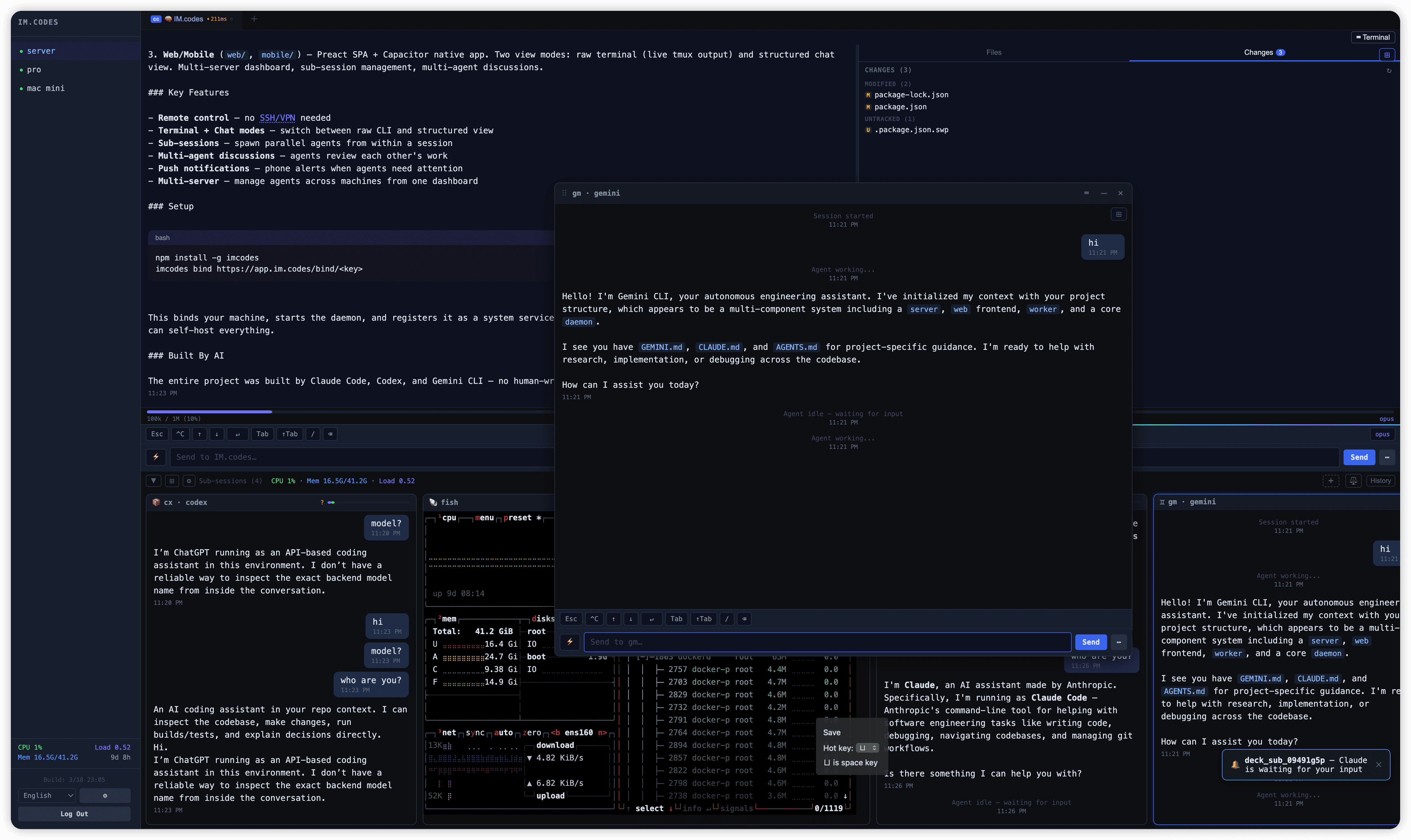
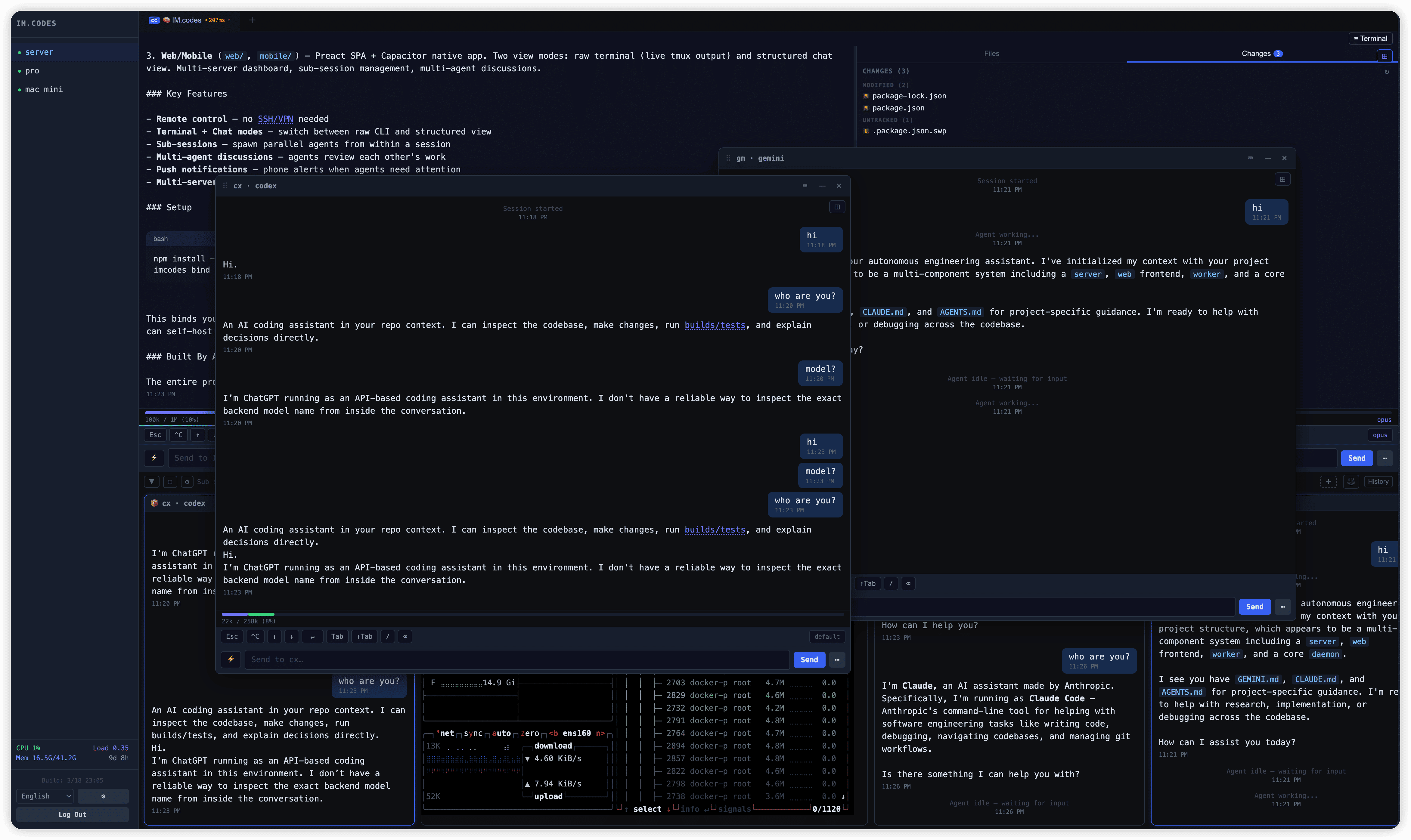
Connect multiple dev machines to one dashboard. Each machine runs a lightweight daemon that manages local agent sessions via tmux. See all servers and sessions at a glance — start, stop, restart, or switch between them instantly. Sub-sessions let you spawn additional agents from within a running session for parallel tasks. Draggable tabs with pin support and right-click context menus.
Server icon bar for instant multi-server switching. Hierarchical session tree with collapsible sub-sessions, unread message badges, and idle flash animation when agents finish tasks. Pin any floating window (file browser, repository, sub-session chat) to the sidebar for persistent access. Language switcher and build info at the bottom.
Drag any floating window to the sidebar to pin it as a persistent panel. Supports file browser, repository page, sub-session chat, and terminal views. Panels are resizable, server-synced (cross-device), and auto-recover on reconnect. Generic registry — new panel types register in one file.
View issues, pull requests, branches, commits, and CI/CD runs directly in the app. Silent background refresh — no more pull-to-refresh jitter. CI status auto-polls (10s when running, 15s otherwise). Pin the repository page to the sidebar for always-on visibility.
Automate recurring agent workflows with cron-style scheduling. Create scheduled tasks that send commands to specific sessions or trigger multi-agent Team discussions on a timetable. Visual cron picker for common intervals, timezone-aware scheduling, and manual "Run Now" for testing. Execution history with expandable result detail — click any record to navigate to the target session and quote the result for follow-up. Cross-job execution list with Latest/All modes and multi-server filtering.
SDK-backed agents can manage the same scheduler through MCP with cron_create, cron_list, cron_update, and cron_delete, creating structured sends for reminders, recurring checks, delegated reviews, or follow-ups while staying bound to the current project/session identity.
Tab order, pinned tabs, and pinned sidebar panels sync across devices via the server preferences API. Write-through cache pattern: localStorage for instant render, debounced server PUT for cross-device consistency. Timestamped payloads for conflict resolution. Device-specific state (sidebar width, panel heights, view mode) stays local.
7 languages: English, 简体中文, 繁體中文, Español, Русский, 日本語, 한국어. Language switcher in the sidebar footer. All user-visible strings use i18n keys.
Daemon self-upgrades via npm. Trigger from the web UI for one device or all devices at once.
- Not another AI IDE
- Not just a chat wrapper
- Not just a remote terminal client
- Not a replacement for Claude Code, Codex, Gemini CLI, OpenClaw, or Qwen
- It is the messaging/control layer around them
You (browser / mobile)
        ↓ WebSocket
Server (self-hosted)
        ↓ WebSocket
Daemon (your machine)
        ↓ tmux / transport / managed MCP
AI Agents (Claude Code / Codex / Gemini CLI / OpenClaw)
        ↔ imcodes send (agent-to-agent)
The daemon runs on your dev machine and manages process-backed agent sessions through tmux or transport-backed sessions through network protocols / local SDKs (for example Claude Code SDK, Codex SDK, OpenClaw gateway, and Qwen). It also owns the managed MCP server that exposes runtime-scoped memory, Send, and Cron tools to supported SDK providers. Agents can communicate with each other via imcodes send. The server relays connections between your devices and the daemon. Everything stays on your infrastructure.
npm install -g imcodesSelf-hosting is strongly recommended. The shared instance at
app.im.codesis for testing only — it comes with no uptime guarantees, may be rate-limited, and could be targeted. This is a personal project with no commercial support. For anything beyond evaluation, deploy the server on your own infrastructure.
Use app.im.codes for evaluation, or self-host for anything real.
imcodes bind https://app.im.codes/bind/<api-key>This binds your machine, starts the daemon, registers it as a system service, and brings the machine into the web/mobile dashboard.
If OpenClaw is running locally, connect IM.codes to the OpenClaw gateway on the daemon machine:
imcodes connect openclawWhat this does:
- connects to
ws://127.0.0.1:18789by default - reuses the OpenClaw gateway token automatically from
~/.openclaw/openclaw.json - syncs OpenClaw sessions and child sessions into IM.codes so they appear as transport-backed sessions/sub-sessions
- saves the IM.codes-side connection config to
~/.imcodes/openclaw.json - restarts the daemon so OpenClaw transport sessions can reconnect automatically
Common variants:
imcodes connect openclaw --url ws://127.0.0.1:18789
OPENCLAW_GATEWAY_TOKEN=... imcodes connect openclaw
imcodes connect openclaw --url wss://gateway.example.com
Notes:
- remote non-TLS
ws://URLs require--insecure - use
imcodes disconnect openclawto remove the saved config and drop the connection - this flow has only been tested on macOS
Deploy server + daemon on a single machine. Requires Docker and a domain with DNS pointing to the server.
npm install -g imcodes
mkdir imcodes && cd imcodes
imcodes setup --domain imc.example.com
This generates all config, starts PostgreSQL + server + Caddy with automatic HTTPS, creates the admin account, and binds the local daemon — all in one step. Credentials are printed at the end.
To connect additional machines:
npm install -g imcodes
imcodes bind https://imc.example.com/bind/<api-key>If you prefer to configure manually:
git clone https://github.com/im4codes/imcodes.git && cd imcodes
./gen-env.sh imc.example.com        # generates .env with random secrets, prints admin password
docker compose up -d
The generated docker-compose.yml already uses pgvector/pgvector:pg18 for PostgreSQL.
Login at https://your-domain with admin and the printed password. Bind your dev machine with imcodes bind.
Windows is natively supported via ConPTY (built-in on Windows 10+). No WSL required.
npm install -g imcodes
imcodes bind https://app.im.codes/bind/<api-key>imcodes upgradeOr upgrade remotely from the web dashboard (sends upgrade command to the daemon).
If the daemon stops after an auto-upgrade, regenerate the launch chain:
imcodes repair-watchdogThis rewrites the watchdog script and scheduled task with the current Node.js and imcodes paths. Needed after Node.js version switches (nvm, fnm) or if the daemon won't restart after upgrade.
If imcodes is "not recognized as internal or external command" after upgrade, the npm global directory may not be on your PATH. Fix it:
npm prefix -gCopy the output path and add it to your PATH:
setx PATH "<npm-prefix-path>;%PATH%"Then open a new terminal window.
Check the daemon watchdog log for errors:
%USERPROFILE%\.imcodes\watchdog.log
- macOS or Linux (tested on both)
- Windows (experimental): Native support via ConPTY (built-in on Windows 10+). Just
npm install -g imcodes— no extra software needed. WSL also works. - Node.js >= 22
- Terminal multiplexer: tmux (Linux/macOS). Windows uses ConPTY (auto-detected, built-in).
- At least one AI coding agent: Claude Code (CLI or SDK), Codex (CLI or SDK), Gemini CLI, OpenClaw, or Qwen
IM.codes is an independent open-source project and is not affiliated with, endorsed by, or sponsored by Anthropic, OpenAI, Google, Alibaba, OpenClaw, or any other company whose products are mentioned. All product names, trademarks, and registered trademarks are the property of their respective owners.
© 2026 IM.codes