Repository navigation
Releases
ADB Controller v1.1.0

What's new
Wireless-debugging pairing, rebuilt (experimental)
The old pairing code used the wrong key exchange and could never pair. It has been replaced with libadb-android, an established open-source implementation of Android 11+ wireless-debugging pairing.
- Pair with pairing code: devices showing a pairing code on your Wi-Fi network are found automatically. Tap one, enter the 6-digit code, and the connection port is detected for you.
- Pair this phone (like Shizuku): pair the phone running the app with itself. You type the code into a notification, so the Settings pairing dialog stays open.
- Pair with QR code: the app now shows a QR code for the target device to scan in Wireless debugging → Pair device with QR code. Before, it wrongly tried to scan one.
⚠️ Experimental: connecting to a device right after pairing isn't reliable yet. If it fails, use the dependable route: connect once with a USB OTG cable and tap WiFi ADB → Switch this session to Wi-Fi, or runadb tcpip 5555from a computer and connect by IP.
Smaller download
- Removed the camera and barcode-scanning libraries, which the new QR flow doesn't need. The APK drops from 39 MB to 24 MB, and the app no longer asks for camera permission.
Install
Download ADB-Controller-v1.1.0.apk below (Android 7.0+).
- Upgrading from v1.0.x: installs in place, and your saved devices are kept.
- "App not installed"? Uninstall any copy you built from source first (Settings → Apps → ADB Controller → Uninstall), then install this APK.
- On Android 13+, the app asks for notification permission the first time you use Pair this phone.
Verify the download
| APK SHA-256 | 6ab5251436b83cefe49041daf24ccef43972bd78452eefbb6fc01803800e3fd4 |
| Signing certificate SHA-256 | 96151aed14412a2a530720f6e008003cd003dcb5e8ae8787604c1b39958d1a97 |
Licensed under the GNU GPL v3.0. Pairing uses libadb-android (GPL-3.0-or-later / Apache-2.0).
Full changelog: v1.0.2...v1.1.0
ADB Controller v1.0.2
Fixes
- Fixed "App not installed" when installing the release. Builds made from source used the same package name as the release but a different signing key, so having one installed blocked the release APK. Builds from source now install as a separate app, ADB Controller (debug), so they no longer conflict.
- Includes the first-time connection fix from v1.0.1: the first wireless or USB connection to a device now succeeds right after you approve the "Allow USB debugging?" prompt.
Install
Download ADB-Controller-v1.0.2.apk below (Android 7.0+).
- Upgrading from v1.0 or v1.0.1: installs in place, and your saved devices are kept.
- Still getting "App not installed"? You have an older copy built from source (signed with a different key). Uninstall it once (Settings → Apps → ADB Controller → Uninstall), then install this APK.
Still experimental
- Pair with QR code / pairing code (Android 11+ wireless debugging) doesn't work yet. For Wi-Fi, connect once over USB OTG and use WiFi ADB → Switch this session to Wi-Fi, or run
adb tcpip 5555from a computer and connect by IP.
Verify the download
| APK SHA-256 | 83f423561aa1b730c7fd2d36854bd4be2d29f98fc8bae4809c1492e8e5a14eff |
| Signing certificate SHA-256 | 96151aed14412a2a530720f6e008003cd003dcb5e8ae8787604c1b39958d1a97 |
Licensed under the GNU GPL v3.0.
Full changelog: v1.0.1...v1.0.2
ADB Controller v1.0.1
Bug fixes
- Fixed: first-time wireless (and USB) ADB connection failed. The very first connection to a device — before its "Allow USB debugging?" prompt had been approved — would fail, and only a second attempt succeeded. The ADB authentication handshake now correctly signs the fresh token the device issues after you approve the key, so the first connection works. If you hit this on v1.0, update and it will connect on the first try.
Still experimental
- Pair with QR code / pairing code (Android 11+ wireless debugging) is not working yet and remains experimental. For Wi-Fi, connect once over USB OTG and use WiFi ADB → Switch this session to Wi-Fi on the dashboard, or run
adb tcpip 5555from a computer and connect by IP. A proper pairing implementation is planned.
Install
Download ADB-Controller-v1.0.1.apk below (Android 7.0+).
- Upgrading from v1.0: installs in place (same signing key).
- Getting "App not installed" or "package conflicts with an existing package"? You have a copy of ADB Controller that was built from source (signed with a different key). Uninstall it first (Settings → Apps → ADB Controller → Uninstall), then install this APK. Builds from source now install as a separate "ADB Controller (debug)" app, so this won't happen again.
Verify the download
| APK SHA-256 | 9575c36131661e7f0632077b277971514d5d34f847c0ec5f6e93f97c6692baa7 |
| Signing certificate SHA-256 | 96151aed14412a2a530720f6e008003cd003dcb5e8ae8787604c1b39958d1a97 |
Licensed under the GNU GPL v3.0.
Full changelog: v1.0...v1.0.1
ADB Controller v1.0
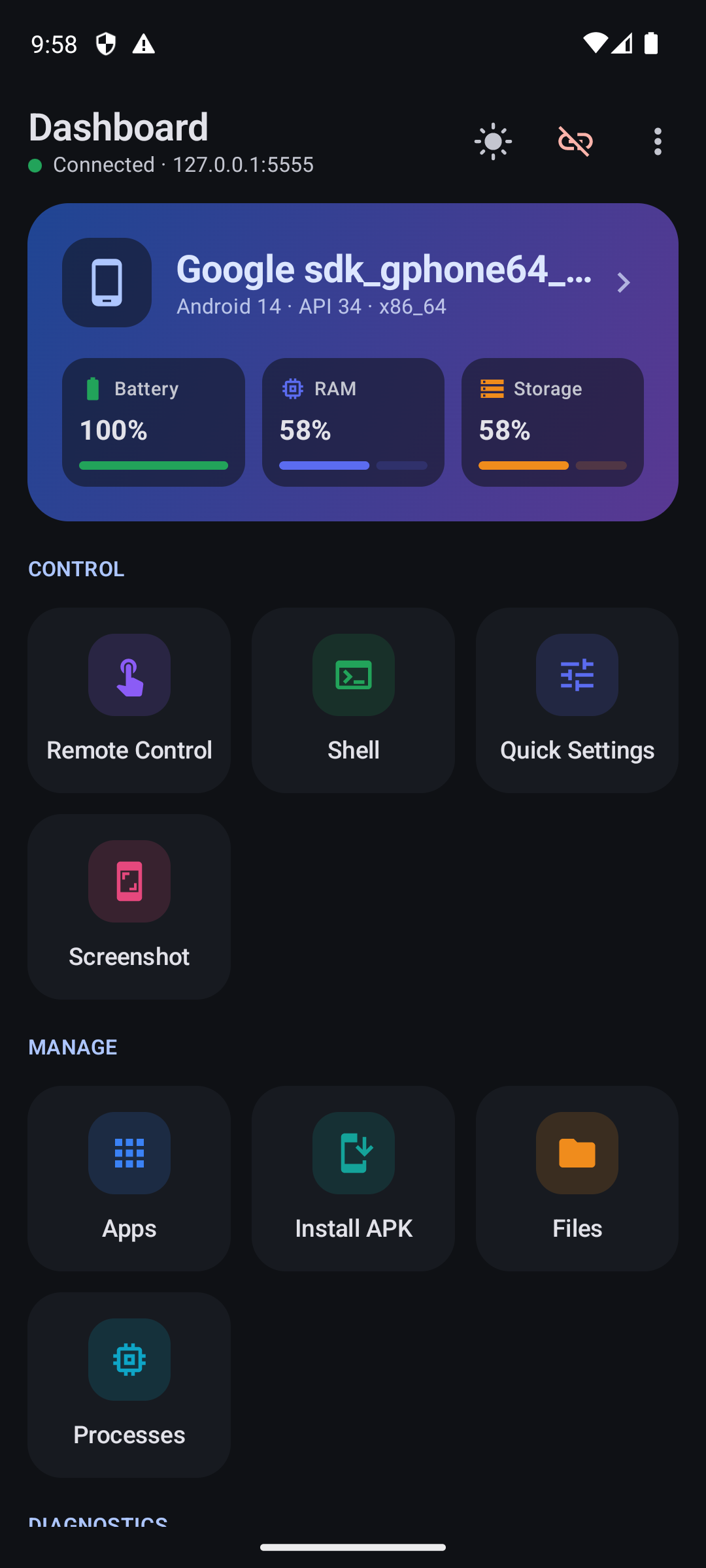
The first release of ADB Controller: control and manage other Android devices from your Android phone over Wi-Fi or a USB OTG cable, with no computer needed.
Highlights
- Connect over Wi-Fi (IP and port) or USB OTG, with a list of recent devices you can reconnect to in one tap
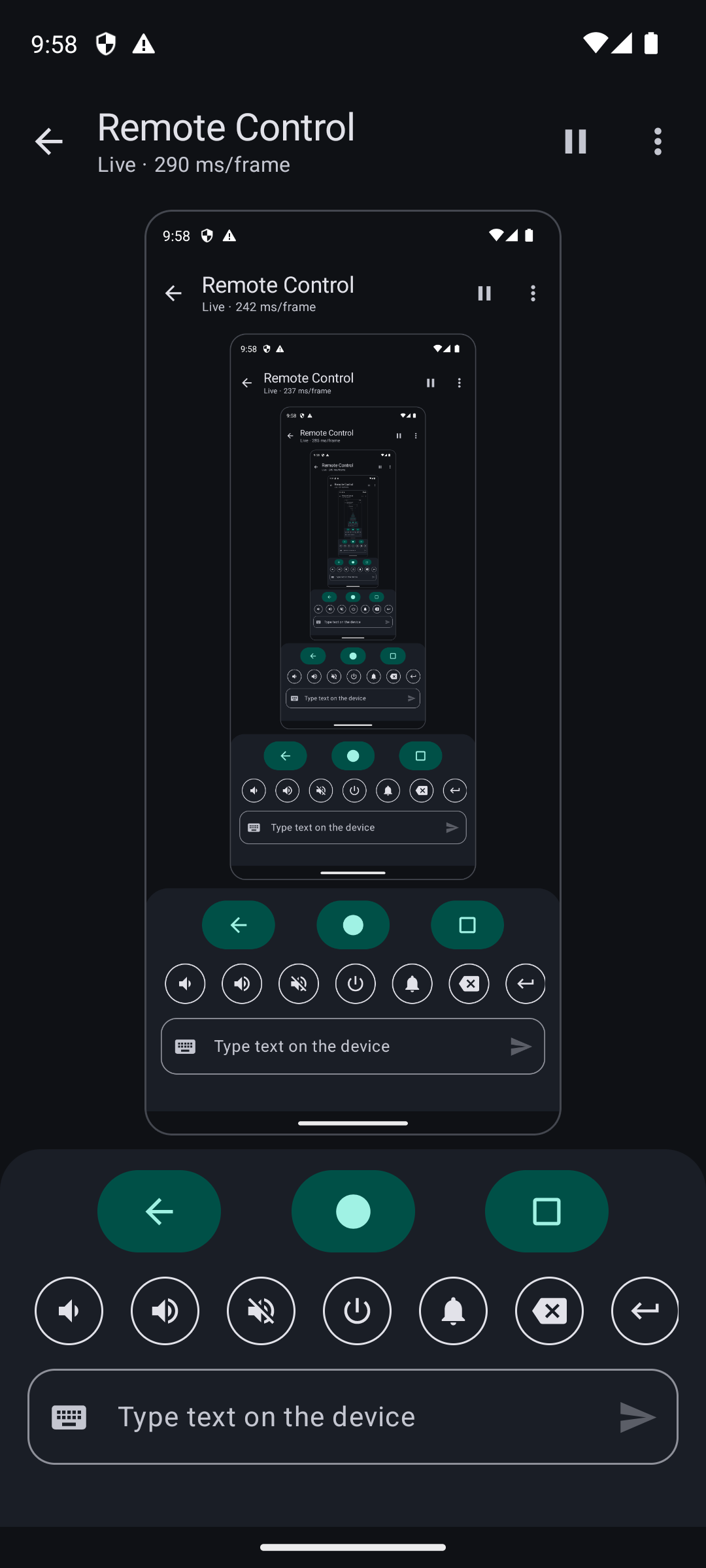
- Live remote control: see the screen, tap, swipe, use navigation, volume and power keys, and type text
- Apps: launch, force stop, clear data, enable/disable, uninstall, extract APKs, manage permissions, and install APKs from your phone
- Files: browse, upload, download, rename and delete
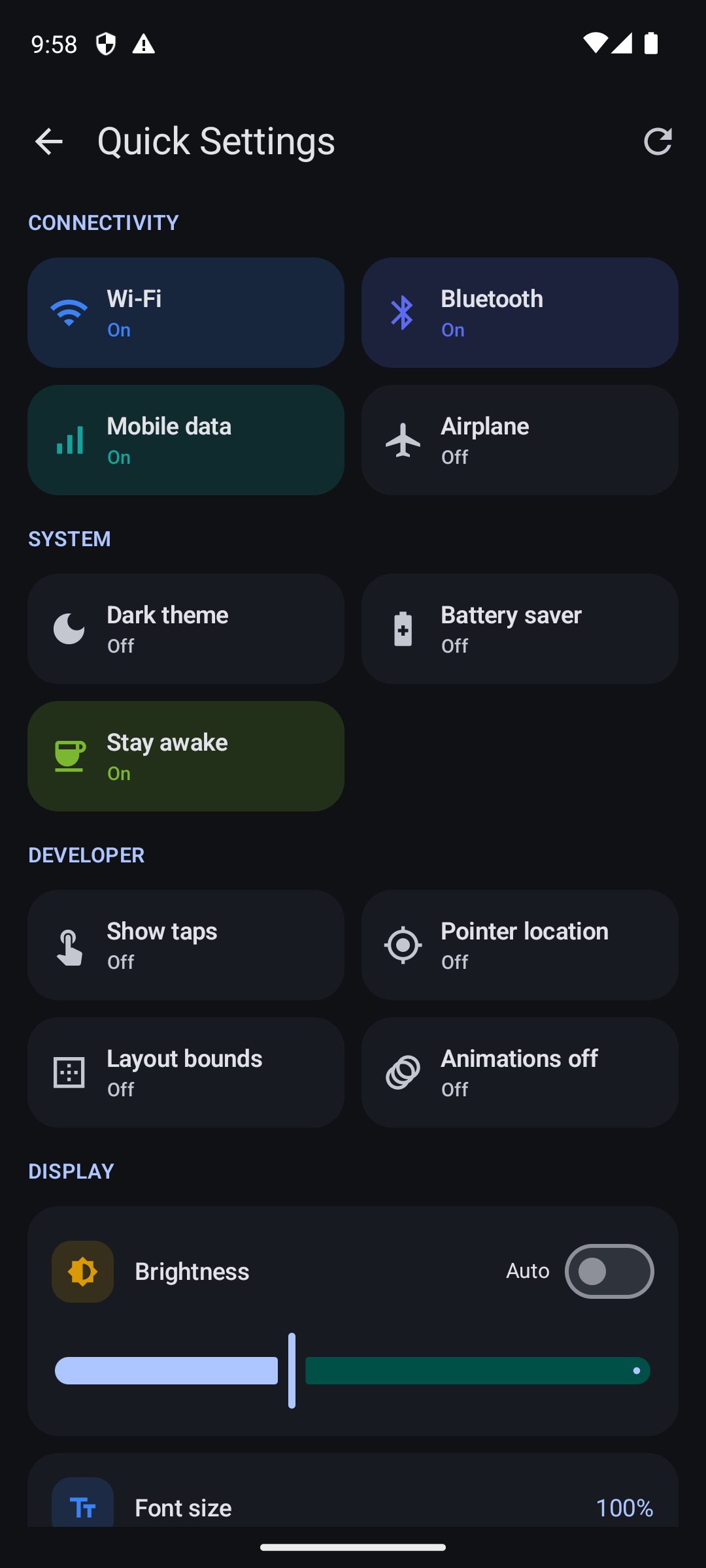
- Quick settings: Wi-Fi, Bluetooth, mobile data, airplane mode, dark theme, developer toggles, brightness, font size, resolution and DPI
- Diagnostics: device info, logcat, processes, network, battery, properties and kernel log
- Rooted devices (Magisk / KernelSU / APatch): module manager, root shell and files, CPU governors and temperatures, crash/ANR reports, soft reboot
- Light, dark and system themes, plus Material You dynamic color on Android 12+
Install
- Download ADB-Controller-v1.0.apk below and open it on your phone (Android 7.0 or newer). Allow installing from your browser or file manager if asked.
- On the device you want to control, enable Developer options → USB debugging.
- Connect by IP (after
adb tcpip 5555) or with a USB OTG cable, and approve the Allow USB debugging? prompt.
Known limitations
- Connecting through the Android 11+ Wireless debugging port isn't supported yet. Use
adb tcpipmode (or the dashboard's WiFi ADB button after a USB connection) for Wi-Fi. - Root features require a device you have rooted yourself.
Verify the download
| APK SHA-256 | e61f586dd66c786c49ca42bbb17e23b41772992577437bfe88143c91de43e39e |
| Signing certificate SHA-256 | 96151aed14412a2a530720f6e008003cd003dcb5e8ae8787604c1b39958d1a97 |
Licensed under the GNU GPL v3.0.