Repository navigation
Releases
klyph 1.4: Let's get physical

klyph 1.4.0: Let's get physical. Add it to a game with
plugins { id("com.eventslooped.klyph") version "1.4.0" }
klyph { entryPoint = "mygame.main" }
kotlin {
    sourceSets.nativeMain.dependencies {
        implementation("com.eventslooped.klyph:klyph:1.4.0")
        implementation("com.eventslooped.klyph:klyph-physics:1.4.0")   // optional
    }
}
or start from klyph-template. The guide and API reference are at https://inemtsev.github.io/klyph/, and the Physics guide covers the new module.
klyph-physics is the work of @pererikbergman, who wrote the engine, the eighteen-scene playground and the explainers in #55. Thank you, Per-Erik!
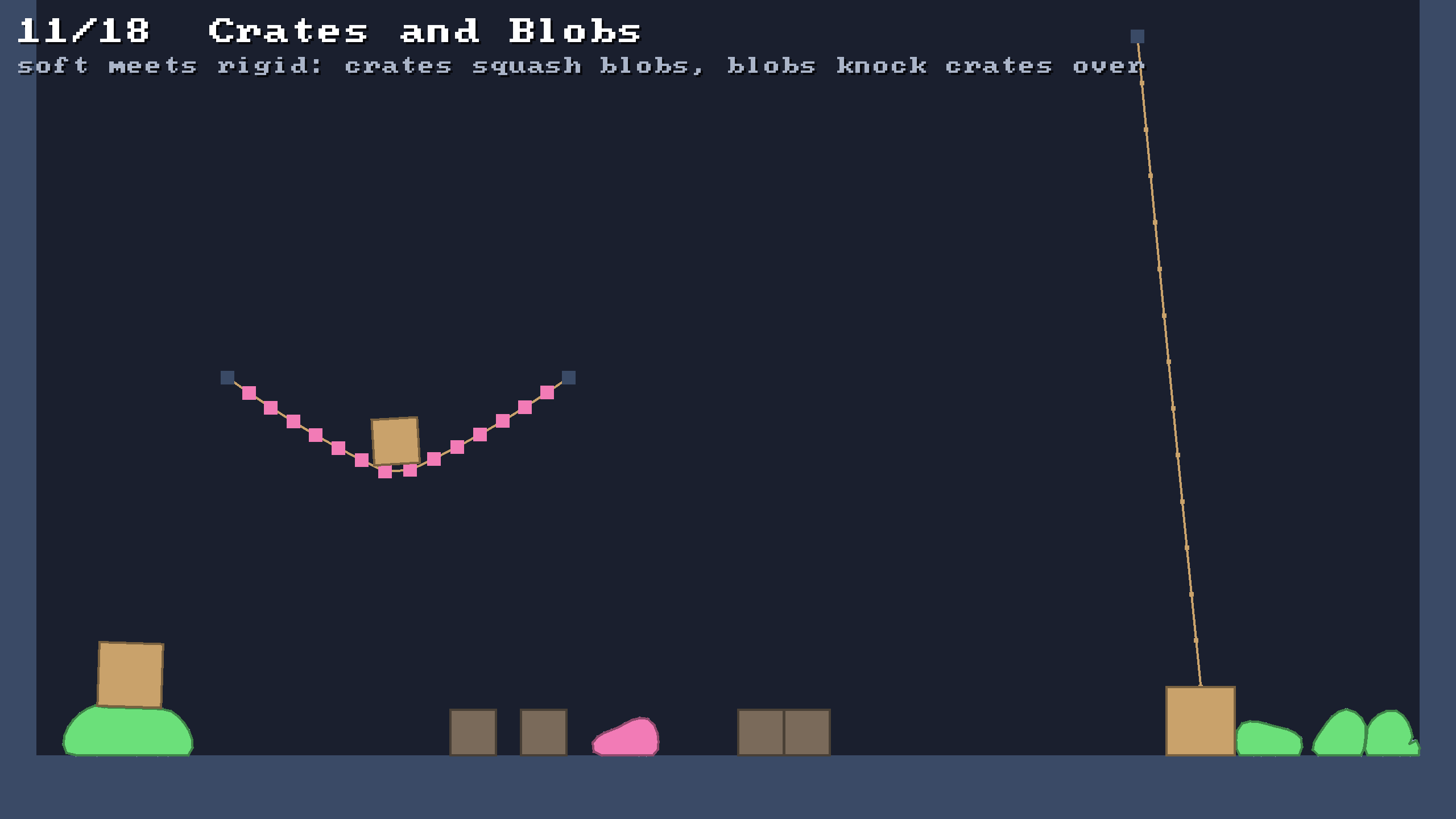
Rigid and soft bodies in one world: crates squash blobs, blobs knock crates over, and a net of links cradles a crate.
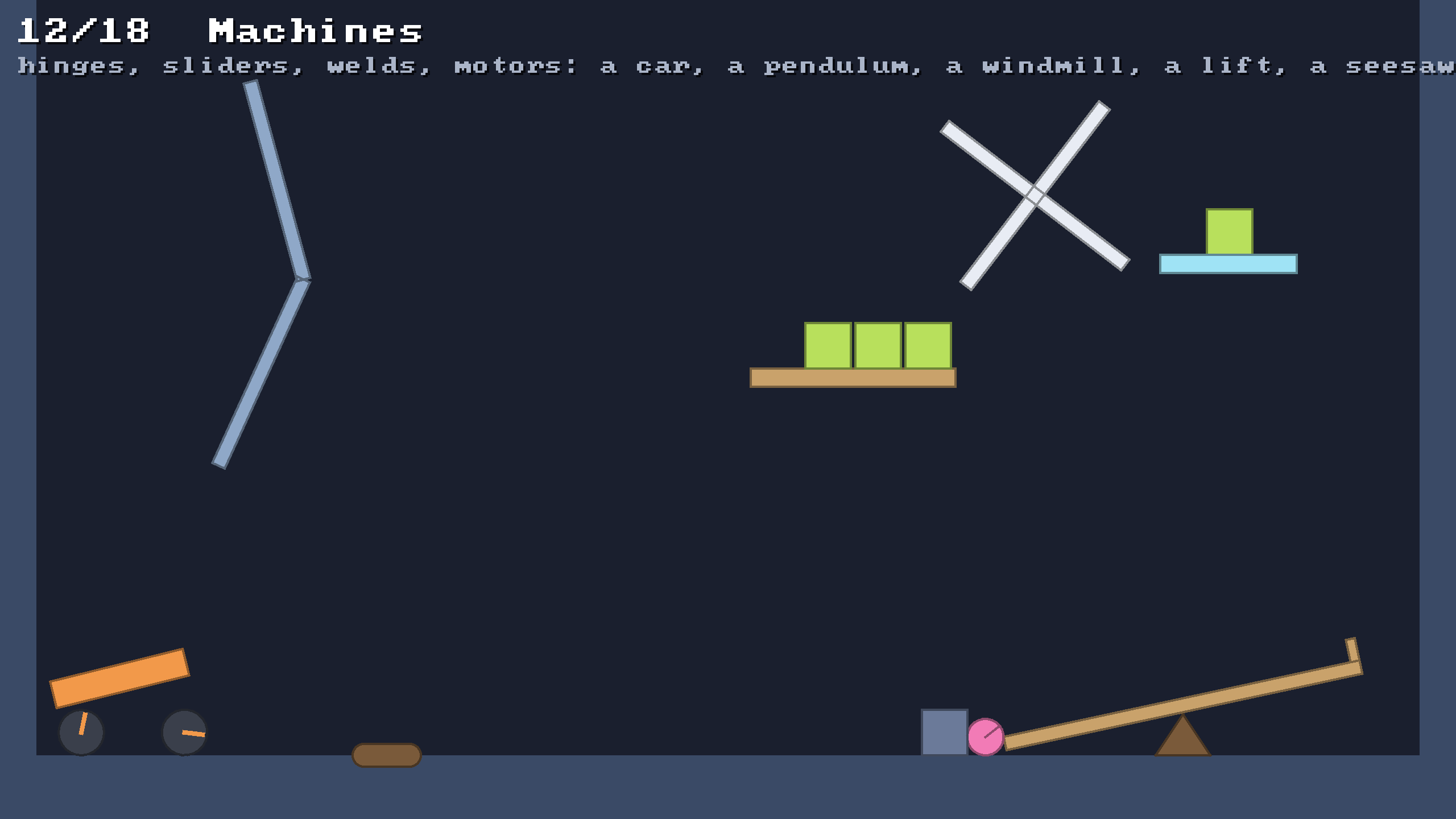
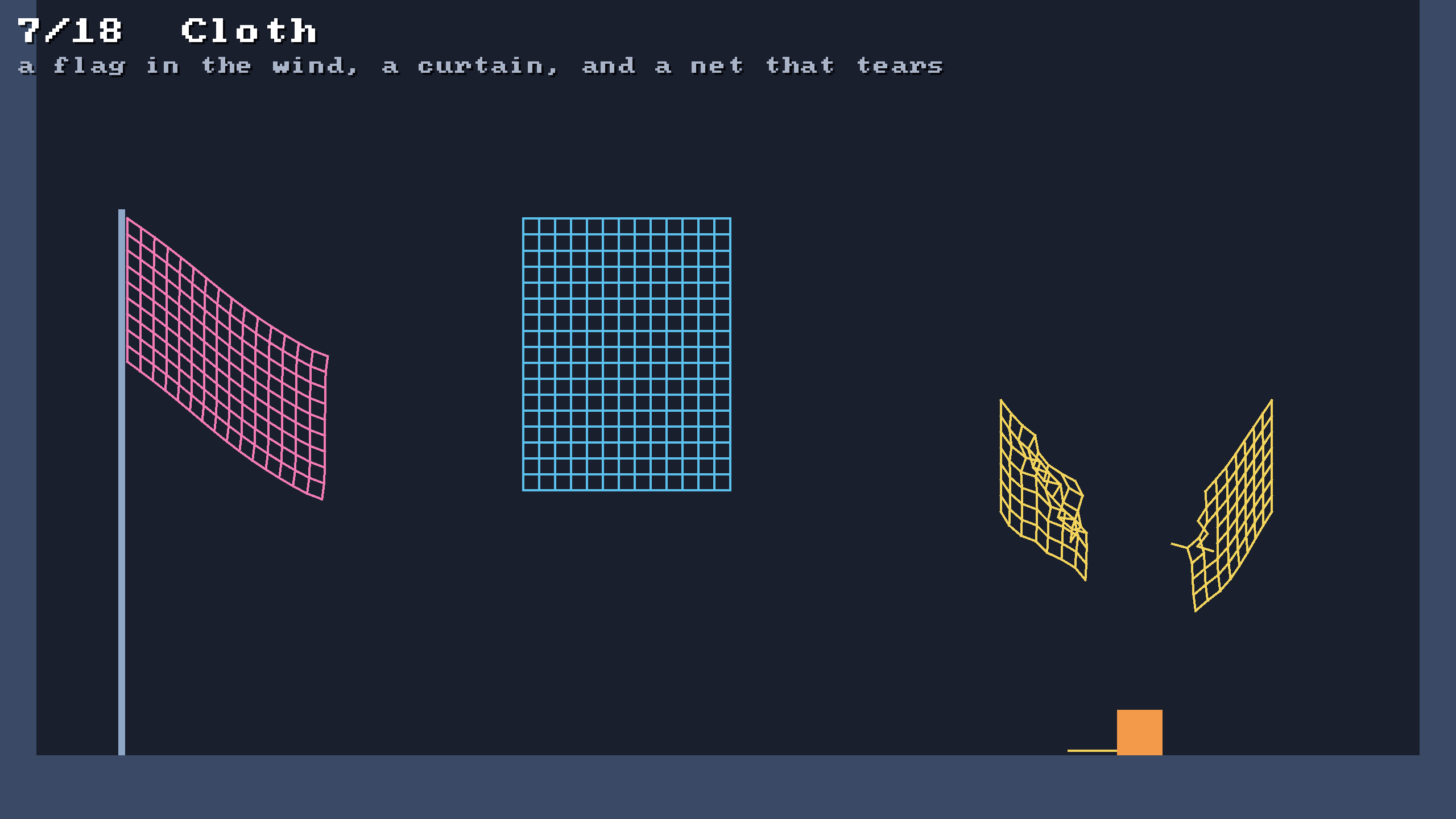
Hinges, sliders, welds and motors (left), and cloth that flaps and tears (right).
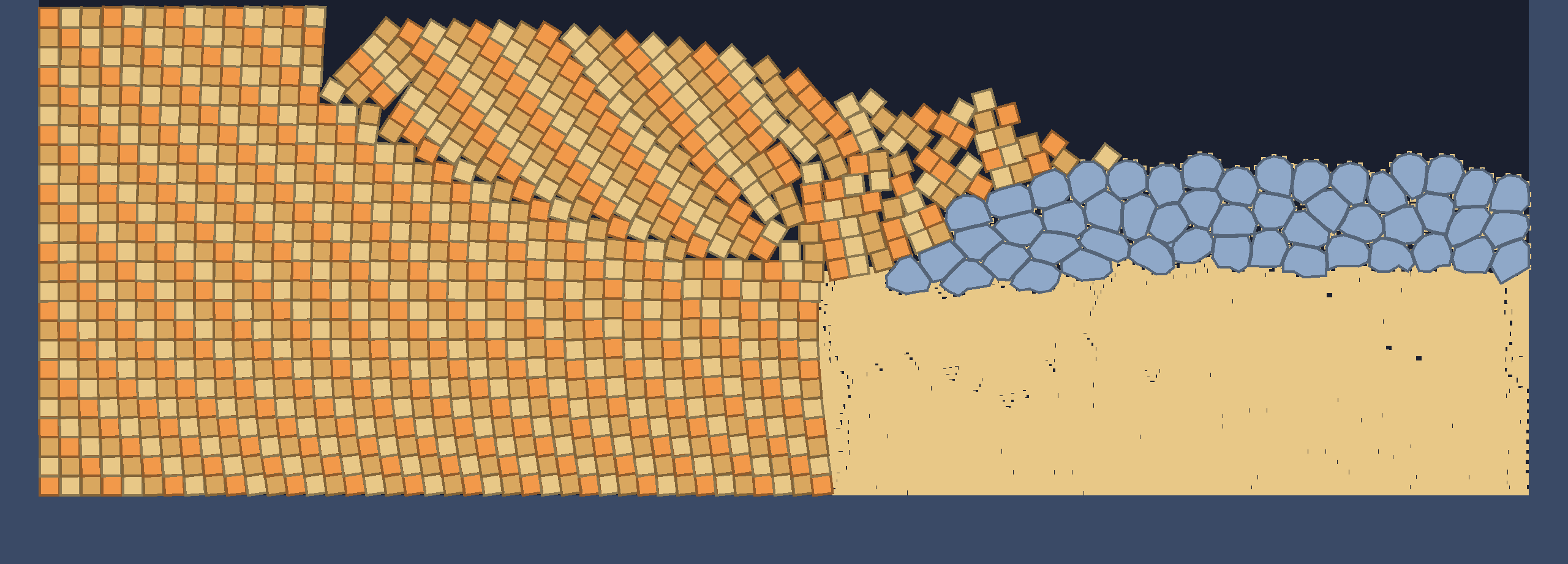
The playground's stress scene: 1 000 crates, 5 000 grains of sand and 50 blobs in one world. Run it with ./gradlew :games:physics:runRelease, the optimized build, and press the keys to switch scenes.
Let's get physical: klyph-physics, an optional module where crates stack and tumble, blobs
squash, ropes tear and sand pours.
Added
klyph-physics, a new module: a 2D physics engine with rigid and soft bodies, particles and sand,
ropes and cloth that tear, joints and motors, a level of solid tiles with slopes, contact and
sensor events, raycasts and queries; see the Physics guide.App.addPhysicssteps it in the fixed step,PhysicsBodymoves an entity with its body, and
PhysicsWorld.rigidBody(collider, transform)builds a body from a klyphCollider.games/physics: a playground of eighteen physics scenes, from a blob garden to a 5 000-grain stress test.
Contributors

Assets 2
klyph 1.3: Levels that move
klyph 1.3.0: Levels that move. Add it to a game with
plugins { id("com.eventslooped.klyph") version "1.3.0" }
klyph { entryPoint = "mygame.main" }
kotlin { sourceSets.nativeMain.dependencies { implementation("com.eventslooped.klyph:klyph:1.3.0") } }
or start from klyph-template. The guide and API reference are at https://inemtsev.github.io/klyph/.
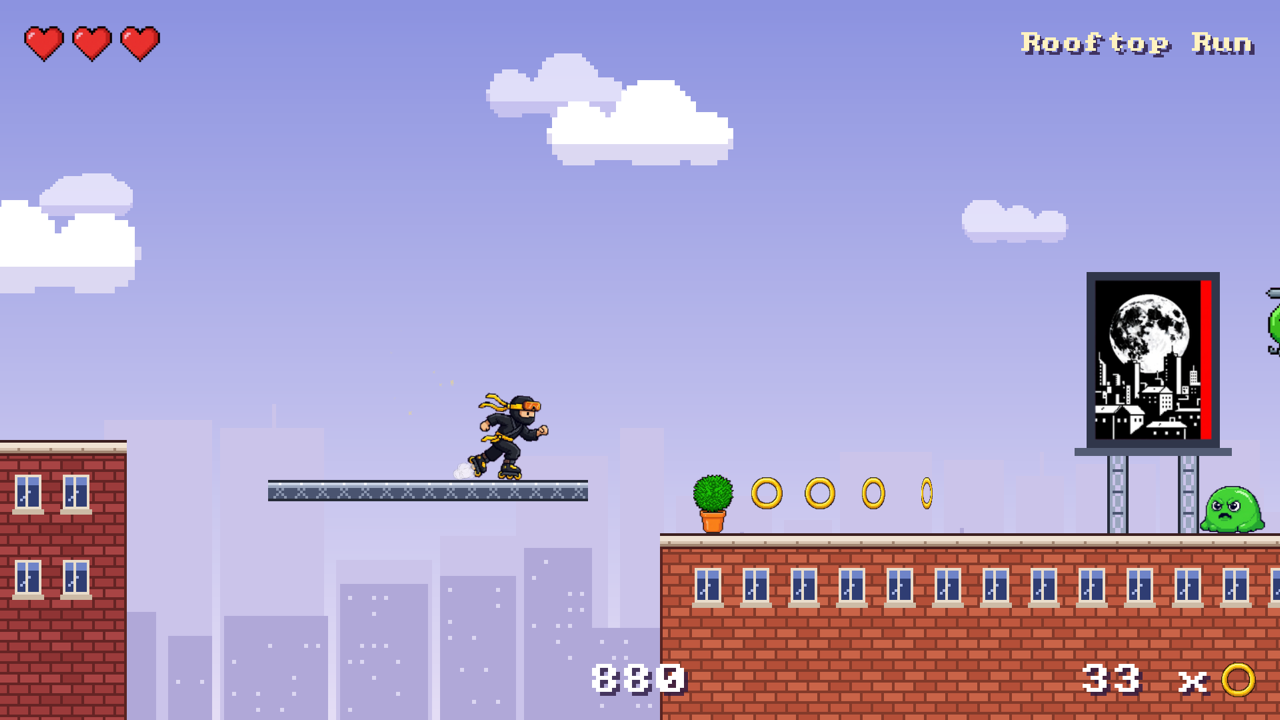
A Solid with a Velocity is a moving platform. The hero stands on it, rides it across the gap, and keeps its speed when he jumps off.
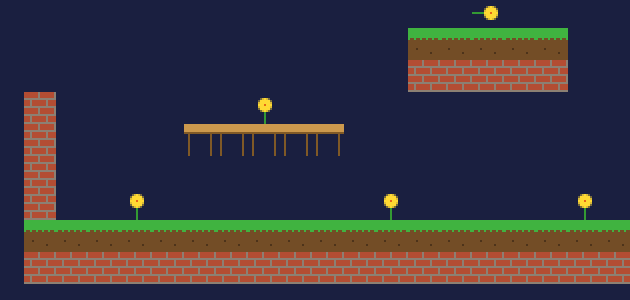
A level painted in the Tiled editor, loaded with assets.tileMap("level.tmj"), drawn with spawnTileLayer and made solid with spawnSolids. The turned flower is a tile flipped in Tiled.
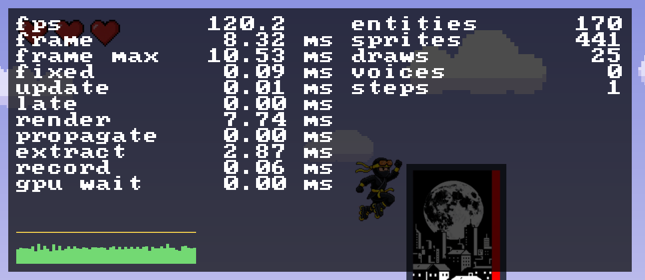
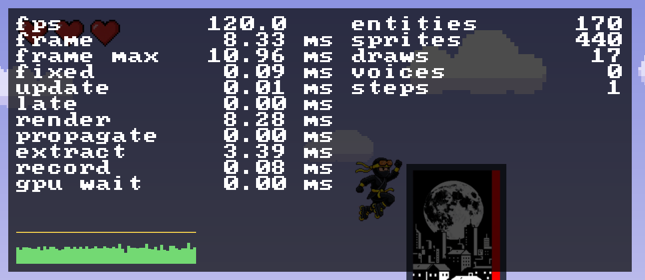
The same frame of the roller with the atlas off (left, 25 draws) and on (right, 17 draws). Nothing in the game changed; assets.region packs its files into shared pages.
Levels that move: maps painted in Tiled and loaded in one call, platforms that carry the
hero, and sprites packed into shared atlas pages behind the scenes.
Added
assets.tileMap(path)andtileMapOrNull: load a level saved from the Tiled map editor as JSON.TileLayer,TileandTileSet: draw a grid of tiles, only the cells in view, and change cells as the game runs.Commands.spawnTileLayerandspawnSolids: draw a map layer, and make its tiles markedsolidoroneWayinto solids.TileGrid.tileAtandsolidRectangles: ask which tile is under a point, or get a layer's walls as merged boxes.- Moving platforms: a
Solidwith aVelocity, an error before, carries the bodies on it and pushes those in its way. KinematicBody.floorVelocityXandfloorVelocityY: the moving floor's speed, for a jump that keeps its momentum.KinematicBody.wasCarriedandisCrushed: say when the floor carried the body, or a moving solid crushed it.Assets.regionpacks its files into shared atlas pages: sprites of different files in one layer draw in one call.AppConfig.atlasandKLYPH_ATLAS=0: give every file its own texture again, to compare while debugging.ParallaxLayer.anchorXandanchorY: place a layer where it should be when the camera starts, with no arithmetic.Sprite.tiled(region, width, height, scale): a sprite that repeats its region at the region's own size.SceneStack.current: the top scene without a null check, so a scene system reaches its own clock.Assets.region(path)andregionOrNull: load an image as aTextureRegionin one call, for aSprite.Image.drawLineand a source rectangle onImage.draw: paint a one-pixel line, or cut one picture out of a sheet image.KinematicBody.wasPushedOutandisStuck: say when a move pushed the body out of a solid, or found no way out.AppConfig.frameDeltaandKLYPH_FRAME_DELTA: every frame lasts the same game time, so runs and screenshots repeat.Assets.readTextandreadBytes: read a file under the asset root, for a loader of your own format.
Changed
- Tiled sprites and
drawTiledon a clamped texture: the error names the fix, loading withSamplerAddress.REPEAT. Camera.offsetXandoffsetYreset to 0 when a scene changes: a pause pushed over a shake is drawn centered.Image.fill,fillRect,fillCircleanddraware extensions now: import them, as inimport klyph.platform.fill.
Fixed
- A
KinematicBodythat starts a move inside a solid is pushed out of it instead of passing through. drawnPositionOfon a child: counts a parent moved earlier in the frame instead of lagging a frame behind.
klyph 1.2: Scrolling worlds

klyph 1.2.0: Scrolling worlds. Add it to a game with
plugins { id("com.eventslooped.klyph") version "1.2.0" }
klyph { entryPoint = "mygame.main" }
kotlin { sourceSets.nativeMain.dependencies { implementation("com.eventslooped.klyph:klyph:1.2.0") } }
or start from klyph-template. The guide and API reference are at https://inemtsev.github.io/klyph/.
Scrolling worlds: layers that move at their own speed, textures that repeat, a sky under the
world, and a camera that follows what is drawn.
Added
ParallaxLayer: a sprite that follows the camera at a fraction of the world's speed and repeats to fill the view;
see the Scrolling worlds guide.DrawSpace.BACKGROUND: canvas quads in points drawn under the whole world, such as a one-call sky.- Repeating textures:
SamplerAddress.REPEATonAssets.texture,textureOrNullandcreateTexture, then
Sprite.tileWidthandtileHeightorCanvas.drawTiledto repeat the texture across a larger area instead of stretching it. Sprite.originXandoriginY: anchor a sprite to itsTransformat any point, such as a character's feet, instead of the center.Camera.offsetXandoffsetY: shift the view afterfollowand the bounds clamp, such as for a screen shake.drawnPositionOfonWorldandApp: where anInterpolatedentity is drawn this frame, for a camera to follow.World.snapInterpolation(entity): draws a teleported or respawnedInterpolatedentity at its new place, with no sweep from the old one.Scene.elapsedandelapsedSeconds: how long a scene has been on top, standing still while another scene covers it.AppConfig.textureFilterandAssets.textureFilter: the filter that textures, sprite sheets and fonts load with
unless the call passes one, so a pixel-art game setsNEARESTonce.Image.fillRectandImage.draw: paint a rectangle, or lay one image over another with alpha blending, beforecreateTexture.Overlap.otherOrNull(entity): the other entity of a pair, ornullfor an entity in neither slot.Time.fixedDeltaSecondsandelapsedSeconds: the fixed step's length and the game time asFloatseconds, besidedeltaSeconds.TextureRegion.aspectRatio: a region's width over its height, to size a sprite by one side without distorting it.
Changed
DrawSpace.BACKGROUNDis the enum's first entry, beforeWORLDandSCREEN: an exhaustivewhenover
the two needs a branch for it, and the ordinals moved.
klyph 1.1.0: Movement, jumps and floors
klyph 1.1.0: Movement, jumps and floors. Add it to a game with
plugins { id("com.eventslooped.klyph") version "1.1.0" }
klyph { entryPoint = "mygame.main" }
kotlin { sourceSets.nativeMain.dependencies { implementation("com.eventslooped.klyph:klyph:1.1.0") } }
or start from klyph-template. The guide and API reference are at https://inemtsev.github.io/klyph/.
Movement, jumps and floors: the engine moves your entities and stops them at walls and floors,
so a platformer takes as little code as a shooter.
Added
Solid: makes a boxCollidera wall or floor, or a one-way ledge withPassable.FROM_BELOW.KinematicBody(dx, dy): moved by the engine each fixed step and stopped at solids, reporting
isOnFloor,isOnWall,isOnCeiling,floorOrNullandhasLanded, withdropThrough()for
ledges. Gravity and jumps stay game code; see the
Platformers guide.- Sweeps against solids:
Collisions.sweepBox,sweepBoxTo,sweepColliderandfloorBelowOrNull. - Planning a move without a body:
Collisions.slideBoxandslideCollider, into a reusableBoxSlide. Velocity(dx, dy): applied to the entity'sTransformeach fixed step.ParticleEmitter.burst(region, count, ...)andCommands.spawnBurst(x, y, emitter)for one-shot effects.Animation.speedandSpriteAnimation.speed: a playback rate multiplier.Collider.scalesWithTransform: set tofalseto keep the hitbox at scale 1 while the sprite squashes or spins.Time.fixedStepCount.- Gradle plugin:
com.eventslooped.klyph.libraryfor a game's shared module, read-onlyklyph { }
membershostTarget,supportedTargets,configuredTargetsandsdl3IncludeDir, and
klyph.sdl3.download=falseto stop the build instead of downloading SDL3.
Changed
isJustPressedandisJustReleasedcount fixed steps insideFIXED_UPDATE: each press is seen
by exactly one step. A game that latched presses fromINPUTfor the next step can drop the latch.- Rooftop Roller runs on
KinematicBodyandSolid; its own physics code is gone. Collisions.toStringincludessolids=N.
klyph 1.0.0
klyph 1.0.0 is the first stable release. Add it to a game with
plugins { id("com.eventslooped.klyph") version "1.0.0" }
klyph { entryPoint = "mygame.main" }
kotlin { sourceSets.nativeMain.dependencies { implementation("com.eventslooped.klyph:klyph:1.0.0") } }
or start from klyph-template. The guide and API reference are at https://inemtsev.github.io/klyph/.
The first stable release. Code written for 1.0 keeps working in every 1.x release, except the
platform plumbing marked @KlyphPlatformApi.
Added
@KlyphPlatformApi: an opt-in marker on the SDL and GPU plumbing inklyph.platformthat only
the engine calls. It is outside the compatibility promise, and games use none of it.AudioOutputwithDEVICEandNONE, forAudioConfig.output.Assets.spriteSheetOrNullandFiles.readTextOrNull.Color.BLACK,RED,GREEN,BLUE,YELLOW,CYAN,MAGENTAandGRAY.Keyboard.axis(negative: KeyCode, positive: KeyCode), beside theScancodeoverload.- The API reference with inline samples, published on every
release, and Maven Central publishing fromv*tags.
Changed
Cameraworks in points: zoom 1 is one world unit per point on every display, and
viewportWidth,viewportHeight,worldToScreenandscreenToWorldare in points. A game that
setzoom = 2 * window.pixelDensitysetszoom = 2.Canvas.drawSpriteanddrawRectdefault toDrawSpace.SCREEN; passspace = DrawSpace.WORLD
to draw through the camera.ParticleEmitter.lifetimeis aClosedRange<Duration>, such as0.5.seconds..1.seconds.World(initialCapacity)rejects a capacity below 1 withIllegalArgumentException.Music.playthrowsIllegalArgumentExceptioninstead ofIllegalStateExceptionfor a stream
that does not match the track.Files.writeBytes,Image.save,Window.captureandAppConfig.screenshotcreate missing
folders on the way to the file.- The published javadoc jars hold the Dokka reference instead of being empty.
- The sample games, benchmarks and sandbox read every
KLYPH_*setting through
AppConfig.fromEnvironment. - The sample games moved to
games/shooterandgames/squish(:games:shooter,:games:squish).
The shooter has waves, divers and a boss every fifth wave; Bug Squish hides the cursor and
toggles fullscreen with F11. Both use the gameplay kit in place of their own copies. AudioConfig(enabled = false)→AudioConfig(output = AudioOutput.NONE);AudioConfig.enabled→AudioConfig.output.Assets.texture(image, filter)→Assets.createTexture(image, filter).Assets.music→Assets.musicTrack,Assets.musicOrNull→Assets.musicTrackOrNull.CollisionLayers.contains→CollisionLayers.intersects.Collisions.overlaps→Collisions.overlapping.Collisions.overlapsTo→Collisions.overlappingTo.Collisions.firstOverlapOrNull→Collisions.firstOverlappingOrNull.FrameStats.drawCalls→FrameStats.drawCallCount.FrameStats.collisionPairs→FrameStats.collisionPairCount.FrameStats.fixedSteps→FrameStats.fixedStepCount.AudioStats.activeVoices→AudioStats.activeVoiceCount.AudioStats.stolenVoices→AudioStats.stolenVoiceCount.AudioStats.droppedCommands→AudioStats.droppedCommandCount.AudioStats.closedStreams→AudioStats.closedStreamCount.Time.frame→Time.frameCount.Canvas.count→Canvas.quadCount.ParticleEmitter.count→ParticleEmitter.particleCount.ParticleEmitter(region, maxParticles)→ParticleEmitter(region, capacity).Input.axis(negative, positive)→Keyboard.axis(negative, positive), called asinput.keyboard.axis(...).MouseWheel→MouseWheelScrolled, inklyph.eventand asPlatformEvent.MouseWheelScrolled.EntityBuilder.parent(parent)→EntityBuilder.setParent(parent).Commands.spawn(build)→Commands.spawn(builder).SpriteAnimation.animation→SpriteAnimation.playhead.Animation.elapsed→Animation.frameElapsed.GamepadId.id→GamepadId.value.GpuDevice.release(window)→GpuDevice.unclaim(window).Commands.isEmptyandSceneStack.isEmptyare functions:isEmpty().PcmStreamextendsAutoCloseable.
Removed
- The
Animationcomponent key;SpriteAnimationis the animation component. SpriteRenderer, the publicTextureconstructor,Entity.rawandTextureRegion.u0,v0,
u1andv1are internal.
klyph 0.1.0
First release on Maven Central: com.eventslooped.klyph:klyph 0.1.0 and the com.eventslooped.klyph Gradle plugin. A game's build is the plugin line, klyph { entryPoint } and one dependency; see README.md, section Use klyph.