Repository navigation
klyph 1.3: Levels that move

klyph 1.3.0: Levels that move. Add it to a game with
plugins { id("com.eventslooped.klyph") version "1.3.0" }
klyph { entryPoint = "mygame.main" }
kotlin { sourceSets.nativeMain.dependencies { implementation("com.eventslooped.klyph:klyph:1.3.0") } }
or start from klyph-template. The guide and API reference are at https://inemtsev.github.io/klyph/.
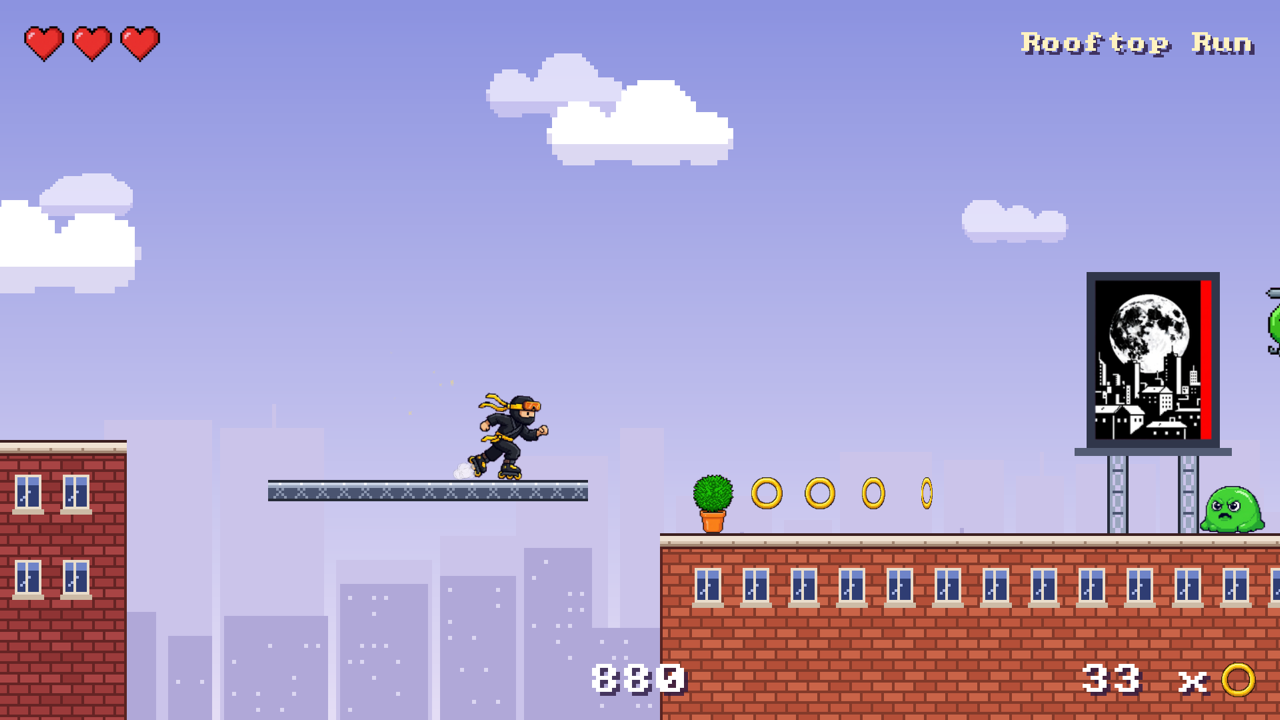
A Solid with a Velocity is a moving platform. The hero stands on it, rides it across the gap, and keeps its speed when he jumps off.
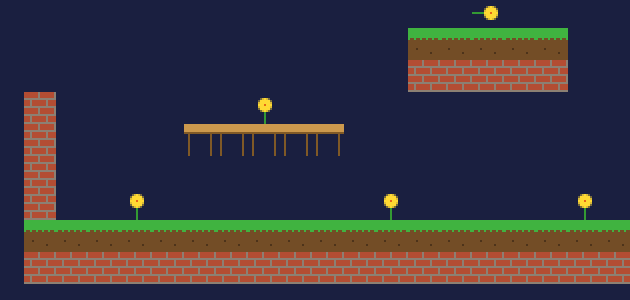
A level painted in the Tiled editor, loaded with assets.tileMap("level.tmj"), drawn with spawnTileLayer and made solid with spawnSolids. The turned flower is a tile flipped in Tiled.
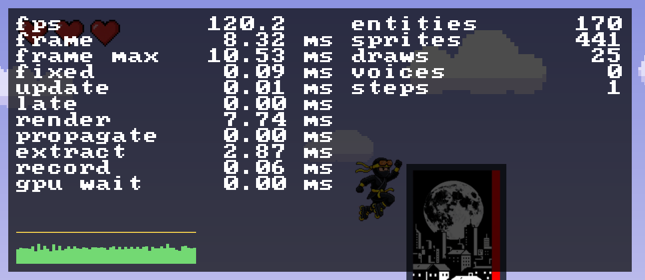
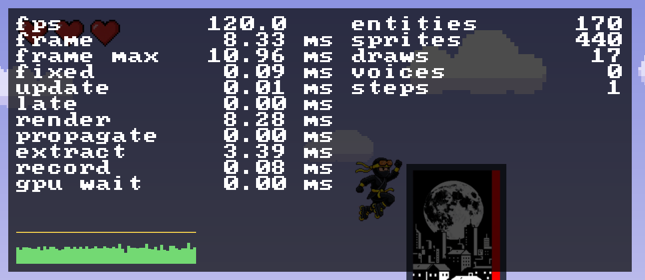
The same frame of the roller with the atlas off (left, 25 draws) and on (right, 17 draws). Nothing in the game changed; assets.region packs its files into shared pages.
Levels that move: maps painted in Tiled and loaded in one call, platforms that carry the
hero, and sprites packed into shared atlas pages behind the scenes.
Added
assets.tileMap(path)andtileMapOrNull: load a level saved from the Tiled map editor as JSON.TileLayer,TileandTileSet: draw a grid of tiles, only the cells in view, and change cells as the game runs.Commands.spawnTileLayerandspawnSolids: draw a map layer, and make its tiles markedsolidoroneWayinto solids.TileGrid.tileAtandsolidRectangles: ask which tile is under a point, or get a layer's walls as merged boxes.- Moving platforms: a
Solidwith aVelocity, an error before, carries the bodies on it and pushes those in its way. KinematicBody.floorVelocityXandfloorVelocityY: the moving floor's speed, for a jump that keeps its momentum.KinematicBody.wasCarriedandisCrushed: say when the floor carried the body, or a moving solid crushed it.Assets.regionpacks its files into shared atlas pages: sprites of different files in one layer draw in one call.AppConfig.atlasandKLYPH_ATLAS=0: give every file its own texture again, to compare while debugging.ParallaxLayer.anchorXandanchorY: place a layer where it should be when the camera starts, with no arithmetic.Sprite.tiled(region, width, height, scale): a sprite that repeats its region at the region's own size.SceneStack.current: the top scene without a null check, so a scene system reaches its own clock.Assets.region(path)andregionOrNull: load an image as aTextureRegionin one call, for aSprite.Image.drawLineand a source rectangle onImage.draw: paint a one-pixel line, or cut one picture out of a sheet image.KinematicBody.wasPushedOutandisStuck: say when a move pushed the body out of a solid, or found no way out.AppConfig.frameDeltaandKLYPH_FRAME_DELTA: every frame lasts the same game time, so runs and screenshots repeat.Assets.readTextandreadBytes: read a file under the asset root, for a loader of your own format.
Changed
- Tiled sprites and
drawTiledon a clamped texture: the error names the fix, loading withSamplerAddress.REPEAT. Camera.offsetXandoffsetYreset to 0 when a scene changes: a pause pushed over a shake is drawn centered.Image.fill,fillRect,fillCircleanddraware extensions now: import them, as inimport klyph.platform.fill.
Fixed
- A
KinematicBodythat starts a move inside a solid is pushed out of it instead of passing through. drawnPositionOfon a child: counts a parent moved earlier in the frame instead of lagging a frame behind.