Repository navigation

X-Plane Add-on Utility Version 2.0 Build 1 Update:
Implemented some quality of life updates that are specific to MacOS... namely:
-
Implemented logic that parses through aircraft folders looking for binaries that have been quarantined by MacOS. These files are what typically trigger the gate keeper warnings when adding new aircraft that require you approve the execution of certain file types like .xpl through the MacOS security settings menu. You can now remove the quarantine extension attribute from these files directly from the utlity now, prior to launching X-Plane, which will negate the need to approve these files after launching X-Plane.
-
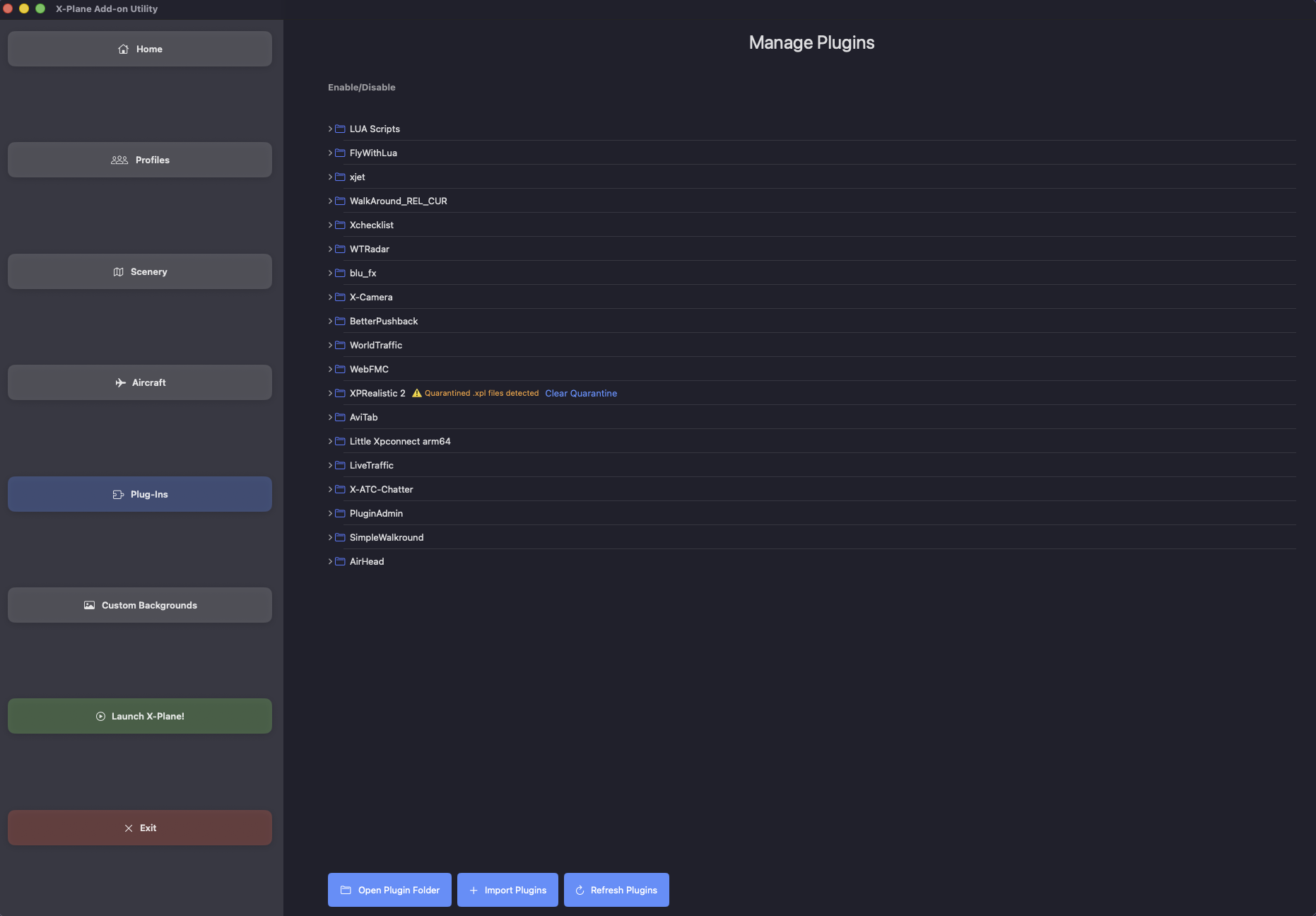
Likewise, implememted the same functionality for plug-ins. If a plug-in or script file contains a quarantine extension attribute, you can clear it directly from the plug-ins section of the app.
-
Added a quality of life feature to scenery manager that allows you to enable all packs. Especially useful if you are making use of the flight plan scenery enablement feature, and wish to reset all your packs very quickly.
-
Fixed some parsing logic in the flight plan scenery enablement function that caused the app to not enable all tiles along your flight plan. This was due to a logic error on my part when and this functionality should be fixed! The flight plan scenery pack enablement function only adjusted scenery, ortho, and airport packs. It won't touch library files, as well as some of the main scenery packs like simheaven, xroads, global forests, extended night time lighting, etc. If anyone encounters the tool modifying a pack it shouldn't, please let me know so that I can scope it out.
-
Added a function that stores the joystick and key binding preferences when you are using profiles and press the button to store your preferences. Prevously I forgot to add the contents of the 'control profiles' folder, so joystick profiles and keybindings were not getting properly stored and backed up.
-
Added a button to load control profiles in the profile management section. While your specific joystick and keybinding control profiles get stored with the X-Plane preferences, they do not automatically get loaded everytime you switch between profiles like the other preference files do. I made this decission because I didn't want users to get into a state where their yoke/joystick/key binding profiles get overwritten in error. I know how long it can take to create the perfect binding orders, and I want to protect those settings. Think of this more as a backup feature for your control profiles. If you ever need to restore them due to app reload, etc., you'll have them backed up and available in the profile!