

yaml2plot is a powerful yet lightweight Python package for creating interactive Plotly figures from YAML specifications and SPICE .raw files with minimal code. It supports dict, xarray Dataset, pandas DataFrame, and CSV-path plotting flows, declarative multi-axis plots via YAML configurations, and automatic renderer selection for Jupyter, VS Code, or headless environments. With case-insensitive signal lookup and robust multi-strip support, yaml2plot lets you focus on circuit analysis without plotting boilerplate.
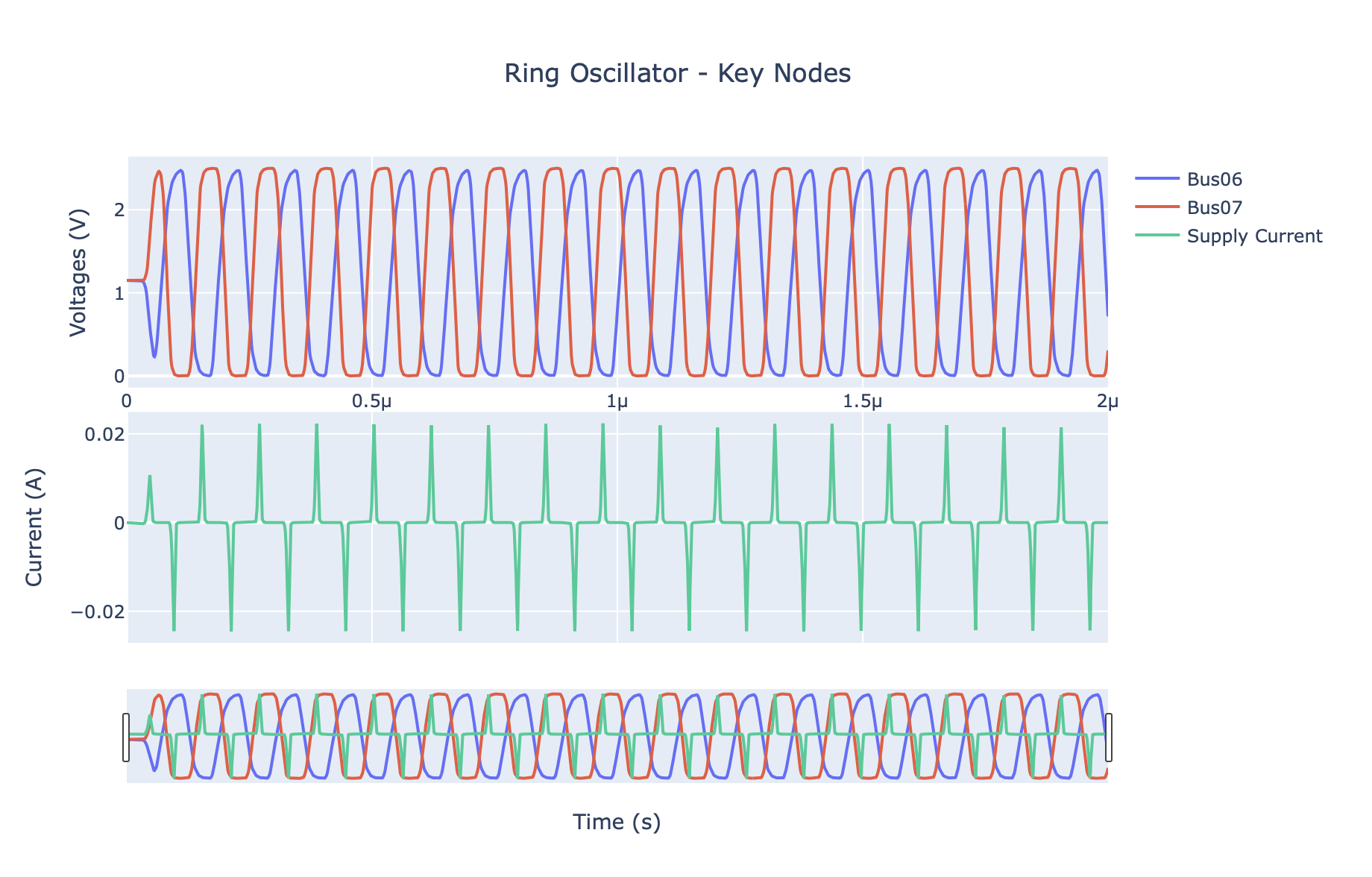
- Interactive Plotly Visualization: Modern, web-based plots with zoom, pan, and hover
- YAML Configuration: Flexible, reusable plotting configurations
- Simple API: Plot waveforms with a single function call
- Command Line Interface: Quick plotting from terminal with
y2p plot - Automatic Environment Detection: Auto-detection and inline plotting for Jupyter Notebooks, render in browser when running in standalone Python scripts.
pip install yaml2plotyaml2plot provides two common workflows for visualizing your SPICE simulations:
- Option A: CLI-First – The fastest way to get from a
.rawfile to an interactive plot. Perfect for quick, one-off visualizations. - Option B: Python API – The most flexible approach. Ideal for scripting, custom data processing, and embedding plots in notebooks or reports.
Get from a raw file to a plot in three steps using the y2p command-line tool.
Step 1: Generate a Plot Specification
Use y2p init to create a template spec.yaml file from your simulation output. It automatically populates the file with the independent variable (like "time") and a few available signals.
y2p init your_simulation.raw > spec.yamlStep 2: Discover Signals
Find the exact names of the signals you want to plot with y2p signals.
# List the first 10 signals
y2p signals your_simulation.raw

# List all signals
y2p signals your_simulation.raw --all

# Filter signals using a regular expression
y2p signals your_simulation.raw --grep "clk"
Step 3: Plot
Edit your spec.yaml to include the signals you discovered, then use y2p plot to generate an interactive HTML file or display the plot directly. The command now supports a self-contained workflow where the raw file is specified directly in the YAML.
# This command will open a browser window with your plot
y2p plot spec.yaml

# You can also override the raw file specified in the YAML
y2p plot spec.yaml your_simulation.raw

# To save the plot to a file instead
y2p plot spec.yaml --output my_plot.html
This approach is fast, requires no Python code, and keeps your plot configuration version-controlled alongside your simulation files.
For more advanced use cases, the Python API provides full control over data loading, processing, and plotting. This is ideal for Jupyter notebooks, custom analysis scripts, and automated report generation.
The API follows a clear three-step workflow:
- Data Loading – Load the raw
.rawfile withyaml2plot.load_spice_raw(xarray Dataset), load tabular data withyaml2plot.load_csv_data(DataFrame), or pass file paths directly toyaml2plot.plot. - Configuration – Describe what you want to see using
yaml2plot.PlotSpec. - Plotting – Call
yaml2plot.plotto get a Plotly figure.
Minimal Example
import yaml2plot as y2p

# 1. Load data from a .raw file (returns xarray.Dataset)
data = y2p.load_spice_raw("your_simulation.raw")
print(f"Signals available: {list(data.data_vars)[:5]}...")

# 2. Configure the plot using a YAML string
spec = y2p.PlotSpec.from_yaml("""
title: "My Simulation Results"
x:
  signal: "time"
  label: "Time (s)"
y:
  - label: "Voltage (V)"
    signals:
      Output: "v(out)"
      Input:  "v(in)"
""")

# 3. Create and display the plot
fig = y2p.plot(data, spec)
fig.show()
load_spice_raw() coordinate inference policy is deterministic:
- Use
timewhen present. - Else use
frequencywhen present. - Else fall back to the first signal (dimension name:
axis). - If both
timeandfrequencyexist,timeis selected and aUserWarningis emitted. - If neither canonical coordinate exists, fallback is used and a
UserWarningis emitted.
Advanced Example: Plotting Derived Signals
Because the API gives you direct access to the loaded data, you can easily perform calculations and plot the results.
import numpy as np
import yaml2plot as y2p

# Load the data and build a dict view for derived signals
dataset = y2p.load_spice_raw("your_simulation.raw")
data = {name: dataset[name].values for name in dataset.data_vars}
data["time"] = dataset.coords["time"].values

# Calculate a new, derived signal
data["diff_voltage"] = data["v(out_p)"] - data["v(out_n)"]

# Create a spec that plots both raw and derived signals
spec = y2p.PlotSpec.from_yaml("""
title: "Differential Output Voltage"
x:
  signal: "time"
  label: "Time (s)"
y:
  - label: "Voltage (V)"
    signals:
      VOUT_P: "v(out_p)"
      VOUT_N: "v(out_n)"
      VOUT_DIFF: "diff_voltage"
""")

# Create and display the plot
fig = y2p.plot(data, spec)
fig.show()
DataFrame and CSV Inputs
import yaml2plot as y2p

# Option 1: load CSV into a DataFrame explicitly
df = y2p.load_csv_data("signals.csv")
fig = y2p.plot(df, spec)

# Option 2: let plot() route ".csv" path inputs automatically
fig = y2p.plot("signals.csv", spec)
For DataFrame inputs, x.signal can reference:
- a DataFrame column name
- the DataFrame index name
"index"as a generic alias for the DataFrame index
Migration Notes (Dict -> DataFrame/CSV)
- If you currently build
datadictionaries manually, you can keep the samePlotSpecand switch to:df = y2p.load_csv_data("signals.csv")theny2p.plot(df, spec)y2p.plot("signals.csv", spec)for path-based loading
- When moving from dict keys to DataFrame inputs, make sure
x.signalmatches:- a CSV/DataFrame column, or
- the DataFrame index name, or
indexfor the generic index alias
- Avoid ambiguous schemas where you have an unnamed DataFrame index and a real column named
index. Rename the column or name the index explicitly. - CLI
y2p plotnow follows the same path routing as Pythonplot():.csvpaths are treated as tabular data, while non-CSV paths are treated as SPICE raw files.
# Clone the repository
git clone https://github.com/Jianxun/yaml2plot.git
cd yaml2plot

# Create and activate virtual environment
python -m venv venv
source venv/bin/activate  # On Windows: venv\Scripts\activate

# Install in development mode with all dependencies
pip install -e .
pip install -r requirements-dev.txt

# Verify development setup
python -c "import yaml2plot as y2p; print('Development setup complete!')"# Run all tests
pytest
# With coverage
pytest --cov=yaml2plot --cov-report=html
# Run specific test file
pytest tests/workflows/test_cli_plot.py -vyaml2plot/
├── src/yaml2plot/
│ ├── core/
│ │ ├── plotspec.py # PlotSpec model
│ │ ├── plotting.py # Plotting helpers + plot()
│ │ └── wavedataset.py # WaveDataset + low-level loaders
│ ├── loader.py # load_spice_raw convenience wrapper
│ ├── cli.py # Command-line interface
│ └── __init__.py # Public symbols (plot, PlotSpec, load_spice_raw,...)
├── tests/ # Test suite
├── examples/ # Usage examples
├── docs/ # Documentation
└── pyproject.toml # Packaging
- Python: 3.8+
- Core Dependencies:
plotly>= 5.0.0 (Interactive plotting)numpy>= 1.20.0 (Numerical operations)PyYAML>= 6.0 (Configuration files)spicelib>= 1.0.0 (SPICE file reading)click>= 8.0.0 (Command line interface)
Contributions are welcome! Please:
- Fork the repository
- Create a feature branch (
git checkout -b feature/amazing-feature) - Make your changes
- Add tests for new functionality
- Ensure all tests pass (
pytest) - Commit your changes (
git commit -m 'Add amazing feature') - Push to the branch (
git push origin feature/amazing-feature) - Open a Pull Request
This project is licensed under the MIT License - see the LICENSE file for details.
Documentation (https://Jianxun.github.io/yaml2plot/)
Comprehensive documentation is available with:
- User Guides: Installation, quickstart, and configuration
- API Reference: Complete function documentation
- Examples: Practical use cases and tutorials
- Development: Contributing guidelines and setup
# Install documentation dependencies
pip install -e ".[docs]"

# Build documentation
make docs

# Serve documentation locally
make docs-serve # Opens at http://localhost:8000- Documentation: GitHub Pages
- PyPI Package: PyPI
- Issue Tracker: GitHub Issues
- Changelog: CHANGELOG.md
Current version: 2.0.1
yaml2plot - Making SPICE waveform visualization simple and interactive! 🌊📈