Repository navigation
Redmine Form Sections v1.0.0 — Visual Editor

Redmine Form Sections 1.0.0 introduces a built-in visual editor for organizing custom fields in Redmine issue forms.
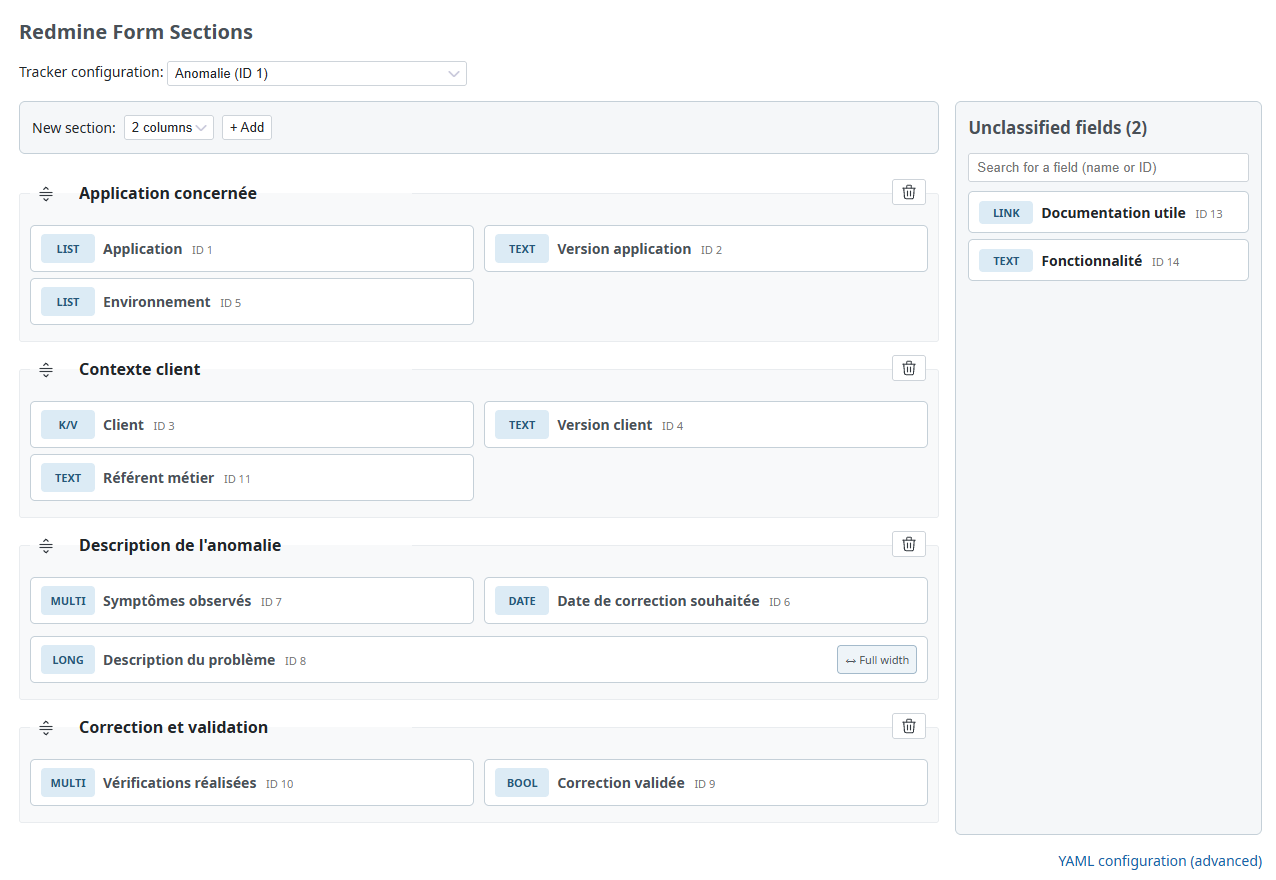
Administrators can now create and manage form sections through a drag-and-drop interface, without editing YAML manually.
What's new
- Integrated visual editor: Configure form layouts directly from Redmine Administration.
- Drag-and-drop organization: Create, rename, remove, and reorder sections and custom fields.
- Flexible layouts: Arrange custom fields in one or two columns while respecting Redmine's native full-width fields.
- Unclassified fields: Quickly find and organize fields using the built-in search.
- Safer configuration: Validate layouts before saving and detect concurrent modifications.
- Per-project activation: Enable or disable customized forms independently for each project.
- Bilingual interface: French and English translations.
The plugin preserves Redmine's native fields and automatically falls back to the standard form layout when customization is disabled.
Visual editor
Upgrading from v0.1.1
Version 1.0.0 keeps the existing plugin identifier and YAML configuration format.
To upgrade:
- Back up your existing YAML configuration.
- Replace the
redmine_form_sectionsplugin files with version 1.0.0. - Restart Redmine.
Existing configurations are preserved. No database migration is required.
Documentation
- English documentation: https://github.com/jmaisonnas/redmine_form_sections/blob/v1.0.0/README.md
- Documentation française: https://github.com/jmaisonnas/redmine_form_sections/blob/v1.0.0/README.fr.md
License
GNU General Public License v2.0 or later (GPL-2.0-or-later).