Repository navigation

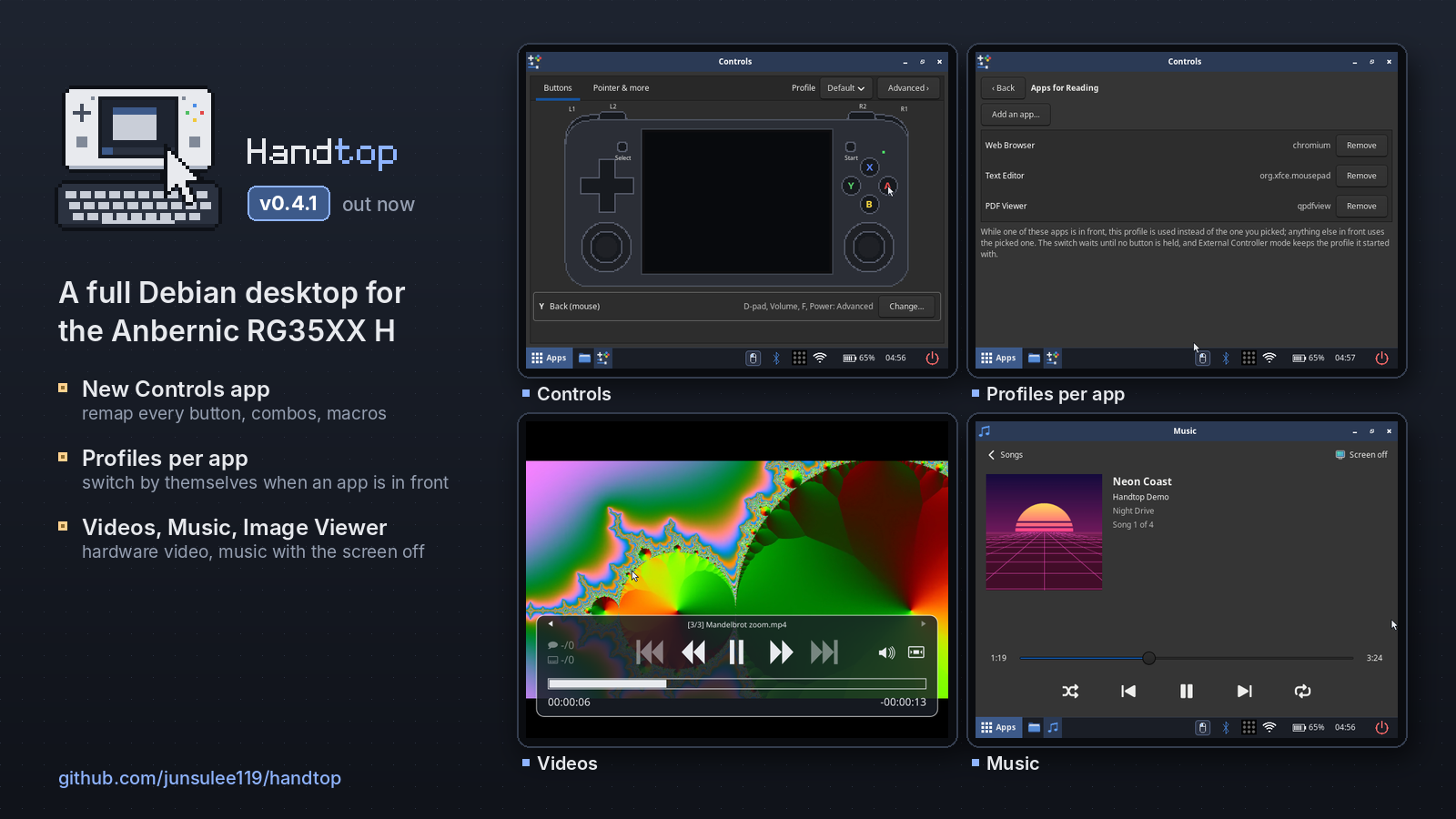
Controls and media. A Controls app for every button, with profiles that switch by themselves per app, plus apps for videos, music and pictures.
Which image do I need?
- Most RG35XX H units:
handtop-20261118-v0.4.1.img.xz - If that image does nothing at power-on (no LED at all), your unit has DDR3 RAM:
handtop-20261118-v0.4.1-DDR3.img.xz
Flash with balenaEtcher or Rufus, boot from the TF1 (left) slot. Login rg / rg35xxh; SSH is off until Apps → Enable SSH.
| File | SHA-256 |
|---|---|
| handtop-20261118-v0.4.1.img.xz | 8290e50d26df41f5039f7c0864bd0472a56d80ddc2ed817ff34f684151a8af01 |
| handtop-20261118-v0.4.1-DDR3.img.xz | f040fe7cacc2dcbd2f2cd45c66dd1c99efe934f722feb324ca0e39f3729982b3 |
What's new in v0.4.1
Controls app (Apps → Controls)
Everything about the controls in one place, applied at once, with no re-login.
- Buttons: click a button on a picture of the handheld and pick what it does: a click, a key, a key combination, an app, a macro and more.
- Pointer & more: pointer speed and acceleration, scroll speed with a test page to try it on, natural scrolling, gamepad buttons by position or by label, and vibration strength.
- Advanced: remap the D-pad, Volume, F and Power too (holding Power to shut down always works); button combinations (hold one button, press another); macros, built step by step or recorded from any app; a live view of both sticks with the dead zone; timing; profiles you can export and import.
- Profiles switch by themselves per app: link apps to a profile (Advanced → Profiles → Apps…) and it is used while one of them is in front, with a short "Profile: …" note.
- Can't lock you out: button and pointer changes run 15 s on trial ("Keep these controls?") and undo themselves unless you keep them, even if the app is closed.
The boot partition's rg35xxh-input.conf is now a rescue file, all commented out: if the controls are ever broken, uncomment use_app_settings = no at the top. Cards flashed with v0.4.0 or older keep their old file, which still works but fixes every setting it lists.
Videos, Music and Image Viewer
- Videos: your videos in
~/Videos(and on a USB stick or SD card) with thumbnails and "Resume at"; hardware-decoded and full screen, with big themed controls. A pauses, the right stick seeks, R1 / R2 go to the next / previous video, L1 closes. - Music: your songs in
~/Music, folder by folder with album covers, shuffle and repeat. The handheld doesn't sleep while music plays; after 5 minutes without input the screen turns off and the music goes on, and Vol still works. - Image Viewer (Ristretto) replaces imv for pictures: it follows the theme and browses the folder with a thumbnail strip. The File Manager now shows picture thumbnails too.
All three have icons in all nine themes.
Fixes
- A rare video failure in Chromium and VLC: the VA-API driver takes upstream's fix for a race that could make a video frame's allocation fail.
Disclaimer
Handtop is an unofficial hobby project, not affiliated with Anbernic, ROCKNIX, LibreELEC, Debian, Microsoft or Nintendo. Use at your own risk; see the Disclaimer section in the README.
Full history in CHANGELOG.md.