Repository navigation
v1.1: control flow graph

What's new
Control flow graph
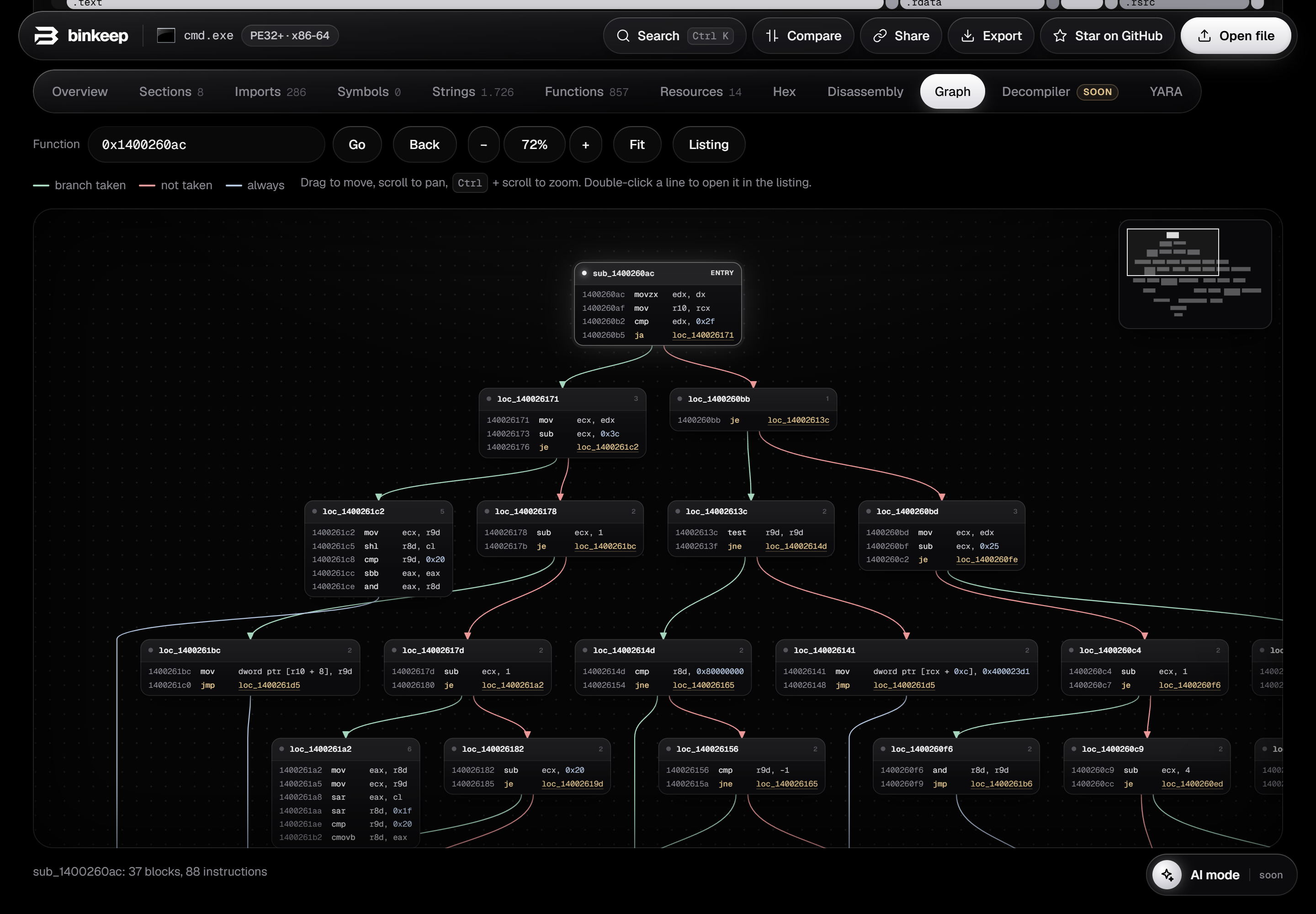
A new Graph tab draws any function as basic blocks connected by its branches.
- Green edges: branch taken. Red: not taken. Blue: always. Dashed: loops.
- Drag to move, Ctrl + scroll to zoom, minimap in the corner to jump around.
- Hover a block to light up the paths in and out of it.
Spaceswitches between the listing and the graph, like in IDA and Ghidra.- Double-click a line to open it in the listing. Click a call to open that function's graph.
Also new
- Click a register or a name in the listing or the graph to highlight every use of it.
- Cleaner function headers and labels in the disassembly.
- Decompiler and AI mode are on the way (marked as coming soon in the app).
As before, everything runs in your browser and the file never leaves your computer.