Repository navigation
Phone Setup
The same sea opens on your phone. When a Pofy starts waiting you get a push notification; tap it, the card opens, you answer from there.
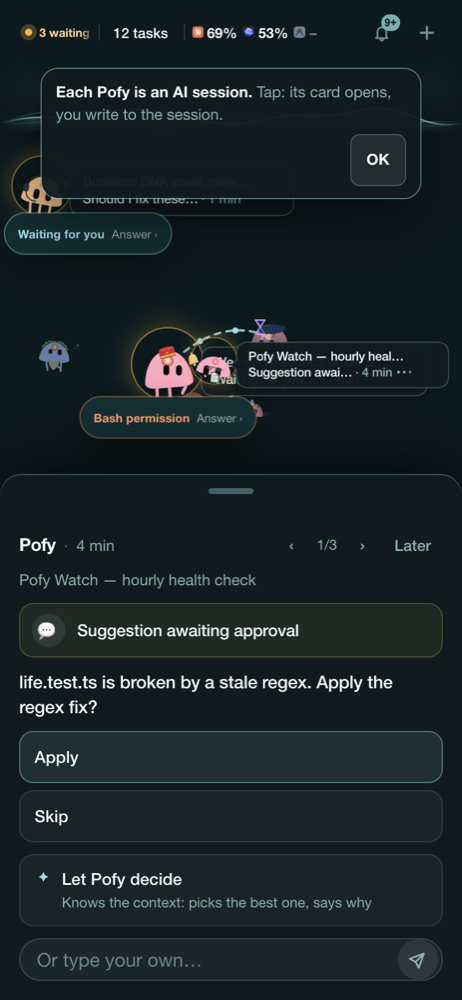
Pofyland's server listens only on your Mac. The phone reaches it over Tailscale, an encrypted private network between your own devices. Nothing goes through a Pofyland server, and nobody outside your Tailscale account can open it.
- Install Tailscale on the Mac and on the phone. Sign in with the same account on both, and switch it on.
- On the Mac: Pofyland menu → Setup steps → Phone → Open Pofyland on Tailscale. A QR code appears.
- Scan the QR code with the phone camera. The sea opens in Safari.
- For notifications on iPhone: in Safari tap Share → Add to Home Screen, open Pofyland from the new icon and allow notifications. (iOS only sends web push to apps added to the Home Screen.)
The phone can only talk to the Mac while the Mac is awake. A MacBook with its lid closed usually goes to sleep, and then the phone shows "Can't reach your Mac".
- Keep it on power and stop it sleeping: System Settings → Battery → Options, or use the power setting in Pofyland's Setup steps.
- Tailscale must be on for both devices.