In this project, I have created my school library app.
- Ruby
- Click on the
Codebutton with background color green on the right end corner - Click on the clipboard icon on the extreme right of the dropdown to copy the repository link
- In your local PC, open your terminal or command prompt in the folder you would like to clone this repository into
- Type git clone
(copied link)on the currently opened terminal or command prompt - Remember to change
(copied link)togit@github.com: Laylo309/00P-school-library.gitwhich is the name of the repository
This repository includes files with Ruby that can be used to is getting information from the library about the University:
- Please run the program in a IRB enviorement
- From your terminal you have to run the following command:
ruby main.rb - After running this command you will get following kind of information:

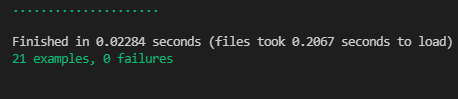
- To run test use following command:
rspec - After running this command you will get following kind of information:
👤 Laylo Khodjaeva
- GitHub: @Laylo309
- Twitter: @Laylo
- LinkedIn: LayloKhodjaeva
👤 Nelsino
- GitHub: @nelsinofrancisco
- Twitter: @nelsino_s
- LinkedIn: LinkedIn
Contributions, issues, and feature requests are welcome!
Feel free to check the issues page.
Give a ⭐️ if you like this project!
- Inspiration
- Microverse
This project is MIT licensed.