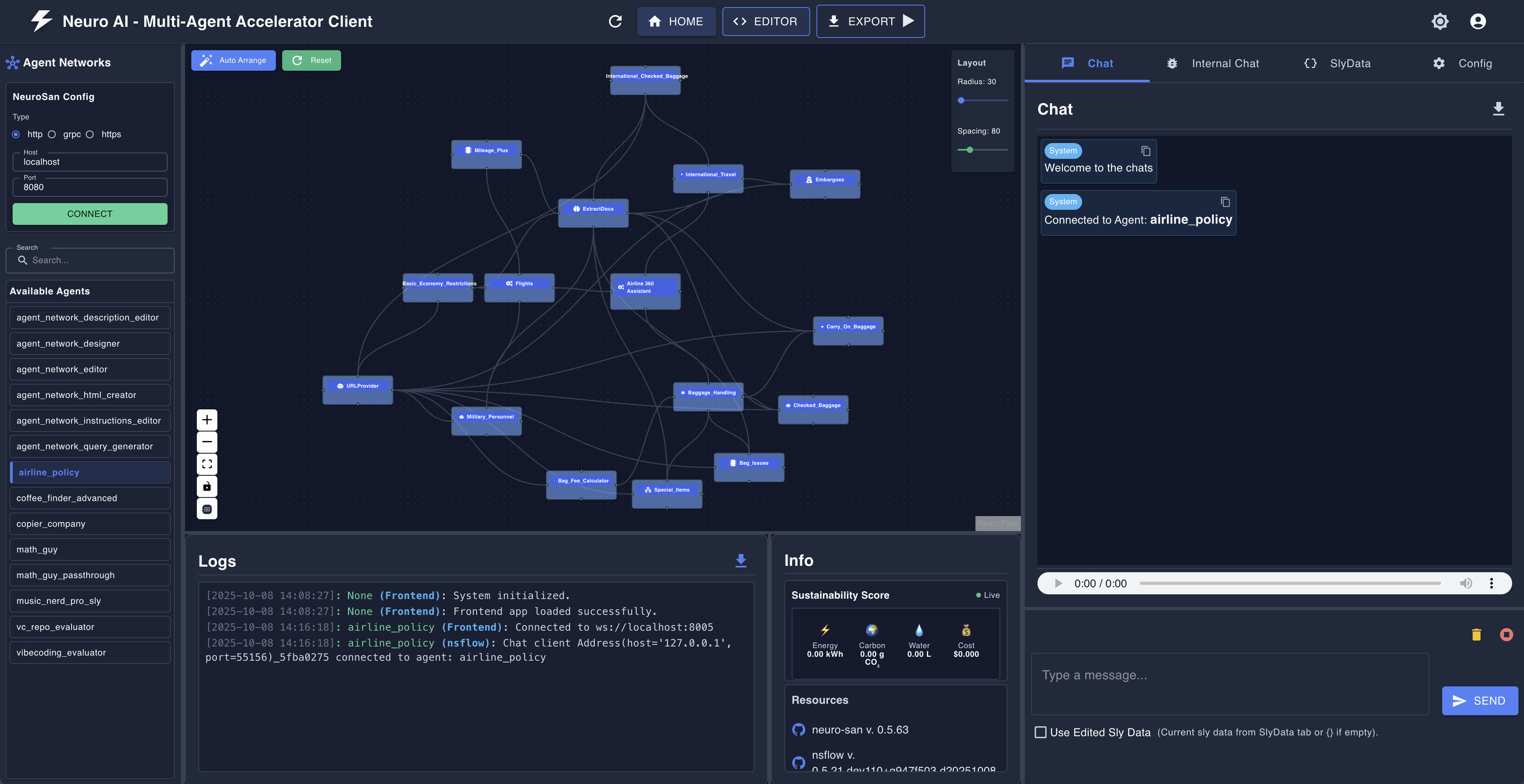
A fastapi and react based developer-oriented client and IDE that enables users to explore, visualize, and interact with smart agent networks. It integrates with NeuroSan for intelligent agent-based interactions.
Tip
To see how nsflow works in conjunction with the neuro-san library, visit https://github.com/cognizant-ai-lab/neuro-san-studio
Tip
For a production oriented client for neuro-san, visit https://github.com/cognizant-ai-lab/neuro-san-ui
nsflow comes with an Agent Network Designer that embodies the agentic design philosophy, making the neuro-san library accessible to both developers and non-developers alike. This transforms nsflow from a simple interactive chat client into a well-featured agent orchestration platform with visual design capabilities.
For local development (when running the backend and frontend separately), you can toggle text-to-speech and speech-to-text by setting the VITE_USE_SPEECH variable in the nsflow/frontend/.env.development file to "true" or "false".
The frontend development server reads this file directly.
nsflow can be installed and run in two different ways:
To simplify execution, nsflow provides a CLI command to start both the backend and frontend simultaneously.
python -m venv .venv
source .venv/bin/activatepip install nsflowpython -m nsflow.runBy default, this will start:
- backend (FastAPI + NeuroSan) here:
http://127.0.0.1:4173/docsorhttp://127.0.0.1:4173/redoc - frontend (React) here:
http://127.0.0.1:4173
If you want to contribute, ensure you have the necessary dependencies installed. To start the frontend and backend separately, follow these steps:
git clone https://github.com/cognizant-ai-lab/nsflow.git
cd nsflow- Make sure you have python (preferably Python 3.12) installed.
python -m venv .venv
source .venv/bin/activate
pip install -r requirements.txt
pip install -r requirements-build.txt
-
Ensure that you have a few example hocon files in your
registriesand the same mapped inregistries/manifest. -
[Optional] Ensure that you have the necessary coded tools in the
coded_toolsdir. -
From the root start Backend:
python -m nsflow.run --dev
-
Start Frontend:
- Ensure that you have Node.js (with Yarn) installed.
- Follow the instructions to setup the frontend here: ./nsflow/frontend/README.md
- On another terminal window
cd nsflow/frontend; yarn install
yarn dev
-
By default:
- backend will be available at:
http://127.0.0.1:8005 - frontend will be available at:
http://127.0.0.1:5173 - You may change the host/port configs using environment variables for fastapi (refer run.py) and using frontend/.env.development for react app
- backend will be available at:
- To build the Frontend
sh build_scripts/build_frontend.sh
Note: The above script's output should show that ./nsflow dir contains a module prebuilt_frontend
- To build and test the wheel locally
sh build_scripts/build_wheel.sh
Prerequisite: install ffmpeg for text-to-speech and speech-to-text support
- On Mac
brew install ffmpeg- On Linux
sudo apt install ffmpeg- On windows, follow the instructions here.
Follow these instructions