Repository navigation
Mapdown 1.0.0

Mapdown 1.0 is rebuilt from the ground up: faster, lighter, and now on phones and tablets. Your notes and maps don't change: they are still plain Markdown.
Upgrading from 0.3
- Save every open map before you update. Unsaved recovery drafts from 0.3 are not read by 1.0.
- Your settings carry over, and maps open unchanged.
- Hotkeys: 0.3 set 24 global hotkeys. 1.0 sets none. The same keys now work only inside the map, so they no longer clash with other plugins. If you bound your own hotkeys to Mapdown commands, they keep working.
- The interface is now in English and Simplified Chinese. Other languages show English.
- The debug command "Display the node's info in console" is gone.
What's new
Faster and lighter
- A 1,000-node map opens about 8× faster (107 ms instead of 812 ms); a 5,000-node map about 30× faster (0.13 s instead of 3.9 s).
- Panning, zooming and typing stay smooth in large maps.
- The plugin is 81% smaller (283 KB instead of 1.55 MB).
Phones and tablets
- Tap to select, double-tap to edit, long-press for the node menu, long-press and drag to move.
- Drag the canvas with one finger, pinch to zoom.
- A node toolbar adds, edits, deletes, moves and indents nodes, folds branches, inserts images, and undoes or redoes.
Focus Mode, refined
- Press
Fto keep only the selected branch; it keeps its side and colors, so you always know where you are. PressFagain to return.
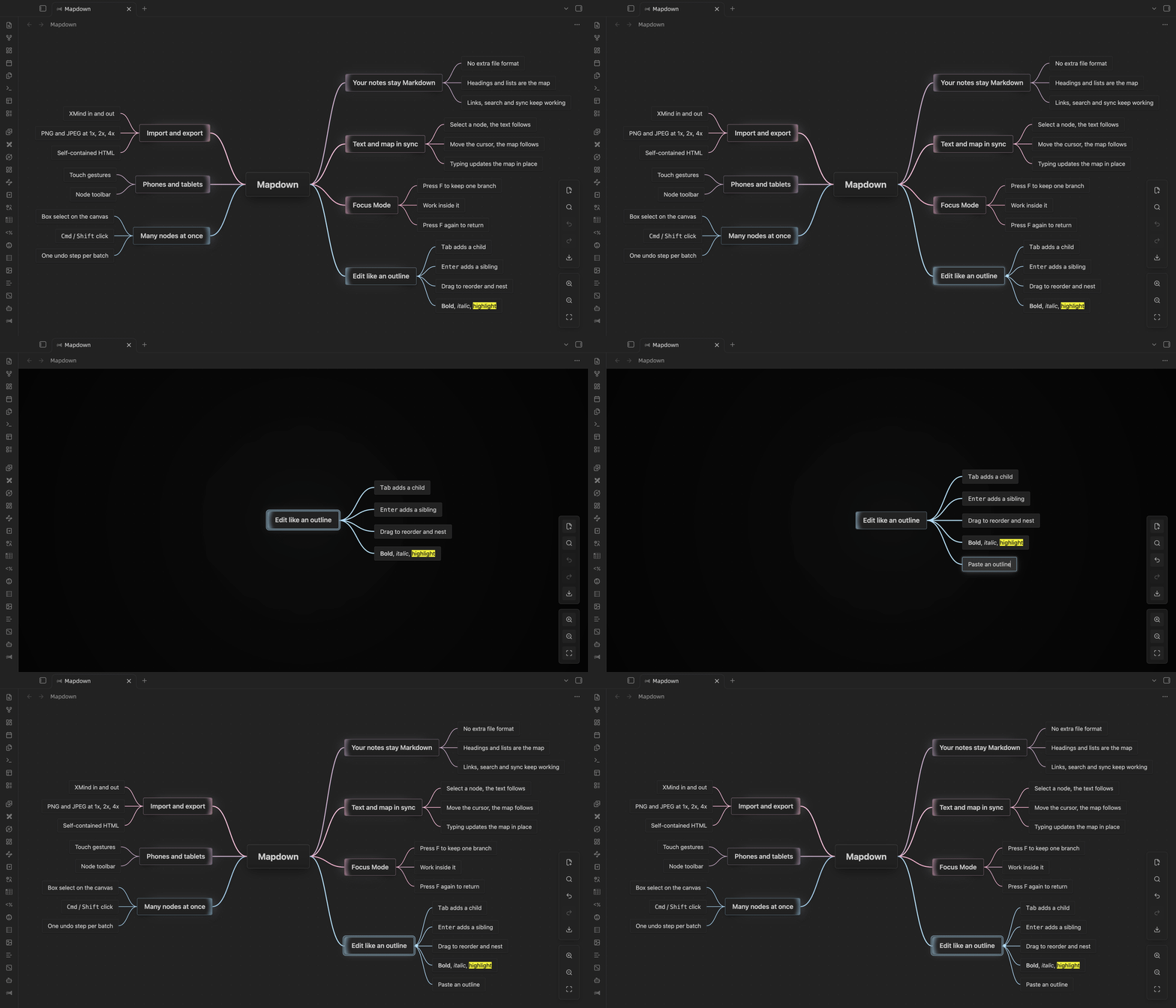
Images in nodes
- Paste an image, drag one in, or run "Insert image…" to pick from the vault.
- Images are saved where Obsidian keeps attachments, and links follow your link settings.
Editing
- While you drag a node, the map shows where it will land and makes room for it.
- Paste a multi-line outline and it becomes a subtree. Copied nodes paste into other apps as a Markdown list.
Alt + 1…6collapses the whole map to that level.Shift + Tabmoves a node up a level;Mod + Shift + Zredoes.- Maps with more than 300 nodes show a clickable overview in the corner.
Fixes
- Joining nodes can be undone.
- "HQ" export in the toolbar menu is 4x, the same as the command.
- Pasting no longer clears the system clipboard.
- Mapdown no longer turns on the Page preview core plugin by itself; the settings tab tells you when it is off.
- Map commands only appear in the command palette when a map is open.
- Settings can be found with Obsidian's settings search.
Install
- BRAT: add
leftlive/mapdown. - Manual: download
manifest.json,main.jsandstyles.cssbelow into.obsidian/plugins/mapdown, then reload Obsidian and turn on Mapdown.
Requires Obsidian 1.5.7 or later. Works on desktop and mobile.
中文说明
Mapdown 1.0 从头重写:更快、更轻,开始支持手机和平板。笔记和导图都不用改,仍然是普通的 Markdown。
从 0.3 升级
- 更新前请保存所有打开的导图。 1.0 不读取 0.3 留下的未保存恢复草稿。
- 设置会沿用,原有导图照常打开。
- 快捷键:0.3 设了 24 个全局快捷键,1.0 一个都不设。同样的按键改为只在导图里生效,不再和其他插件冲突。你自己给 Mapdown 命令绑的快捷键照常可用。
- 界面语言只保留英文和简体中文,其他语言显示英文。
- 删除了调试用的命令“在控制台输出节点信息”。
主要更新
- 更快更轻:打开 1,000 个节点的导图快了约 8 倍(107 ms,原来 812 ms),5,000 个节点快了约 30 倍(0.13 秒,原来 3.9 秒);大图里拖动、缩放和打字都很流畅;插件体积减小 81%(283 KB,原来 1.55 MB)。
- 手机和平板:轻点选中,双击编辑,长按弹出节点菜单,长按后拖动移动节点;单指拖动画布,双指缩放;节点工具栏可以新增、编辑、删除、移动和升降级、折叠、插入图片、撤销和重做。
- 专注模式:按
F只留下选中的分支,方向和颜色保持不变,不会迷失位置;再按一次回到整张图。 - 节点里的图片:粘贴、拖入,或者用“插入图片…”从库里挑选。图片按 Obsidian 的附件位置保存,链接格式跟随你的设置。
- 编辑:拖动节点时,导图提前让出位置,显示松手后的落点;粘贴多行大纲变成子树,复制的节点粘贴到其他应用里是 Markdown 列表;
Alt + 1…6把整张图折叠到第几层;Shift + Tab升一级,Mod + Shift + Z重做;超过 300 个节点时角落显示可点击的缩略总览。 - 修复:合并节点可以撤销;工具栏菜单里的“高清”导出改为 4 倍,和命令一致;粘贴后不再清空系统剪贴板;不再自动打开核心插件“页面预览”,关着时在设置页提示;导图命令只在打开导图时出现在命令面板里;设置项能用 Obsidian 的设置搜索找到。
需要 Obsidian 1.5.7 及以上,电脑和手机都能用。