Repository navigation
Releases: leoaliperti/LocalLeaf
Release list
LocalLeaf v1.0.1

Bug-fix release for the editor.
Fixed
- No more false "changed on disk while you were editing" warning while typing. LocalLeaf's own autosaves were being mistaken for external edits.
- Selecting text by dragging with the mouse or trackpad works on macOS. The selection was cancelled because WebKit reported no pressed button during the drag, so the click only moved the cursor.
- Tab accepts the highlighted autocompletion suggestion (Enter still works).
- Fixed a PDF viewer error when the viewer was closed right after a resize.
Changed
- Brackets always auto-close, whatever follows the cursor:
(,[,{,$, and the math delimiters\[ \]and\( \). Typing a closer in front of the same closer steps over it, a selection gets wrapped, and Backspace inside an empty pair removes both halves.\$stays a literal dollar, and quotes are no longer paired (LaTeX uses``and'').
Downloads
| Platform | File |
|---|---|
| macOS 11+ (Apple Silicon and Intel) | LocalLeaf_1.0.1_universal.dmg |
| Windows 10/11 x64 | LocalLeaf_1.0.1_x64-setup.exe or .msi |
| Linux x64 | .AppImage, .deb or .rpm |
| MCP server CLI only | texcraft-core-<platform>.tar.gz / .zip |
Windows and Linux packages are built by GitHub Actions and attached a few minutes after publication. The builds are not code-signed yet: see the installation notes.
Full changelog: v1.0.0...v1.0.1
LocalLeaf v1.0.0
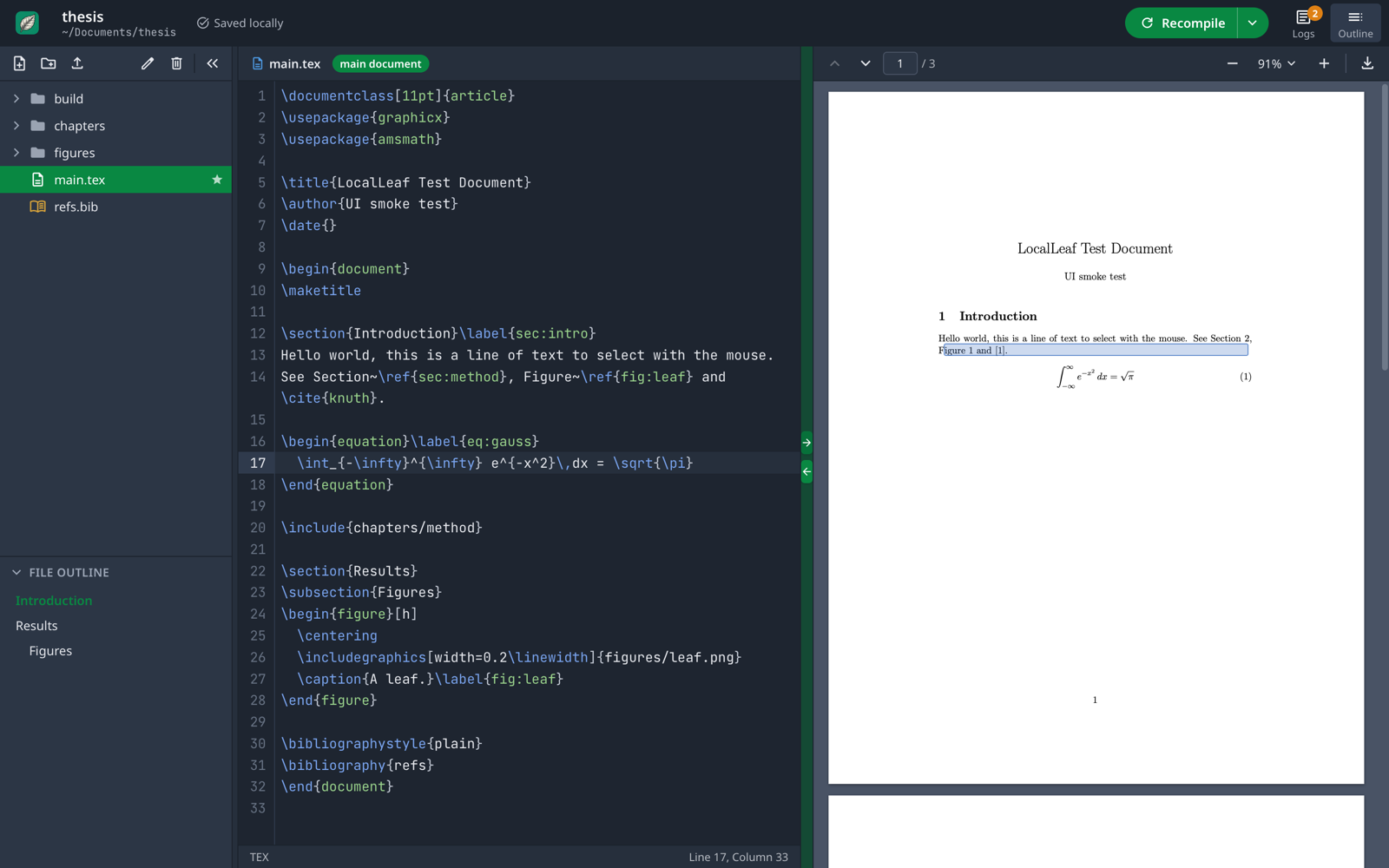
First public release of LocalLeaf, a local-first LaTeX editor with an Overleaf-style interface. Projects are plain folders, compilation uses the TeX engines installed on your computer, and the app doubles as an MCP server for AI agents.
Downloads
| Platform | File |
|---|---|
| macOS 11+ (Apple Silicon and Intel) | LocalLeaf_1.0.0_universal.dmg |
| Windows 10/11 x64 | LocalLeaf_1.0.0_x64-setup.exe or LocalLeaf_1.0.0_x64_en-US.msi |
| Linux x64 | LocalLeaf_1.0.0_amd64.AppImage, .deb or .rpm |
| MCP server CLI only | texcraft-core-<platform>.tar.gz / .zip |
Windows and Linux packages are built by GitHub Actions and attached a few minutes after publication; they have had less hands-on testing than macOS.
You also need a TeX distribution (MacTeX / TeX Live / MiKTeX, or Tectonic). See the README.
First launch: the builds are not code-signed yet. On macOS right-click the app → Open (or
xattr -dr com.apple.quarantine /Applications/LocalLeaf.app); on Windows choose More info → Run anyway in SmartScreen.
Highlights
- Overleaf-style layout: file tree and outline, CodeMirror 6 editor, PDF.js preview, green Recompile button, clickable logs with hints.
- pdfLaTeX, XeLaTeX, LuaLaTeX and Tectonic, with bibtex/biber and latexmk-style reruns; auto-compile and draft mode.
- Bidirectional SyncTeX, autocompletion of
\reflabels and\citekeys, Vim/Emacs keybindings, light and dark themes. - Native menu bar with an Insert menu and standard shortcuts.
- Project dashboard: create, rename, move and trash projects.
- Built-in MCP server (
compile_tex,read_project_file,write_project_file,list_available_engines); agent edits show up live in the editor. See docs/MCP.md.
Full list in the changelog.