Repository navigation
RillDisk 0.1.2

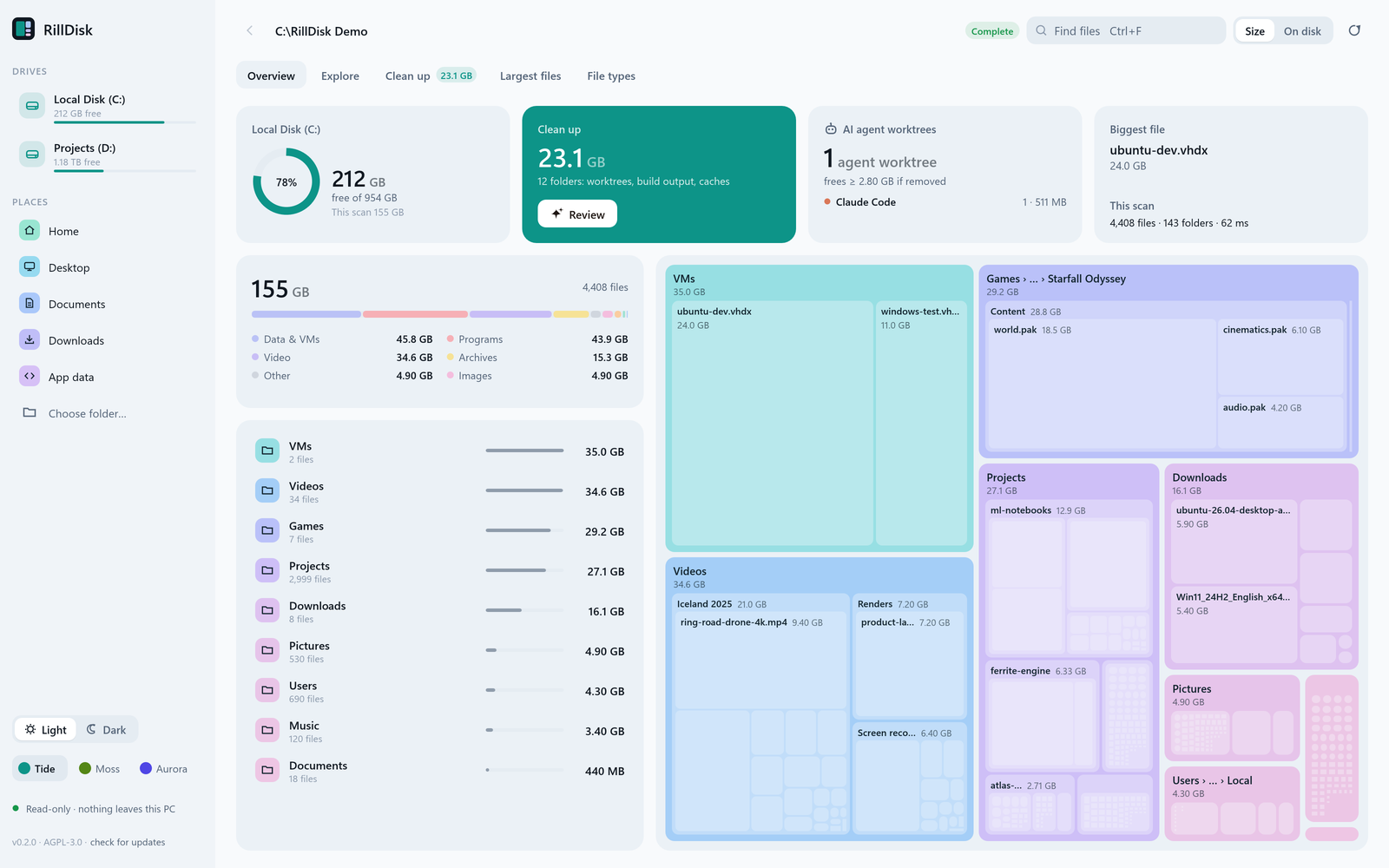
RillDisk 0.1.2: see what fills your disks and what you can safely free. A native app, a CLI and an MCP server for AI assistants, built in Rust. It reads file metadata only: nothing is opened, uploaded or deleted behind your back.
This release
Navigate folders with a stable sidebar, clickable hierarchy and a clear Parent
control. Returning to a parent marks the folder you left; rescans retain your
location. Long names, empty folders and unreadable results have clearer states.
Updates are visible in the bottom bar. Windows MSI copies can download, verify,
install with Windows consent, and restart directly from the app. Download progress,
verification, errors and retry are visible without entering Settings.
Whole-drive scan speed is unchanged. See navigation evidence and known limits.
First launch, verifying downloads, updating
- Windows: the builds are not code-signed yet. If SmartScreen appears, choose More info, then Run anyway.
- macOS: the app is not notarized yet. Open System Settings > Privacy & Security and choose Open Anyway, or run
xattr -dr com.apple.quarantine /Applications/RillDisk.app. - Linux: builds need glibc 2.28 or newer (Debian 10+, Ubuntu 20.04+, RHEL 8+). The static musl build runs anywhere.
- Verify:
sha256sum --check --ignore-missing SHA256SUMS, andgh attestation verify <file> --repo lord007tn/rilldiskfor the signed build provenance. - Update: the app offers new versions (with your consent). From a terminal, run
rilldisk update. Windows MSI copies can choose Update and restart in the bottom bar; Windows asks for administrator consent. Copies installed with.deb,.rpm, AppImage or.dmglink the matching new package instead.
Full guide: docs/INSTALL.md
What's changed
🚀 Features
- desktop: Improve folder navigation and install MSI updates in-app - by @lord007tn in #15 (a16c4)
