
This is a plugin for the Glyphs font editor.
If active, it shows a measurement line (even in edit mode) with all distances between the outlines. If any distance matches the saved metrics in the Glyphs Palette, it will highlight in green and tell you which one it matches. The vertical position is attached to the Glyphsapp measurement line and can be moved around the same way.
When ever you need it, toggle Show * Stems from the view menu. There is a shortcut to (de)activate it:
👉 ctrl+alt+cmd+s (like Stems)
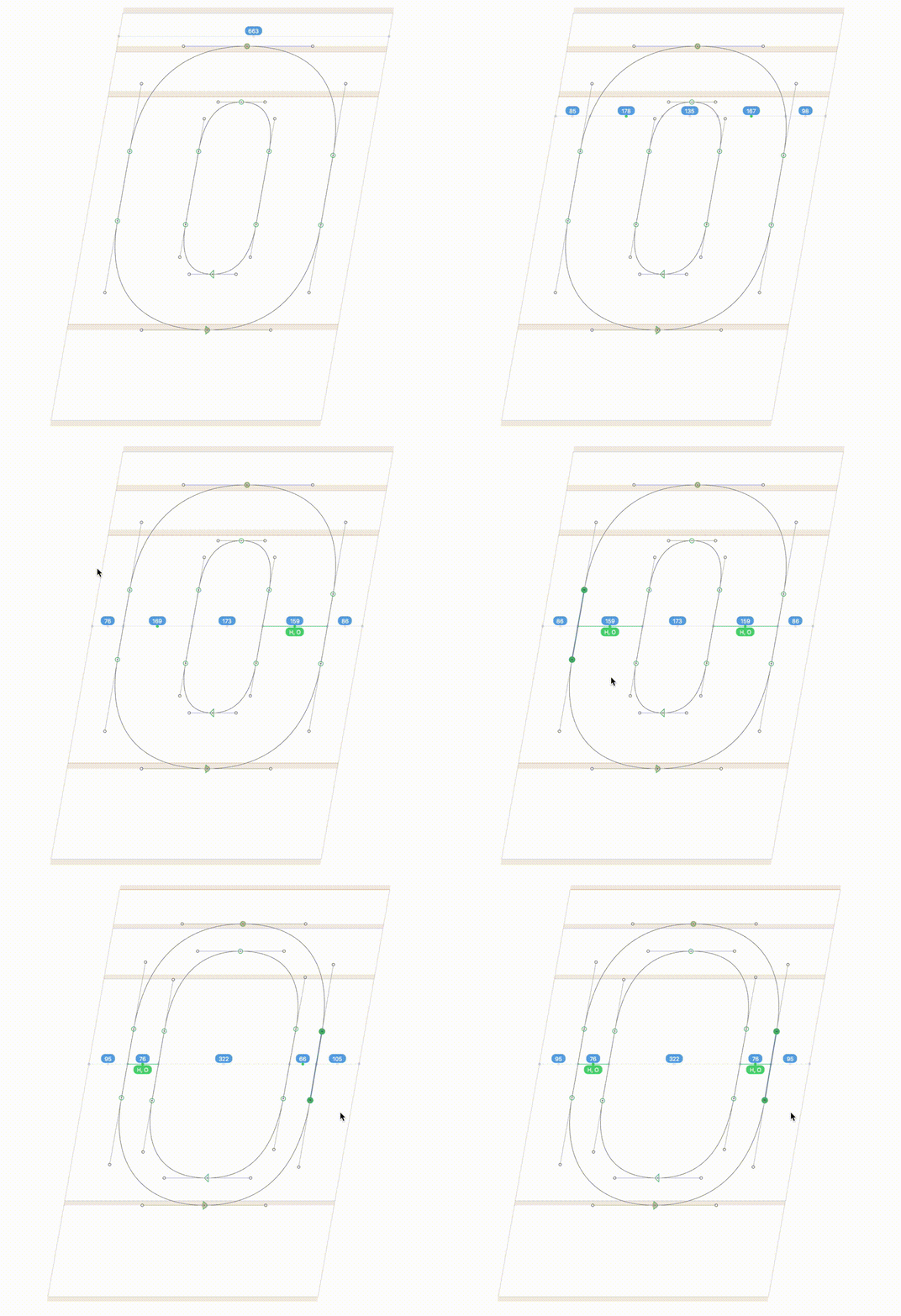
- Q: It also highlights matching values between path-outlines. Keep/remove?
- Not sure about rounding values to integers. Perhaps 1 float point is better!? The info would be more accurate, but the stems entered in the palette will be integers anyway.
- the half xHeight/CapHeight indicator (left triangle) is horizontally a tiny bit off in italics. Cosmetic issue.
- Make it smarter to recognize non-Latin Settings.
Feel free to comment or pull requests for any improvements.
Copyright 2016 Mark Frömberg @Mark2Mark
Made possible with the GlyphsSDK by Georg Seifert (@schriftgestalt) and Rainer Erich Scheichelbauer (@mekkablue).
Licensed under the Apache License, Version 2.0 (the "License"); you may not use this file except in compliance with the License. You may obtain a copy of the License at
http://www.apache.org/licenses/LICENSE-2.0
See the License file included in this repository for further details.