[PowerRename] : enhance the details experience! #12583

Description

Description of the new feature / enhancement
PowerRenameis a very useful & convenient & powerful feature. It is already very good at present, but it is lacking in details.
Custom font-size
Of course, this is the standard default font size (≋
9px),
- But if can customize the font size (e.g.
12px), it is better,
because the default font size is too small (for large screen monitors), It is more difficult to look at the input fields and compare the old ⚔ new file names. it seems more difficult.
In other words, it is difficult to see at a glance.
Autocomplete 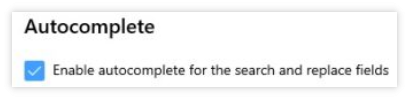
- Current behavior:
Only use the keyboard ⬇️ to display - Expected behavior:
Mouse-clickormouse-wheelto displayAutocomplete, can also when empty.In order to maintain the same experience/use as other places such as the
Autocompleteof the browser.
Can't remember the last window size
A completely relevant issue has been proposed : #2152
The default is always fixed to: ≋ 550x630px
- Expected behavior:
For example: I now stretch it to1030x700px,
then next time it starts, it can also be the size of this size1030x700px.
Scenario when this would be used?
The above 3 problems will be encountered when batch renaming.