Just a complement for this thread: Extension not using launch.json config when you press the UI button "Debug Python File" #20251

Description

Just an addition to #18199 (a closed thread)
The debug button did not do anything for me too.

But this one on the right side of the window was working:

I saw somewhere that the first button isn't hardcoded with VSCode, it's a part of this python extension

Adding "purpose": ["debug-in-terminal"] in launch.json wasn't enough for me.
I finally saw in the python extension "details" that I also needed to update python (it only works with >=3.7, I had 3.6).
I then followed the step mentioned in the details. Including the "Configure Tests" which did not seem to do anything (I tried both item of this menu, in vain)
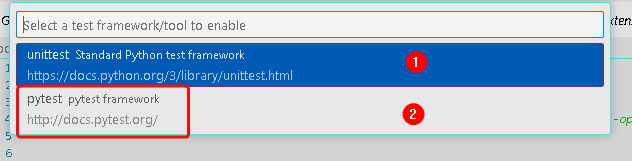
But when I launched one of my python scripts by clicking on the debug button, it worked, it downloaded some stuff (no idea what was going on, nor what it was supposed to do).
Then check if the python version at the bottom of vscode is >=3.7 (it took me a while to understand that it's not the version of python that will run your file (in my case 3.6) but the version that VScode use to run the terminal. It's super confusing).

You can set the default version that will show when the terminal starts by writing on the control palet > Python: Select Interpreter