I was in a user study with @stevencl where we were asking a new user to VS Code to open a terminal.
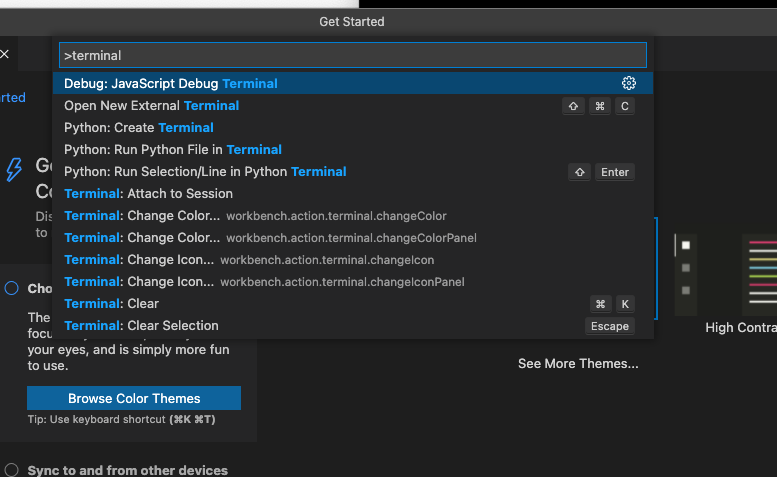
He smartly found the command palette and typed "Terminal" and you could see a bunch of commands but none of them are "Open the Terminal" because it is sorted to the bottom. He did not scroll and was disappointed that he can not simply open the terminal. So I suggest if we can somehow make sure that the Terminal: Create New Terminal is at the top.
Repro steps
- Start VS Code Insiders with a new user data dir
- Command palette, type "Terminal"
- Notice the results, no easy action at the top to just open the terminal


I was in a user study with @stevencl where we were asking a new user to VS Code to open a terminal.
He smartly found the command palette and typed "Terminal" and you could see a bunch of commands but none of them are "Open the Terminal" because it is sorted to the bottom. He did not scroll and was disappointed that he can not simply open the terminal. So I suggest if we can somehow make sure that the
Terminal: Create New Terminalis at the top.Repro steps