GitHubTags
#A11yTCS; #A11ySev2; #A11yMAS; #A11yMAS #A11yWCAG; #DesktopApp; #Visual Studio Code Client;#BM-VisualStudioCode-Win32-Nov2021; #Color Contrast; #WCAG1.4.3; #Win32; #Win10; #AINotINScope;
Environment Details
Application Name: Visual Studio Code Client
Version:1.62.1 (user setup)
Windows Version: Windows 10 (21H1)
Repro Steps
- Open Visual studio code editor
- Using keyboard navigation View Menu Bar
- Select search option
- Search and replace global content and check the color contrast ratio.
Actual Result
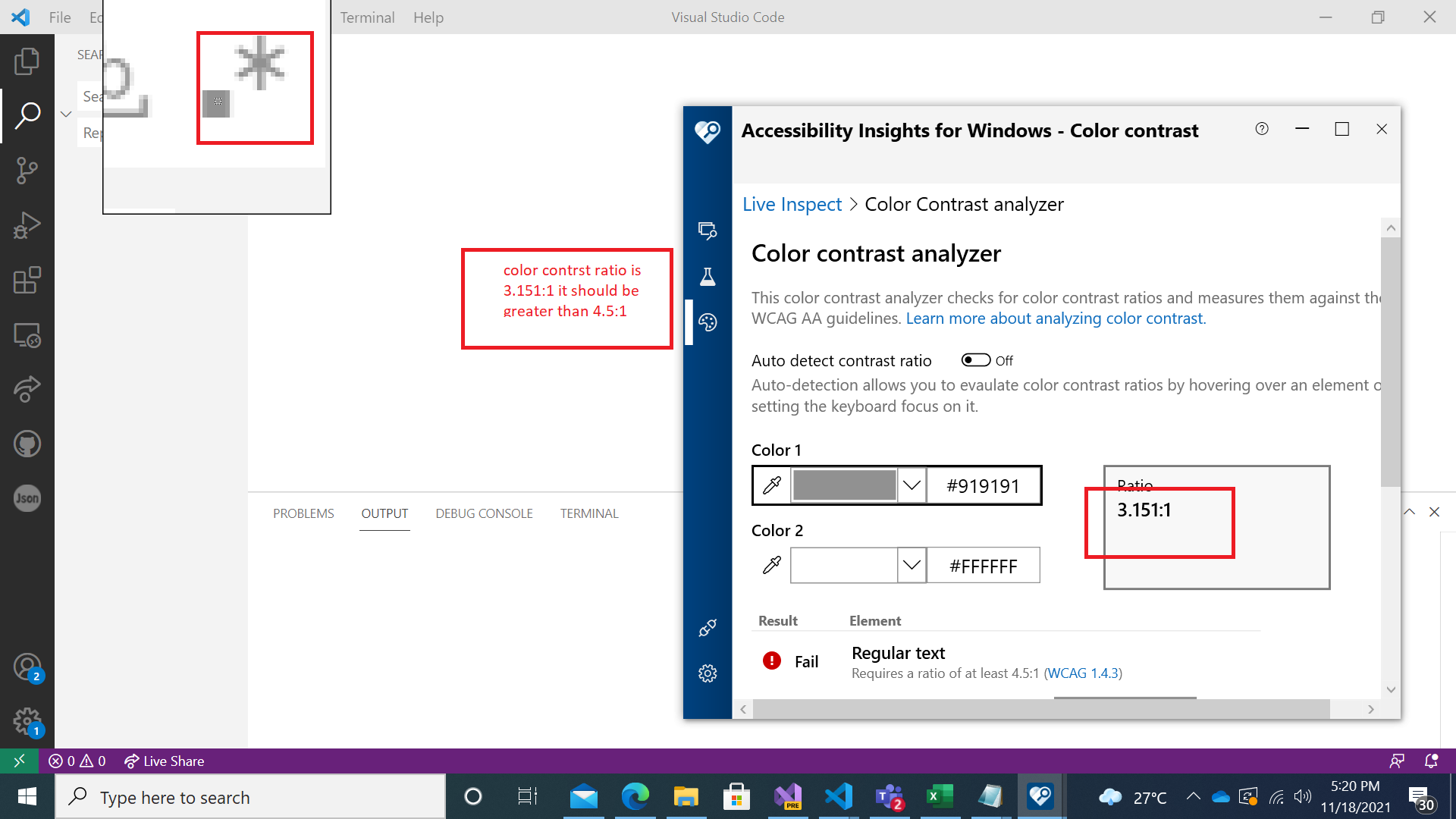
Color Contrast ratio of “Match case(Aa)” ,“Match whole word”, “Use regular expression”, “Preserve case” is 3.151:1which is less then required.
Expected Result
Color Contrast ratio of “Match case(Aa)” ,“Match whole word”, “Use regular expression”, “Preserve case” should be equal to 4.5:1 or greater than 4.5:1.
User Impact
Low vision users will face difficulty when they will navigate to the “Match case(Aa)” ,“Match whole word”, “Use regular expression”, “Preserve case” controls.


GitHubTags
#A11yTCS; #A11ySev2; #A11yMAS; #A11yMAS #A11yWCAG; #DesktopApp; #Visual Studio Code Client;#BM-VisualStudioCode-Win32-Nov2021; #Color Contrast; #WCAG1.4.3; #Win32; #Win10; #AINotINScope;
Environment Details
Application Name: Visual Studio Code Client
Version:1.62.1 (user setup)
Windows Version: Windows 10 (21H1)
Repro Steps
Actual Result
Color Contrast ratio of “Match case(Aa)” ,“Match whole word”, “Use regular expression”, “Preserve case” is 3.151:1which is less then required.
Expected Result
Color Contrast ratio of “Match case(Aa)” ,“Match whole word”, “Use regular expression”, “Preserve case” should be equal to 4.5:1 or greater than 4.5:1.
User Impact
Low vision users will face difficulty when they will navigate to the “Match case(Aa)” ,“Match whole word”, “Use regular expression”, “Preserve case” controls.