Ubuntu 16.04.1 Installation
The following instructions will allow you to set up the patient matching test harness on Ubuntu 16.04.1.
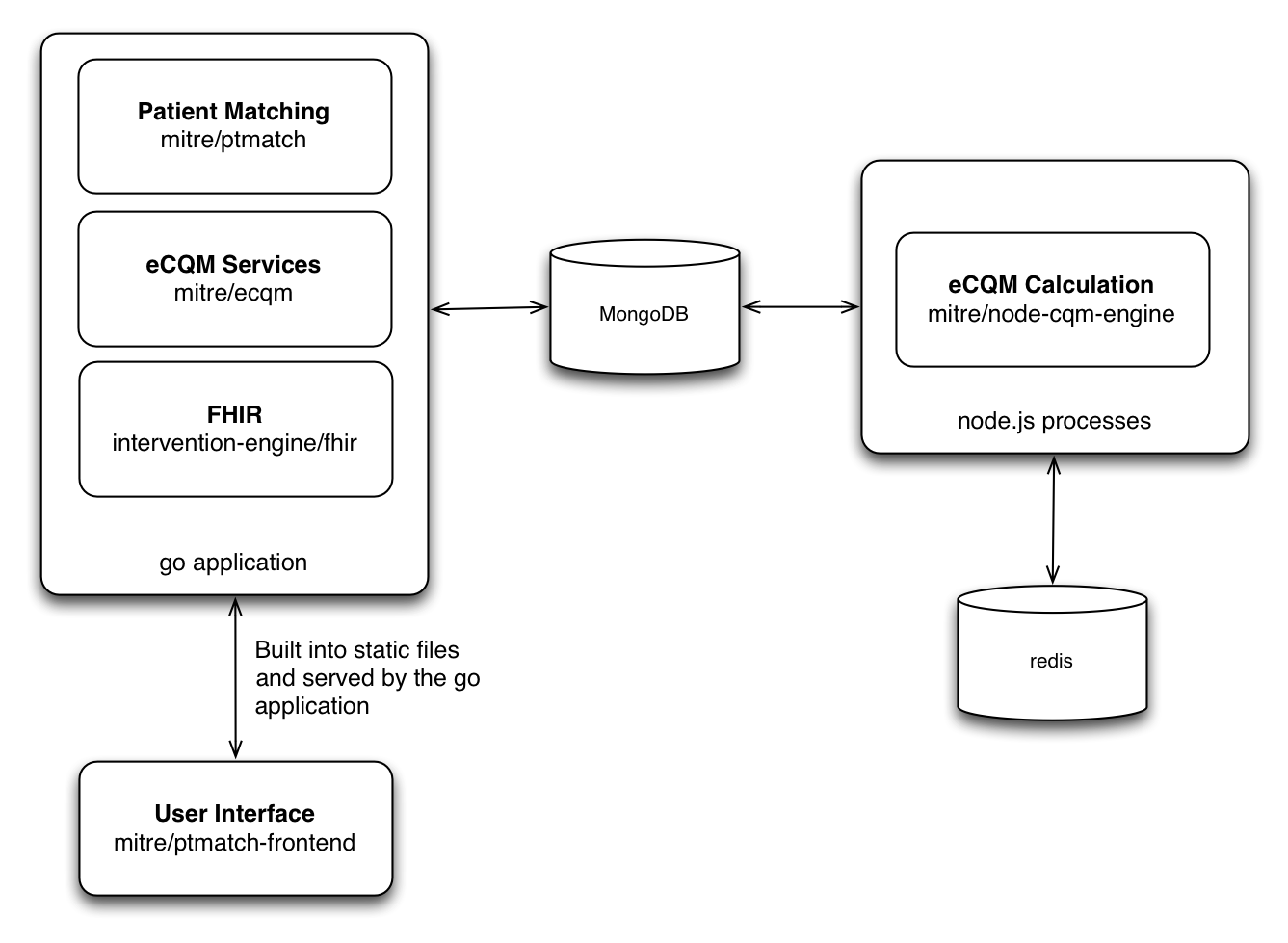
This project depends on the backend services provided by the ptmatch library. You can see the architecture below:
To install the full suite of tools:
- Follow the instructions for installing node-cqm-engine. This will provide the backend to calculate electronic Clinical Quality measures. This calculation engine runs on node.js. By leveraging a JavaScript environment, we can leverage the same quality measure code used by Bonnie and Cypress.
- Next, follow the instructions to install ecqm. This will set up a Go based application hosting a number of services. It will provide services to kick off and retrieve eCQM calculations. It will provide the services for the patient matching test harness, by leveraging the ptmatch library. Finally, it incorporates a FHIR server.