Repository navigation
Catalyst News Wire & Benzinga
The Catalyst News Wire delivers streaming news releases, earnings announcements, clinical trial results, and regulatory filings the second they cross wire services.
Most retail charting platforms and free screening apps suffer from an inherent 5 to 15-minute delay on news feeds.
For active momentum traders, this delay is fatal:
- By the time a headline surfaces on delayed charts, a $2.00 stock moving on FDA approval may have already spiked to $4.50.
- Traders relying on delayed news enter late at the top, suffering brutal slippage and immediate pullbacks.
NewsAlerts connects directly to low-latency institutional news wires—including Benzinga, GlobeNewswire, PR Newswire, and Business Wire—surfacing headlines with sub-second latency.
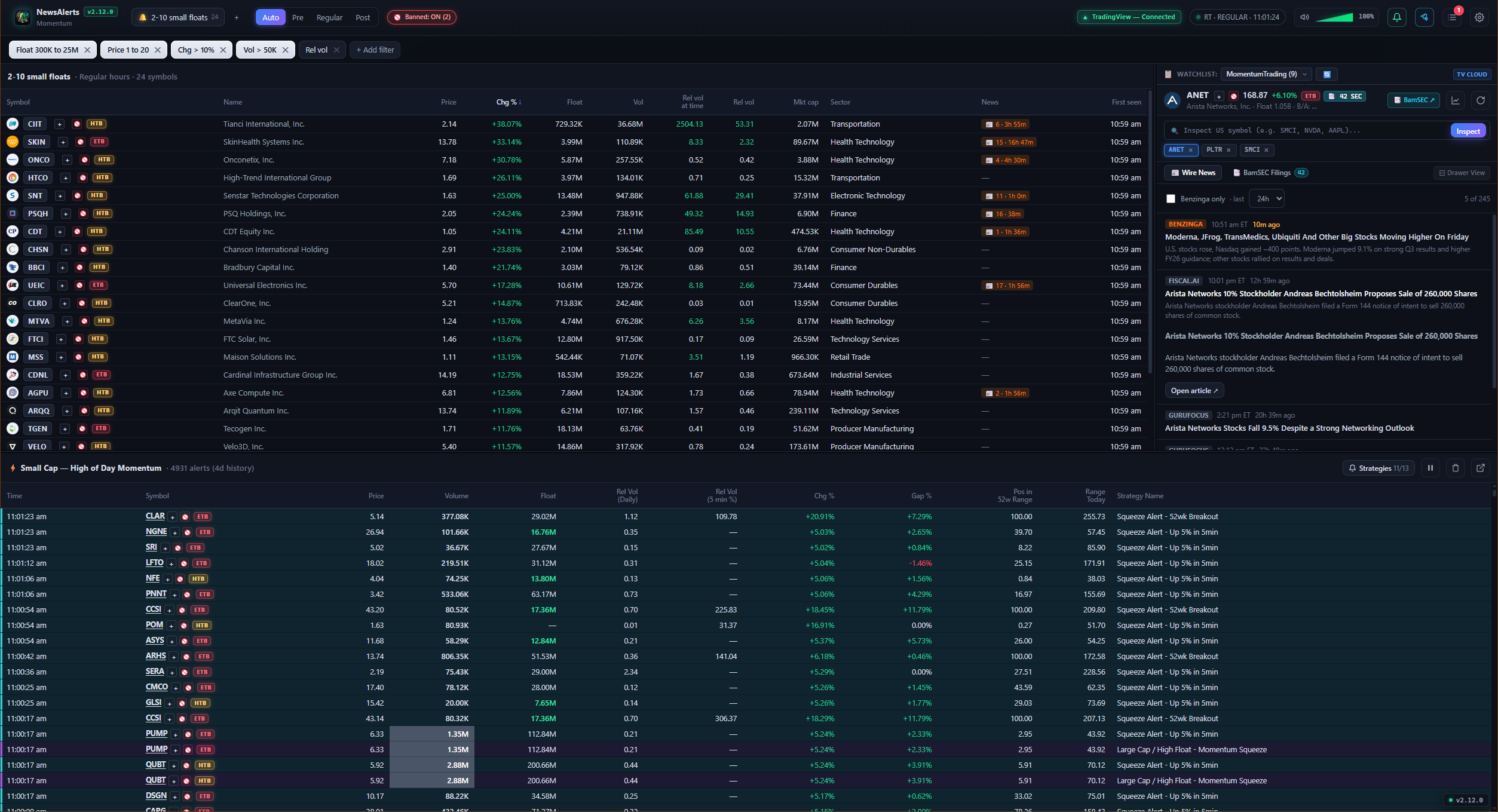
News Wire in Action: On-demand SMCI inspection with real-time price, float, ETB borrow badge, and breaking catalyst wire.
-
Custom US Symbol Search & Watchlist Chips:
- Inspect news and catalyst wires for any US common equity on demand (e.g.
SMCI,NVDA,AAPL). - Market Scoping: Queries are strictly resolved against primary US equities across NASDAQ, NYSE, and AMEX.
-
Keyboard & Mouse: Type any ticker into the search bar and press
Enter(or clickInspect) to load full company metadata, live price, float, bid/ask spread, session VWAP, and wire headlines. -
Interactive Watchlist Chips: Inspected symbols are saved as interactive quick-access chips (
[ SMCI × ] [ NVDA × ]) for rapid one-click switching and deletion.
- Inspect news and catalyst wires for any US common equity on demand (e.g.
- Instant Story Viewer: Click any ticker in the screener or tape to pull up its full press releases with source timestamp and publisher attribution.
-
One-Click TradingView Chart Popout:
Click the Chart Icon (
#news-chart) in the news pane header to immediately view the corresponding interactive chart on TradingView in your browser. -
Configurable Time Horizons:
Filter news stories using the one-click horizon selector:
-
1h·2h·4h·8h·12h·24h·3d·7d
-
- Market Catalyst Verification: Instantly verify whether a runner is moving on legitimate corporate news (FDA clearance, defense contract, earnings beat) or sympathy / chatroom momentum.
-
BamSEC Real-Time SEC Filings & Opt-Out Capability:
- Integrated SEC EDGAR filings explorer powered by BamSEC (by AlphaSense) directly beside wire news headlines.
- Dual presentation modes: ⚡ Collapsible Accordion Drawer at the top of the news panel or 📑 Sub-Tabs View (
📰 Wire News/📑 BamSEC Filings). - Categorized filings with color-coded badges: News (6-K/8-K), Dilution & Offerings (S-1/S-3/F-3/424B), Ownership (Form 3/4/SC 13D), and Financials (10-K/10-Q).
-
Togglable Opt-Out in Settings: Enabled by default (
news.bamsec_enabled = true), but can be completely disabled in Settings → General. When opted out, all BamSEC header buttons, badges, drawers, sub-tabs, and background scraper network requests are completely suppressed.