Repository navigation
v0.1.0

First release of pool: share CPU between your own devices over Tailscale.
What it does
pool runruns a command on the least-loaded device (or one you name) and streams its output back.pool mapsplits work into one task per number, line or file and spreads it over every free slot on every device. It ships files with--ship, brings results back with--collect, retries on another device if one fails, and starts backup copies of slow final tasks.- Scheduling that respects the owner. Agents pause on battery or when the CPU is busy, and jobs run at low priority.
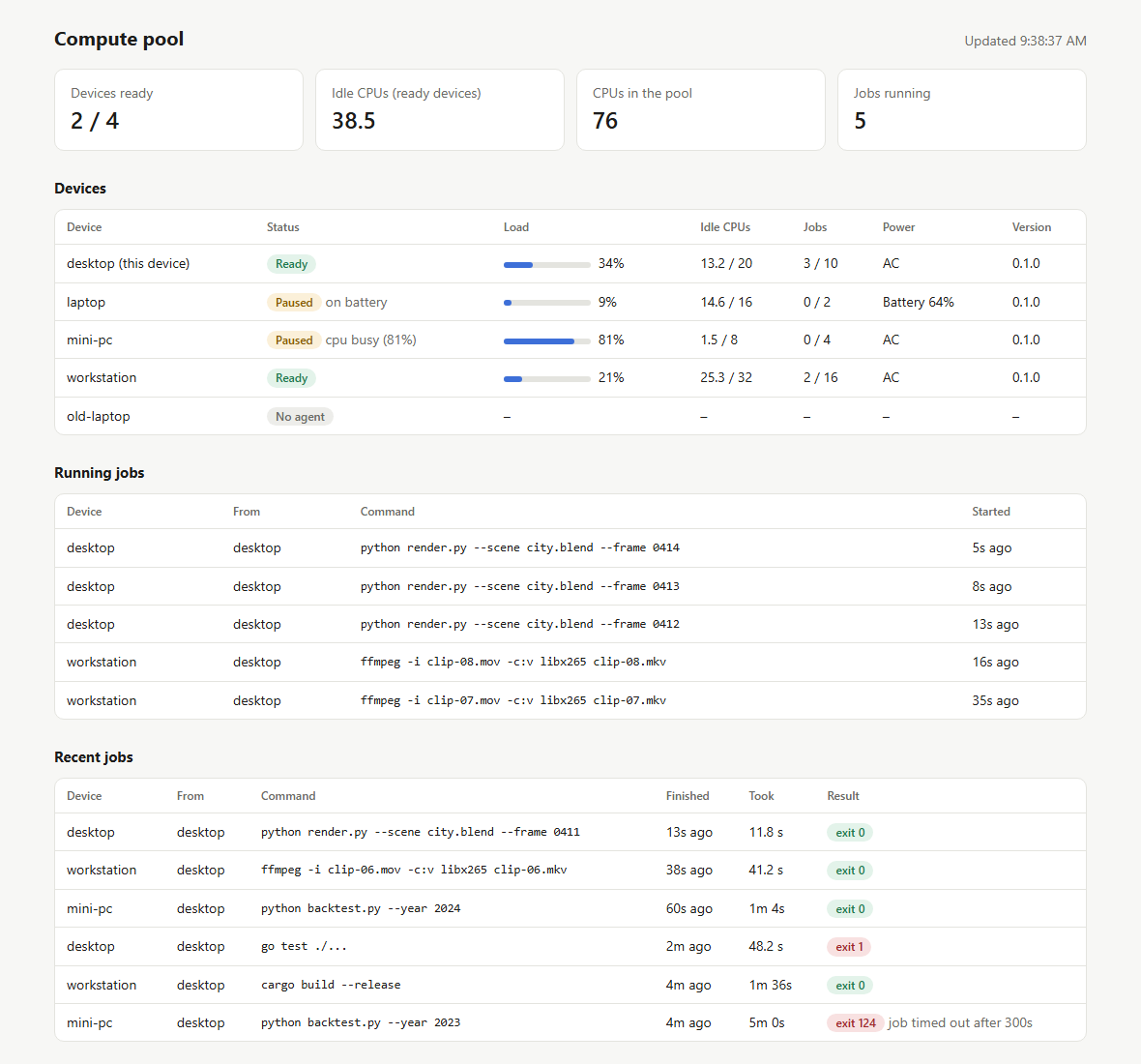
pool install(Windows) runs the agent in the background as your own user, restarts it within a minute if it stops, and survives sleep and network changes.pool dashboardis a live view of devices and jobs.
Measured on a desktop plus a laptop lending 8 cores: 1.28× faster on a CPU-bound batch, about 90% of the best possible for those two machines.
Security
An agent runs whatever an allowed device sends it, so access control is the core of the design:
- It accepts only devices that you own in your tailnet and that are named on its allow list.
- It refuses requests from web pages and DNS rebinding.
- The client never sends jobs or files to devices someone else controls.
See SECURITY.md for the threat model and known limits before you run an agent.
Install
- Download the binary for your platform below, and
SHA256SUMS. - Verify it:
- Linux/macOS:
sha256sum -c SHA256SUMS --ignore-missing - Windows:
Get-FileHash pool-0.1.0-windows-amd64.exeand compare.
- Linux/macOS:
- Rename it to
pool(orpool.exe) and put it on yourPATH. - With Tailscale signed in on each device, run
pool install --allow <your other devices>(Windows) orpool agent --allow …, then runpool nodes.
| Platform | File |
|---|---|
| Windows x64 / Arm | pool-0.1.0-windows-amd64.exe, pool-0.1.0-windows-arm64.exe |
| Linux x64 / Arm | pool-0.1.0-linux-amd64, pool-0.1.0-linux-arm64 |
| macOS Intel / Apple silicon | pool-0.1.0-darwin-amd64, pool-0.1.0-darwin-arm64 |
Known limits
- Unsigned binaries. Windows SmartScreen or Smart App Control may warn about or block the binaries. On macOS, clear the quarantine flag with
xattr -d com.apple.quarantine pool. pool installis Windows-only. On Linux and macOS, runpool agentfrom a systemd user service or a launchd agent.- Tested with real devices on Windows only. Linux and macOS pass the full test suite in CI.